

Dynamic Header & Navigation for Block Themes
Animated shrinking header, responsive shrinking logo, custom breakpoints and off-canvas navigation – navigation solution for block themes.
Plugin info
Maintenance & Compatibility
Maintenance score
Maintained • Last updated 134 days ago • 3 reviews
Is Dynamic Header & Navigation for Block Themes abandoned?
Likely maintained (last update 134 days ago).
Compatibility
Developers
Similar & Alternatives
Explore plugins with similar tags, and compare key metrics like downloads, ratings, updates, support, and WP/PHP compatibility.
Description
Options:
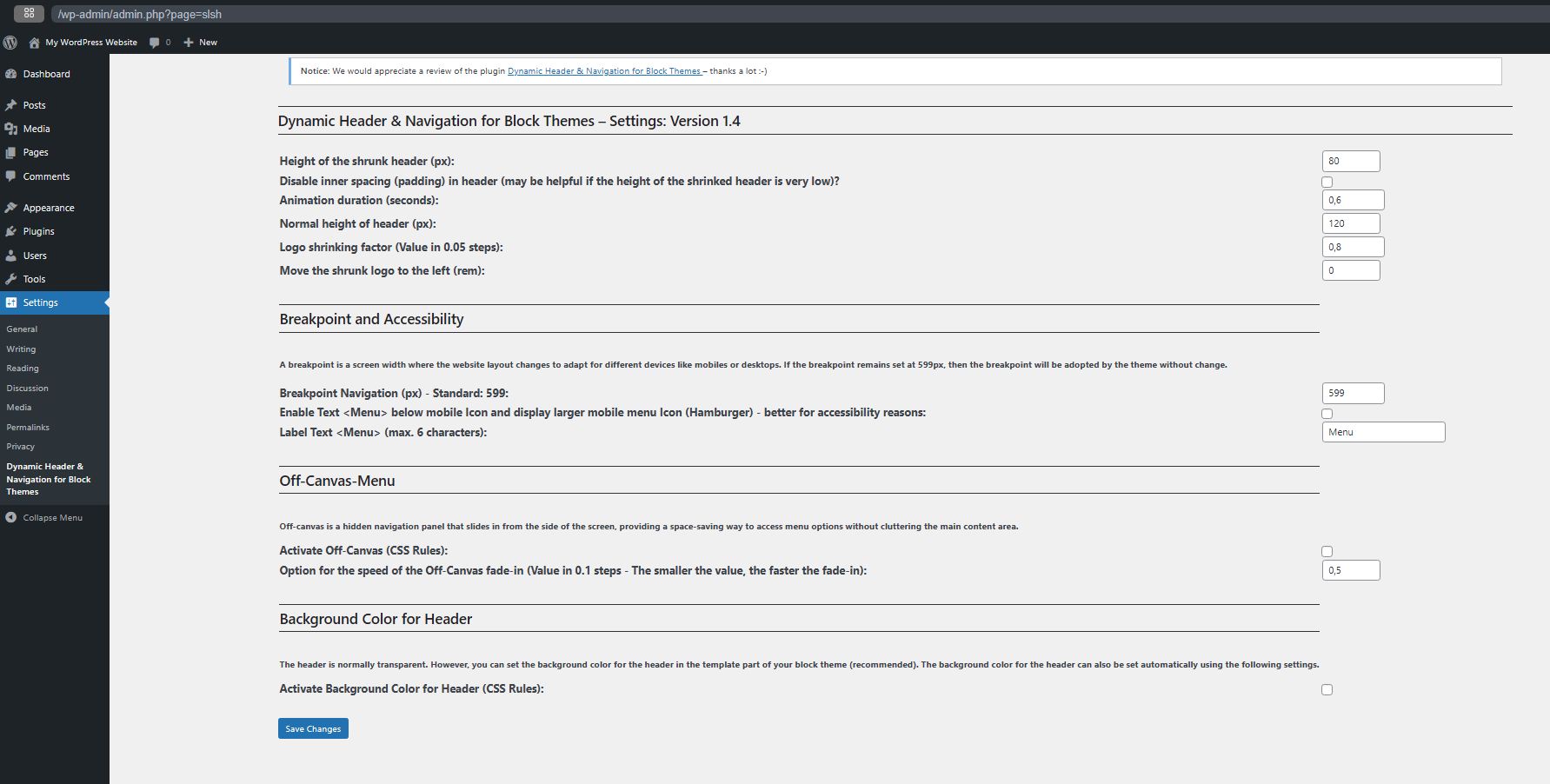
- Set height for header
- Set height for shrinking header
- Set Logo shrinking factor
- Set shrinked Logo left (added in Version 1.3)
- Set Animation duration (seconds) for shrinking header
- Option to set a breakpoint for navigation (added in Version 1.1)
- Option to set Off-Canvas (added in Version 1.2)
- Option for the speed of the Off-Canvas fade-in (added in Version 1.3.1)
- Option to disable inner spacing (padding) in header (added in Version 1.4)
- Option to enable Text below mobile Icon and display larger mobile menu Icon (Hamburger) – better for accessibility reasons (added in Version 1.4)
- Option to Label Text (added in Version 1.4)
- Option: Menu does not appear as sticky on mobile devices – may be better for accessibility reasons (added in Version 1.4.1)
Dynamic Header & Navigation for Block Themes (Previous name of the plugin: Shrinking Logo Sticky Header) is a lightweight WordPress plugin developed specifically as a navigation solution for most Block Themes.
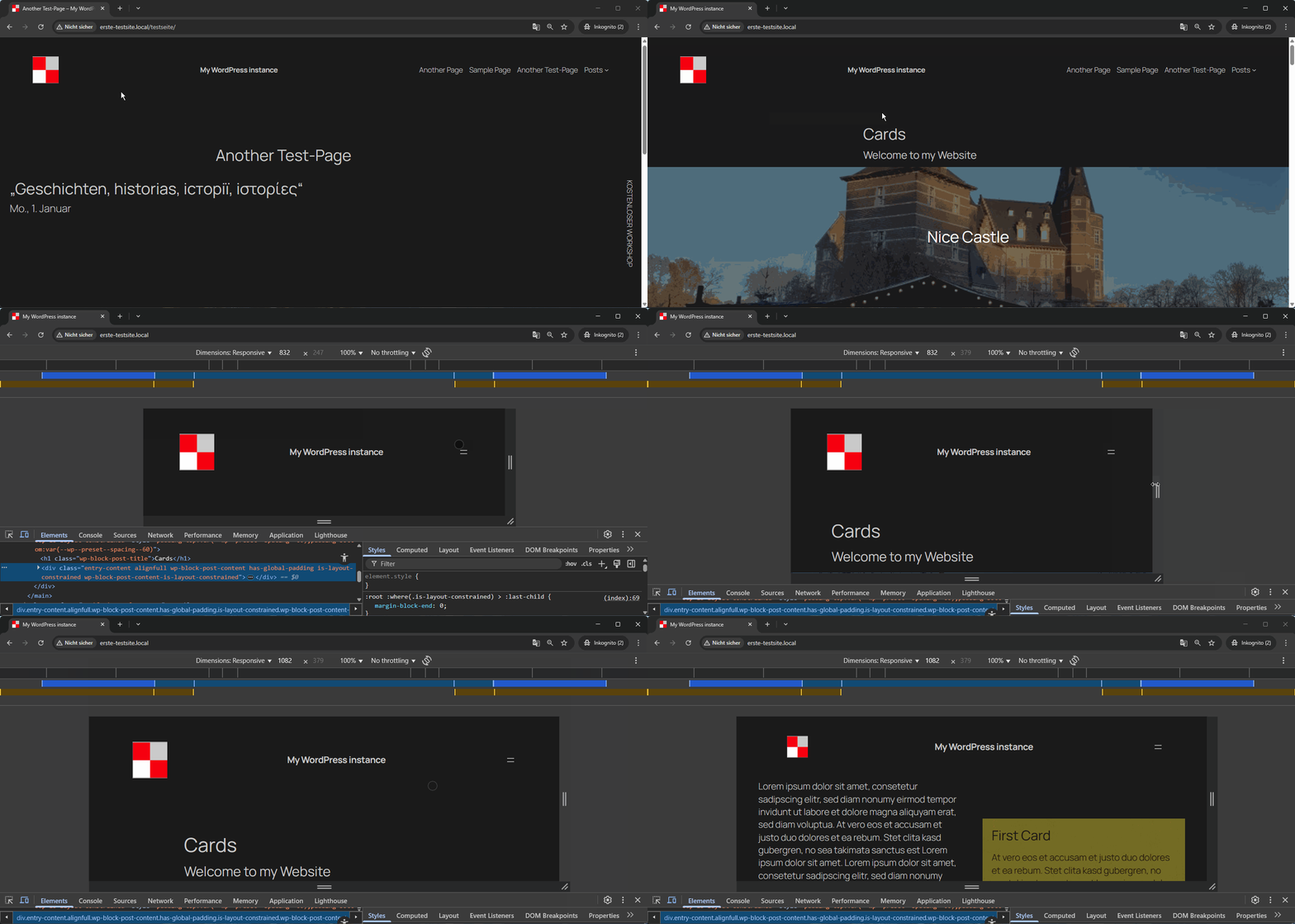
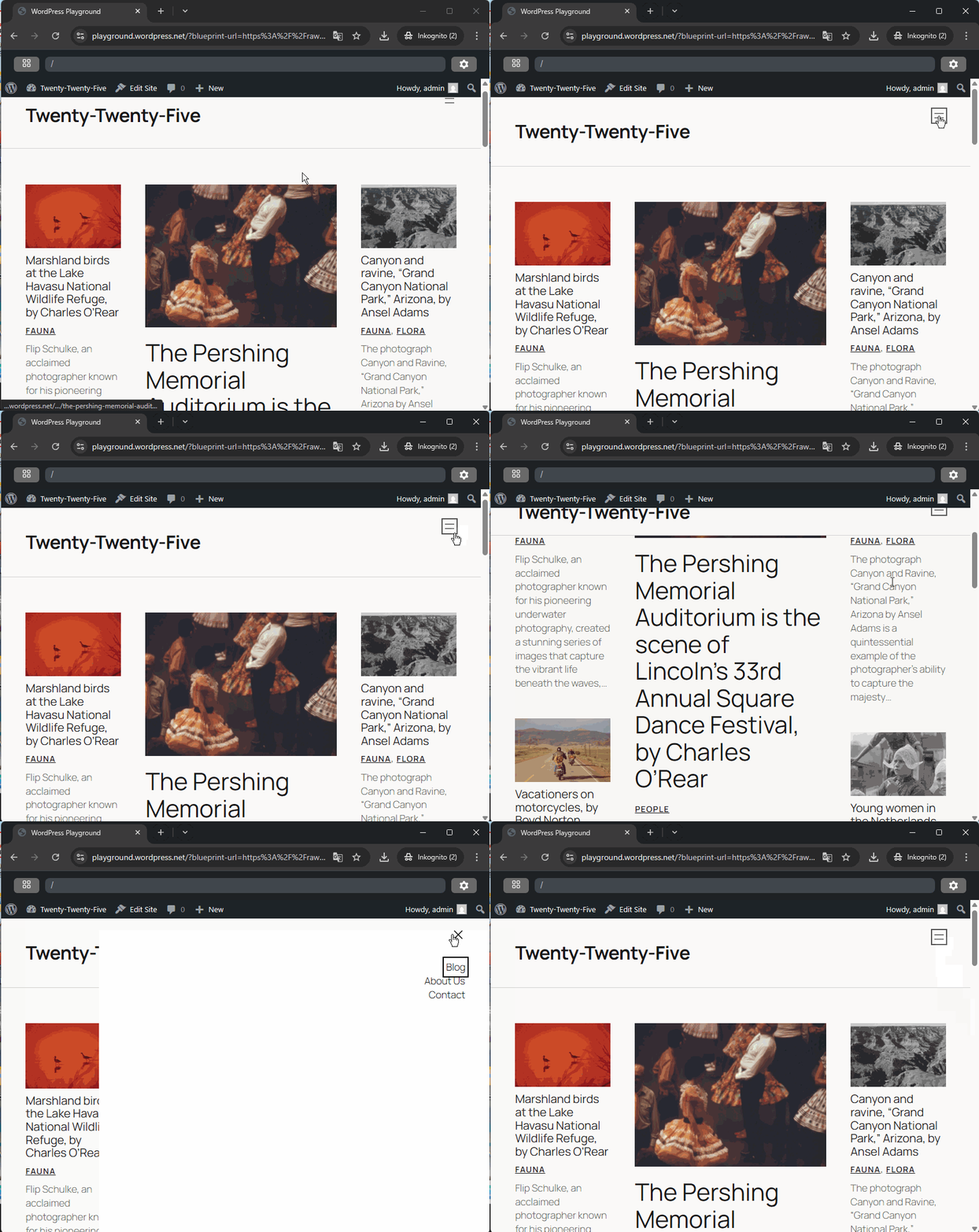
It adds a modern sticky header with smooth, animated shrinking effects for both the header and the site logo.
As users scroll down the page, the header and logo automatically reduce in size, maximizing on-screen space and keeping navigation easily accessible without disrupting the browsing experience.
The plugin allows you to individually configure the heights for the header and logo in both their normal and shrunken states, giving you full control over your site’s appearance.
These settings can be easily adjusted to match your branding or design preferences.
One of the key advantages of Dynamic Header & Navigation for Block Themes is its simplicity:
After activation, the sticky and shrinking effects work in principle immediately – no additional setup or configuration is required.
This makes it ideal for users who want a professional, dynamic header effect without dealing with complex options or custom code.
Translations
- (French): Thanks to Patricia BT
Installation
- Go to
Pluginsin the Admin menu - Click on the button
Add new - Search for
shrinking Logo Sticky Headerand click ‘Install Now’ or click on theuploadlink to uploadshrinking-logo-sticky-header.zip - Click on
Activate plugin
Frequently Asked Questions
Classic themes sometimes offer such an option, but possibly only in a paid version. This plugin can only be used with block themes.
Tested with Twenty Twenty-Three, Twenty Twenty-Four, Twenty Twenty-Five, Circles WP.
If the plugin does not work with your block theme, please write to the support forum. I will then see what I can do.
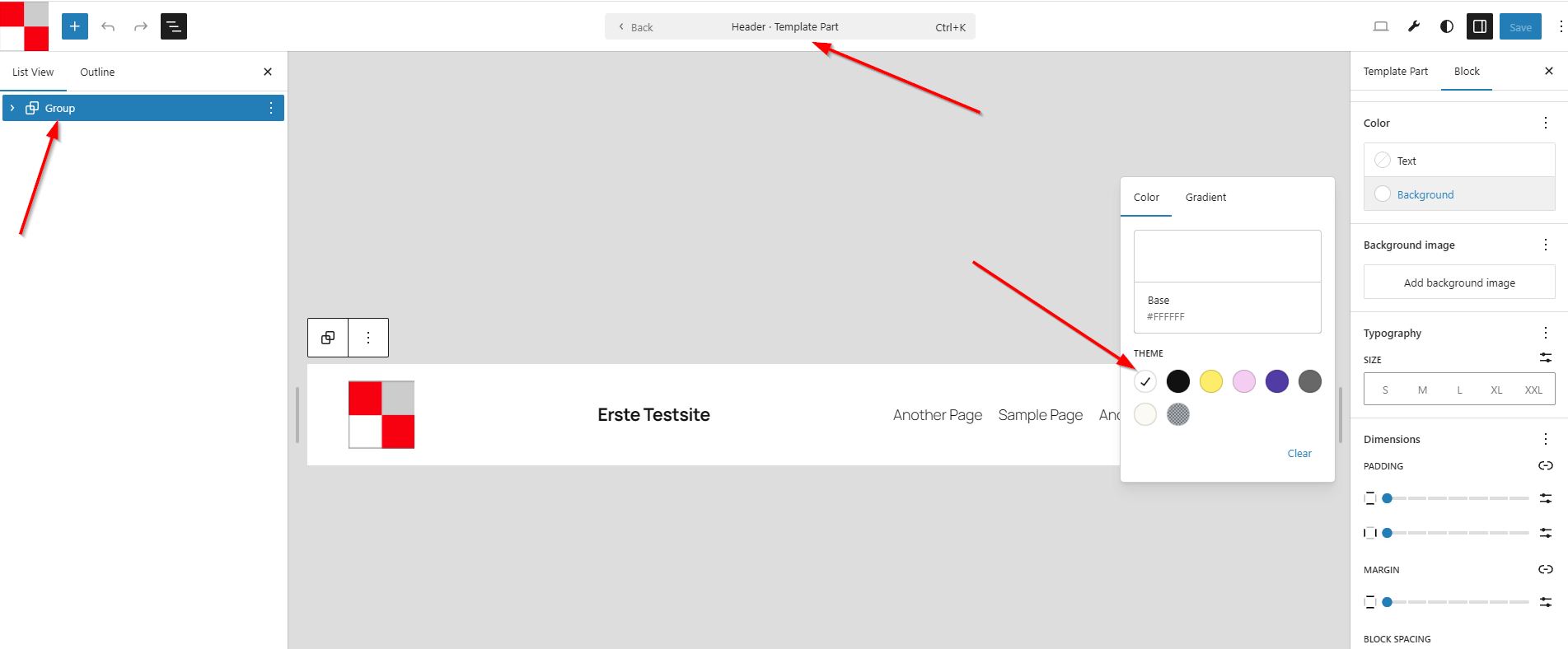
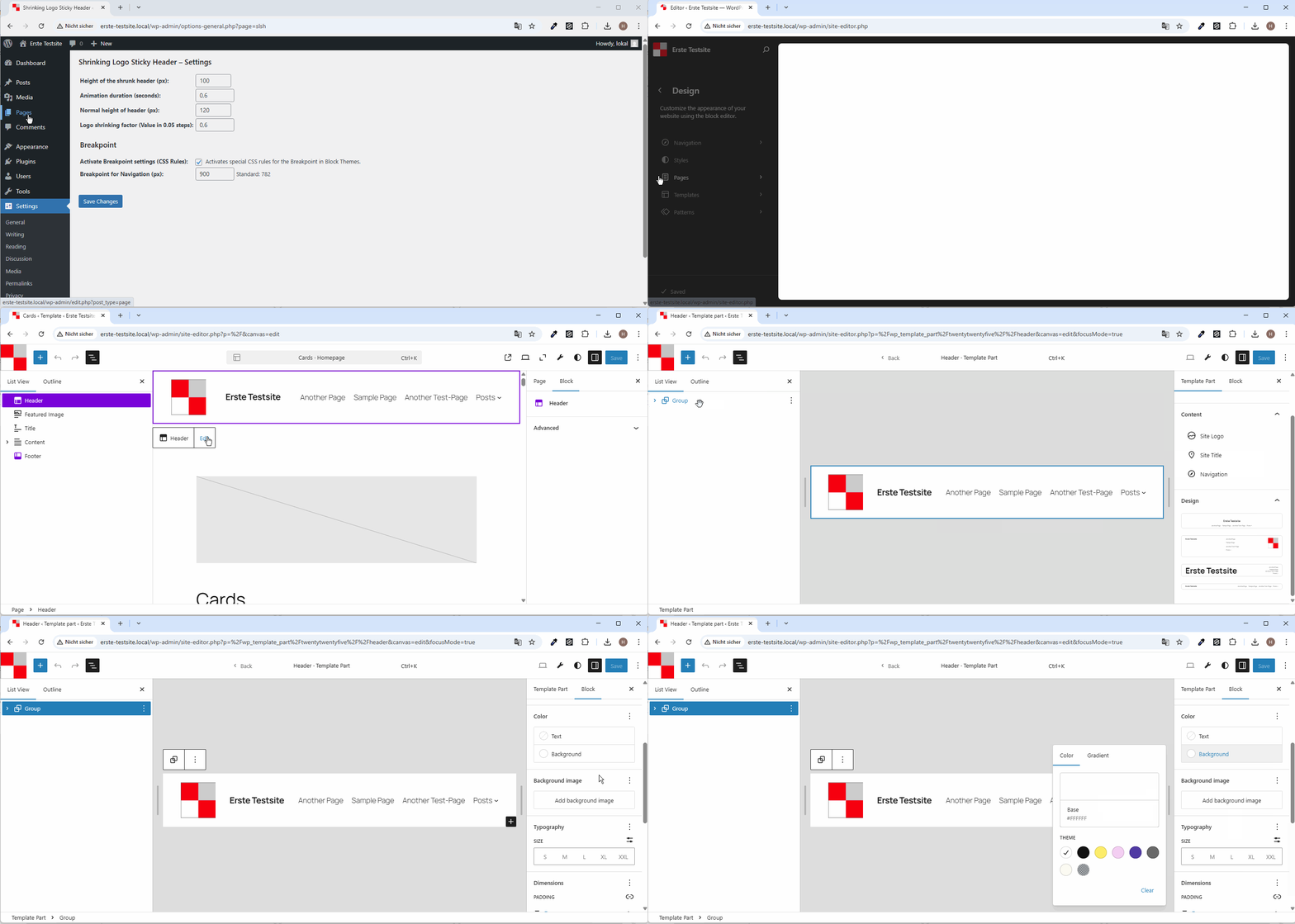
The template part for the header is initially transparent in many block themes.
For this reason, the background colour of the outer group block for the header must be changed to a colour such as white, for example.
If the header has a background colour, then the header ‘covers’ the content when scrolling. See also the screenshot. This is the recommended procedure.
If the recommended option described above does not work for you, you can also set the background colour for the header automatically via the settings.
Yes, no problem at all: From version 1.4.1 onwards, you can optionally deactivate the sticky option on mobile devices. Please see setup of the Plugin.
Yes, with pleasure:
https://haurand.com/ and https://space4.yd-sgs.de/
Yes, of course:
* (English): https://haurand.com/plugin-shrinking-logo-sticky-header/
* (German): https://haurand.com/das-plugin-shrinking-logo-sticky-header/
I’am Hans-Gerd, a WordPress enthusiast.
My work on this plugin will be sponsored by https://haurand.com/
You can report security bugs through the Patchstack Vulnerability Disclosure Program. The Patchstack team helps validate, triage and handle any security vulnerabilities. Report a security vulnerability.
Review feed
Screenshots
Changelog
1.4.1: November 20, 2025
- Added Option: Menu does not appear as sticky on mobile devices – may be better for accessibility reasons
- Fix: ID in form field corrected
- Tested up to WordPress 6.9
1.4: September 10, 2025
- Added: Option for disable inner spacing (padding) in header
- Added: Option to enable Text below mobile Icon and display larger mobile menu Icon (Hamburger) – better for accessibility reasons
- Enhancement: Height and width of mobile icon (SVG) changed to 44px (AAA) when the above option is used
- Added: Option to Label Text below mobile Icon
- Enhancements: Explanations and Design in the settings cleaned up
1.3.2: August 1, 2025
- Fix: Anchors are now controlled at the correct height.
- Enhancements: Various CSS rules optimised (better support for various block themes for example Ollie)
1.3.1: July 11, 2025
- Added: Option for the speed of the off-canvas fade-in
- Added: Show Version of the Plugin in Settings (header)
1.3: June 22, 2025
- Added: Optional setting of background Color for Header
- Added: Optional setting to move the shrunk logo to the left
- Added: Notice for review
1.2: May 22, 2025
- Added: Optional Off-Canvas-Menu
- Added: Uninstall: Delete the Options in Table when unistalling this Plugin
- Renaming the Plugin: “Dynamic Header & Navigation for Block Themes” instead of previous name of the plugin: “Shrinking Logo Sticky Header”
- Updating the language files
- Fix: Loading language Files Notice: “This plugin is not properly prepared for localization.”
- Enhancements: Code improvement (Delete superfluous option)
1.1: May 9, 2025
- Added: Optional Breakpoint settings
- Enhancements: Code improvement
1.0: May 1, 2025
- Enhancement: Security (Additional escaping of the values)
- Enhancement: Rename the text domain due to Internationalize this plugin
- Check with Plugin Check: “Check completed. No errors were found.”
0.4.4: April 26, 2025
- Enhancement: Optimize CSS
0.4.3: April 26, 2025
- Added: Option for Logo shrinking factor (Value in 0.05 steps)
- Enhancement: CSS optimised
0.4.2: April 26, 2025
- Added: Translation option and Translation files in language folder
- Added: Option for Header Height
0.4.1: April 25, 2025
- Fix: Issue with inner group
0.4: April 25, 2025
- Added Settings in Backend for Heigth of Header/Logo, Animation duration
0.3: April 24, 2025
- Optimized shrinking effect
0.1: April 24, 2025
- Birthday of shrinking Logo Sticky Header