

Maintenance 22/1002977d since update
Active installs
400
Downloads
7,851
Reviews
5
Age
11.0y
Plugin info
Total downloads: 7,851
Active installs: 400
Total reviews: 5
Average rating: 4.2
Support threads opened: 0
Support threads resolved: 0 (0%)
Available in: 1 language(s)
Contributors: 1
Last updated: 2/6/2018 (2977 days ago)
Added to WordPress: 3/23/2015 (11 years old)
Minimum WordPress version: 4.0
Tested up to WordPress version: 4.9.26
Minimum PHP version: f
Maintenance & Compatibility
Maintenance score
Possibly abandoned • Last updated 2977 days ago • 5 reviews
22/100
Is Simple Alert Boxes abandoned?
Possibly abandoned (last update 2977 days ago).
Compatibility
Requires WordPress: 4.0
Tested up to: 4.9.26
Requires PHP: f
Similar & Alternatives
Explore plugins with similar tags, and compare key metrics like downloads, ratings, updates, support, and WP/PHP compatibility.
Pídeme Cambios
Rating 0.0/5 (0 reviews) • Active installs 0
Description
Use responsives alert boxes with shortcodes.
Is easy, only use the shortcode.
Example: For a info message use:
[alert type=”success”]Your text here[/alert]
Also you can change the icon size:
[alert type=”success” icon-size=”big”]Your text here[/alert]
Shortcode attributes:
-
type (defines the style of the alert box):
- info (display a info style box)
- success (display a success style box)
- warning (display a warning style box)
- danger (display a danger style box)
-
icon_size (defines the icon size):
- normal (icon normal size)
- small (icon small size)
- big (icon big size)
- hide-icon (no display the icon)
[alert type=”type” icon-size=”icon-size”]Your text here[/alert]
- Demo & Examples: http://www.rafael.mardojai.com/simple-alert-boxes-plugin/
- Github repository: https://github.com/mardojai/Simple-Alert-Boxes-Wordpress-Plugin
Installation
- Download the plugin
- Upload the plugin directory to the
/wp-content/plugins/directory - Activate the plugin through the ‘Plugins’ menu in WordPress
Frequently Asked Questions
Installation Instructions
- Download the plugin
- Upload the plugin directory to the
/wp-content/plugins/directory - Activate the plugin through the ‘Plugins’ menu in WordPress
Review feed
Li-An
Nice
It does the job.
Screenshots

screenshot-1.png
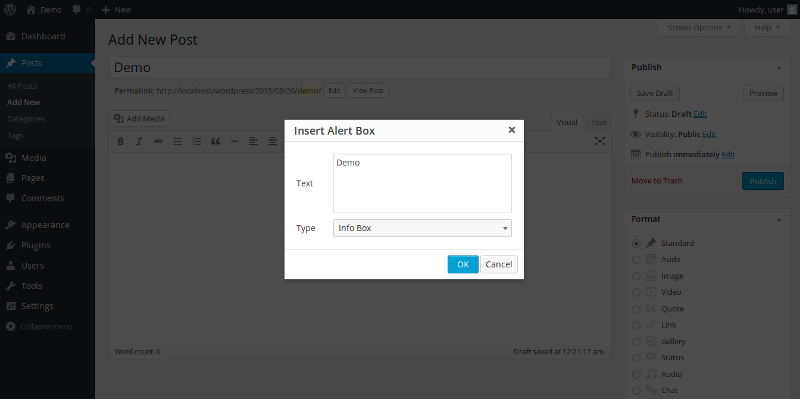
screenshot-2.png
Changelog
1.4.0
- CSS improvements
- Render others shortcodes inside the shortcode
1.3.1
- CSS improvements
1.3.0
- Plugin now uses Dashicons
- New icon size attribute
- CSS improvements
- TinyMCE plugin improvements
1.2.0
- TinyMCE Plugin
1.1.0
- Optimized Shortcodes
- Support bold, italic, links and more
1.0.0
- Responsive Design
- Shortcodes