

Simple Back To Top
Smoothly scroll to top of the page.Change your own back to top image in admin section.
Plugin info
Maintenance & Compatibility
Maintenance score
Possibly abandoned • Last updated 457 days ago • 7 reviews
Is Simple Back To Top abandoned?
Possibly abandoned (last update 457 days ago).
Compatibility
Similar & Alternatives
Explore plugins with similar tags, and compare key metrics like downloads, ratings, updates, support, and WP/PHP compatibility.
Description
Now a Days websites have infinite scroll.Use this plugin user just click on the bottom icon it will smoothly go back to top and also easily change the back to top icon in admin section.
Features Included
- Simple to use just install and visit your site and scroll down automatically appear back to top icon.Just click on it, goes to top smoothly.
- Change your own back to top image in admin section.
Usage
- Once install the plugin go to settings menu -> Back To Top-SBTT
- Default Back To Top image appear, If you want to change, you can change it.
Problems and Support
To get fastest response use the support page in the plugin area on WordPress.org
Please Review!
I would love some feedback. I will try and respond to any issues you might have.
Comments, Feedback and Request Features
To send any suggestions, comments, or feedback about this plugin send a [mail to us]
([email protected]).
Installation
- Upload the plugin to the
/wp-content/plugins/directory - Activate the plugin through the ‘Plugins’ menu in WordPress
- Once install the plugin go to settings menu -> Back To Top-SBTT
- Default Back To Top image apper, If you want to change, you can change it.
Frequently Asked Questions
-
can i change back to top image in admin section?
*Yes, you can change back to top image in admin section.
*Go to settings menu -> Back To Top-SBTT
Review feed
Screenshots
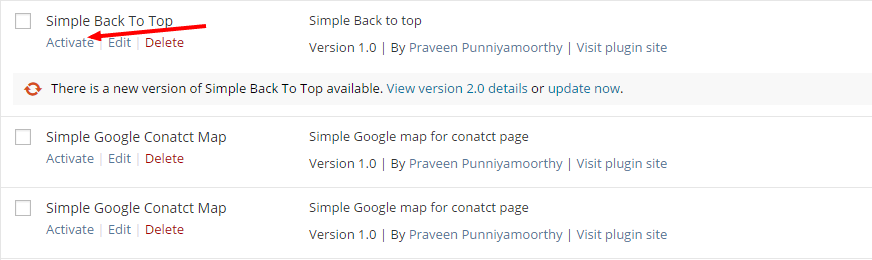
This screen shot to plugin page corresponds to screenshot-1.(png|jpg|jpeg|gif).

This screen shot to settings menu page corresponds to screenshot-2.(png|jpg|jpeg|gif).
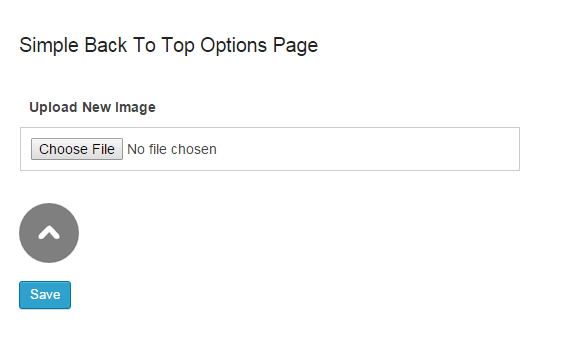
This screen shot to plugin settings page corresponds to screenshot-3.(png|jpg|jpeg|gif).
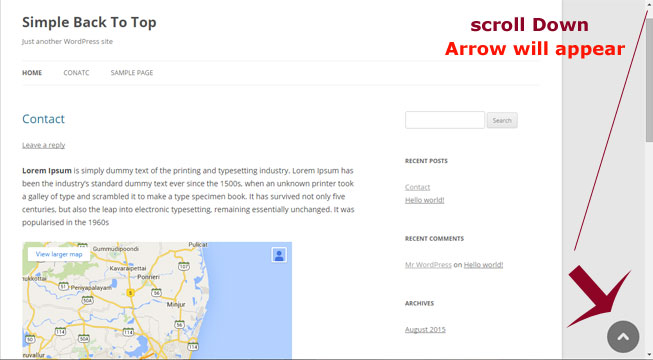
This screen shot to site preview corresponds to screenshot-4.(png|jpg|jpeg|gif).
Changelog
1.0
First Release.