
Plugin info
Maintenance & Compatibility
Maintenance score
Possibly abandoned • Last updated 3065 days ago • 7 reviews
Is Simple Code Highlighter abandoned?
Possibly abandoned (last update 3065 days ago).
Compatibility
Similar & Alternatives
Explore plugins with similar tags, and compare key metrics like downloads, ratings, updates, support, and WP/PHP compatibility.
Description
Simple Code Highlighter
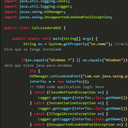
The Code Highlighter Plugin uses Google Code Prettify Script to highlight your code. You don’t need programming skills to use’it. Simply press the button on editor toolbar and paste your code. The plugin does all the rest.
See more details and usages guide here http://www.comoprogramar.org
Installation
How to install the plugin and get it working.
- Plugins > Add New. Search for “Simple Code Highlighter” then Install Now from the list and Activate
- Plugins > Add New > Upload. Choose File “Simple Code Highlighter.zip” then Install Now and Activate
- If you have direct access to the installation path, copy the zip file and extract to Plugin folder (usually wp-content/plugins). Then goto Plugins and Activate the plugin.
Frequently Asked Questions
Installation Instructions
How to install the plugin and get it working.
- Plugins > Add New. Search for “Simple Code Highlighter” then Install Now from the list and Activate
- Plugins > Add New > Upload. Choose File “Simple Code Highlighter.zip” then Install Now and Activate
- If you have direct access to the installation path, copy the zip file and extract to Plugin folder (usually wp-content/plugins). Then goto Plugins and Activate the plugin.
Why this plugin?
I needed a simple copy/paste for the code, no shortcodes, no writing a lot, just copy/paste.
Review feed
Great Work
Screenshots

screenshot-1.png

screenshot-2.png

screenshot-3.png
Changelog
1.0
- Initial release. Just a simple button on the text editor