

Simple Country Redirect with IP geolocation
Redirects users based on their country using Cloudflare IP geolocation.
Plugin info
Maintenance & Compatibility
Maintenance score
Stale • Last updated 287 days ago
Is Simple Country Redirect with IP geolocation abandoned?
Likely maintained (last update 287 days ago).
Compatibility
Similar & Alternatives
Explore plugins with similar tags, and compare key metrics like downloads, ratings, updates, support, and WP/PHP compatibility.
Description
The Country Redirect plugin allows you to redirect users based on their country using Cloudflare’s IP Geolocation feature. You can configure custom redirection rules based on the user’s country.
It also allows you to enable or disable redirection, and configure the duration of a cookie that prevents repeated redirections. The plugin is fully configurable through a settings page in the WordPress admin dashboard.
Features
- Redirect users based on their country using Cloudflare’s IP Geolocation.
- Add, edit, and delete country-to-URL redirection rules from the WordPress admin.
- Enable/disable redirection functionality directly from the settings page.
- Set the cookie lifetime to prevent repeated redirection.
- Secure and follows WordPress plugin standards.
Configuration
- Enable Redirects: Enable or disable the plugin’s redirection feature.
- Redirect Rules: Define country-to-URL redirection rules in the settings.
- Cookie Lifetime: Configure how many days to prevent repeated redirection.
Support
If you encounter any issues or need help, please visit the plugin’s support forum on WordPress.org.
License
This plugin is licensed under the GPLv2 or later license.
Installation
- Upload the plugin directory to the
/wp-content/plugins/directory. - Activate the plugin through the ‘Plugins’ menu in WordPress.
- Go to the plugin settings page to add redirection rules and configure the plugin.
Frequently Asked Questions
Go to the plugin settings page in the WordPress admin and enter the country-to-URL mapping in the “Redirection Rules” section.
The plugin uses Cloudflare’s IP Geolocation feature to detect the user’s country.
Once a user is redirected based on their country, a cookie is set to prevent the user from being redirected again during the specified lifetime.
Yes, you can enable or disable the redirection functionality from the plugin settings page.
You can add or edit the country-to-URL mapping directly from the plugin settings page.
Review feed
Screenshots
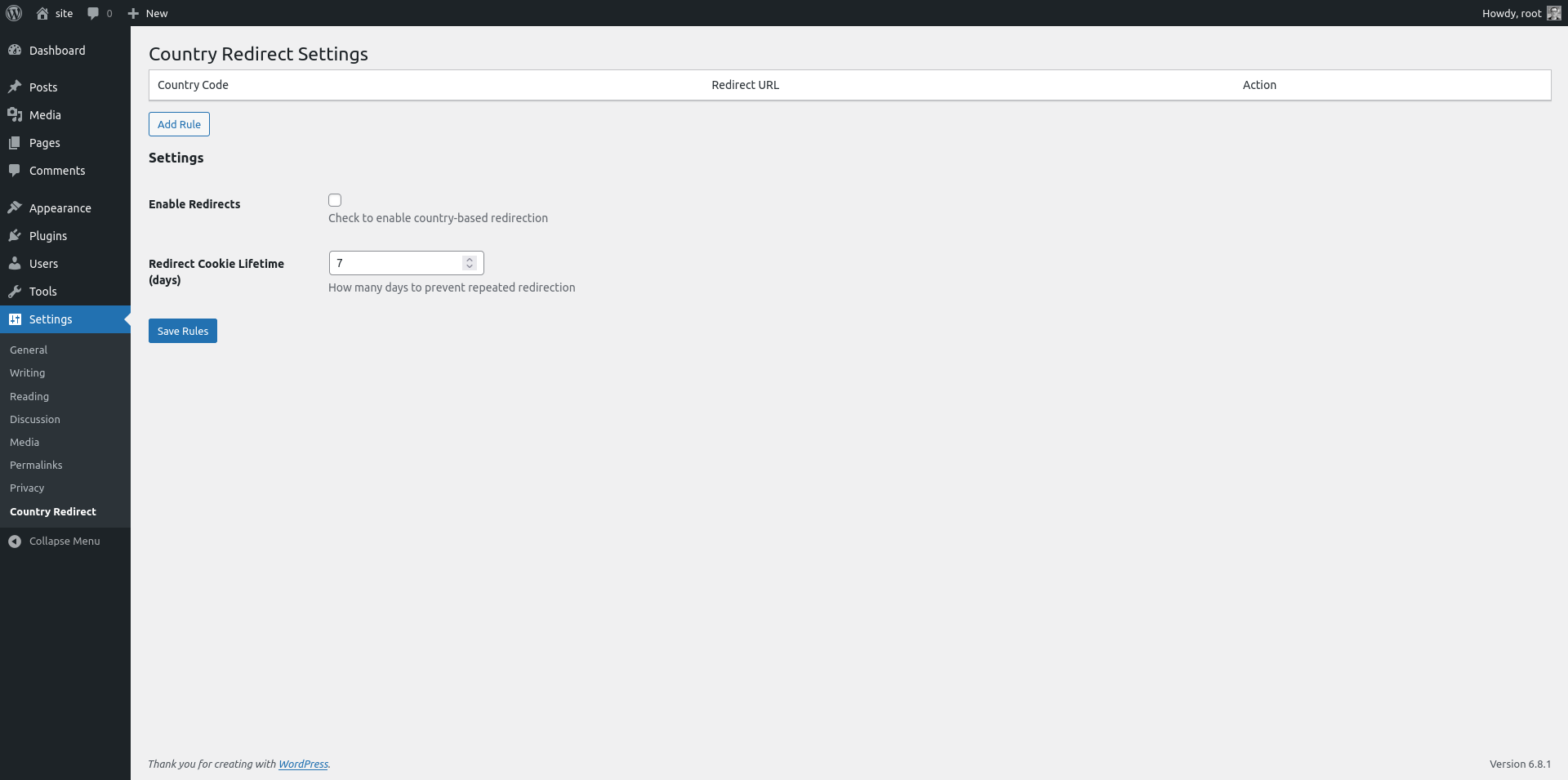
Screenshot of the plugin settings page.
Changelog
1.0.6
- Reorganize plugin files & folders
1.0.5
- Fix bug on settings page
1.0.4
- Update text domain
1.0.3
- Update text domain
1.0.2
- Update plugin informations
1.0.1
- Add placeholders to input fields
1.0.0
- Initial release.
- Added functionality to redirect users based on Cloudflare’s IP Geolocation.
- Ability to add, edit, and delete country-to-URL redirection rules.
- Configurable cookie lifetime to prevent repeated redirects.