

Simple Empty Cart
Remove all items from the cart page with a single click - No Bloat & Zero Impact Code 🚀
Plugin info
Maintenance & Compatibility
Maintenance score
Maintained • Last updated 118 days ago
Is Simple Empty Cart abandoned?
Likely maintained (last update 118 days ago).
Compatibility
Similar & Alternatives
Explore plugins with similar tags, and compare key metrics like downloads, ratings, updates, support, and WP/PHP compatibility.
Description
Remove all items from the cart page with a single click – No Bloat & Zero Impact Code 🚀
Are you tired of the tedious process of removing items from your cart one by one? This plugin is here to streamline your online shopping experience.
With our intuitive plugin, customers can now empty their cart with just one click, making it perfect for stores that handle large quantities of diverse products.
Localization
- English (default) – en_US
License
This plugin is licensed under the GPL3 license. For more information, see the license.txt file included with this plugin.
Installation
- Upload the plugin files to the
/wp-content/plugins/simple-empty-cartdirectory, or install the plugin through the WordPress plugins screen directly. - Activate the plugin through the ‘Plugins’ screen in WordPress.
- Go to the WooCommerce cart page and click the “Empty Cart” button.
Frequently Asked Questions
It adds an “Empty Cart” button to the WooCommerce cart page. When clicked, it empties the cart.
Yes, it should work with any WooCommerce-compatible theme.
Review feed
Screenshots
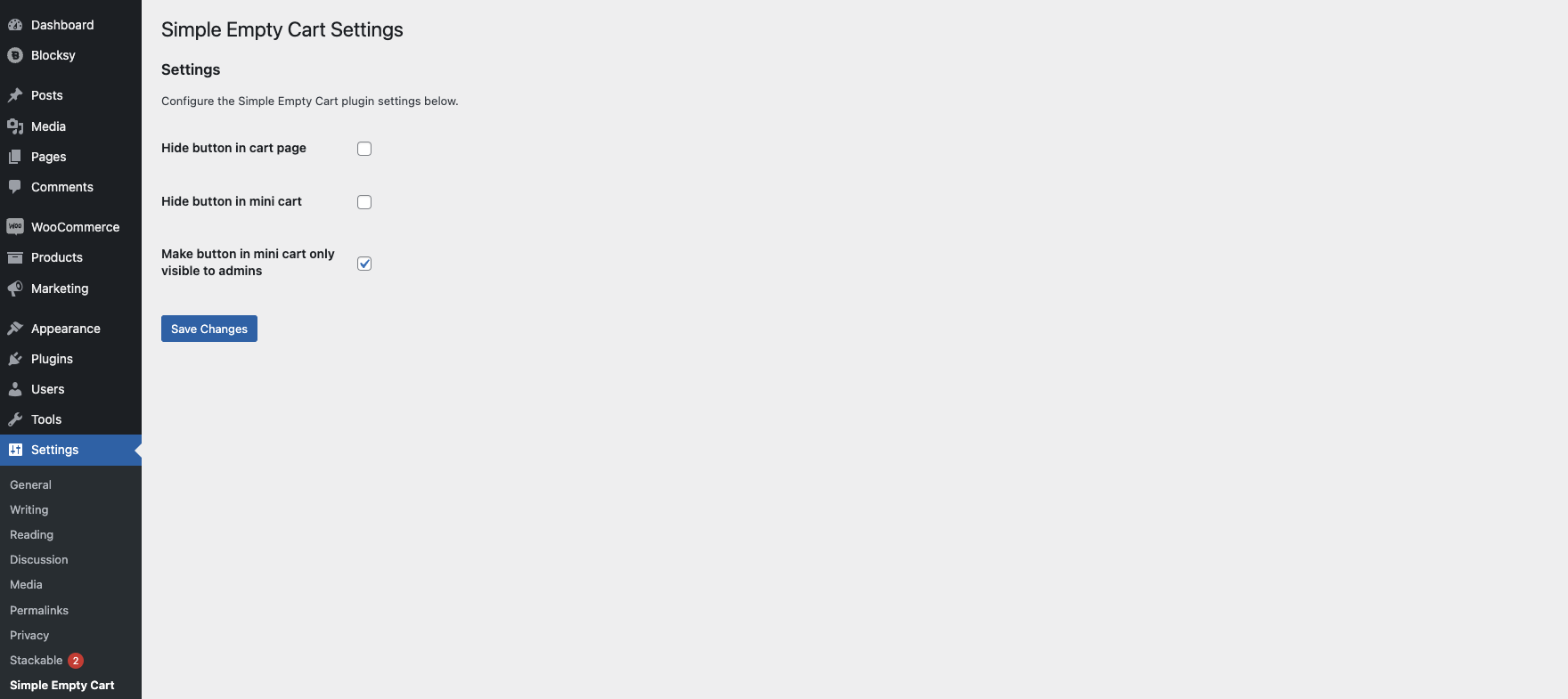
Screenshot of the admin settings.
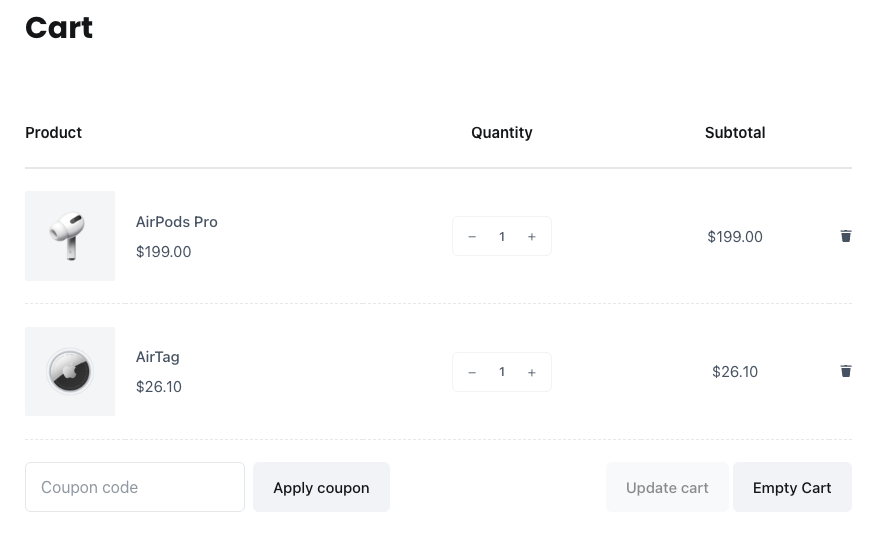
Screenshot of the cart page with the button.
Changelog
1.1.4
- Performance improvement: Scope empty-cart handler to front-end only and harden settings sanitization to avoid unnecessary cart/session bootstraps and notices.
1.1.3
- Minor compatibility improvements
1.1.2
- Prefix adjustments to avoid conflicts
1.1.1
- Improved security
- Prefix adjustments to avoid conflicts
1.1
- Added language translation compatibility.
- Added empty cart button in mini cart.
- Added option to hide buttons.
- Improved security
1.0
- Initial release.