

Simple Galleria for WordPress
Simple Galleria for WordPress is a jQuery image gallery based on WordPress native galleries. You just need to associate some photos to your posts and …
Plugin info
Maintenance & Compatibility
Maintenance score
Possibly abandoned • Last updated 4000 days ago • 1 reviews
Is Simple Galleria for WordPress abandoned?
Possibly abandoned (last update 4000 days ago).
Compatibility
Similar & Alternatives
Explore plugins with similar tags, and compare key metrics like downloads, ratings, updates, support, and WP/PHP compatibility.
Description
Simple Galleria for WordPress is a jQuery image gallery based on WordPress native galleries. You just need to associate some photos to your posts and to use the [gallery] shortcode.
Installation
- Upload and activate the plugin
- Create a post or a page
- Click on the ‘media’ button and upload some photos with the WordPress uploader
- Enter the [gallery] shortcode inside your content. More info about the gallery shortcode here: https://codex.wordpress.org/Gallery_Shortcode
- That’s it
- If you want to customize the appearance, go to settings > Simple Galleria
Frequently Asked Questions
The WordPress gallery works but the slideshow doesn’t appear?
- You may have a conflict with another javascript plugin. Try to disable your plugins one by one.
- Check that you don’t load jQuery in footer with another plugin
How to use the shortcode?
You just need to put [gallery] inside your content. More info here https://codex.wordpress.org/Gallery_Shortcode
Why the appearance of the box suddenly changed after the update?
I had to remove Fancybox from this plugin because the 2.0 version of this library is no longer under the GPL Licence.
I had to use jQuery Colorbox instead which is similar.
If you need to go back to the previous version, please visit my blog at this page: http://benjamin-niess.fr/where-is-my-simple-galleria-for-wordpress-plugin/
How can I add a custom po/mo translation file
Create your translation file from the sgfw-default.po one and replace “default” by your country code (eg. sgfw-us_US.po)
Paste the po and mo file into your wp-content/languages/plugins/ folder
Review feed
Screenshots

The overview of the frontend gallery

The native gallery shortcode (TEXT MODE)

The native WordPress gallery creation
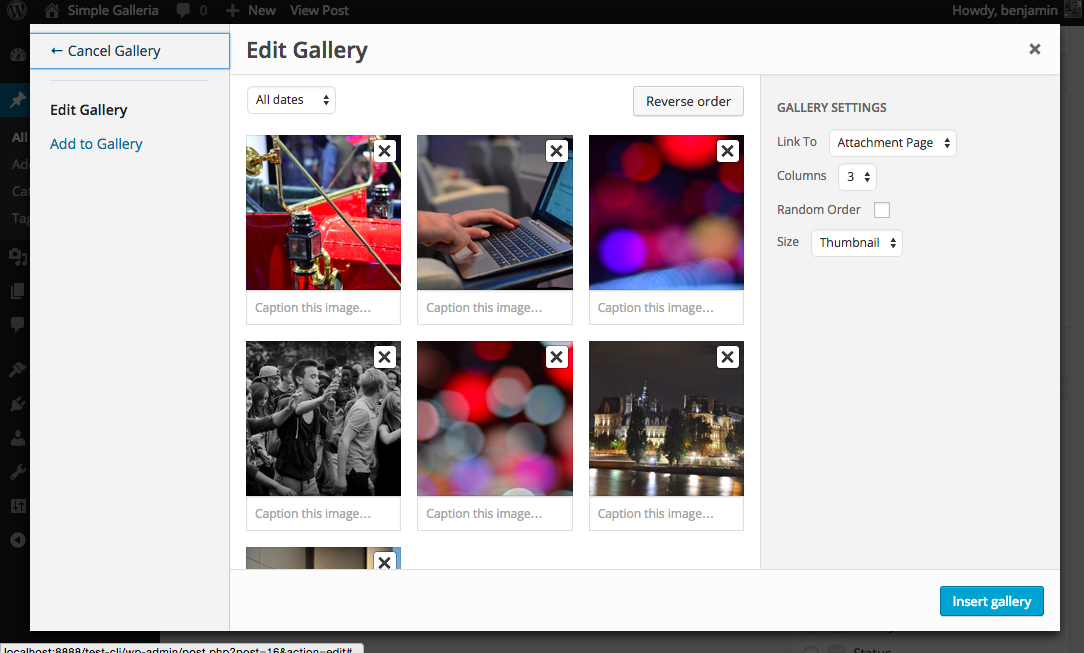
The native WordPress gallery creation

The admin option panel
Changelog
- 2.0.1
- Added the ability to load a mo (translation) file from wp-content/languages/plugins/ folder
- 2.0
- Warning: This new version is using jQuery Colorbox instead of FancyBox. DO NOT UPDATE ON A LIVE SITE WITHOUT HAVING TESTED IT BEFORE.
I had to use this new library because Fancybox 2.0 is not under the GPL licence. - Removed options to change the ligtbox border border size and color (because of the new Colorbox library)
- Updated screenshots
- Warning: This new version is using jQuery Colorbox instead of FancyBox. DO NOT UPDATE ON A LIVE SITE WITHOUT HAVING TESTED IT BEFORE.
- 1.1
- Use Fancybox 2.1.5
- Use Galleria 1.4.2
- Code refactoring
- 1.0.1
- Add options to customize the slideshow
- 1.0
- First release