

Simple Local Avatars
Adds an avatar upload field to user profiles. Generates requested sizes on demand just like Gravatar!
Plugin info
Maintenance & Compatibility
Maintenance score
Stale • Last updated 240 days ago • 89 reviews
Is Simple Local Avatars abandoned?
Likely maintained (last update 240 days ago).
Compatibility
Languages
Similar & Alternatives
Explore plugins with similar tags, and compare key metrics like downloads, ratings, updates, support, and WP/PHP compatibility.
Description
Adds an avatar upload field to user profiles if the current user has media permissions. Generates requested sizes on demand just like Gravatar! Simple and lightweight.
Just edit a user profile, and scroll down to the new “Avatar” field. The plug-in will take care of cropping and sizing!
- Stores avatars in the “uploads” folder where all of your other media is kept.
- Has a simple, native interface.
- Fully supports Gravatar and default avatars if no local avatar is set for the user – but also allows you turn off Gravatar.
- Generates the requested avatar size on demand (and stores the new size for efficiency), so it looks great, just like Gravatar!
- Lets you decide whether lower privilege users (subscribers, contributors) can upload their own avatar.
- Enables rating of local avatars, just like Gravatar.
Installation
- Install easily with the WordPress plugin control panel or manually download the plugin and upload the extracted folder to the
/wp-content/plugins/directory - Activate the plugin through the ‘Plugins’ menu in WordPress
- If you only want users with file upload capabilities to upload avatars, check the applicable option under Settings > Discussion
- Start uploading avatars by editing user profiles!
Use avatars in your theme using WordPress’ built in get_avatar() function: https://codex.wordpress.org/Function_Reference/get_avatar
You can also use get_simple_local_avatar() (with the same arguments) to retrieve local avatars a bit faster, but this will make your theme dependent on this plug-in.
Frequently Asked Questions
No. Simple Local Avatars neither collects, stores, nor sends any PII data of visitors or avatar users on the host site or to 10up or other services.
Review feed
Great plugin
Great Plugin Great Support
Does what it says and supports REST API
Good but with "Features"
Nice Plugin
Screenshots
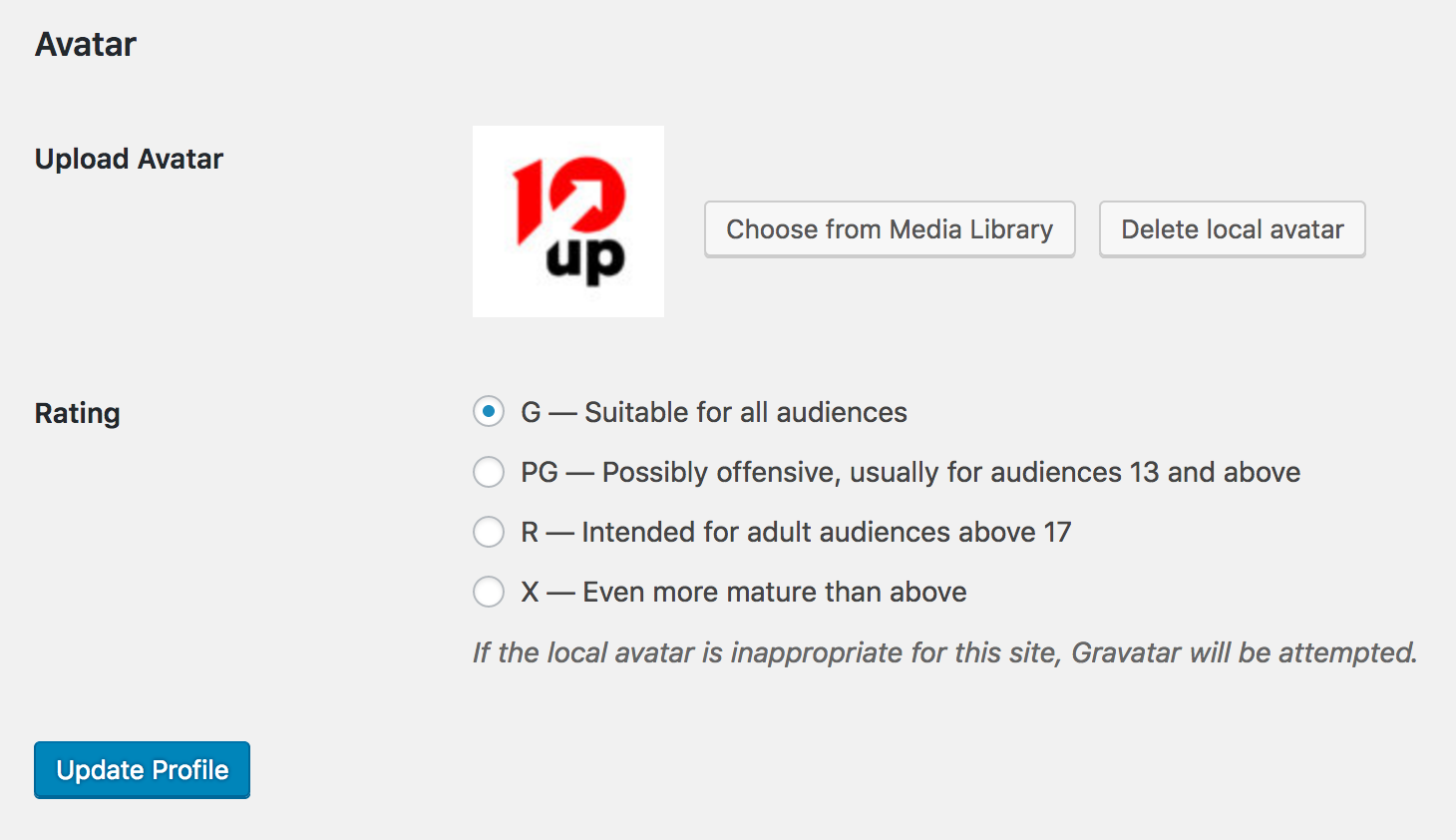
Avatar upload field on a user profile page
Changelog
2.8.5 – 2025-08-06
- Security: Run a user capability check before migrating WP User Avatars. Thank you Håkon Harnes at Wordfence for responsibly disclosing this issue. (props @jeffpaul, @peterwilsoncc, @faisal-alvi via GHSA-fmhf-27jv-qf37)
2.8.4 – 2025-07-14
- Changed: Don’t resize image if the full version already has the expected height/width (props @ocean90, @jeffpaul, @faisal-alvi via #324).
- Changed: Bump WordPress “tested up to” version 6.8 (props @qasumitbagthariya, @dkotter, @jeffpaul via #332, #334).
- Changed: Bump WordPress minimum from 6.5 to 6.6 (props @qasumitbagthariya, @dkotter, @jeffpaul via #332, #334).
- Security: Bump
@sentry/nodefrom 8.38.0 to 8.52.0 (props @dependabot, @faisal-alvi via #325). - Security: Bump
axiosfrom 1.7.7 to 1.8.4 (props @dependabot, @faisal-alvi via #330). - Security: Bump
tar-fsfrom 3.0.6 to 3.0.9 (props @dependabot, @faisal-alvi via #331, #336). - Security: Bump
http-proxy-middlewarefrom 2.0.7 to 2.0.9 (props @dependabot, @peterwilsoncc via #335).
2.8.3 – 2024-11-18
- Changed: Only allow images that were uploaded by the same user be used when setting the avatar via a REST request (props @dkotter, @justus12337, @faisal-alvi via #317).
- Fixed: Only allow image files to be set as the avatar in REST requests (props @dkotter, @justus12337, @faisal-alvi via #317).
- Security: Bump
@10up/cypress-wp-utilsfrom 0.2.0 to 0.4.0,@sentry/nodefrom 6.19.7 to 8.38.0,@wordpress/envfrom 9.2.0 to 10.11.0,cypressfrom 13.2.0 to 13.15.2,cypress-mochawesome-reporterfrom 3.6.0 to 3.8.2,puppeteer-corefrom 23.3.0 to 23.8.0 (props @dkotter via #319).
2.8.2 – 2024-11-12
- Fixed: Ensure dependencies are (actually) included properly in the release (props @dkotter via #316).