
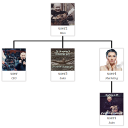
Simple Org Chart
Create a simple jQuery Org Chart which will display your team or organisation structure in a hierarchical fashion, using easy drag and drop facilities …
Plugin info
Maintenance & Compatibility
Maintenance score
Stale • Last updated 332 days ago • 22 reviews
Is Simple Org Chart abandoned?
Likely maintained (last update 332 days ago).
Compatibility
Similar & Alternatives
Explore plugins with similar tags, and compare key metrics like downloads, ratings, updates, support, and WP/PHP compatibility.
Description
This plugin allows you to seamlessly setup a hierarchical based organisation chart, otherwise known as an Org Chart, for use in your website. We have integrated drag and drop features to ensure the process is intuitive and fast.
The Chart is able to display a Gravatar image and user’s display name. In the future we are aiming to add a template system which will allow more information to be displayed.
Now chart JSON can be accessed using endpoint.
Endpoint for JSON. {domain.com}/wp-json/org_chart/json
JSON format can be updated using “parseJSON” function in index.php . Its a pluggable function.
WP Org Chart Pro is released.
* Responsive
* Buddypress Support
* Multiple Charts
* JSON Access
* Custom Departments
* Simple user management
* Template system for custom design
* Hooks and Filters for custom fields
* Print Chart
* Replace Top Level user without reset chart
Credits:
@wesnolte : https://github.com/wesnolte/jOrgChart
Installation
- Upload file: “plugin-name.php” to the /wp-content/plugins/ directory
- Activate the plugin through the ‘Plugins’ menu in WordPress
- Settings -> Org Chart. Select Top Level user and press reset.
- Drag and Drop the users to arrange your chart as required. Press ‘Save Changes’ when you are ready.
- For New users there is drop down at bottom of chart page when they can be easily added.
- Use shortcode: [orgchart], in any page or post to display your chart.
That’s it!
If you are facing any issues, just post a message via the support tab and we will be glad to assist you.
Frequently Asked Questions
You will need to edit the theme’s CSS to ensure it is fully compatible.
Alternatively, please send a message to us via the support tab.
Review feed
Screenshots

OutPut

Popup

User edit area

Builder Area

Changelog
2.3.5
- Security fixes
- Added compatibility to PHP 8.0
2.3.4
- Fixed multiple node bug
2.3.3
- Fixed Undefined Index warning.
2.3.2
- Fixed PHP warnings.
2.3.1
- Added WP 5.5 compatibility fix.
2.3
- Removed option for Team member. All users show in list from installation.
- Upgraded Select2 version.
2.2.2
- Modified Delete Node position on Chart builder screen for better access.
- Fixed overlay issue on popup.
2.2.1
- Compatibility fix with builders like Beaver, Elementor.
2.2
-
Added support for Selct2 for user dropdown. It will help searching long user lists.
-
Fix: UI enhancement for better placement of elements.
-
Fix: Removed extra JS code.
2.1.1
- Updated user interface slightly, better placement of elements.
2.1.0
- Fix: New users will show in drop-down and can be added to chart without resetting.
2.1
- Added Endpoint for JSON. {domain.com}/wp-json/org_chart/json
- Fixed editing user. Now after removing user removed user shows in list below, without reload.
- Fix: when removing a user, all children are assigned to parent of removed user
2.0.1
Added user node delete option
2.0
- Data is now saved as JSON, instead of complete HTML. This results, any user’s data that is recently updated, will not require to reset form.
- Any New user added as team member will be list at the bottom of chart page and can be easily added to chart.
- Minor CSS fixes.
1.3
- Added pop-up to display bio description of team member
1.2
- Added Job title, Team support
- Design updates
1.1
- Added user image support