

Simple Pin It Button for Pinterest
Add a customizable Pinterest "Pin It" or "Save It" button to images in your posts.
Plugin info
Maintenance & Compatibility
Maintenance score
Maintained • Last updated 118 days ago • 2 reviews
Is Simple Pin It Button for Pinterest abandoned?
Likely maintained (last update 118 days ago).
Compatibility
Similar & Alternatives
Explore plugins with similar tags, and compare key metrics like downloads, ratings, updates, support, and WP/PHP compatibility.
Description
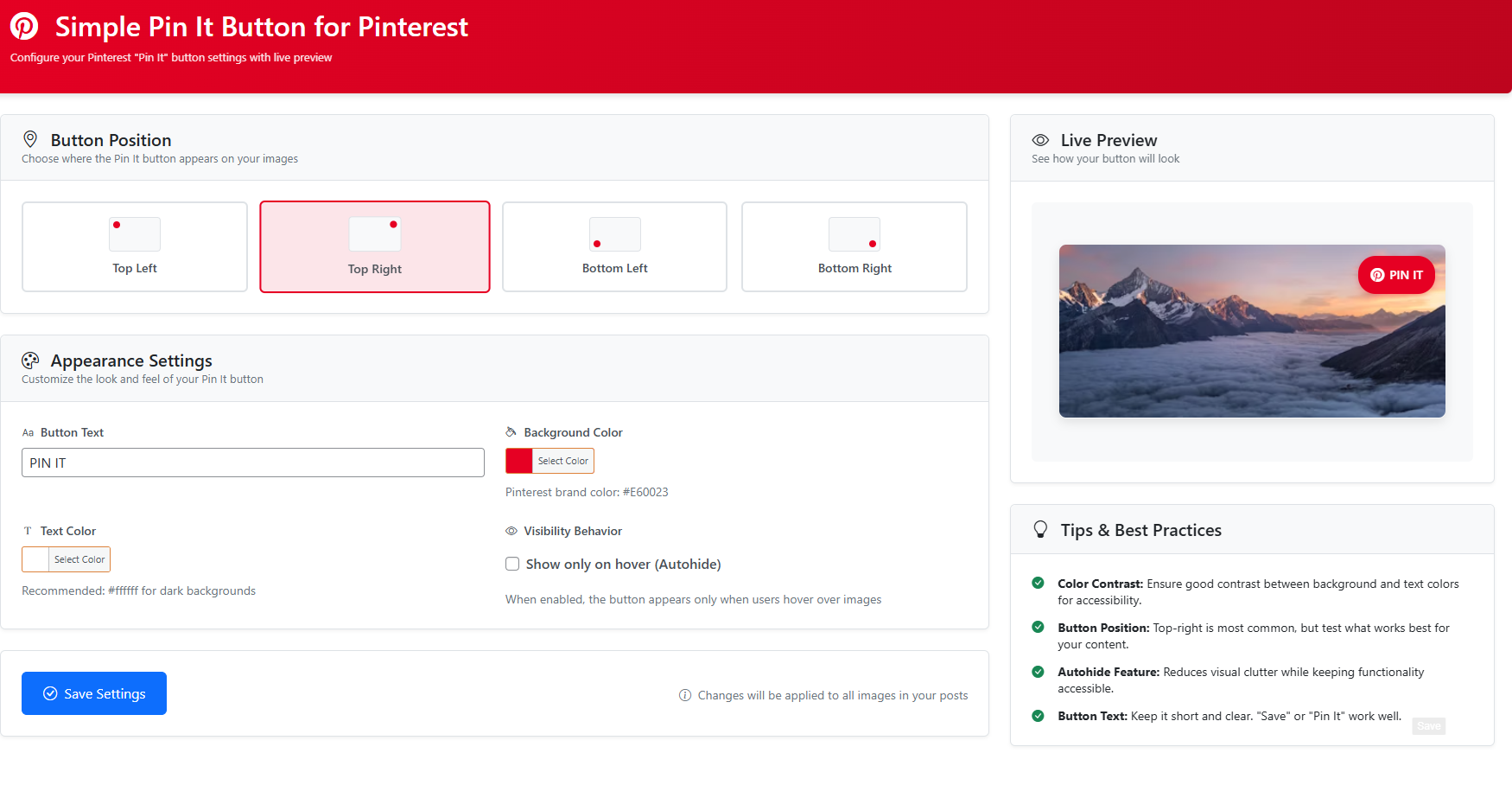
Simple Pin It Button for Pinterest is a lightweight WordPress plugin that allows you to add a “Pin It” button overlay to images in your posts. The button is fully customizable through the plugin settings page, where you can adjust:
- Button location (Top Left, Top Right, Bottom Left, Bottom Right)
- Button background color
- Font color
- Enable or disable autohide
- Customize the “Pin It” text
Encourage your visitors to share your content on Pinterest with ease!
Installation
- Upload the
simple-pinterest-pinfolder to the/wp-content/plugins/directory, or install the plugin directly through the WordPress Plugins screen. - Activate the plugin through the ‘Plugins’ screen in WordPress.
- Go to ‘Settings > Simple Pin It Button’ to configure your options.
Frequently Asked Questions
Yes, you can customize the text (e.g., “Pin It”, “Save It”) from the plugin settings page.
The plugin works with most WordPress themes.
Yes, Simple Pin It Button for Pinterest is tested with the latest WordPress version (6.7).
Review feed
Screenshots
Changelog
1.2
- Settings page redesigned
1.1
- CSS Issue Fixed on Elementor
1.0
- Initial release with customizable “Pin It” button functionality.