

Simple References
This plugin permit to approuve your gestion of your client (or references).
Plugin info
Maintenance & Compatibility
Maintenance score
Possibly abandoned • Last updated 4851 days ago
Is Simple References abandoned?
Possibly abandoned (last update 4851 days ago).
Compatibility
Similar & Alternatives
Explore plugins with similar tags, and compare key metrics like downloads, ratings, updates, support, and WP/PHP compatibility.
Description
This plugin permit to approuve your gestion of your client (or references).
You shoudl be create a simple desctiption of your refernce , with a title, decription, and logo.
You have 2 solution for view the references. You can put a slide or just a list.
An to use is simple , you just add htis in your template :
fnp_get_references($limit=-1, $post_per_page=10, $miniature=true, $link=true, $sizew=140, $sizeh=140,$cssClass=”fnp_thumb img_black”, $sliderJs=true);
The simple difference for use the categories or tags is
And you can add in your template page of your themes:
fnp_get_references_by_cat or fnp_get_references_by_tags
with this options ($key, $limit=-1, $post_per_page=10, $thumb=true, $link=true, $sizew=140, $sizeh=140,$cssClass=”fnp_thumb img_black”, $sliderJs=true)
Installation
- Upload
Simple_referencesfolder into the/wp-content/plugins/directory - Activate the plugin through the ‘Plugins’ menu in WordPress
- Place
<?php fnp_get_references() or fnp_get_references_by_cat("cat") ?>in your templates
Frequently Asked Questions
Options of fnp_get_references() ?
fnp_get_references($limit=-1, $post_per_page=10, $thumb=true, $link=true, $sizew=140, $sizeh=140,$cssClass=”fnp_thumb img_black”, $sliderJs=true):
- limit : limit oy all references,
- post_per_page : limit of reference on your page,
- thumb : if you can use minature ,
- link : : If you want a link ,
- sizew : width size of you thumb,
- sizeh : height size of you thumb,
- cssClass : default class of you thumb,
- sliderJs : If you yant a slide or a list,
Options of fnp_get_references_by_cat() ?
fnp_get_references_by_cat($category, $limit=-1, $post_per_page=10, $thumb=true, $link=true, $sizew=140, $sizeh=140,$cssClass=”fnp_thumb img_black”, $sliderJs=true) :
- category : category id,
- limit : limit oy all references,
- post_per_page : limit of reference on your page,
- thumb : if you can use minature ,
- link : : If you want a link ,
- sizew : width size of you thumb,
- sizeh : height size of you thumb,
- cssClass : default class of you thumb,
- sliderJs : If you yant a slide or a list
Options of fnp_get_references_by_tags() ?
fnp_get_references_by_tags($tags, $limit=-1, $post_per_page=10, $thumb=true, $link=true, $sizew=140, $sizeh=140,$cssClass=”fnp_thumb img_black”, $sliderJs=true) :
- tag : tag id,
- limit : limit oy all references,
- post_per_page : limit of reference on your page,
- thumb : if you can use minature ,
- link : : If you want a link ,
- sizew : width size of you thumb,
- sizeh : height size of you thumb,
- cssClass : default class of you thumb,
- sliderJs : If you yant a slide or a list
Review feed
Screenshots
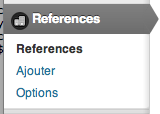
List in Admin Menu

List Of Your references

Exemple Of Slider
Changelog
0.1
- First version.
0.2
- Add option for categorie and tags.