

TaxCloud for WooCommerce
Simplify sales tax calculations, reporting, and filing by connecting your WooCommerce store to TaxCloud.
Plugin info
Maintenance & Compatibility
Maintenance score
Maintained • Last updated 119 days ago • 10 reviews
Is TaxCloud for WooCommerce abandoned?
Likely maintained (last update 119 days ago).
Compatibility
Similar & Alternatives
Explore plugins with similar tags, and compare key metrics like downloads, ratings, updates, support, and WP/PHP compatibility.
Description
Simplify sales tax calculations, reporting, and filing by connecting your WooCommerce store to TaxCloud.
Simplify Sales Tax Compliance with TaxCloud for WooCommerce (formerly Simple Sales Tax)
TaxCloud is the right-sized sales tax solution for growing eCommerce brands on WooCommerce. We take the complexity out of sales tax, automating calculation, nexus tracking, and filing across all 50 states and more than 13,000 tax jurisdictions.
Quick, Code-Free Setup
Getting started takes just a few clicks. TaxCloud’s native WooCommerce plugin integrates in minutes. No custom development required. Simply assign product tax codes and connect your store to begin calculating sales tax accurately and in real time.
Automated, Accurate Sales Tax at Checkout
Avoid manual errors with real-time sales tax calculations across all jurisdictions. TaxCloud ensures every transaction includes the correct rate, whether you’re selling in one state or across the country.
Streamlined Filing and Remittance
We make filing as simple as collecting. You can upload your Orders Report manually or opt into automatic syncing. We’ll register, file and remit your returns in each state. Benefit from filing savings through the Streamlined Sales Tax (SST) program where eligible.
Nexus Monitoring and Audit-Ready Reporting
We track your sales against each state’s economic nexus thresholds and alert you when you’re approaching compliance obligations. When you reach nexus, you’ll have the documentation, reports, and filing support you need to stay compliant and audit-ready.
Affordable, Transparent Pricing
Our pricing is built for growing businesses. No hidden fees. Eligible merchants can save on filing in SST states. Switching from other providers? We’ll help you migrate and import historical orders with ease.
Reliable U.S.-Based Support
Get expert support every step of the way. Our dedicated, U.S.-based team will set your account up right from day one and provide ongoing assistance whenever you need it.
Why Businesses Choose TaxCloud for WooCommerce
Real-time tax calculations across all 50 states
- Automatic nexus tracking and filing
- Support for SST savings
- Transparent pricing with no surprise fees
- Fast, human support and stress-free onboarding
- Trusted by 2,000+ merchants
Talk to Our Team
Experience automated sales tax compliance backed by real experts.
Book a Demo or Start Your Free 30-Day Trial
Supported WooCommerce Extensions
Simple Sales Tax is fully compatible with the following WooCommerce extensions:
Compatible WordPress Multivendor Marketplace Plugins
When a supported marketplace plugin is installed, TaxCloud for WooCommerce calculates the tax for each seller’s shipment separately and sum the results to present a single tax total to the customer. Sellers can also set an appropriate Taxability Information Code (TIC) for each of their products through the seller dashboard so products that qualify for exemptions or reduced rates are taxed correctly.
Currently we support the use case where the marketplace acts as the seller of record and collects sales tax on behalf of all sellers through a single TaxCloud account. We believe that this is the best way to handle sales tax compliance in the marketplace setting – especially for marketplaces based in the U.S.
TaxCloud for WooCommerce supports:
* Dokan 2.9.11+
* WCFM Marketplace 6.5.0+
* WC Vendors 1.5.8+
* MultivendorX 3.4.0+.
Need us to add compatibility with another extension? Drop us a line at [email protected].
Translation
If you would like to translate TaxCloud for WooCommerce into your language, please submit a pull request with your .po file added to the “languages” directory or email your completed translation to [email protected].
Thanks in advance for your contribution!
Installation
Refer to our help center article for detailed setup instructions.
Frequently Asked Questions
TaxCloud offers flexible pricing designed for businesses of all sizes. Visit the TaxCloud Pricing page to explore our free and premium plans, which include features like nexus tracking, automated filings, and multi-state support.
Yes! TaxCloud for WooCommerce is fully compatible with the official WooCommerce Subscriptions extension.
TaxCloud for WooCommerce supports WooCommerce 7.0 to 8.9 and WordPress 6.0+.
Yes, you can assign Taxability Information Codes (TICs) to your products to ensure accurate tax calculations. This can be done individually, in bulk, or by category within WooCommerce. Assigning the correct TICs is crucial for compliance, especially if your products have varying taxability across different states.
TaxCloud for WooCommerce allows you to manage tax exemptions in WooCommerce. You can enable exemptions for specific user roles or allow customers to submit exemption certificates during checkout. These certificates are stored in TaxCloud for future transactions.
Orders must have a status of “Completed” in WooCommerce to be imported into TaxCloud. Orders with statuses like “Pending Payment,” “On Hold,” or “Processing” will not be imported. Ensure your orders are marked as “Completed” to have them reflected in TaxCloud.
After completing test transactions, you need to mark your TaxCloud store as live. In your TaxCloud dashboard, navigate to Integrations > WooCommerce and click “Go Live.” This will enable real transactions to be captured and included in your tax reports.
Yes, TaxCloud allows you to specify multiple shipping origin addresses. This is important for states that calculate tax based on the origin of the shipment. You can configure these settings within the TaxCloud for WooCommerce plugin in WooCommerce.
Review feed
Recommended for Compliance across multiple stores
Screenshots
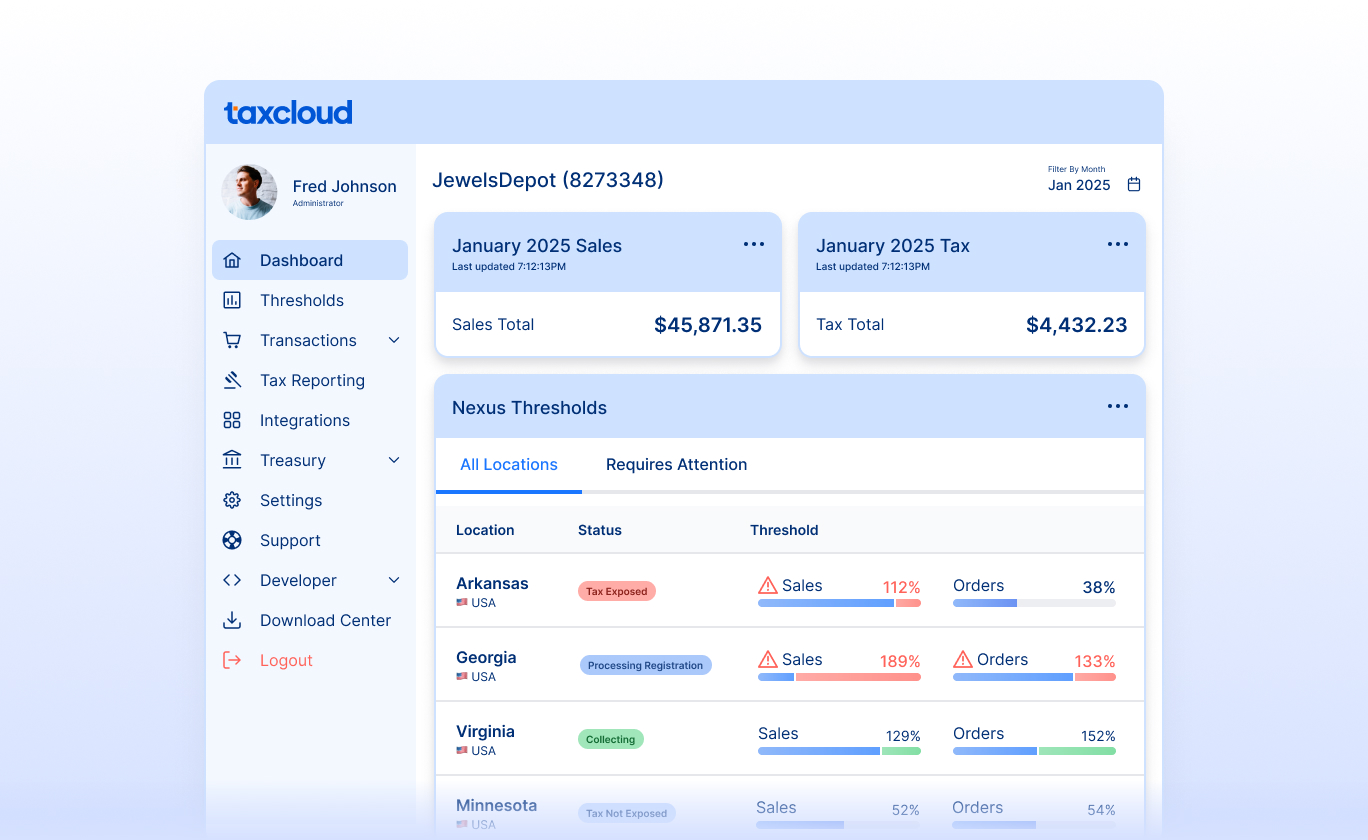
Sales tax automation with TaxCloud
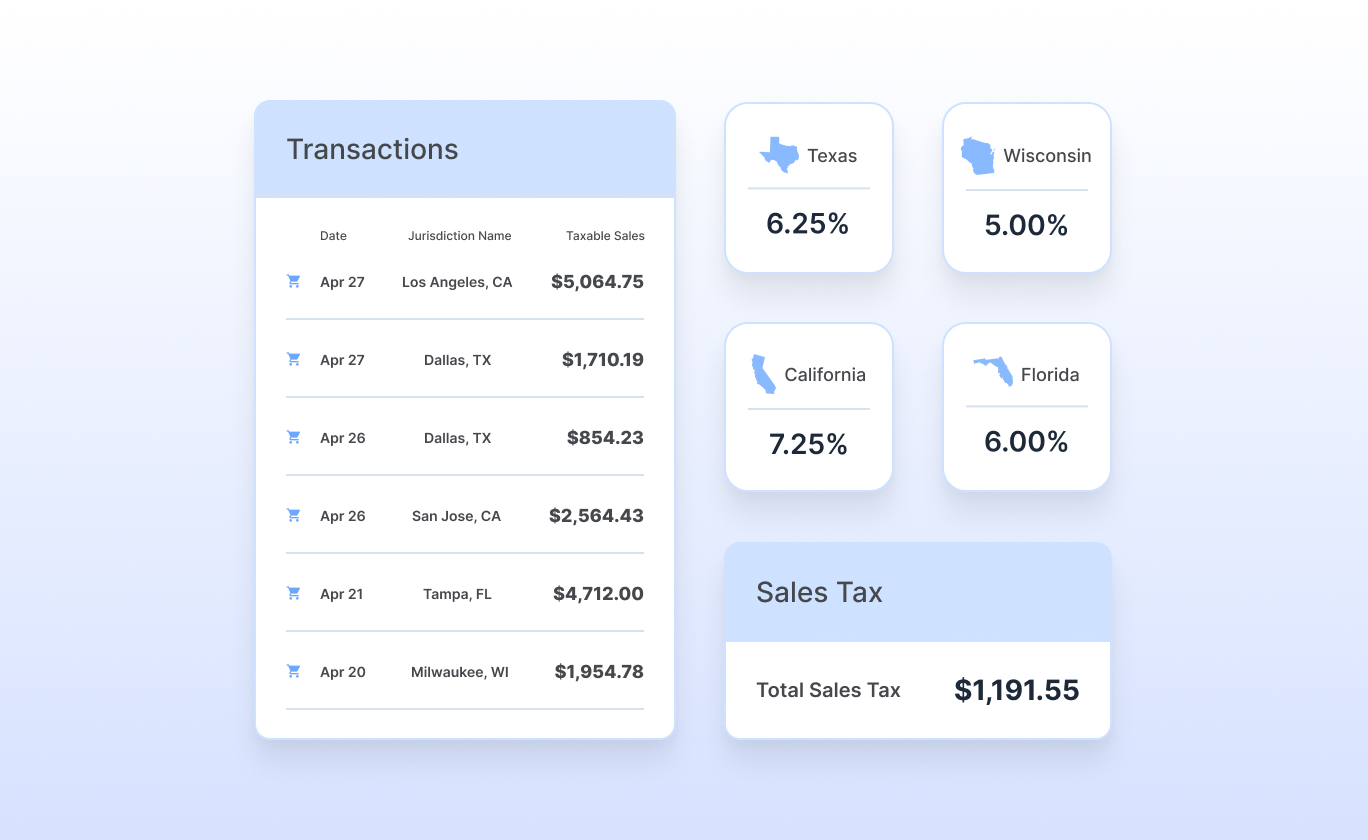
Sales tax compliance with TaxCloud
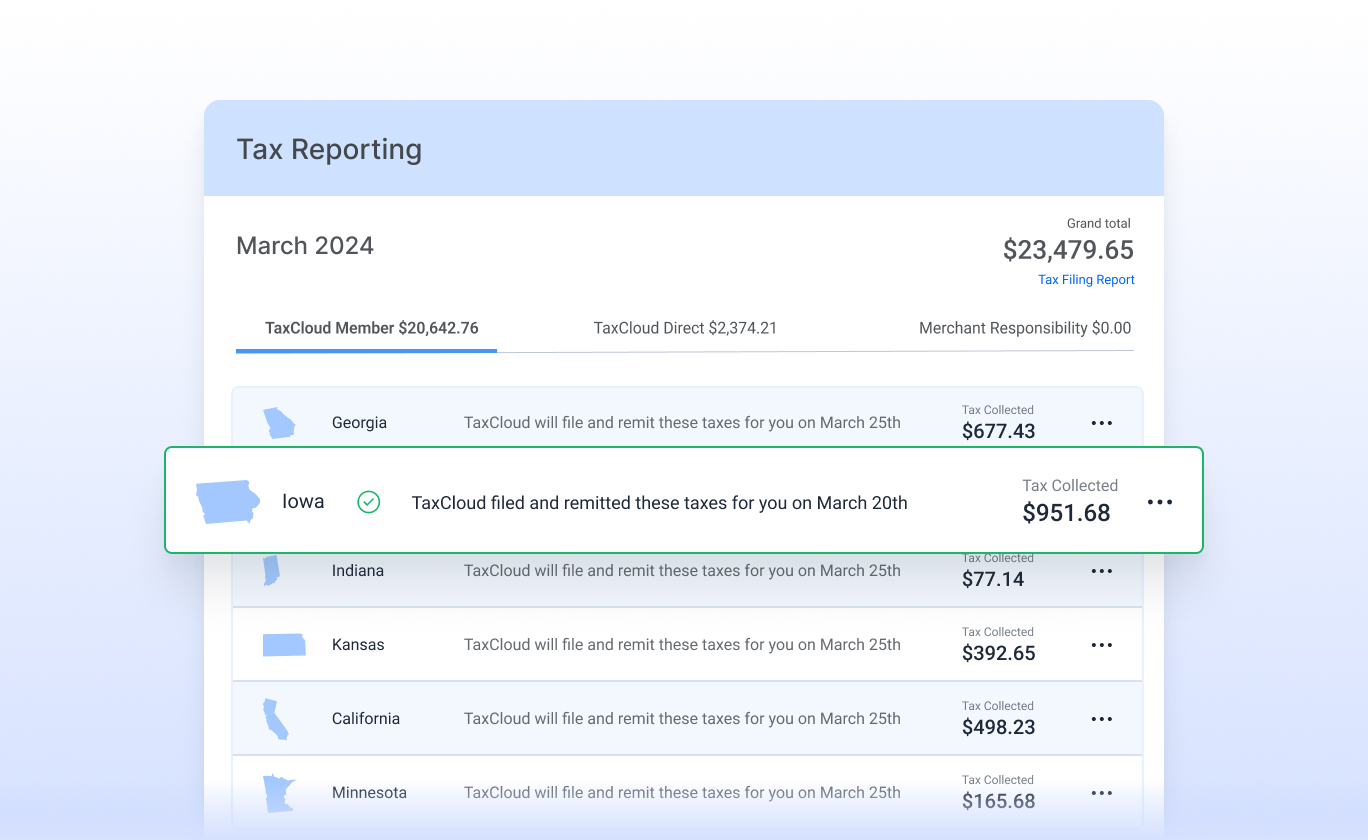
Sales tax filing and registration services
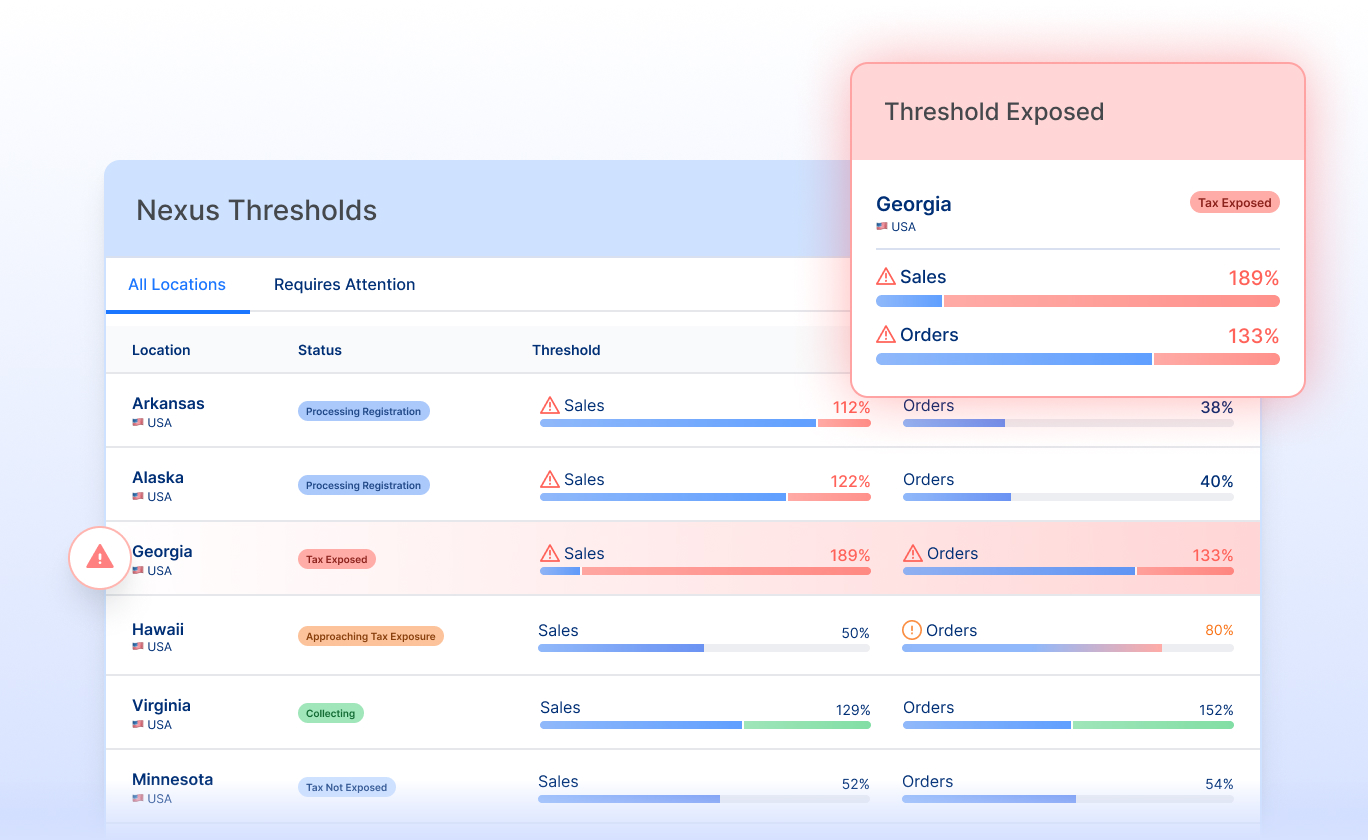
Sales tax reporting and analytics

TaxCloud API
Reliable Customer Support Team based in the US
Changelog
See Releases.