

Simple System Status
View Information about your WordPress Configuration (Defaults, Themes, Plugins) and Server Information that is useful for debugging and support.
Plugin info
Maintenance & Compatibility
Maintenance score
Possibly abandoned • Last updated 1426 days ago • 5 reviews
Is Simple System Status abandoned?
Possibly abandoned (last update 1426 days ago).
Compatibility
Languages
Similar & Alternatives
Explore plugins with similar tags, and compare key metrics like downloads, ratings, updates, support, and WP/PHP compatibility.
Description
“Simple System Status” does exactly what it says on the box – shows you, very simply, your systems status for your WordPress Setup.
Simple System Status adds a submenu item under the ‘tools’ section of your WordPress installation.
What others are saying
This is a brilliant plugin for getting all the relevant info out of your system. The built-in remote viewing option for letting other people securely access your system status is incredibly helpful for remote debugging. Nice work 🙂
~ Hugh Lashbrooke, WooThemes Lead Developer
Like the Plugin?
If you found this plugin useful, please give it a rating
Donations are welcome: Buy me a snack.
Issues and Support
If you find a bug that you would like to report, please open a New Issue on Github.
If you want help using the plugin, please use the default WordPress Plugin Forum.
Contribute
Want to contribute? Fork the GitHub repository.
What Simple System Status Displays For You
WordPress Environment:
- WP Version.
- Checks if WP_DEBUG is turned on.
- WP Language.
- Checks if Multisite is active.
- WP Memory Limit.
- WP Table Prefix Information.
- Permalink Structure.
- Registered Post Stati
- Show On Front Information
Theme Information:
- Theme Name, Version, Author and Author URI
- Checks if current active theme is a Child Theme
- If current theme is a child theme, it offers Parent Theme information.
Plugin Information:
- Must Use Plugins (if any)
- Active Plugins
- Inactive Plugins
Server Environment:
- PHP Information
- PHP Extensions
- Server Type
- MySQL Version
- Host (if possible)
- Session Configuration
Client Details:
- Platform OS
- Browser: Name, Version, User Agent String.
You can use this for your own debugging purposes or for sharing with Support via two methods: A Dynamic Link, or a text file you can download and send.
Installation
Installing “Simple System Status” can be done either by searching for “Simple System Status” via the “Plugins > Add New” screen in your WordPress dashboard, or by using the following steps:
- Download the plugin via WordPress.org
- Upload the ZIP file through the ‘Plugins > Add New > Upload’ screen in your WordPress dashboard
- Activate the plugin through the ‘Plugins’ menu in WordPress
Frequently Asked Questions
This plugin is to View Information about your WordPress Configurationa and Server Information that is useful for debugging.
Review feed
Screenshots

The 'Simple System Status' menu item, under 'Tools'
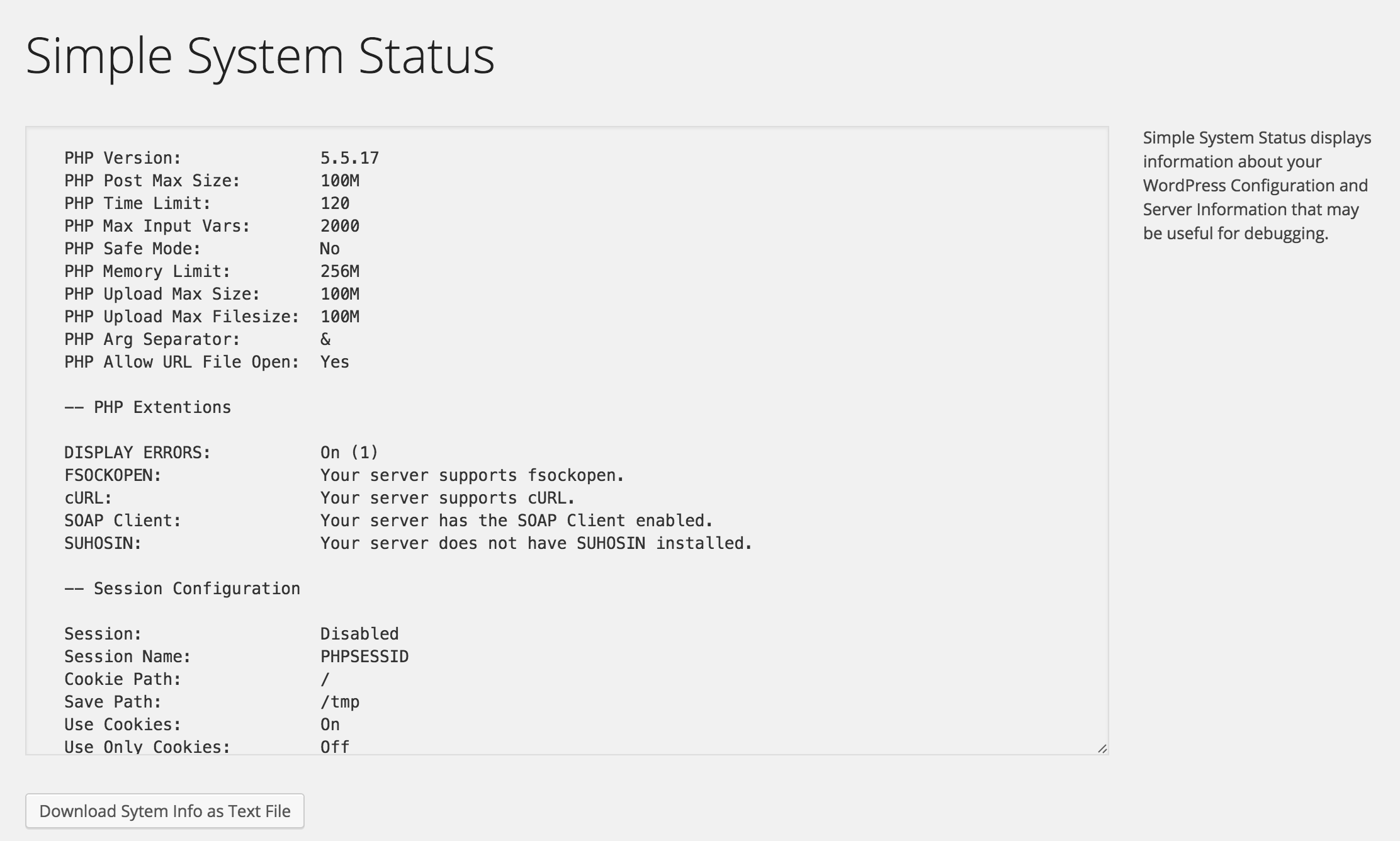
The Main Screen for viewing System Status, with download link (textfile)

Remote Viewing Link - Generate A Link to share stats with others.
Changelog
1.0.1
- Minor refactoring
1.0.0
- 2015-03-01
- Initial release