

Simple Tracking
Add site-wide tracking codes and conversion pixels. Additionally manage all your social media links, and display them on your site using shortcodes.
Plugin info
Maintenance & Compatibility
Maintenance score
Possibly abandoned • Last updated 469 days ago • 1 reviews
Is Simple Tracking abandoned?
Possibly abandoned (last update 469 days ago).
Compatibility
Similar & Alternatives
Explore plugins with similar tags, and compare key metrics like downloads, ratings, updates, support, and WP/PHP compatibility.
Description
Simple Tracking adds an admin interface where you can easily add your tracking and conversion pixel, such as Google Analytics, Facebook Pixel, and more.
Additionally manage all your social media links, and display them on your site using shortcodes.
SUPPORTED SERVICES
- Google Analytics
- Google Tag Manager
- LinkedIn Pixel
- Facebook Pixel
- Pinterest Pixel
AVAILABLE SOCIAL MEDIA LINKS
- Google+
- Youtube
- TikTok
- Yelp
- Snapchat
- Discord
- WordPress.com
- Tumblr
- Flickr
- MySpace
- Custom Link 1
- Custom Link 2
You can use the social media link as php code within your template files or as shortcode within the editor and your existing widgets.
Support
Please submit your support requests through the WordPress forums for Simple Theme Options.
For any additional requests or suggestions, please contact us directly at [email protected]
Installation
- Upload the folder ‘simple-theme-options’ to the ‘/wp-content/plugins/’ directory
- Activate the plugin through the ‘Plugins’ menu in WordPress
- Within your dashboard navigation click on ‘Simple Tracking’
Frequently Asked Questions
Review feed
Screenshots
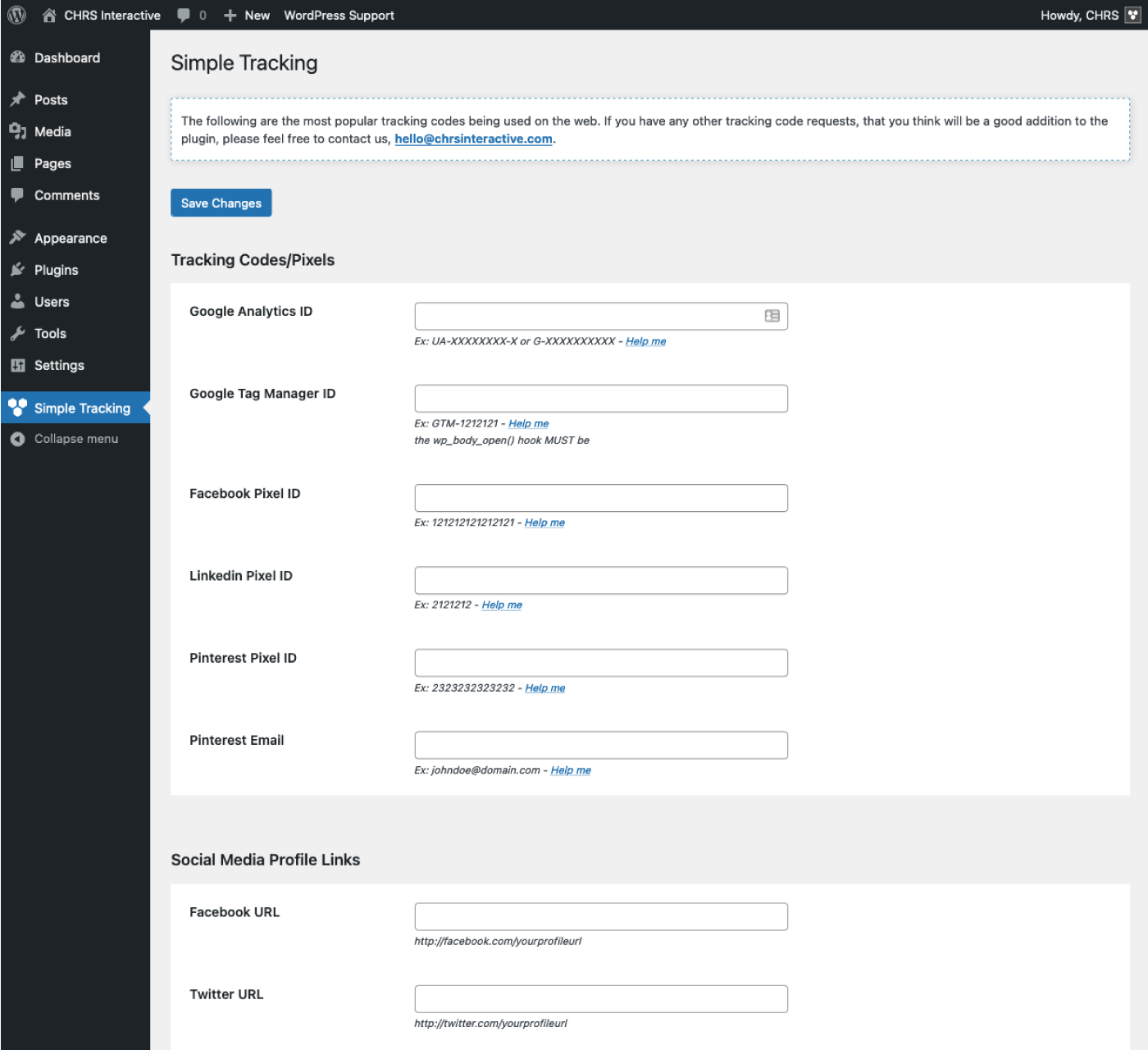
screenshot-1.png
Changelog
1.7.5
- Improve: Minor interface fixes
1.7.4
- Tested: Compatible with WordPress 6.7.1
1.7.3
- Tested: Compatible with WordPress 6.3.0
1.7.2
- Improve: Add support for printing scripts right after the opening body tag using the ‘wp_body_open’ action
- Change: Renamed plugin to “Simple Tracking”
- Add: Google Tag Manager Pixel
- Add: LinkedIn Pixel
- Add: Pinterest Pixel
1.7.1
- Fixed: Issue with saving new version of Analytics Tag ID
- Add: Input for Facebook Pixel ID
1.7
- Tested: Compatible with WordPress 5.9.1
- Change: Replace Analytics textarea with Analytics ID field
- Improve: Security updates
1.6
- Add: TikTok
- Tested: Compatible with WordPress 5.5.0
1.5
- Add: WhatsApp / Snapchat / Discord
- Tested: Compatible with WordPress 5.4.0
1.4
- Tested: Compatible with WordPress 4.6.1
1.3
- Update: Fixed Spelling Errors on Settings page
- Tested: Compatible with WordPress 4.2.2
1.3
- Add: Flickr / MySpace / Custom 1 / Custom 2
- Add: Shortcode support
- Update: CSS improvements
1.2
- Fixed: Input save issue for Youtube/Yelp
- Added WordPress.com / Linkedin / Tumblr
1.1
- Update: CSS + JS improvements
1.0
- Initial release