

Simplify Dashboard
Adds a toggle button to the admin bar to simplify the dashboard by hiding specific menu items.
Maintenance 26/100497d since update
Active installs
0
Downloads
618
Reviews
0
Age
1.4y
Plugin info
Total downloads: 618
Active installs: 0
Total reviews: 0
Average rating: 0
Support threads opened: 0
Support threads resolved: 0 (0%)
Available in: 1 language(s)
Contributors: 1
Last updated: 10/6/2024 (497 days ago)
Added to WordPress: 10/6/2024 (1 years old)
Minimum WordPress version: 5.0
Tested up to WordPress version: 6.6.4
Minimum PHP version: 7.4
Maintenance & Compatibility
Maintenance score
Possibly abandoned • Last updated 497 days ago
26/100
Is Simplify Dashboard abandoned?
Possibly abandoned (last update 497 days ago).
Compatibility
Requires WordPress: 5.0
Tested up to: 6.6.4
Requires PHP: 7.4
Similar & Alternatives
Explore plugins with similar tags, and compare key metrics like downloads, ratings, updates, support, and WP/PHP compatibility.
Better WP ShowHide Elements
Rating 5.0/5 (2 reviews) • Active installs 100
WP ShowHide Elements
Rating 0.0/5 (0 reviews) • Active installs 50
Essential Addons for Elementor – Popular Elementor Templates & Widgets
Rating 4.9/5 (3,987 reviews) • Active installs 2,000,000
Envato Elements – Photos & Elementor Templates
Rating 3.8/5 (65 reviews) • Active installs 1,000,000
Royal Addons for Elementor – Addons and Templates Kit for Elementor
Rating 4.8/5 (586 reviews) • Active installs 600,000
Unlimited Elements For Elementor
Rating 4.9/5 (500 reviews) • Active installs 300,000
Description
“Simplify Dashboard” adds a toggle in the admin bar to hide menu items you don’t use much.
It gives you a simple interface for your users, and can be quickly turned on or off.
Choose which items are hidden in the Settings>Simplify Dashboard page by writing their menu name, or specify the actual HTML id.
Installation
- Upload the
simplify-dashboardfolder to the/wp-content/plugins/directory. - Activate the plugin through the ‘Plugins’ menu in WordPress.
- Once activated, navigate to the Settings page and click on the new submenu “Simplify Dashboard”.
- Enter the names of the menu items you want to hide. Additionally, choose items to hide in the admin by their element id.
- Turn the Simplify Dashboard toggle to on.
Frequently Asked Questions
No FAQ available
Review feed
No reviews available
Screenshots
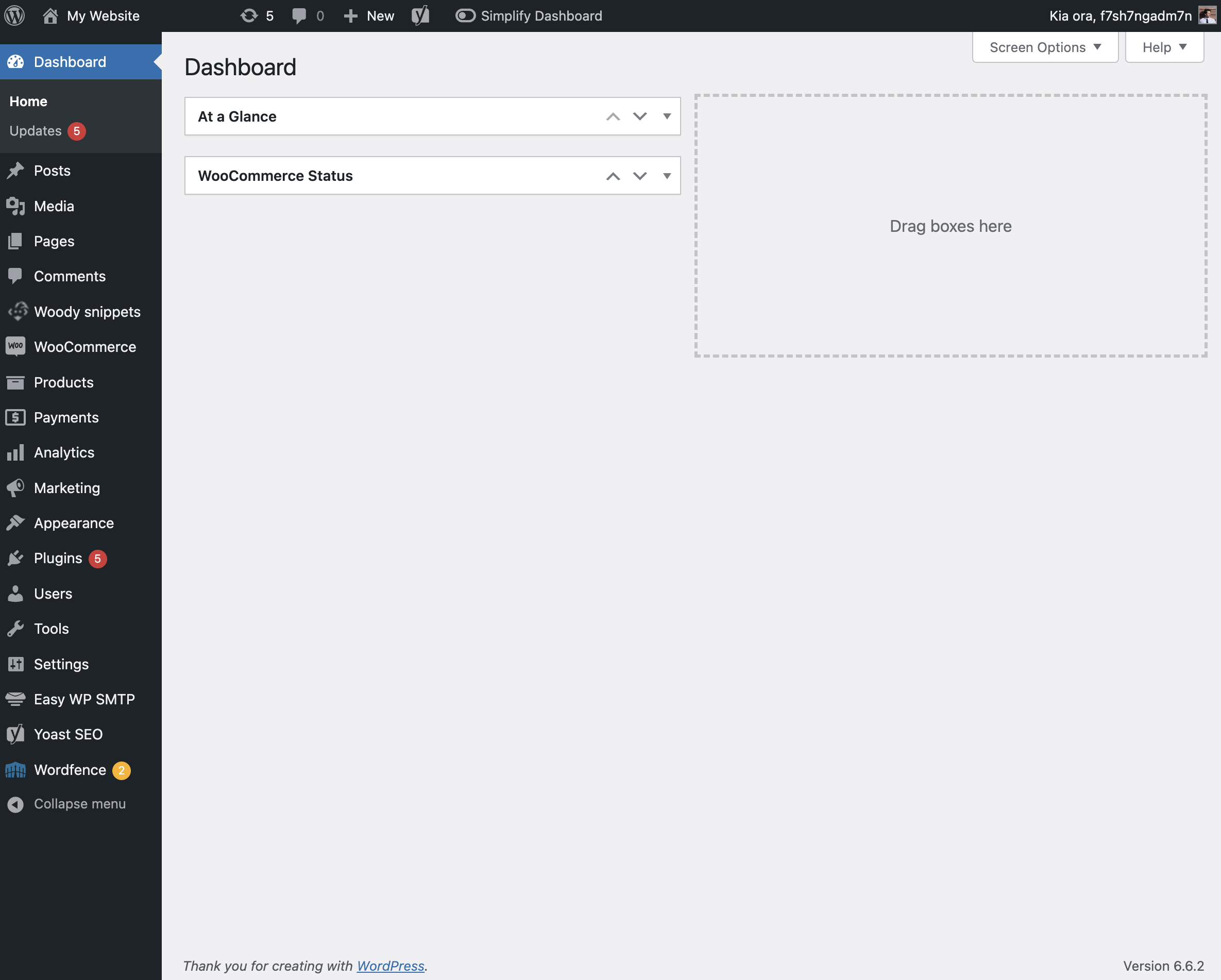
The admin screen with nothing hidden.
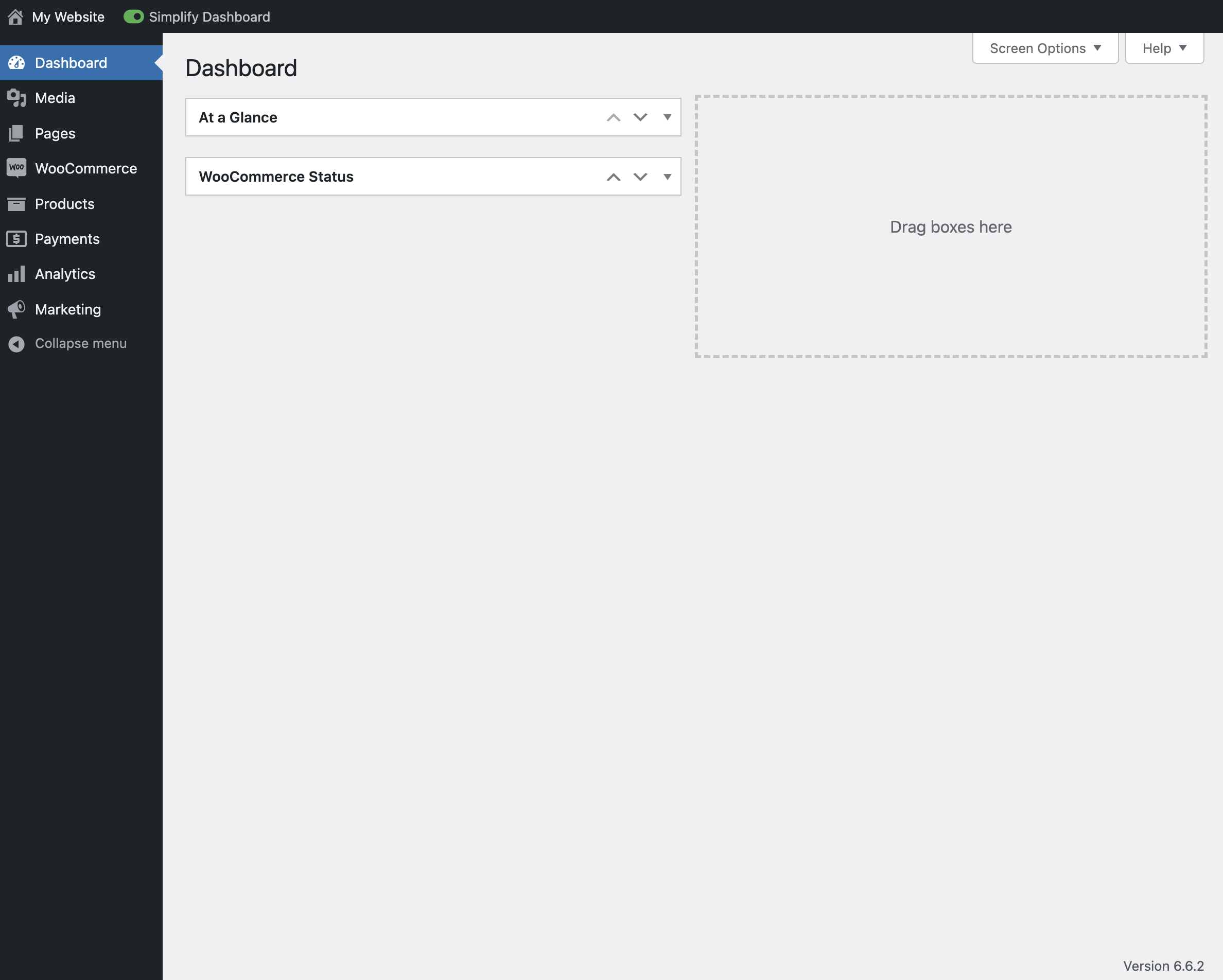
View of the admin screen with the toggle activated.

The settings page for Simplify Dashboard.
Changelog
1.1
- Improving code quality.
1.0
- Initial release.