

Simply Documents
Create Document Types. Display documents in tables. Filter documents based on types.
Plugin info
Maintenance & Compatibility
Maintenance score
Possibly abandoned • Last updated 2759 days ago
Is Simply Documents abandoned?
Possibly abandoned (last update 2759 days ago).
Compatibility
Similar & Alternatives
Explore plugins with similar tags, and compare key metrics like downloads, ratings, updates, support, and WP/PHP compatibility.
Description
A lightweight plugin for WordPress that uses shortcode to customize where and when documents are listed. Easily upload documents and post them to the appropriate document type. Display documents in a table format on any page.
Some of the awesome features include:
- Create unlimited document types as lists
- Display documents using a Shortcode
- Filter documents using the “type” attribute.
- Customize List Titles using the “title” attribute.
Installation
- Unzip the plugin file
- Upload the folder
simply-documentsand it’s contents to the/wp-content/plugins/directory - Activate the plugin through the ‘Plugins’ menu in WordPress
- Use the
Simply Settingsplugin menu to create a newDocument Types - Include the Shortcode (ex.
[simply_documents) to embed the list of documents anywhere in your website - Add the type attribute to your shortcode (ex.
[simply_documents type="123"]) found next to your document type to filter the documents by type. - Add the title attribute to your shortcode (ex.
[simply_documents title="Sample Documents"]) to customize the title of your list. - Happy list building!
Frequently Asked Questions
Installation Instructions
- Unzip the plugin file
- Upload the folder
simply-documentsand it’s contents to the/wp-content/plugins/directory - Activate the plugin through the ‘Plugins’ menu in WordPress
- Use the
Simply Settingsplugin menu to create a newDocument Types - Include the Shortcode (ex.
[simply_documents) to embed the list of documents anywhere in your website - Add the type attribute to your shortcode (ex.
[simply_documents type="123"]) found next to your document type to filter the documents by type. - Add the title attribute to your shortcode (ex.
[simply_documents title="Sample Documents"]) to customize the title of your list. - Happy list building!
Can I remove the title from the table?
Yes! Add the following attribute to your shortcode: [ title=””].
Can I add multiple document files?
Yes! The following file types with corresponding icons have been built into this plugin: .pdf, .doc, .xls, chinese pdf translation
Review feed
Screenshots

Simply Settings Admin page

Document Type List page

Document List page

Add New Document page - Document Settings tab
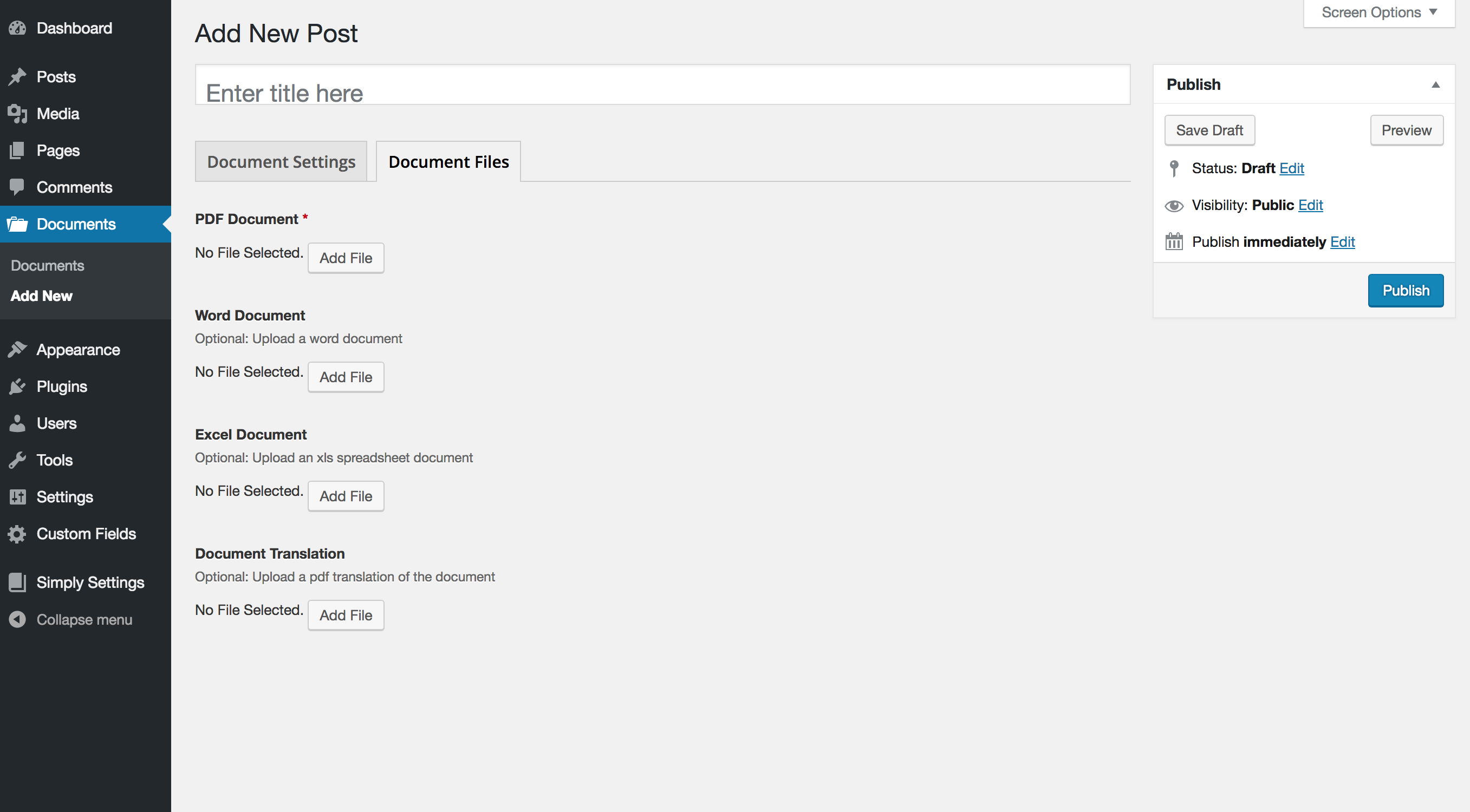
Add New Document page - Document Files tab
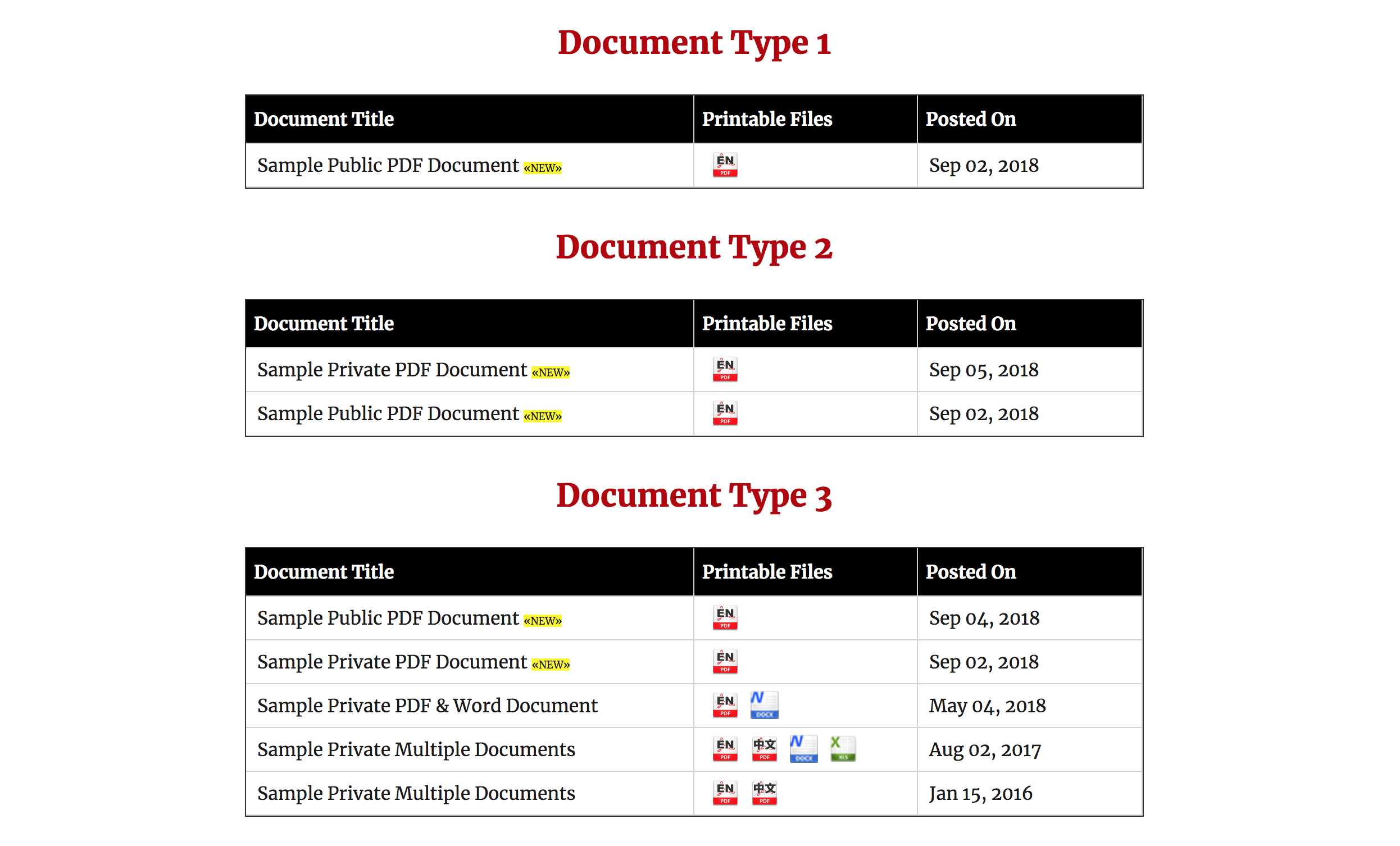
Frontend Document List on page
Changelog
1.0
- Original Release