

SiteSkite
SiteSkite centralizes backups, restore, updates, rollback, performance insights, and bulk-site operations — all from one powerful dashboard.
Plugin info
Maintenance & Compatibility
Maintenance score
Actively maintained • Last updated 87 days ago
Is SiteSkite abandoned?
Likely maintained (last update 87 days ago).
Compatibility
Similar & Alternatives
Explore plugins with similar tags, and compare key metrics like downloads, ratings, updates, support, and WP/PHP compatibility.
Description
SiteSkite is the modern platform to manage and secure WordPress websites at scale — perfect for site owners, freelancers, and agencies. Centralize site maintenance, automate backups, monitor uptime, optimize performance, and update plugins/themes in bulk with ease.
Important: SiteSkite only manages your website after you connect it using a secure API key.
All plugin installation, activation, and maintenance actions must be initiated from your SiteSkite account — ensuring full control and secure access.
💡 What SiteSkite Helps You Do
✔️ Manage multiple WordPress sites from one dashboard
✔️ Automate backups & restore anytime
✔️ Store backups in your own cloud (BYO cloud)
✔️ Monitor uptime & site health across all sites
✔️ Bulk update, activate, deactivate, and delete plugins/themes
✔️ Roll back plugin/theme versions safely
✔️ Add team members & organize sites into workspaces
✔️ Use professional WP tools (Maintenance mode, Debug, Search & Replace, Indexing control, WP Reset & more)
✔️ Track Core Web Vitals performance
✔️ Install curated plugin presets with WP Essentials
✔️ White-label the plugin for agency clients
Built to simplify workflows and scale your WordPress operations without stress.
Get started in minutes.
🚀 Key Features
🔄 Backups & Restore
- On-demand, daily, or weekly backups
- Full, database-only, or file-only backups
- Incremental backups (resource-efficient)
- Classic snapshot backups (full archive)
- Restore with a click
☁ BYO Cloud Storage
Use your own cloud storage, including:
– Google Drive
– Dropbox
– AWS S3
– BackBlaze B2
– pCloud
⚙️ Bulk WordPress Actions
- Update plugins, themes, and core
- Activate/Deactivate/Delete plugins & themes
- Rollback plugin & theme versions
- Install bulk plugins from presets
🧰 WP Canvas Tools
- Maintenance Mode
- WP Debug
- Search & Replace
- Permalink settings
- WP Reset
- Site Indexing toggle
📊 Performance & Monitoring
- Uptime monitoring
- BirdEye status overview
- Core Web Vitals metrics
👥 Collaboration & Scaling
- Workspaces to group sites & clients
- Add users, team members, and clients
- White-label plugin branding
🛍 Marketplace Access
- Browse tools, presets, and digital assets
- Wishlist & follow sellers
🧭 Who is SiteSkite for?
- WordPress website owners
- Agencies managing client sites
- Freelancers & developers
- Hosting providers offering WP upkeep
- Anyone who wants peace of mind & automation
External services
This plugin connects to external services to perform backups, restores, and operational callbacks. Below is a list of services, what they are used for, what data is sent, and relevant policies.
-
Dropbox
- What it’s used for: Uploading and downloading backup archives to the site owner’s Dropbox.
- What data is sent and when: Backup file contents and related metadata (e.g., file name and size) during backup and restore operations initiated by the administrator.
- Endpoints:
https://content.dropboxapi.com,https://api.dropboxapi.com - Policies: Terms https://www.dropbox.com/terms · Privacy https://www.dropbox.com/privacy
-
Google Drive
- What it’s used for: Uploading and downloading backup archives to the site owner’s Google Drive.
- What data is sent and when: Backup file contents and related metadata during backup and restore operations initiated by the administrator.
- Endpoints:
https://www.googleapis.com/drive/v3/filesand related upload endpoints such ashttps://www.googleapis.com/upload/drive/v3/files(resumable/multipart uploads). - Policies: Terms https://policies.google.com/terms · Privacy https://policies.google.com/privacy
-
Amazon S3
- What it’s used for: Uploading and downloading backup archives to the site owner’s Amazon S3 bucket.
- What data is sent and when: Backup file contents and related metadata during backup and restore operations initiated by the administrator.
- Endpoints: Region-specific S3 REST API (e.g.,
https://s3.)..amazonaws.com - Policies: Service Terms https://aws.amazon.com/service-terms/ · Privacy https://aws.amazon.com/privacy/
-
Backblaze B2
- What it’s used for: Uploading and downloading backup archives to the site owner’s Backblaze B2 bucket.
- What data is sent and when: Backup file contents and related metadata during backup and restore operations initiated by the administrator.
- Endpoints: Backblaze B2 API (e.g.,
https://api.backblazeb2.com). - Policies: Terms https://www.backblaze.com/company/legal/terms.html · Privacy https://www.backblaze.com/company/privacy.html
-
pCloud
- What it’s used for: Uploading and downloading backup archives to the site owner’s pCloud storage.
- What data is sent and when: Backup file contents and related metadata during backup and restore operations initiated by the administrator.
- Endpoints: pCloud API (e.g.,
https://api.pcloud.com) and regional variants such ashttps://eapi.pcloud.com(EU) andhttps://asiaapi.pcloud.com(Asia). OAuth token exchange:https://my.pcloud.com/oauth2_token. - Policies: Terms https://www.pcloud.com/terms.html · Privacy https://www.pcloud.com/privacy-policy.html
-
SiteSkite endpoints (operational callbacks and validation)
- What it’s used for: Validating the plugin API key, linking a site, downloading managed assets, and sending operational status callbacks to SiteSkite services. Some staging endpoints may be used for validation or asset download during testing.
- What data is sent and when: Site identifier and operation status metadata (e.g., backup/restore status) during validation and callbacks. For asset downloads, only the requested asset path is transmitted. Backup contents are never sent to SiteSkite; only selected metadata required to coordinate operations.
- Policies: Terms https://www.siteskite.com/terms-of-service · Privacy https://www.siteskite.com/privacy-policy
-
WordPress.org (downloads)
- What it’s used for: Downloading official WordPress core translation files when requested by an administrator.
- What data is sent and when: The request URL includes the WordPress core version and language code to retrieve the matching translation archive; no personal data is sent.
- Endpoints:
https://downloads.wordpress.org/translation/core// .zip - Policies: Terms https://wordpress.org/about/privacy/ · Privacy https://wordpress.org/about/privacy/
Notes:
– Data is transmitted only when you initiate an action that requires it (e.g., starting a backup/restore, validating your API key, or downloading translations).
– You choose and configure the cloud storage provider(s) to be used.
Installation
- Upload the plugin folder to
/wp-content/plugins/siteskite-linkor install via Plugins Add New - Activate the plugin
- Go to Settings SiteSkite and enter your API key
- Configure backup & cloud storage options
Frequently Asked Questions
In your connected cloud storage (Google Drive, Dropbox, S3, BackBlaze B2, pCloud).
You remain in full control of your data.
No — SiteSkite works on any WordPress hosting provider.
Yes. Your credentials are never shared, and all actions require authenticated API connection and admin permission.
SiteSkite combines smart backups, multi-site management, rollback tools, uptime monitoring, WP developer utilities, cloud storage freedom, team access, and white-label support — all in one platform built for growth.
Review feed
Screenshots
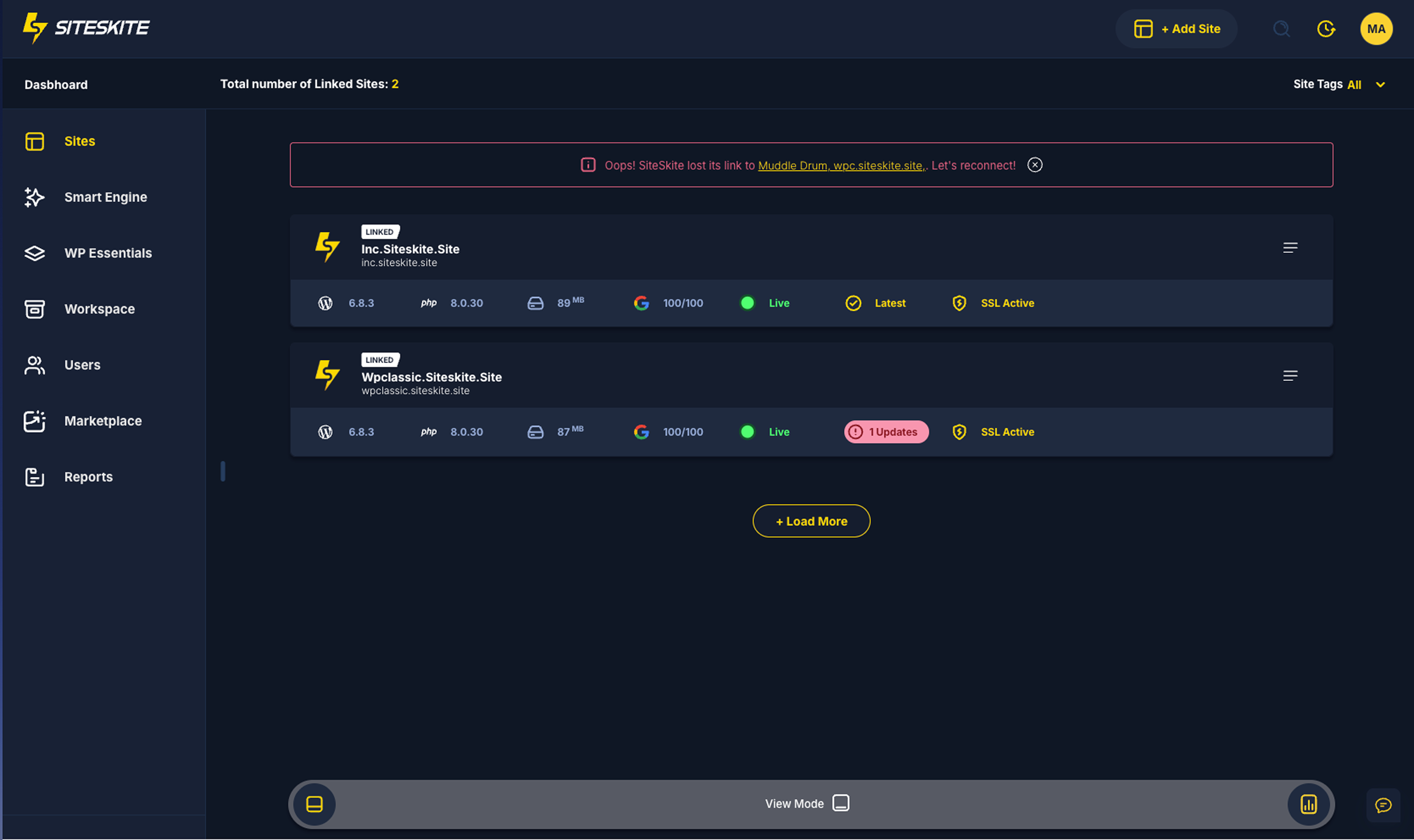
All Linked Sites
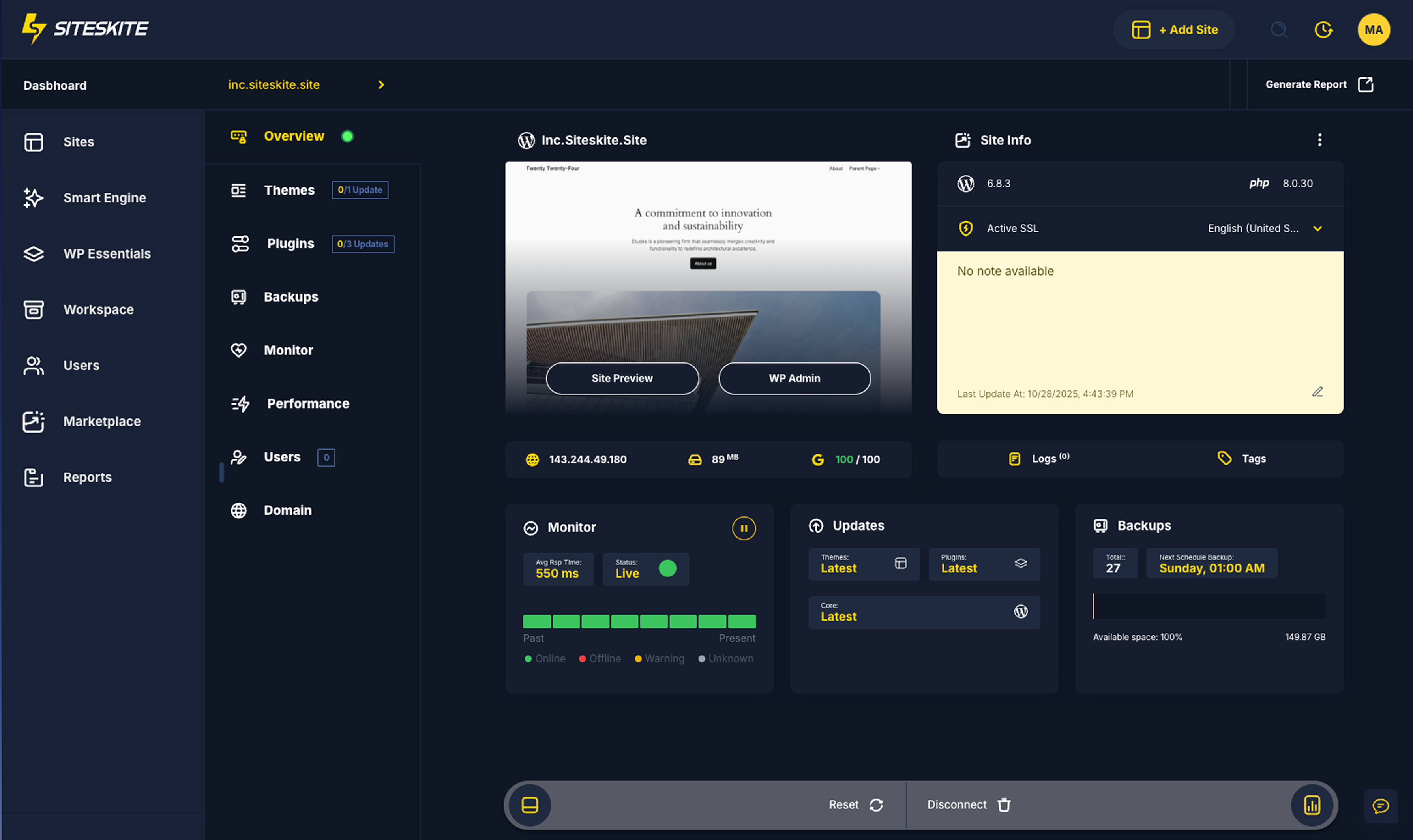
Site Overview
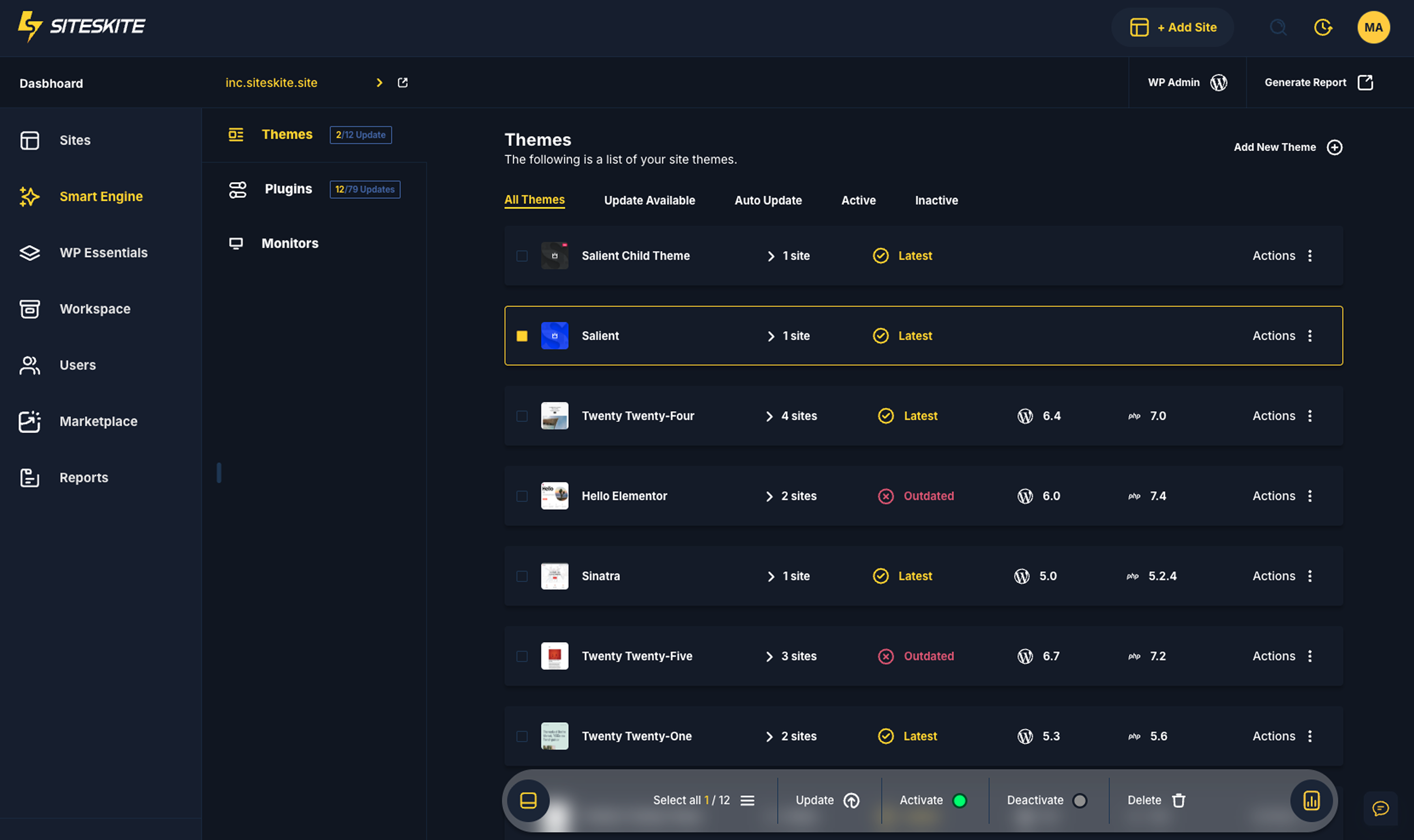
SmartEngine
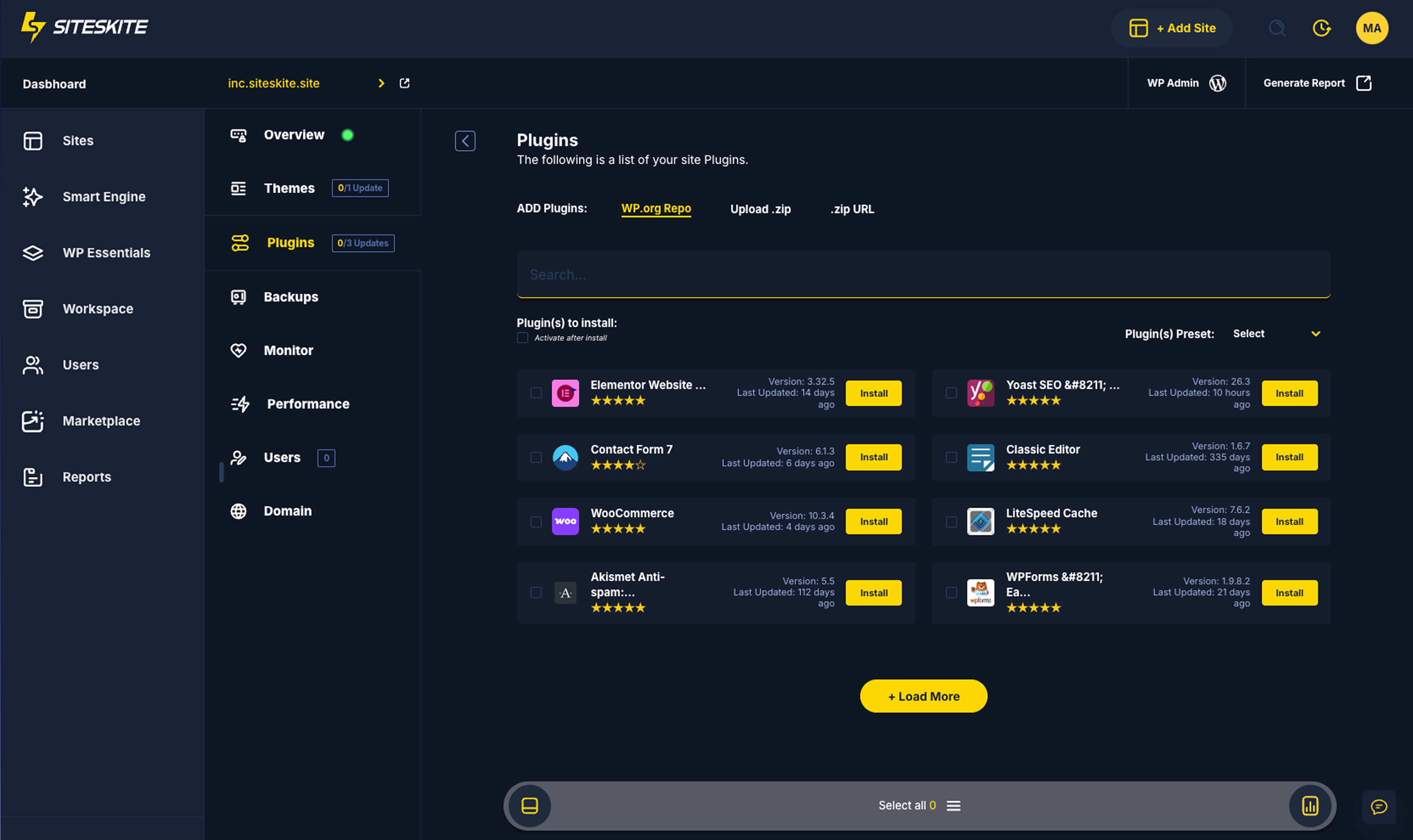
Plugins Install
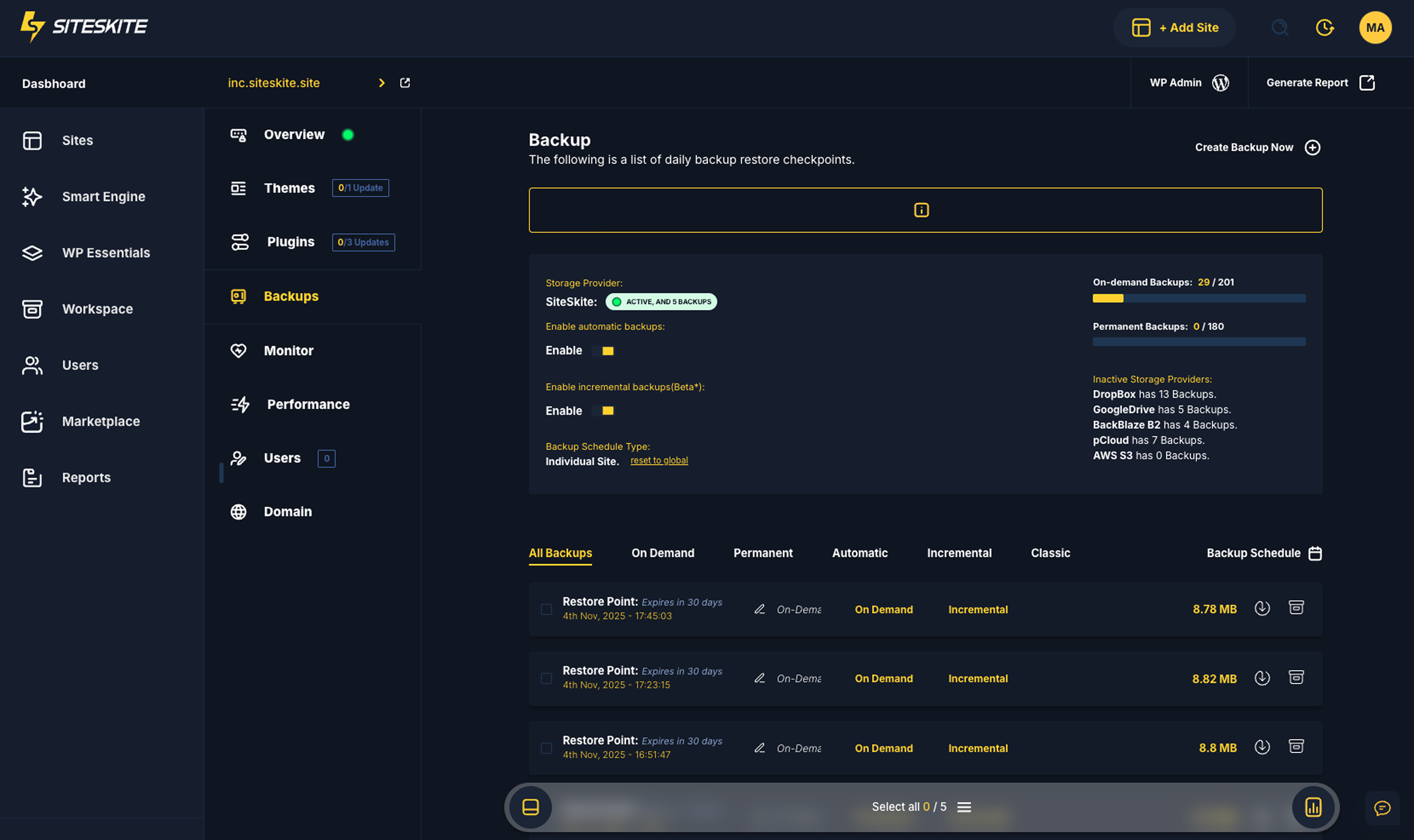
Backup & Restore
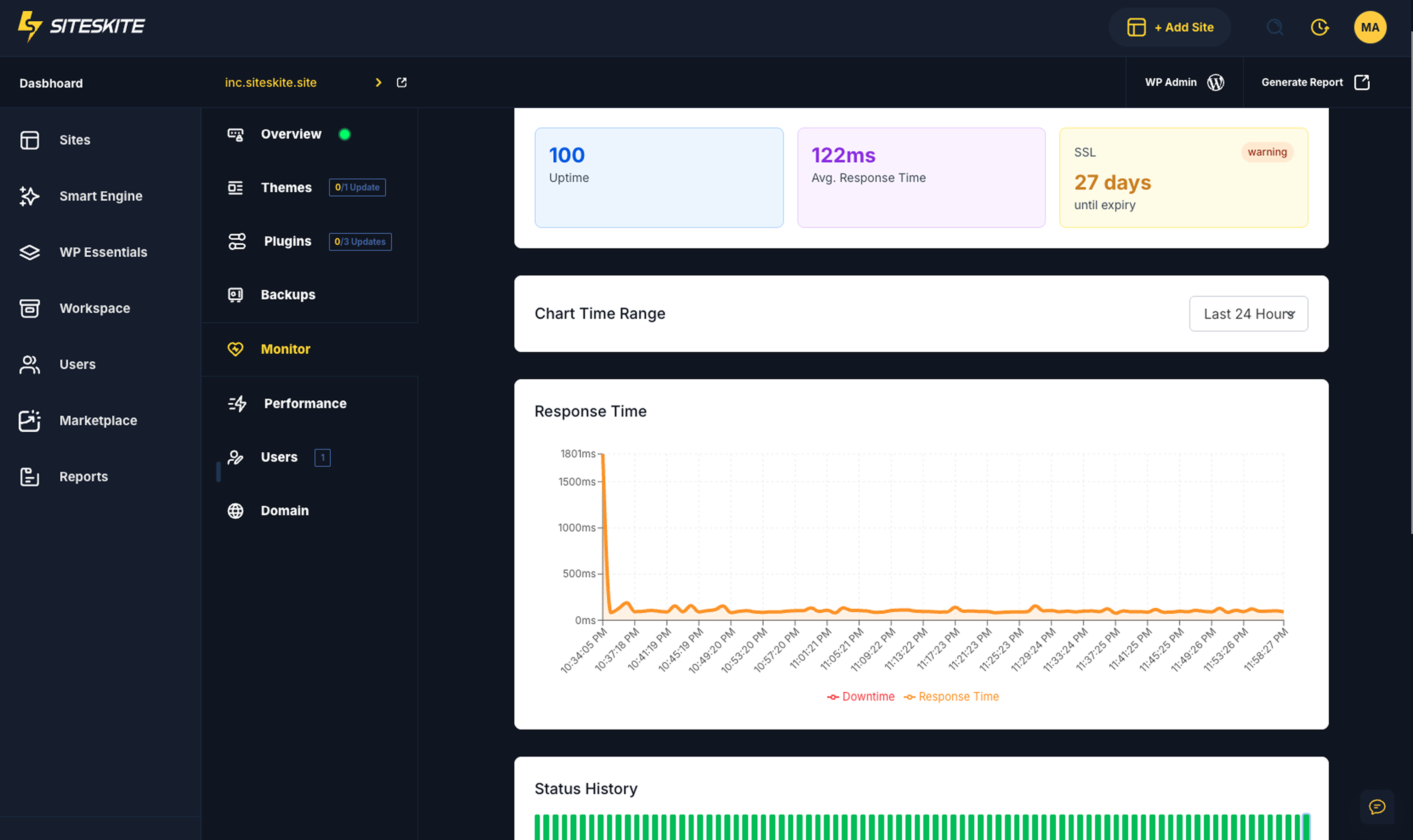
Monitor
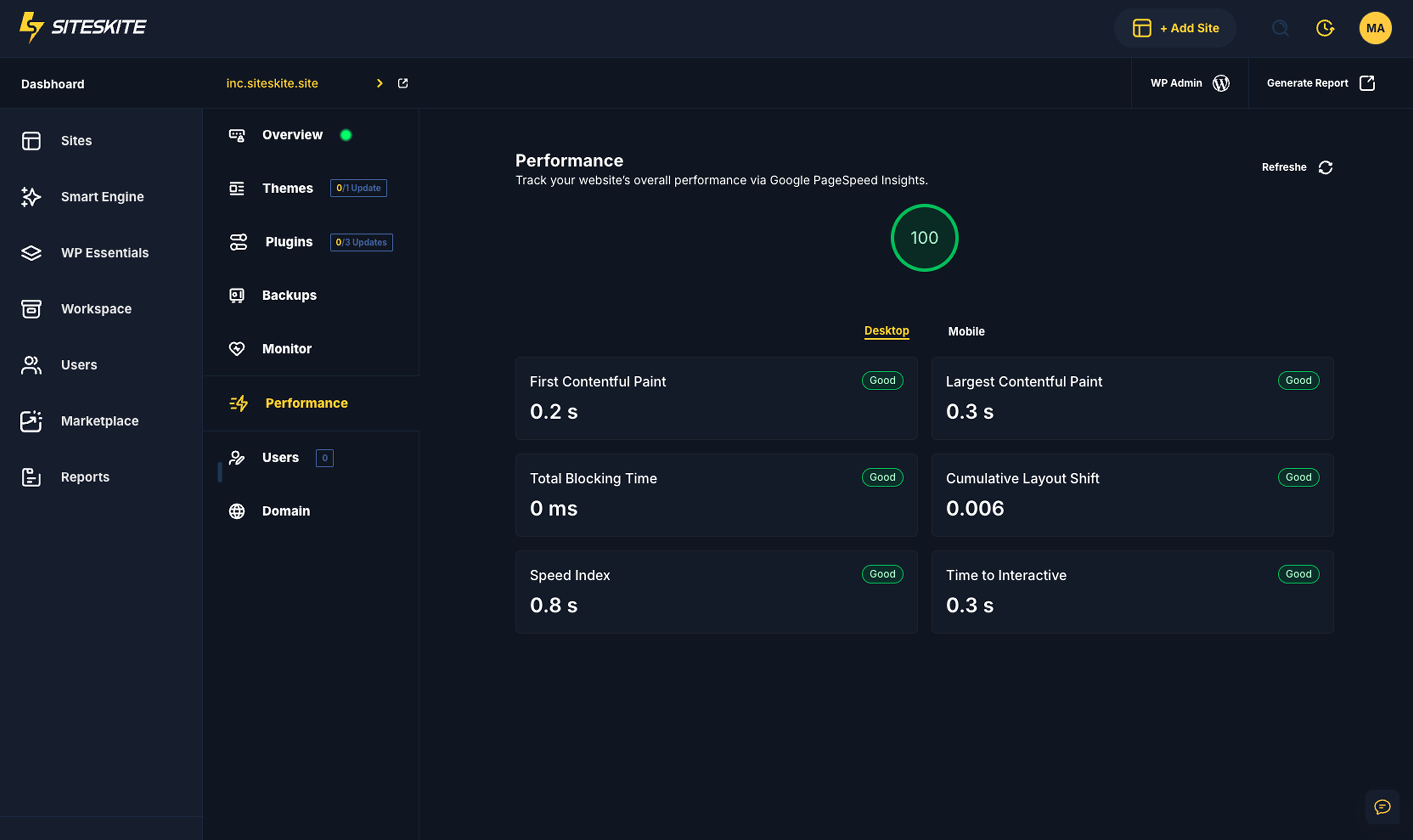
Core Web Vitals performance
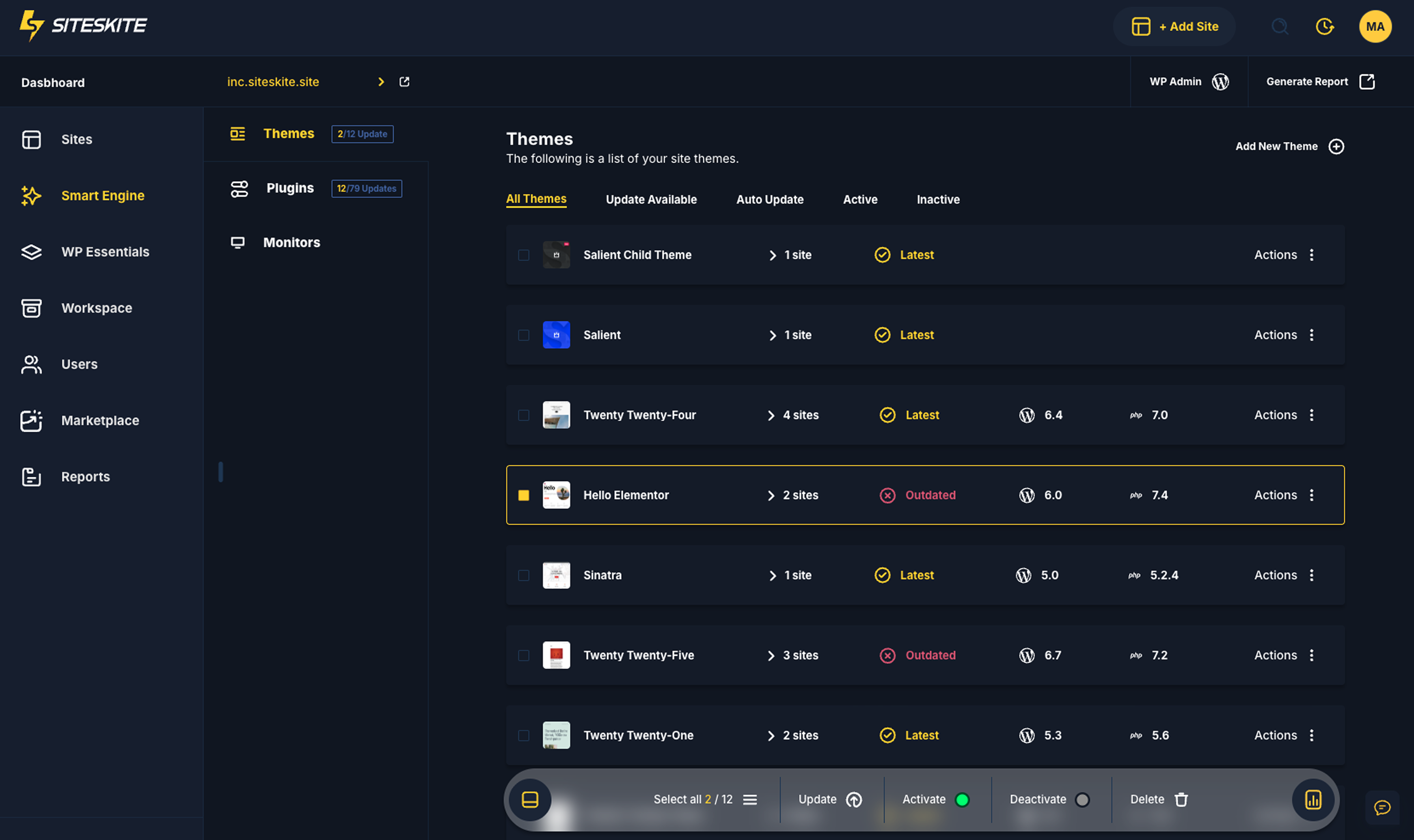
Themes Management
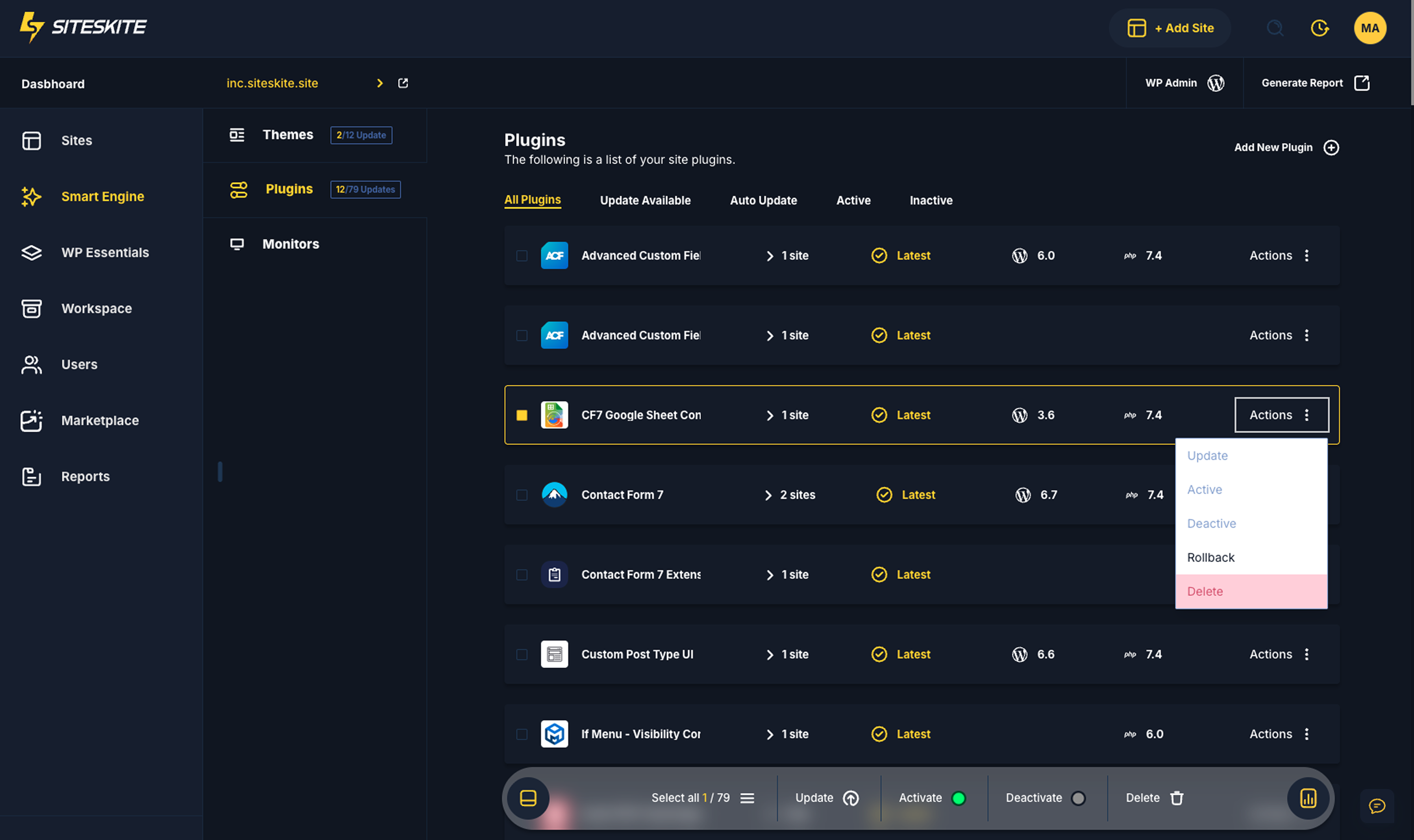
Plugins Management
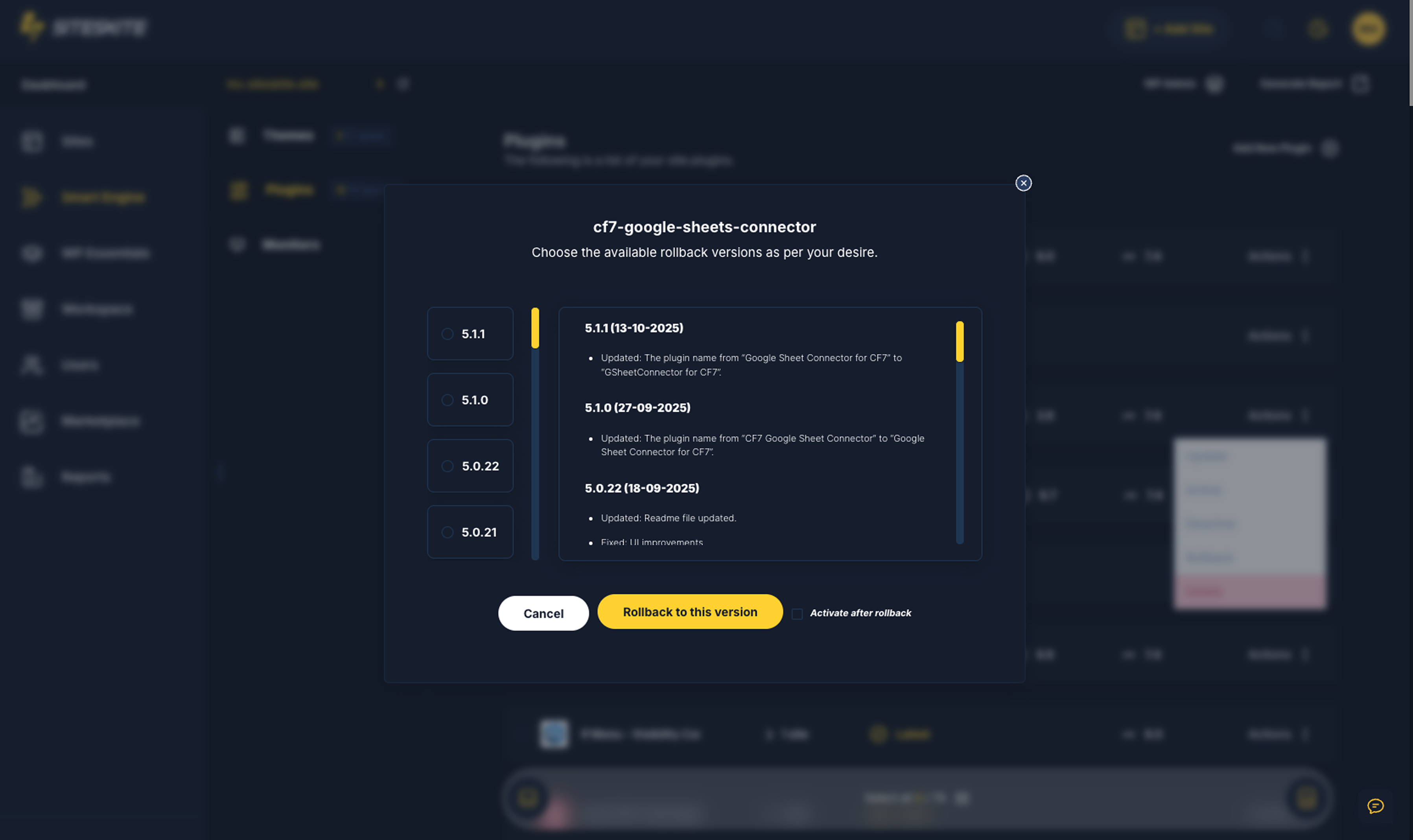
Rollback

Changelog
1.0.5 (22 November 2025)
- Improved: WPCanvas and API improvements
1.0.4 (18 November 2025)
- Improved: Notifications
1.0.3 (18 November 2025)
- Improved: WPCanvas Improvements
1.0.2 (15 November 2025)
- Improved: Backup & Restore Service for CDN enabled sites
1.0.1 (08 November 2025)
- Admin view update
1.0.0
- Initial release