

SKT PayPal for WooCommerce
SKT PayPal is a WooCommerce PayPal express checkout plugin developed by SKT Themes. It offers you the best PayPal express checkout payment processing …
Plugin info
Maintenance & Compatibility
Maintenance score
Maintained • Last updated 128 days ago
Is SKT PayPal for WooCommerce abandoned?
Likely maintained (last update 128 days ago).
Compatibility
Similar & Alternatives
Explore plugins with similar tags, and compare key metrics like downloads, ratings, updates, support, and WP/PHP compatibility.
Description
SKT PayPal is a WooCommerce PayPal express checkout plugin developed by SKT Themes. It offers you the best PayPal express checkout payment processing solution. It enables acceptance of PayPal balance as well as credit and debit cards. Plus by modifying your PayPal settings for country coverage and currency acceptance it enables global coverage settings.
Also check our ready to use Best WordPress themes free
Documentation
Features
Button Color: By default, Gold color has been given to the button color but you have a choice to change the color from gold to blue, silver, or black.
Button Shape: There are two different options to shape your button i.e. Pill and Rectangle, choose any one of them that suits your design and style.
Button Label: A different label can be added to the button. You can either add Buynow, checkout or pay label.
Button Layout: Two different layouts are provided for the button, one is horizontal and another is vertical.
Button Height: You can modify the button height from 25 to 55.
FAQs
For testing how to create sandbox accounts?
Step 1: First of all Login to this website http://developer.paypal.com.
Step 2: Now in the top menu, click on Applications tab.
Step 3: In left sidebar menu, click on Sandbox Accounts.
Step 4: To create a new account for sandbox, click on Create Account button.
Installation
Requirements
To install SKT PayPal For WooCommerce Payments, you need:
- WordPress Version 5.3 or newer (installed)
- WooCommerce Version 3.9 or newer (installed and activated)
- PHP Version 7.1 or newer
- PayPal business account
INSTALLING THROUGH THE WORDPRESS ADMIN PANEL
- Head over to Plugins >> Add New in WP admin panel
- Search for SKT PayPal for WooCommerce
- Install & activate the plugin
INSTALLING THROUGH FTP
- Download the skt-paypal-for-woocommerce.zip and unzip it.
- Upload “skt-paypal-for-woocommerce” folder to the “/wp-content/plugins/” directory.
- Activate the plugin through the Plugins menu into WordPress admin area.
Frequently Asked Questions
Review feed
Screenshots
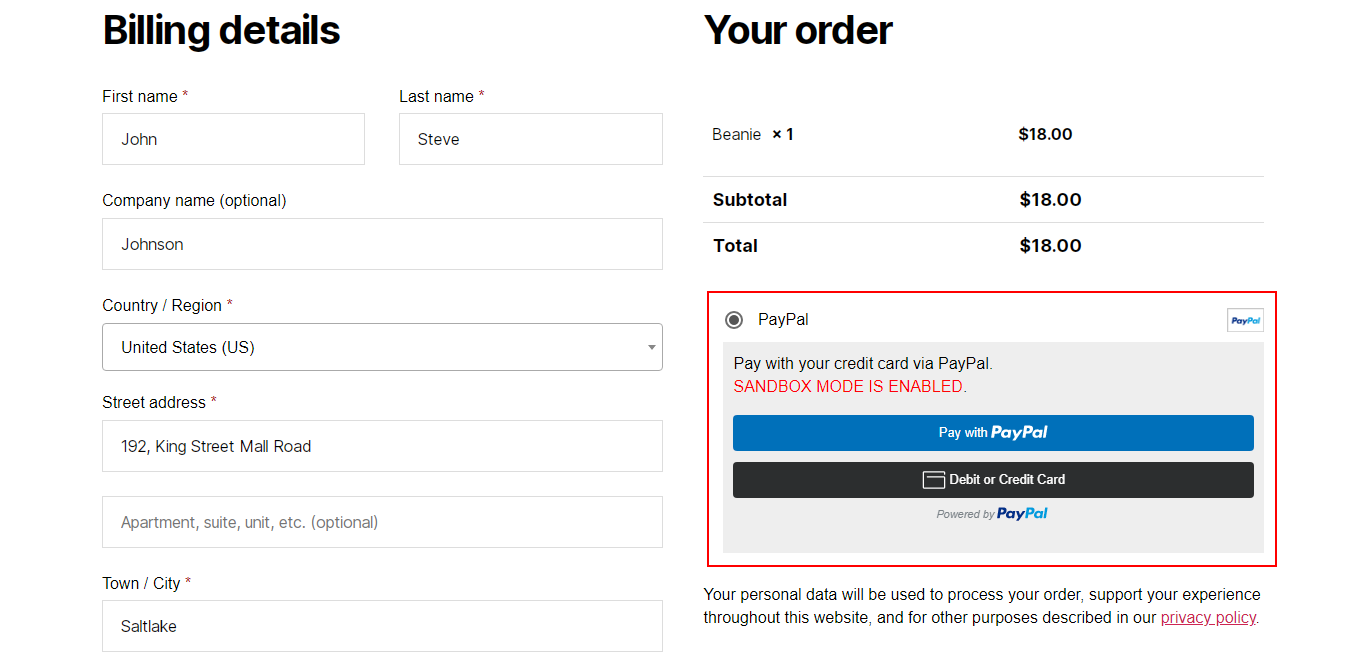
PayPal buttons on a Checkout page.

Enable "PayPal" on the Payment methods tab in WooCommerce.

Connect to PayPal account.

Main settings screen.
Changelog
1.5
- Resolved the unauthenticated payment bypass issue reported by Wordfence.
1.4
- Resolved the unauthenticated payment bypass issue reported by Wordfence.
1.3
- Resolved Plugin Check (PCP) issue.
1.2
- Resolved PayPal Order Number And Product Name issued In PayPal Email Invoice.
1.1
- Resolved changes as per reviewer comments.
1.0
- Initial release.