

Sky Login Redirect
Redirect users or roles to custom pages or previous page on login/logout. Features an awesome login page customizer.
Plugin info
Maintenance & Compatibility
Maintenance score
Maintained • Last updated 127 days ago • 24 reviews
Is Sky Login Redirect abandoned?
Likely maintained (last update 127 days ago).
Compatibility
Similar & Alternatives
Explore plugins with similar tags, and compare key metrics like downloads, ratings, updates, support, and WP/PHP compatibility.
Description
Sky Login Redirect redirects your users on log in and log out to the page you set in the options. You can choose to redirect specific users, specific roles, set global custom redirects to a given location or redirect everyone to the page they were reading prior to logging in or logging out.
It detects if the login request points to the backend and can prevent login redirect loops (when the referring page is a login or register page).
The settings page allow you to configure everything related to login in WordPress:
- redirect users when they log in or log out: redirect users or roles, set custom redirects and redirects to the previous page
- customize the login page with a few clicks to match the colors and styles of your site: colors, background color or image, borders, alignment, button styles
- set a custom logo for your login page
- additional settings related to the login page
Sky Login Redirect Pro adds even more options and functionalities, among which you can find:
- More rules for WordPress login and logout
- Easy Digital Downloads redirects
- WooCommerce redirects
- WooCommerce login customizer: you can now style My Account page to your colors
- Additional UX/UI settings for the login page
- Login & logout links shortcode
- Login form shortcode
- Automatic login and logout links in menus
- Modal login form
- Modal customizer
- Custom CSS block
- Restrict content to logged-in users or roles
Installation
- Install the plugin.
- Activate the plugin through the ‘Plugins’ menu in WordPress.
- Visit the ‘Login Redirect’ settings page to set your login and logout redirects or edit your login page’s styles.
Frequently Asked Questions
Ensure that you have set up redirection rules for login and logout on the settings page.
If redirections have been set already, re-validate your permalinks (WordPress and WooCommerce).
Review feed
Perfect
Screenshots

Login and logout redirection rules for roles, specific users or all users. You can redirect to the previous page, to a custom page, or use the WordPress default.

The page customizer allows you to customize the logo and the page background (color or background image)
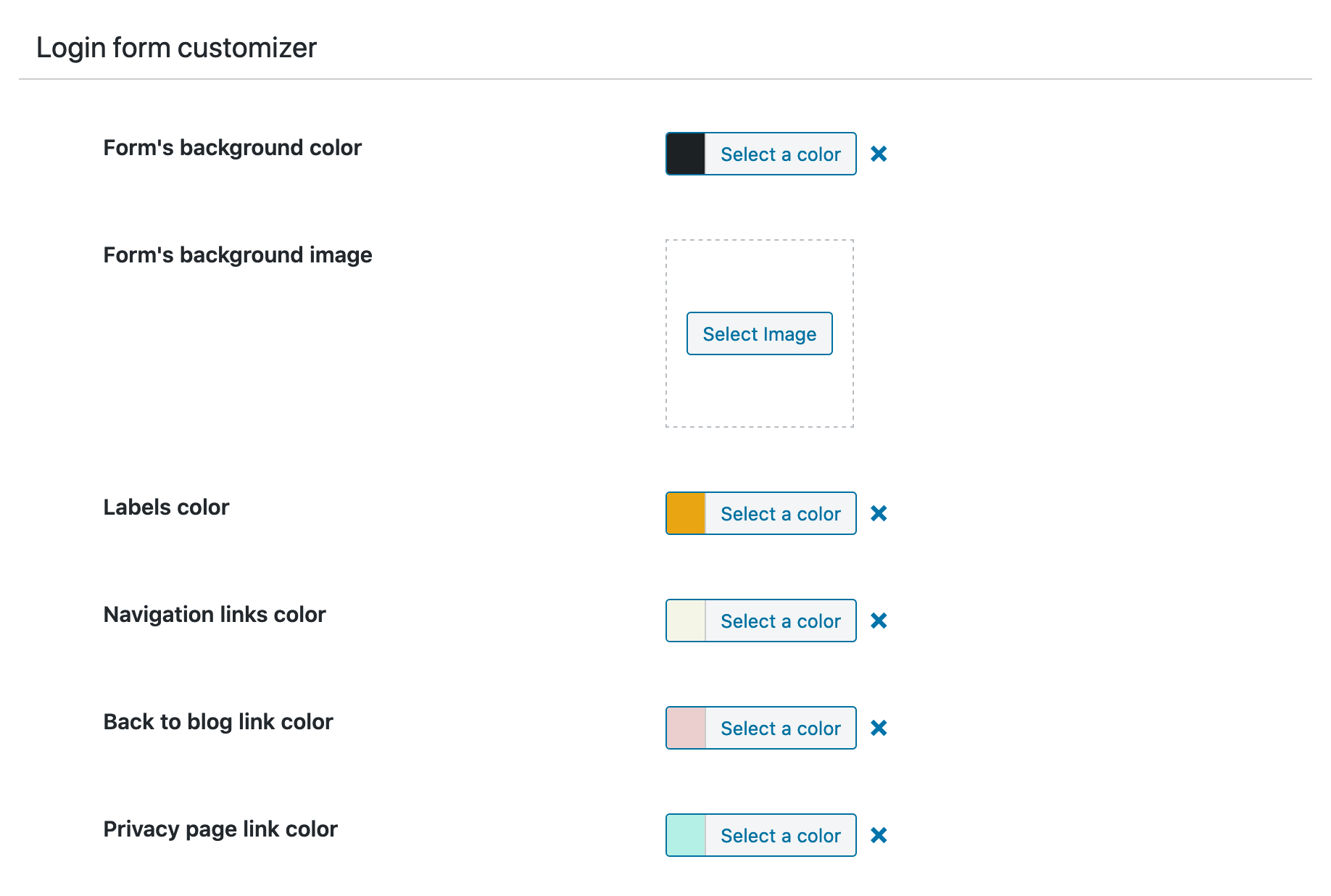
The form customizer allows you to customize the login form.

The submit button customizer allows you to customize the login submit button.
Changelog
3.8.0 – 2025-11-26
- Improvement – convert jQuery code to vanilla JS
- Performance – improve code editor initialization
- Performance – improve tab handling with sprite-based icons
- Performance – improve DOM observation for CodeMirror initialization and complex tabs
- Improvement – remove Zen Settings
- Improvement – add object caching for login redirect settings to reduce DB queries
- Improvement – improve login redirect URL handling with proper sanitization and scheme detection
- Improvement – add proper escaping and i18n support to login modal form
- Improvement – use cookie-based referrer URL with proper sanitization in login modal form
- Improvement – improve login attempts tracking with safer IP validation and type casting
- Improvement – improve login form shortcode functionality
- Improvement – hide language switcher in login page
- Improvement – modernize login CSS
3.7.10 – 2025-09-02
- Fix – Carbon Fields compatibility
- Improvement – modal login form now using vanilla JS
Older versions changes can be found in the changelog