

SlideShare for WordPress by Yoast
Easily embed SlideShare presentations into your WordPress posts by using the SlideShare WordPress.com embed code.
Plugin info
Maintenance & Compatibility
Maintenance score
Possibly abandoned • Last updated 1254 days ago • Support resolved 0% • 7 reviews
Is SlideShare for WordPress by Yoast abandoned?
Possibly abandoned (last update 1254 days ago).
Compatibility
Developers
Similar & Alternatives
Explore plugins with similar tags, and compare key metrics like downloads, ratings, updates, support, and WP/PHP compatibility.
Description
Easily embed SlideShare presentations or documents into your WordPress posts.
oEmbed
Just paste the URL of a presentation on its own line in a post, hit Publish / Update and you’re done.
Embed with shortcode
Once installed, simply go to any SlideShare presentation, click on Share and copy / paste the WordPress embed code.
Development on GitHub
Development for the SlideShare plugin happens in this GitHub repository, bug reports and pull requests are welcome there.
More info:
- SlideShare WordPress plugin.
- Check out the other WordPress plugins by the same author.
Installation
Installation is easy:
Through backend:
- Search for ‘slideshare’.
- Install and activate the plugin.
- Start embedding SlideShare presentations!
Through FTP:
- Download the plugin.
- Unzip the plugin file.
- Upload the
slidesharefolder to the plugins directory of your blog. - Enable the plugin in your admin panel.
- Start embedding SlideShare presentations!
If you want to change the default width:
- Go to the options panel under Options.
- Choose the width you want the presentations to have.
- Press “Update Settings”.
- You’re done.
Frequently Asked Questions
Two options:
* Either embed the URL of the presentation on a line of its own.
* Copy the WordPress embed code.
Review feed
Screenshots
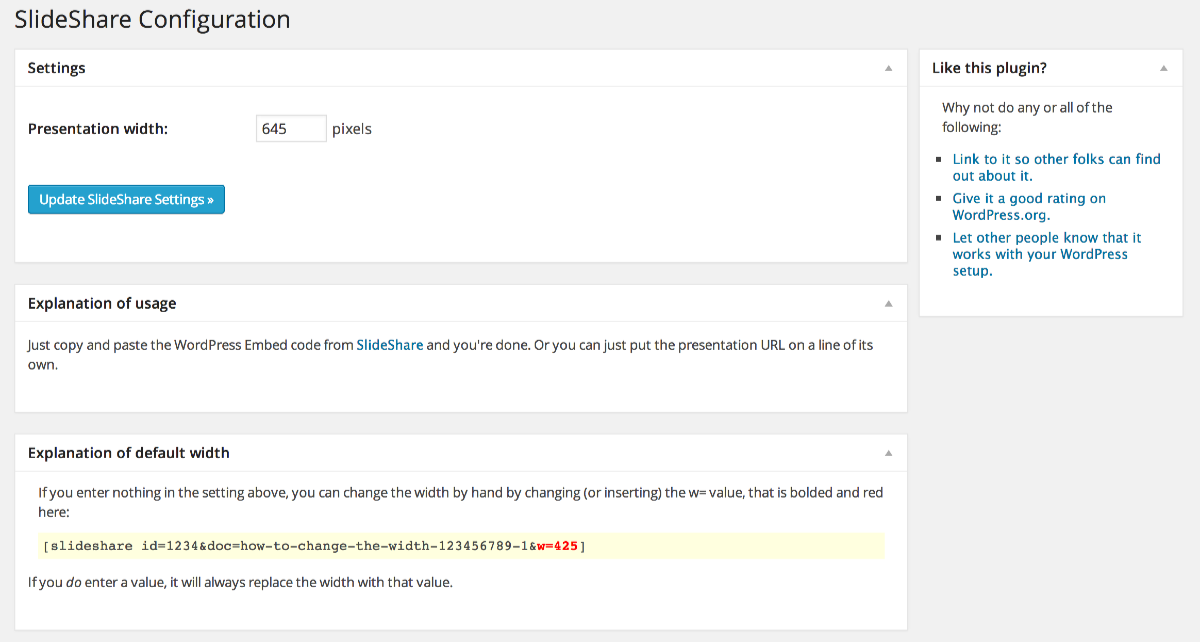
Screenshot of the SlideShare plugin configuration page.
Changelog
1.9.2
Release Date: August 4th, 2016
-
Bugfixes
- Fixes a security issue where an admin could XSS another admin by saving a setting. Thanks Robert Abela from Netsparker for reporting and responsibly disclosing this issue.
- Fixes a PHP notice in the settings and on the frontend.
- Fixes a bug where the translations where not loaded.
-
Enhancements
- Adds seven new translations.
1.9.1
-
Bugfixes
- Add missing function options_init function, fixes fatal error.
-
Enhancements
- Namespace all functions and classes.
- Moved development to GitHub.
- Removed unused classes from CSS and unused images from plugin download.
1.9
- Enhancements
- Made the plugin work with version 2 of SlideShare’s oembed API.
- Made the plugins always use SSL for embedding.
- Remove the credit link back to Slideshare.
- Optimize code.
- Remove Yoast dashboard widget.
- i18n updates:
- Added fa_IR & hu_HU
1.8.1
- Fixed bug in dashboard widget.
- Improved plugin backend.
- Improved i18n support.
- Added donation box (hint 😉 ).
1.8
- Support oEmbed for SlideShare.
- Use new iframe embed method over object tag.
- Better calculation of height related to width.
- Separation of frontend and backend code for better performance.
1.7.2
- Fixed localization.
1.7.1
- Added .pot file and made entire plugin ready for localization.
1.7
- Added proper settings for default presentation width, and automatic inheritance of presentation width from theme, if the theme sets it properly.
- Switched to register_setting API.
1.6.4
- Apparently I’m a moron and I forgot to add a form tag to the plugin settings page, making it impossible to update the settings.
1.6.3
- Upgraded backend class.
1.6.2
- Added missing CSS for Backend Class.
1.6.1
- Removed redundant admin_menu action per this suggestion.
- Upgraded backend class to 0.1.1.
1.6
- Switched to new Yoast Plugin Backend, no functionality changes, just a nicer admin page.
1.5.1
- Fixed some bugs.
1.5
- Updated for the new embed code possibilities, as described here.
1.4
- Added settings link on plugins page and Ozh admin menu icon.
1.3
- Fixes for WordPress 2.6.
1.1
- Fixed plugin to use the Shortcode API, thereby decreasing code size.
- Fixed minimum version requirement.
1.0.1
- Updated interface to 2.5 standards.
1.0
- Initial commit.