

Slippy Slider – Responsive Touch Navigation Slider
Slippy Slider is a cross-device jQuery content slider with amazing touch-based navigation and simple user-friendly backend.
Plugin info
Maintenance & Compatibility
Maintenance score
Possibly abandoned • Last updated 4294 days ago • 2 reviews
Is Slippy Slider – Responsive Touch Navigation Slider abandoned?
Possibly abandoned (last update 4294 days ago).
Compatibility
Similar & Alternatives
Explore plugins with similar tags, and compare key metrics like downloads, ratings, updates, support, and WP/PHP compatibility.
Description
Slippy Slider is a cross-device jQuery content slider with amazing touch-based navigation and simple user-friendly backend.
Features:
-
Responsive layout and adjusting on resize window
-
Touch navigation for mobile and desktop
-
HTML editable content
-
Image and/or HTML content for each slide
-
Headlines generator, easy to use and SEO friendly
-
Buttons generator with 5 different gradient colors and 2 sizes
-
Reuse HTML code from the generators anywhere on your site
-
Embed videos from Youtube directly into the HTML content area
-
Fade transition for HTML content
-
Autoplay slideshow, set by seconds in admin area, paused when mouse hovers over the slider
-
Free samples and tutorials
-
Simple to use and insert shortcode to a page/post or through PHP in your theme files
Brought to you by WPICODE.
Installation
Installation is simple:
- Download Slippy Slider
- Upload with WordPress Plugins
- Activate
- Add new slider and remove samples
- Add short-code
Frequently Asked Questions
Review feed
Screenshots
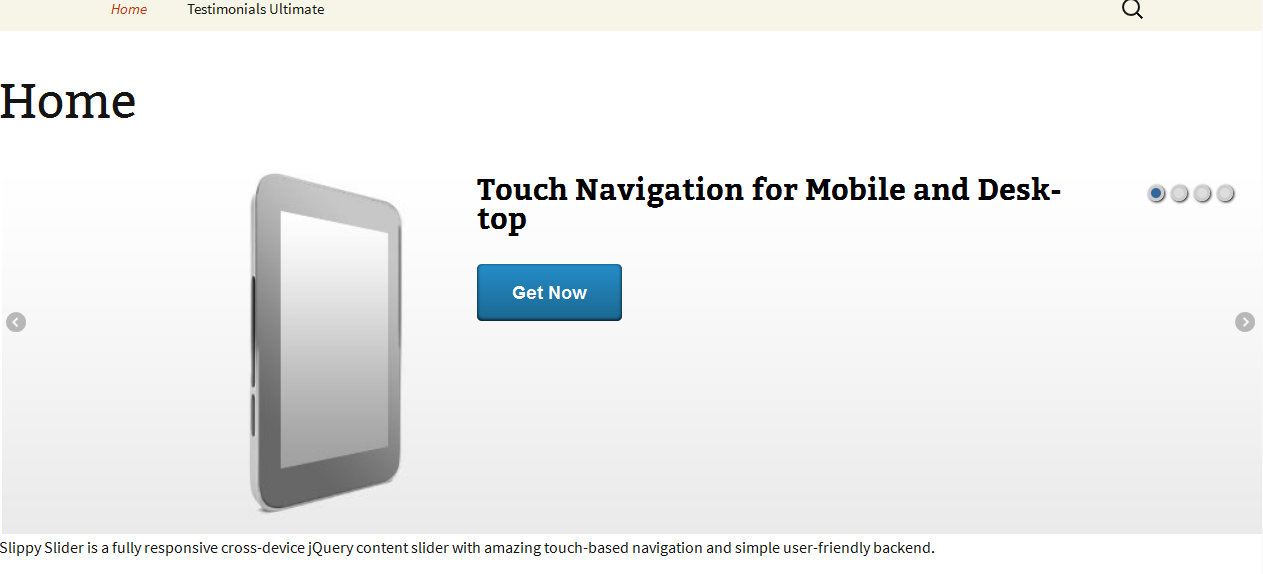
Screenshot displayed on the web site.

Responsive design

Admin area of the plugin
Changelog
September 3, 2012 – Version 1.0 (paid)
August 25, 2013 – Version 2.0 (free)
15 November 2013 – Version 2.1 – fixed init bug and style changes