
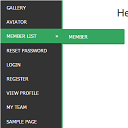
SM Vertical Menu
Wordpress widget menu for show menu vertically in your site side bar.
Plugin info
Maintenance & Compatibility
Maintenance score
Possibly abandoned • Last updated 3417 days ago • 3 reviews
Is SM Vertical Menu abandoned?
Possibly abandoned (last update 3417 days ago).
Compatibility
Similar & Alternatives
Explore plugins with similar tags, and compare key metrics like downloads, ratings, updates, support, and WP/PHP compatibility.
Description
WordPress widget menu for show menu vertically in your site side bar.
Features
- Add vertical menu to your widget area.
Installation
- Upload the entire
sm-vertical-menufolder to the/wp-content/plugins/directory - Activate the plugin through the ‘Plugins’ menu in WordPress
After activate plugin you will see “SM Vertical Menu” in your widget.
First create a Menu from menu tab.
After creating menu you need to add vertical menu to your sidebar and select the menu and save it.
Usage
- Go to Widget.
- Add SM Vertical Menu to your sidebar.
- Select the menu and save.
Frequently Asked Questions
Installation Instructions
- Upload the entire
sm-vertical-menufolder to the/wp-content/plugins/directory - Activate the plugin through the ‘Plugins’ menu in WordPress
After activate plugin you will see “SM Vertical Menu” in your widget.
First create a Menu from menu tab.
After creating menu you need to add vertical menu to your sidebar and select the menu and save it.
Usage
- Go to Widget.
- Add SM Vertical Menu to your sidebar.
- Select the menu and save.