

Plugin info
Maintenance & Compatibility
Maintenance score
Possibly abandoned • Last updated 871 days ago • 1 reviews
Is Click to Call Button abandoned?
Possibly abandoned (last update 871 days ago).
Compatibility
Similar & Alternatives
Explore plugins with similar tags, and compare key metrics like downloads, ratings, updates, support, and WP/PHP compatibility.
Description
Click to Call Button plugin you can use to add small floating button for your website visitors to click and call.
This will make your user experience much better and it will make more people contact your business with ease.
It allows you to setup position, choose phone icon, choose the color of the text and the icon and much more.
It is very light and easy to setup and use.
FEATURES
- Enter the phone number for link in a form a text without dashes or space, example: +3819166123456
- Enter the visible part of phone number, example 066 123 456 or visible text, ex : Call us now
- Choose button color and choose text and icon color
- Choose from 7 added icons
- Choose button type: square, square rounded and circle
- Setup bottom right position of the button
- Allows you to choose if you what to hide button from desktop users
Installation
- Upload the plugin files to the
/wp-content/plugins/dg2-phone-buttondirectory, or install the plugin through the WordPress plugins screen directly. - Activate the plugin through the ‘Plugins’ screen in WordPress
- Use the Small Phone Button to setup your button
Frequently Asked Questions
All you need to do it to install and activate the phone button plugin and you will be able to see it on your wordpress site.
Review feed
Screenshots

Click to call Button settings page.

Click to call Button on mobile screen

Click to call Button on desktop screens with hover state
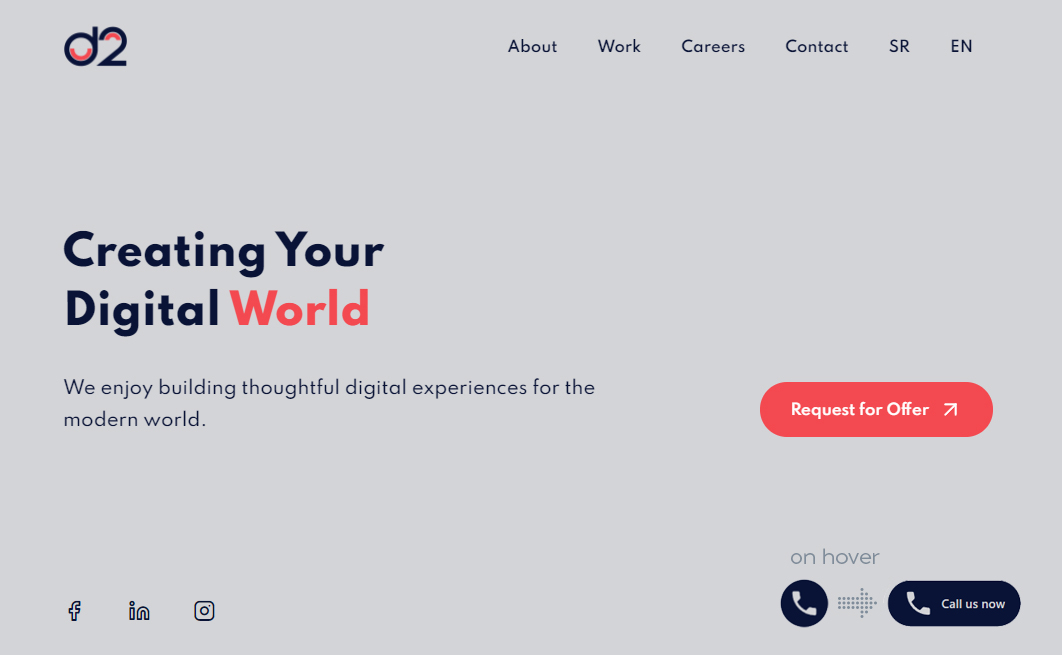
Click to call Button on desktop screens - hover state with custom text
Changelog
1.1.1
- Bug fixes
1.1.0
- Added square and square rounded options
- Instead of number you can enter visible text
- Updated styles
- Enable deleting options from database after uninstall
1.0.0
- First release.