

Smart AI Writer
Smart AI Writer is a WordPress plugin that generates AI-powered, SEO-optimized articles with images via OpenAI, Pexels, and Pixabay.
Plugin info
Maintenance & Compatibility
Maintenance score
Maintained • Last updated 168 days ago
Is Smart AI Writer abandoned?
Likely maintained (last update 168 days ago).
Compatibility
Similar & Alternatives
Explore plugins with similar tags, and compare key metrics like downloads, ratings, updates, support, and WP/PHP compatibility.
Description
Smart AI Writer is a powerful WordPress plugin designed to help bloggers, content creators, and business owners generate high-quality, SEO-optimized articles in seconds — right inside the WordPress dashboard.
It uses OpenAI to create engaging, human-like content and integrates with Pexels and Pixabay to automatically add free, high-resolution images to your posts. The plugin formats your articles with headings, bullet points, tables, FAQs, and media blocks, so your content looks clean, structured, and ready to publish.
With Smart AI Writer, you can create:
- Long-form blog articles optimized for search engines
- Product reviews, tutorials, and listicles
- Informative and persuasive content for any niche
- Fully formatted posts with stock images and rich media
Key Features:
- 1-click AI content generation using OpenAI
- Automatic image insertion from Pexels and Pixabay
- SEO-friendly structure with headings, lists, and FAQs
- Easy-to-use interface — no coding required
- Optional footer credit (disabled by default)
- 100% GDPR-friendly and privacy-focused
Whether you’re launching a new blog or scaling your content production, Smart AI Writer makes content creation faster, smarter, and easier.
👉 Wanna love to unlock advanced features? Click here to Buy the Premium Version.
External Services
This plugin relies on the following third-party services:
OpenAI API (https://api.openai.com)
- Purpose: Generate article text from user keywords and options.
- Endpoint:
POST https://api.openai.com/v1/chat/completions - Data sent: Input keyword(s), language, and generation parameters (e.g., tone, article length, type).
- When sent: When the user clicks “Generate Article.”
- Headers: Authorization (Bearer YOUR_API_KEY).
- Terms: https://openai.com/policies/terms
- Privacy: https://openai.com/policies/privacy-policy
Pexels API (https://api.pexels.com)
- Purpose: Search and retrieve free stock images based on keywords.
- Endpoint:
GET https://api.pexels.com/v1/search - Data sent: First keyword as search query (
query), pagination (per_page). - When sent: When image option is enabled during article generation.
- Headers: Authorization (YOUR_PEXELS_API_KEY).
- Terms: https://www.pexels.com/api/terms/
- Privacy: https://www.pexels.com/privacy-policy/
Pixabay API (https://pixabay.com/api/)
- Purpose: Search and retrieve free stock images.
- Endpoint:
GET https://pixabay.com/api/ - Data sent: First keyword as
qparameter, pagination. - When sent: When image option is enabled during article generation.
- Headers: API key as query parameter (
key=YOUR_PIXABAY_API_KEY). - Terms: https://pixabay.com/service/terms/
- Privacy: https://pixabay.com/service/privacy/
Privacy
- No tracking or analytics are included.
- The plugin does not collect or store personal information.
- All API calls are made from your own server directly to the listed providers.
- No data is transmitted to the plugin author.
License
This plugin is licensed under the GPLv2 or later license.
Installation
- Upload the
smart-ai-writerfolder to/wp-content/plugins/. - Activate the plugin via the WordPress “Plugins” menu.
- Add your OpenAI, Pexels, and Pixabay API keys in API & Footer Settings.
- Click “Generate Article” to create an AI-powered draft.
Frequently Asked Questions
Here are some common questions and answers you might want to know before using this plugin.
Yes. Smart AI Writer uses OpenAI to generate content, so you must provide your own API key. You can enter it directly in the API & Footer Settings section of the plugin.
No. Smart AI Writer does not collect or share any personal information. All API requests are sent securely from your own server to OpenAI, Pexels, and Pixabay.
Yes. The footer credit (Pluginaid.com) is disabled by default. You can enable or disable it at any time from the plugin settings panel.
Absolutely. You can use Smart AI Writer on personal, business, or client websites without restriction under the GPL license.
Yes. The plugin is designed to generate fully formatted, SEO-friendly articles with headings, bullet points, tables, FAQs, and optional media.
Yes. The plugin supports free stock images via Pexels and Pixabay, but you’re free to upload and use your own images in the article editor.
Yes. A premium version with advanced features is available. Click here to learn more.
Review feed
Screenshots
Smart AI Writer screen: A clean dashboard view of the plugin interface inside WordPress.
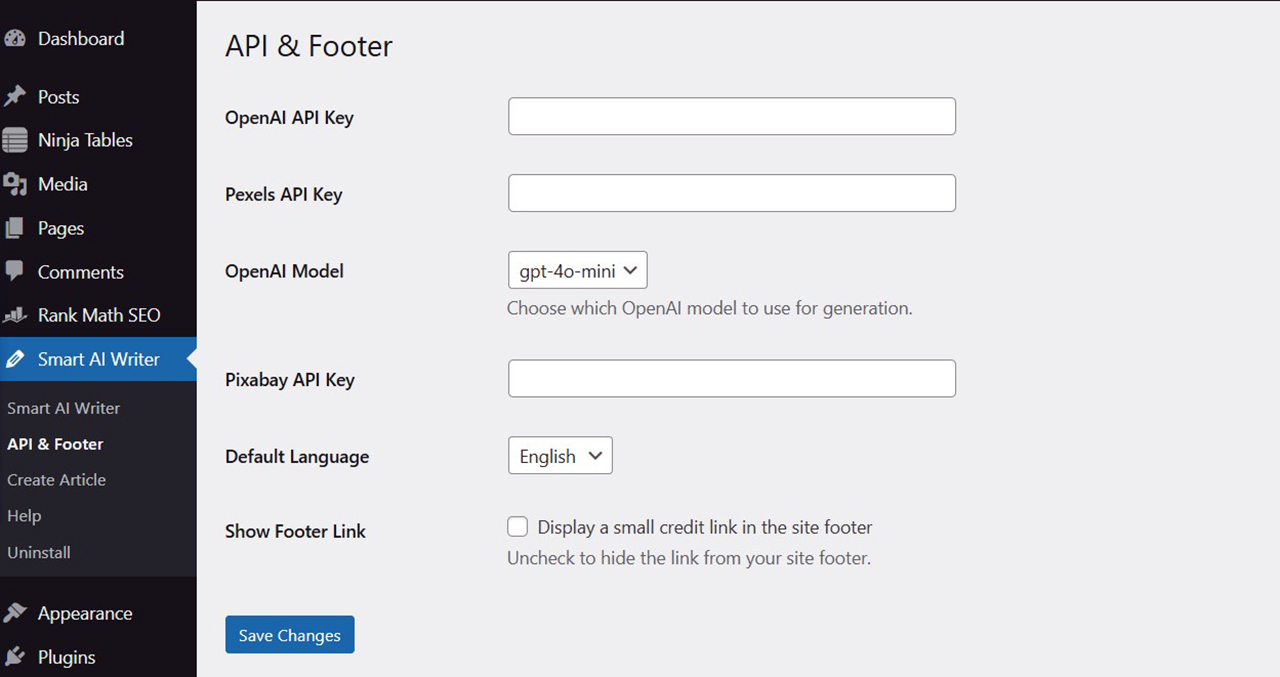
API & Footer Settings: Where to input API key and manage footer credit options.
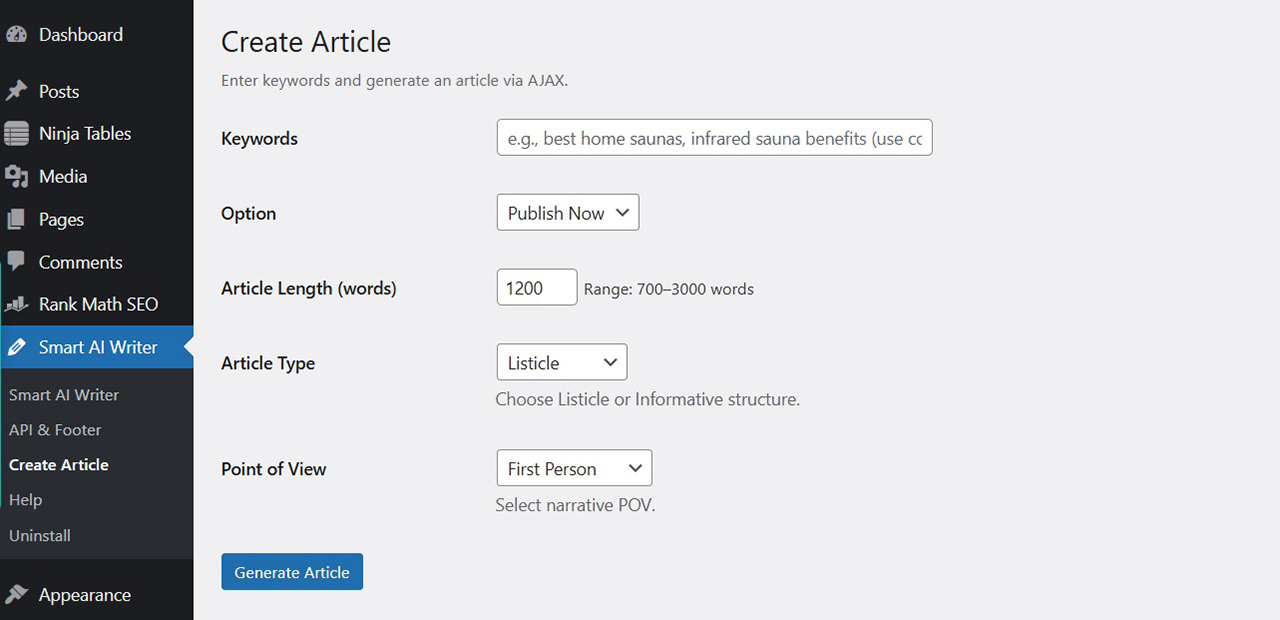
Content Creation Setup: How to input keywords and configure SEO-friendly article generation.
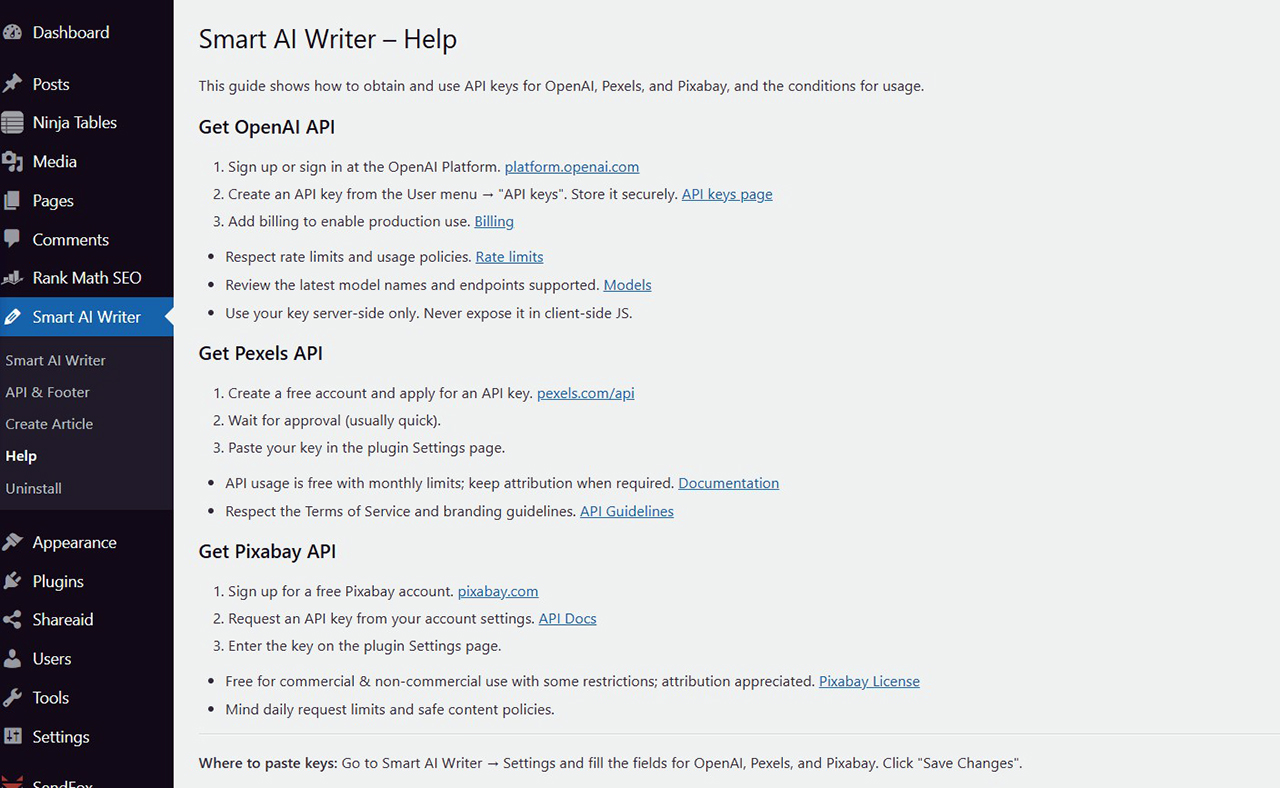
Help & API Guide: Easy instructions to create API and use the plugin effectively.
Changelog
1.0 – 2025-10-18
- Initial release.
- Added external services documentation for OpenAI, Pexels, and Pixabay.
- Footer credit now fully opt-in and disabled by default.
- SEO content structure improvements.