

Smart Media Replacement
Replace media files while maintaining their original URLs and metadata. Update PDFs, images, or documents without breaking existing links.
Plugin info
Maintenance & Compatibility
Maintenance score
Maintained • Last updated 92 days ago
Is Smart Media Replacement abandoned?
Likely maintained (last update 92 days ago).
Compatibility
Similar & Alternatives
Explore plugins with similar tags, and compare key metrics like downloads, ratings, updates, support, and WP/PHP compatibility.
Description
Smart Media Replacement is a WordPress plugin that allows you to replace media files while maintaining their original URLs and metadata. This is particularly useful for updating files like PDFs, images, or other documents without breaking existing links, especially when organizing media in year and month based folders.
Features
- Replace media files while maintaining original URLs
- Preserves all existing links (both internal and external)
- Maintains file metadata and relationships
- Simple and intuitive interface in the WordPress Media Library
- Supports all file types supported by WordPress
- Validates file names to prevent accidental URL changes
- Enforces dimension matching for images to prevent layout issues
- Automatically handles WordPress scaled images
- Validates file type matching to ensure consistency
- AJAX-based replacement with error handling
Important Requirements
Filename Matching
The new file MUST have exactly the same filename as the original file. For example, if your original file is logo.png, your replacement must also be named logo.png.
Image Dimensions (Images Only)
For images, the replacement MUST have identical dimensions (width × height) to prevent layout issues.
File Types
The replacement file must be the same file type as the original. The plugin validates MIME types to ensure consistency.
Privacy
This plugin:
* Does not collect or transmit any user data
* Does not use cookies
* Only processes files locally on your server
* Does not communicate with external services
Usage
- Go to the WordPress Media Library
- Find the file you want to replace
- Click on the file to view its details
- Look for the “Replace File” button in the attachment details
- Click “Replace File” and select your new file
- The replacement will happen automatically
Installation
- Download the plugin files
- Upload the
replace-mediafolder to the/wp-content/plugins/directory, or install the plugin through the WordPress plugins screen directly - Activate the plugin through the ‘Plugins’ screen in WordPress
Frequently Asked Questions
The replacement file must have exactly the same filename as the original file. Rename your replacement file to match the original filename exactly, including the file extension.
Enforcing identical dimensions prevents layout issues where images might break your design. If you need to change dimensions, consider uploading as a new image instead.
If WordPress automatically scaled your original image (large uploads), upload your replacement with the original filename (without -scaled). The plugin will handle the scaling automatically and show you the correct filename if there’s a mismatch.
No, the replacement file must be the same file type as the original to maintain consistency and prevent unexpected behavior.
Make sure you’re viewing the attachment details (click on a media item), clear your browser cache, and check that you have permission to edit media files.
Yes, you must have the edit_post capability for the specific attachment. Contact your site administrator if you believe you should have access.
Yes, developers can use the smart_media_replacement_enforce_dimensions filter to disable or customize dimension enforcement for specific attachments. See the Developer Hooks section for details.
Review feed
Screenshots
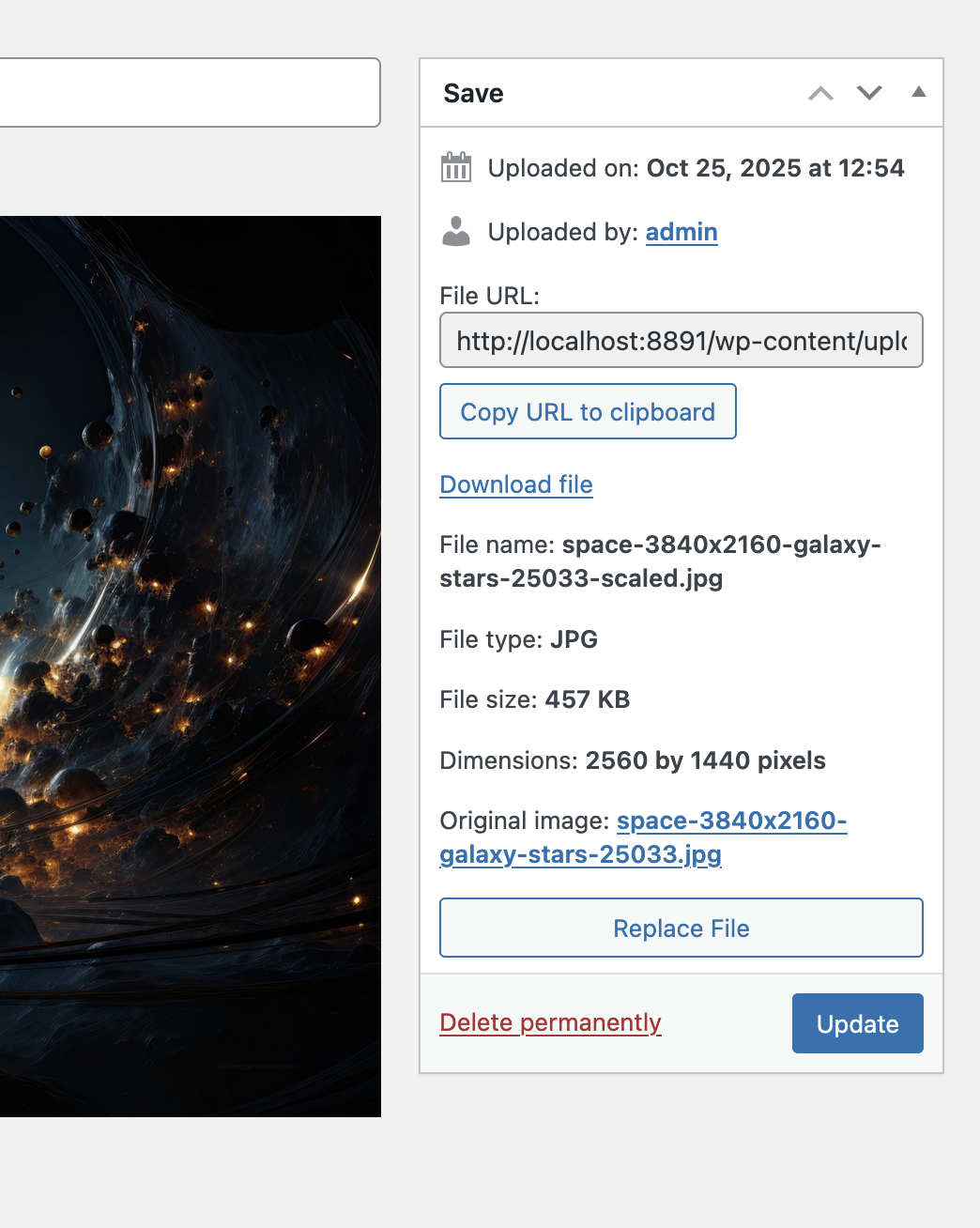
Replace File button in the Media Library attachment details
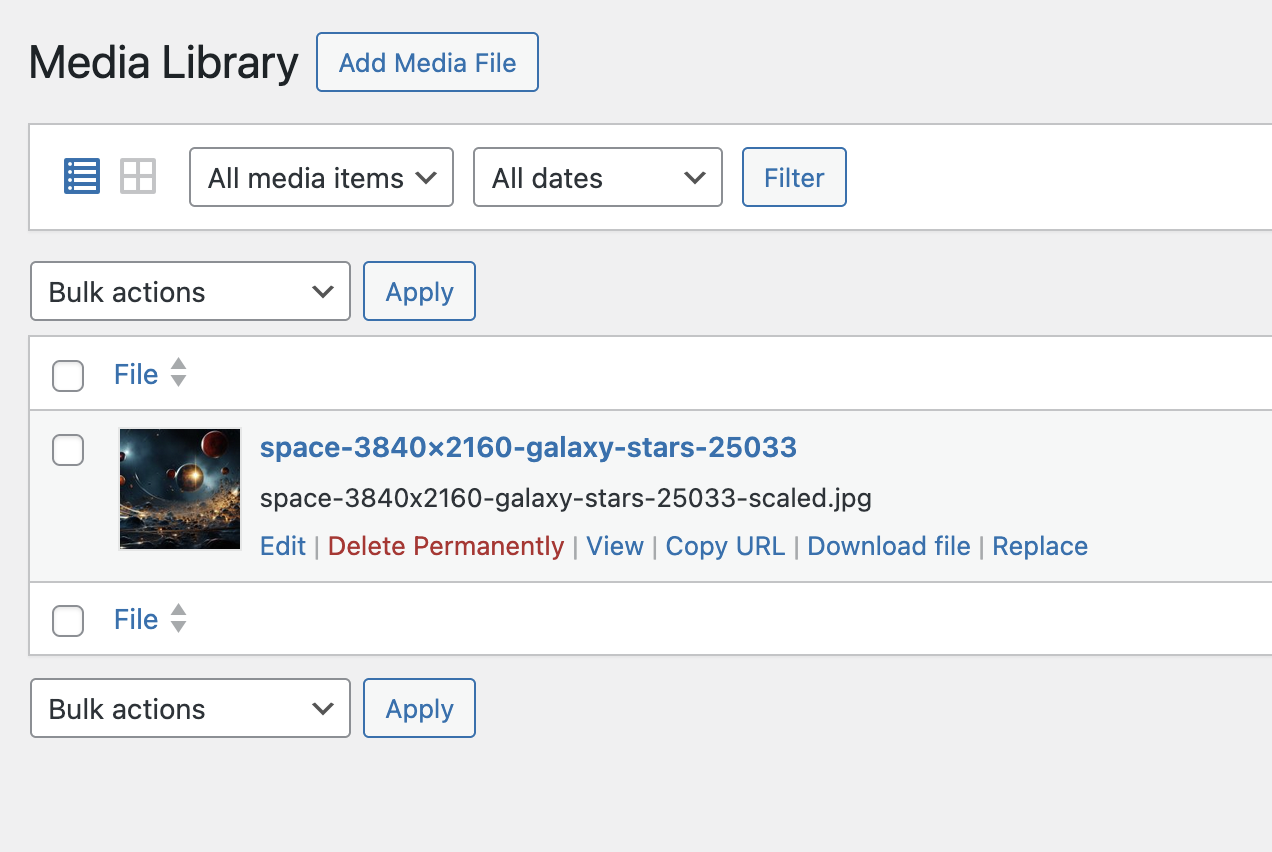
Repalce file from the list of media library items
Changelog
1.0.0
- Initial release
- Replace media files while maintaining URLs
- Filename validation to prevent URL changes
- Image dimension enforcement to prevent layout issues
- WordPress scaled image handling
- File type validation for consistency
- AJAX-based replacement with error handling
- Developer hooks for customization