
SmartWoo – AI Product Description & Image Optimizer
SmartWoo uses AI (ChatGPT & DALL·E) to auto-generate WooCommerce titles, descriptions, tags, alt texts & images—right from your admin panel.
Plugin info
Maintenance & Compatibility
Maintenance score
Stale • Last updated 239 days ago
Is SmartWoo – AI Product Description & Image Optimizer abandoned?
Likely maintained (last update 239 days ago).
Compatibility
Similar & Alternatives
Explore plugins with similar tags, and compare key metrics like downloads, ratings, updates, support, and WP/PHP compatibility.
Description
🚀 SmartWoo supercharges your WooCommerce product listings with AI-generated content and visuals. Using OpenAI’s GPT models and DALL·E image generation, SmartWoo helps store owners save time, boost SEO, and improve conversions with just a few clicks.
👉 Upgrade to SmartWoo Pro for access to advanced features like longer AI descriptions, tone customization, and more.
✨ Features:
- ✅ AI-generated product titles, short & full descriptions (up to 3000+ words — Pro version)
- ✅ Intelligent tone options: Friendly, Professional, SEO-rich (Pro version)
- ✅ Auto-generate SEO-friendly product tags
- ✅ One-click featured image generation with DALL·E
- ✅ Automatic alt text generation for images
- ✅ Modal-based admin popup UI (no page reloads)
- ✅ Custom model selection: GPT-3.5, GPT-4, GPT-4 Turbo
🧠 Use Cases:
- Launching new WooCommerce stores with optimized content
- Scaling product descriptions for dropshipping
- Improving low-performing product listings
- Saving time on bulk product content generation
Pro Version
Upgrade to the Pro version for advanced features: https://www.codervex.com/products/smartwoo
License
This plugin is licensed under the GPLv2 or later.
External Services
This plugin connects to the OpenAI API (https://api.openai.com) to generate product descriptions, titles, tags, and images using AI models (ChatGPT and DALL·E).
What data is sent and when:
– When you use the AI content or image generation features, the plugin sends your provided product information (such as product title, description, and prompts) to the OpenAI API.
– For image generation, the text prompt you enter is sent to OpenAI’s DALL·E endpoint.
– For content generation, product details and prompts are sent to OpenAI’s ChatGPT endpoint.
Why this data is sent:
– The data is required to generate relevant product descriptions, titles, tags, and images using OpenAI’s AI models.
Where the data is sent:
– All data is sent securely to OpenAI’s servers at https://api.openai.com.
Under which conditions:
– Data is only sent when you actively use the AI generation features within the plugin.
Service provider:
– OpenAI (https://openai.com)
Terms of Service: https://openai.com/policies/terms-of-use
Privacy Policy: https://openai.com/policies/privacy-policy
Installation
- Upload the plugin folder
smartwooto the/wp-content/plugins/directory - Activate the plugin through the ‘Plugins’ menu in WordPress
- Go to Settings > SmartWoo to configure your OpenAI API key and preferences
- Edit any WooCommerce product and click the “Generate with AI” button to get started
Frequently Asked Questions
Yes, it works with all simple and variable products.
Yes. You must enter your OpenAI key on the SmartWoo settings page to use the plugin.
Yes. You can toggle these features from the plugin settings.
Yes. You can choose your preferred GPT model in the settings.
Review feed
Screenshots
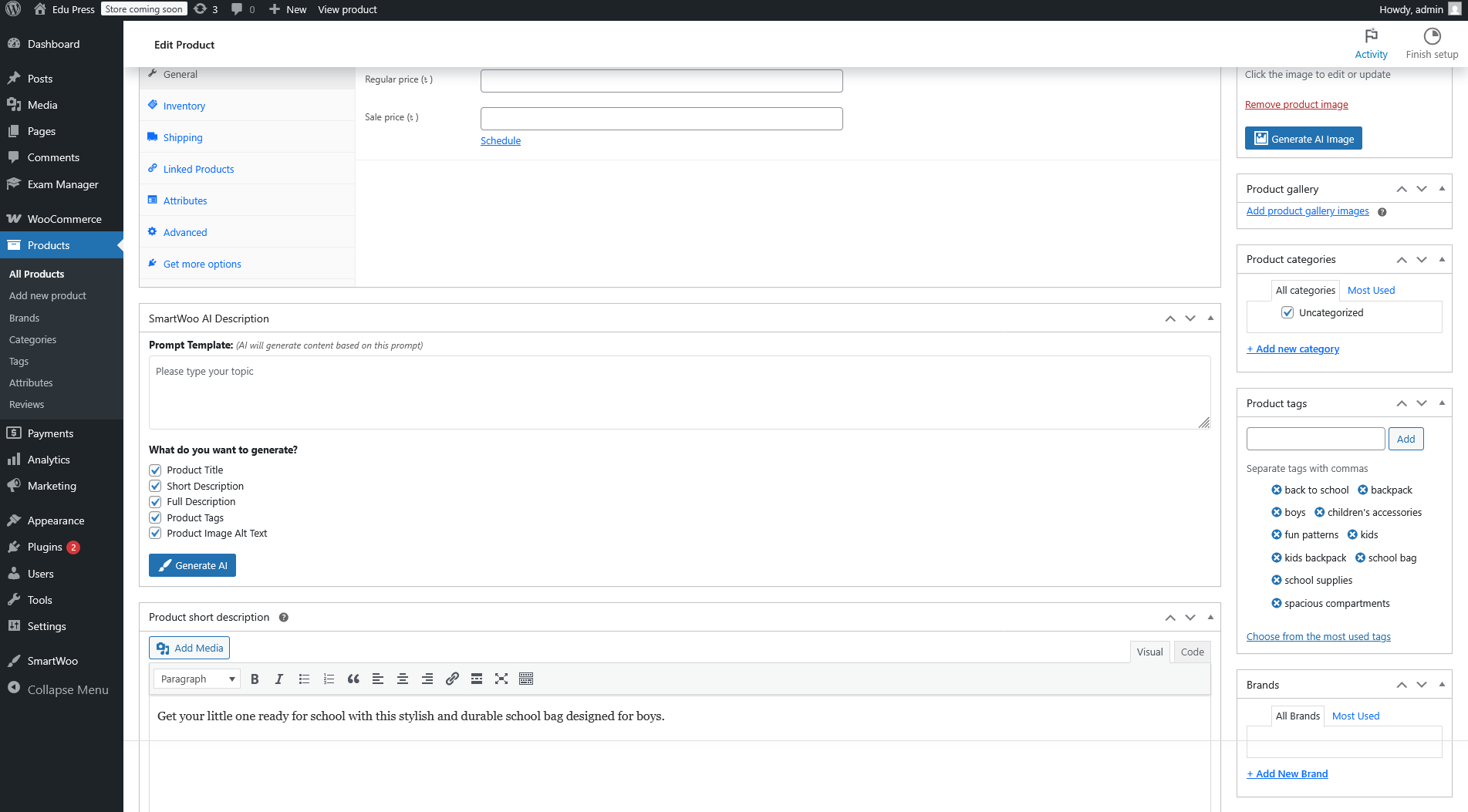
SmartWoo admin popup modal
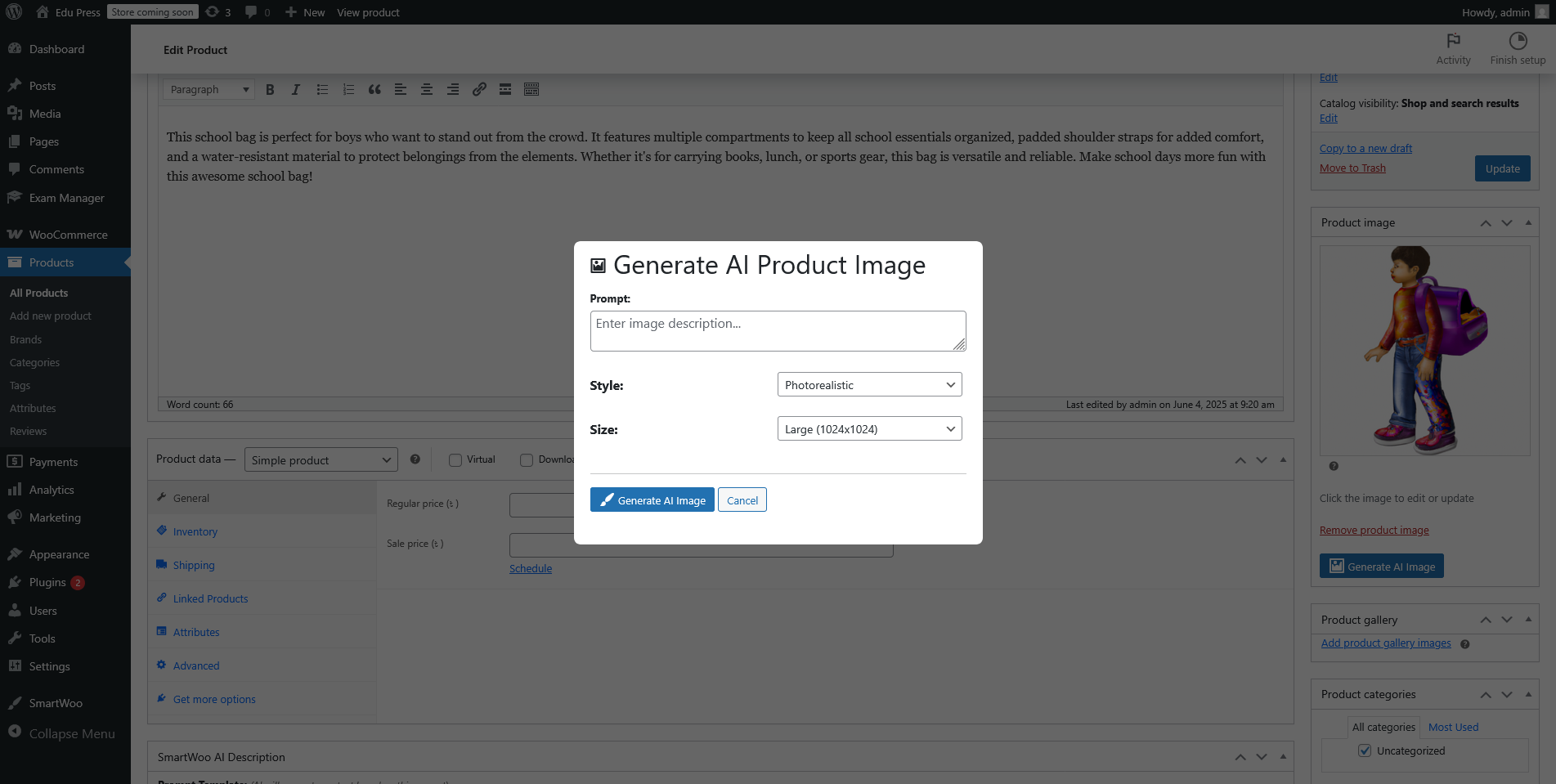
AI-generated content preview
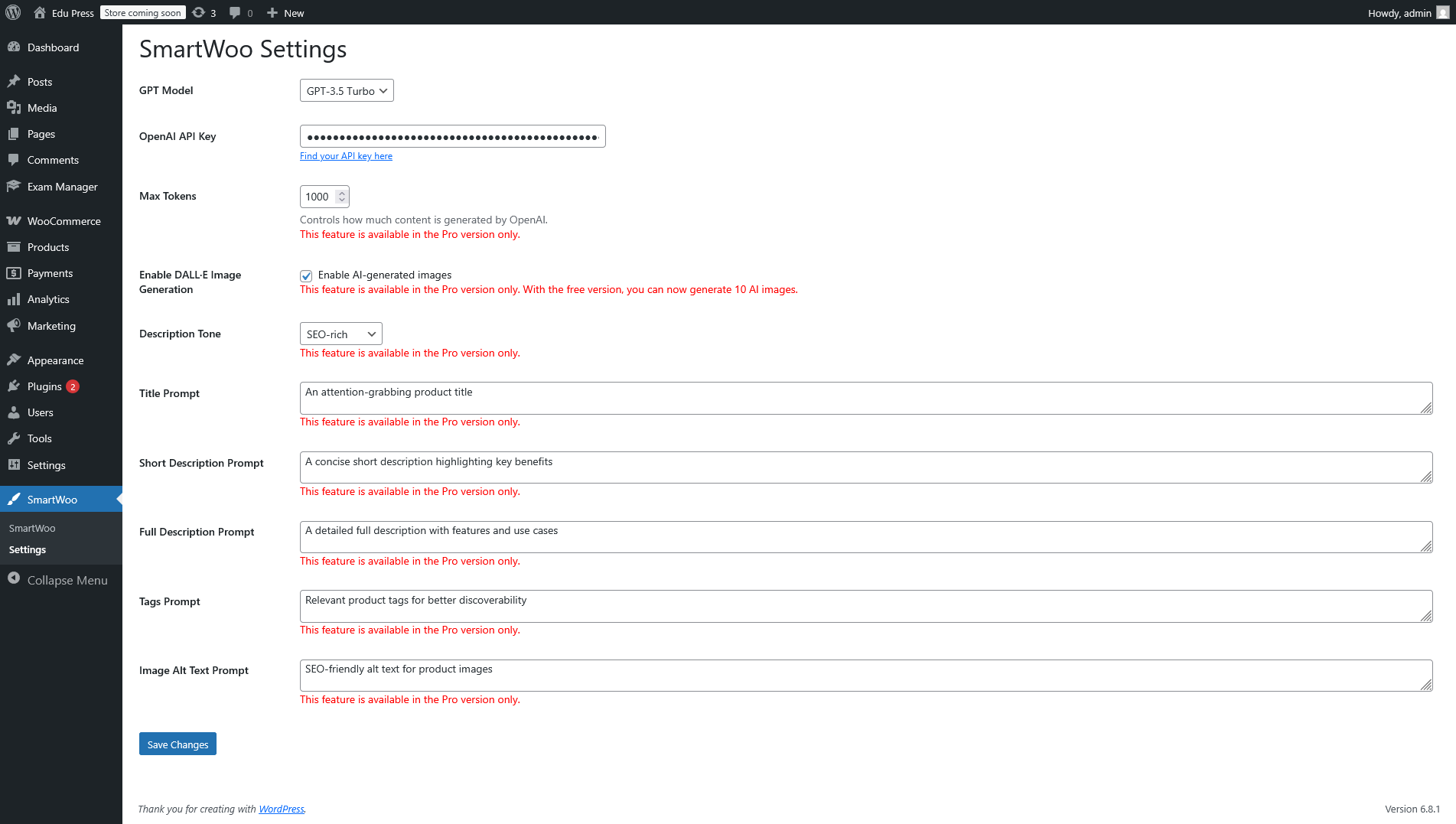
Plugin settings with model/tone options
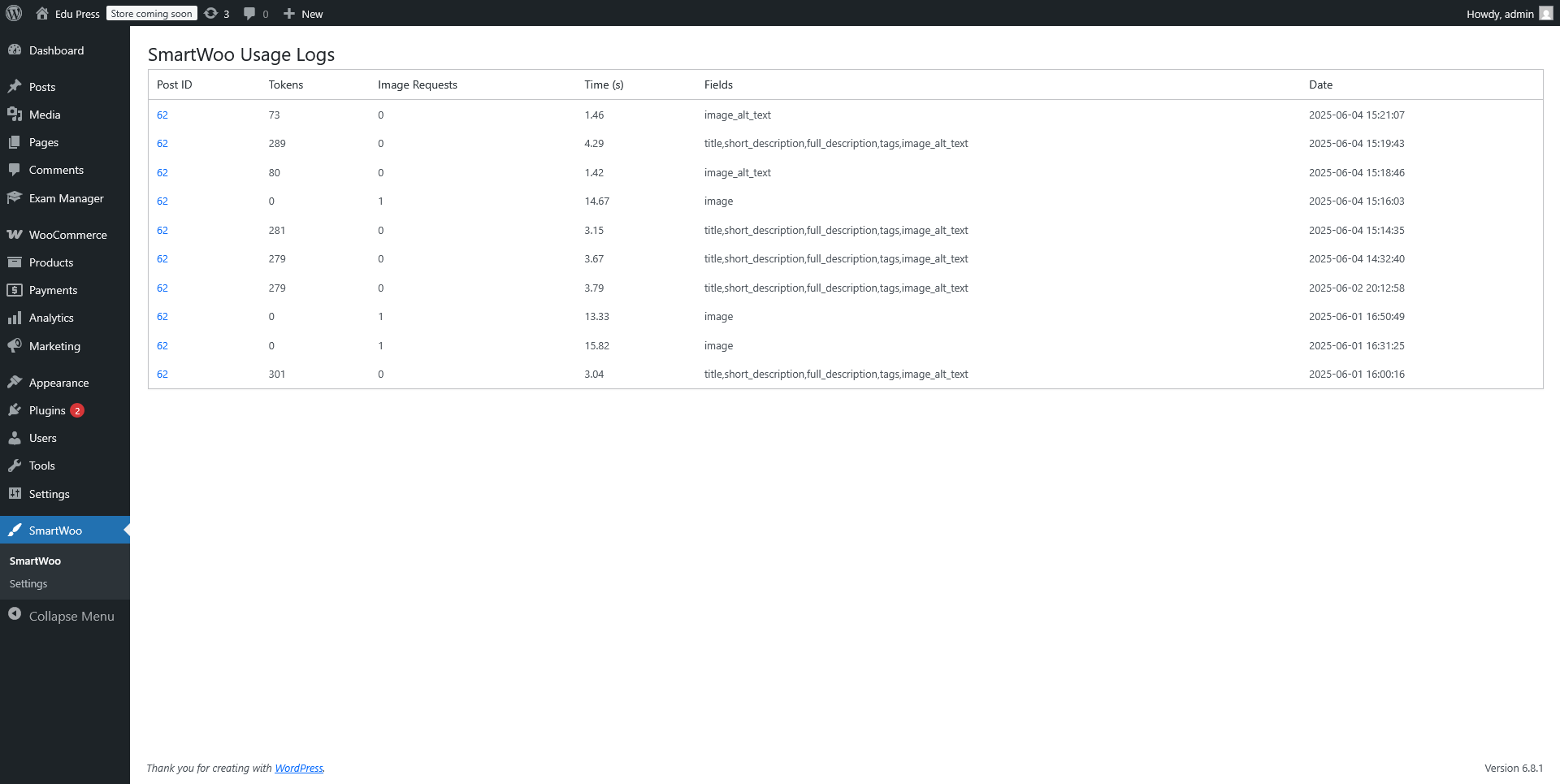
DALL·E-powered image generator inside WooCommerce editor
Changelog
1.0.0
- Initial release with full AI content and image generation
- Modal popup UI for product editor
- GPT model and tone settings
- Alt text and apply mode options