

Smooth Back To Top Button
Smooth Back To Top button with scroll progress indicator.
Plugin info
Maintenance & Compatibility
Maintenance score
Stale • Last updated 201 days ago • 30 reviews
Is Smooth Back To Top Button abandoned?
Likely maintained (last update 201 days ago).
Compatibility
Similar & Alternatives
Explore plugins with similar tags, and compare key metrics like downloads, ratings, updates, support, and WP/PHP compatibility.
Description
The WordPress Back To Top button with scroll progress indicator will allow your visitors to easily scroll back to the top of the page.
It’s a lightweight and fully customizable plugin that gives you lots of features such as:
Features:
- Button shows when the user scrolls down the page.
- Scroll back to top button with smooth animation.
- Ready to use without any setup.
- Smooth scroll progress indicator.
- Change scroll duration.
- Change button offset.
- Unlimited colors option.
- Icon fonts choose option.
- Button position (left, right).
- Button Auto hide.
- Button Enable/Disable.
- Progress Enable/Disable.
- Custom size for button and icon.
- Custom back to top button CSS support.
- Show/Hide on small devices.
- Async JavaScript.
- Support on admin panel.
- Compatible with all WordPress themes.
- Cross-browser compatible.
- Retina display support.
- Translation ready.
- Lightweight and fast.
Most useful WooCommerce plugins for your store
Installation
Automatic Install From WordPress Dashboard
- Login to your admin panel
- Navigate to Plugins -> Add New
- Search Smooth Back To Top Button
- Click install and activate respectively.
Manual Install From WordPress Dashboard
If your server is not connected to the Internet, then you can use this method-
- Download the plugin by clicking on the red button above. A ZIP file will be downloaded.
- Login to your site’s admin panel and navigate to Plugins -> Add New -> Upload.
- Click choose file, select the plugin file and click install
Install Using FTP
If you are unable to use any of the methods due to internet connectivity and file permission issues, then you can use this method-
- Download the plugin by clicking on the red button above.A ZIP file will be downloaded.
- Unzip the file.
- Launch your favorite FTP client. Such as FileZilla, FireFTP, CyberDuck etc. If you are a more advanced user, then you can use SSH too.
- Upload the folder to wp-content/plugins/
- Log in to your WordPress dashboard.
- Navigate to Plugins -> Installed
- Activate the plugin
Frequently Asked Questions
Review feed
Screenshots
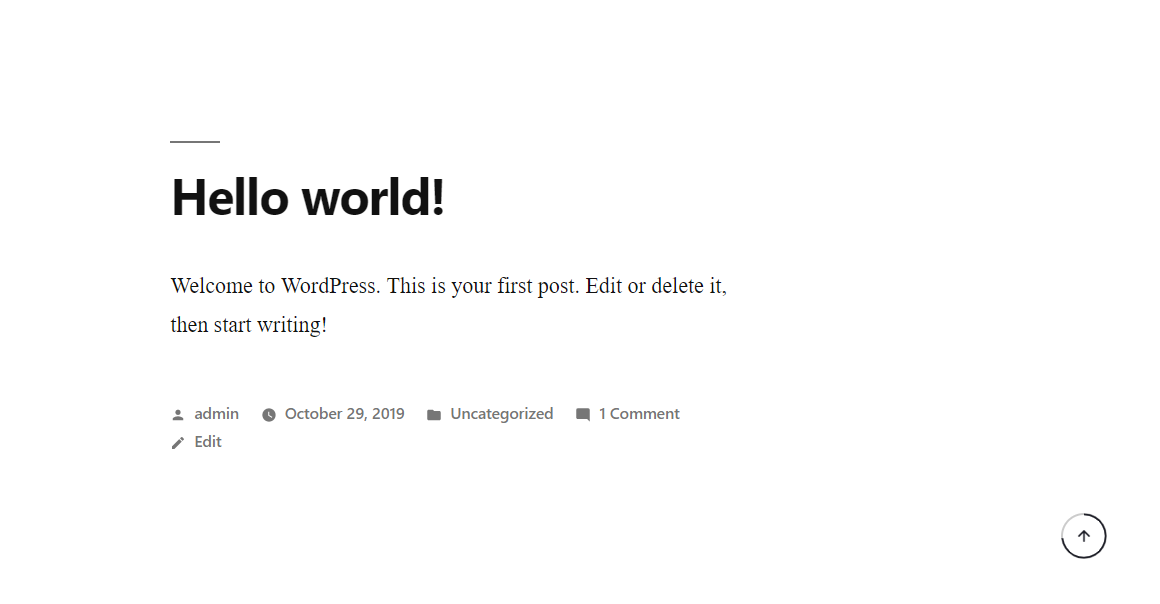
Smooth Back To Top Button demo.
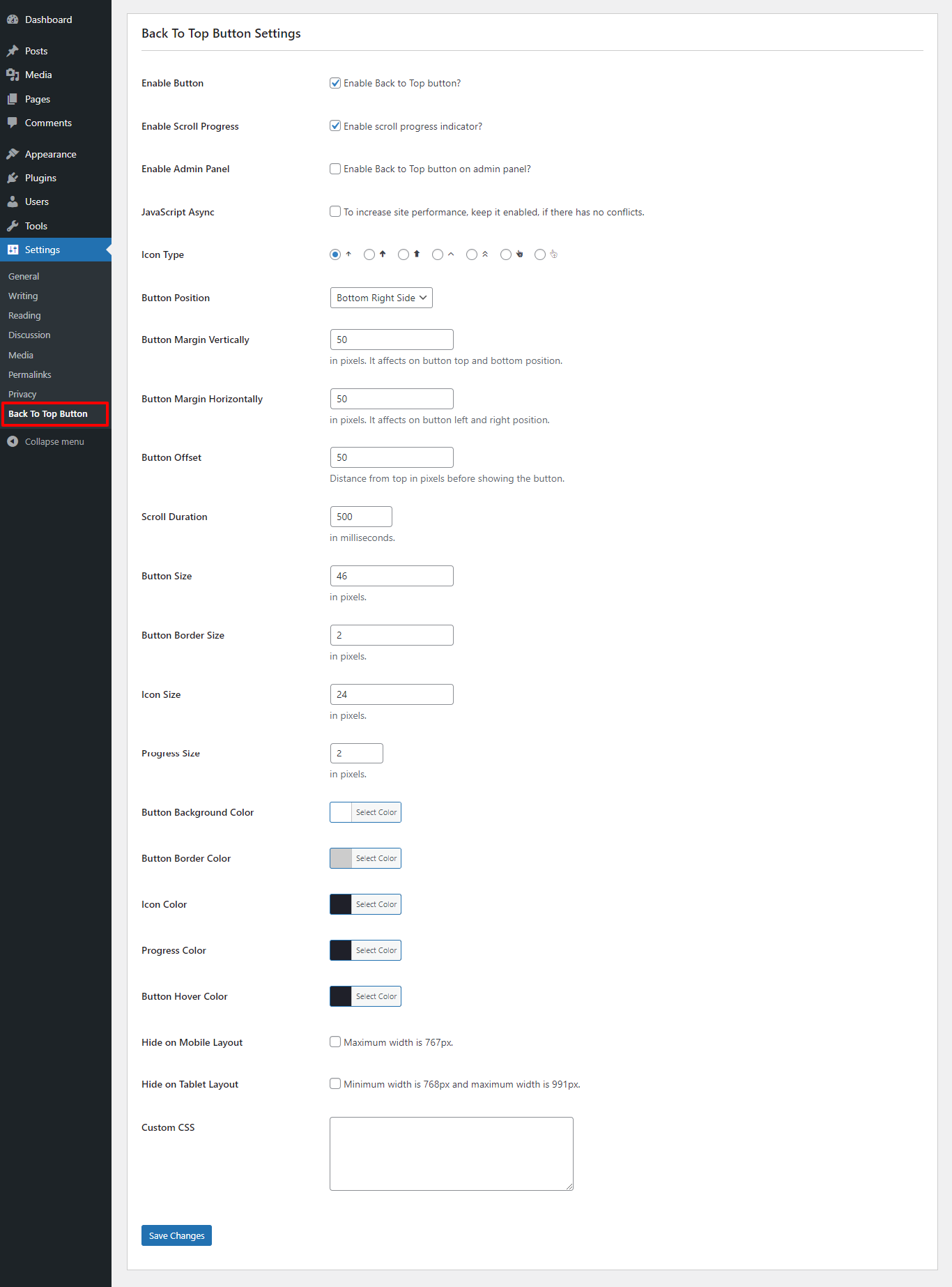
Smooth Back To Top Button settings page.
Changelog
1.1.16
- Add – WordPress 6.8+ compatibility.
- Add – Button position center.
1.1.15
- Add – WordPress 6.7+ compatibility.
- Fix – Admin settings panel.
1.1.14
- Add – WordPress 6.5+ compatibility.
1.1.13
- Add – WordPress 6.4+ compatibility.
1.1.12
- Add – WordPress 6.3+ compatibility.
1.1.11
- Update – PHP version 7.4
- Fix – Admin error.
1.1.10
- Update – Admin setting.
1.1.9
- Add – WordPress 6.2 compatibility.
- Fix – Admin settings panel styles.
- Update – Readme
1.1.8
- Add – WordPress 6.1 compatibility.
1.1.7
- Fix – Font icon conflicting with other theme.