

Smoother-Chat
Smoother-Chat is probably the easiest plugin to add a ChatGPT based chat window to your Wordpress site via shortcode.
Plugin info
Maintenance & Compatibility
Maintenance score
Possibly abandoned • Last updated 753 days ago • 1 reviews
Is Smoother-Chat abandoned?
Possibly abandoned (last update 753 days ago).
Compatibility
Similar & Alternatives
Explore plugins with similar tags, and compare key metrics like downloads, ratings, updates, support, and WP/PHP compatibility.
Description
Smoother-Chat is probably the easiest plugin to add a ChatGPT based chat window to your WordPress site via shortcode.
There are only 3 steps to do:
- Add your OpenAI API Key in the Plugin settings (Create an account here at OpenAI and get your own API Key)
- Set how your chat should behave (“You are a helpful, knowledge sharing chatbot who is expert in DIY camper van teaching.”)
- Add the shortcode [smoother-chat] to any page that should have the chat window in the lower right corner
Installation
Frequently Asked Questions
gpt-3.5-turbo
Yes the plugin is free.
The current pricing for your OpenAI API-Key you can find at the Pricing site from OpenAI
Yes it will. In addition to more free features, we are also working on a premium version. You can follow both activities here.
Review feed
Screenshots
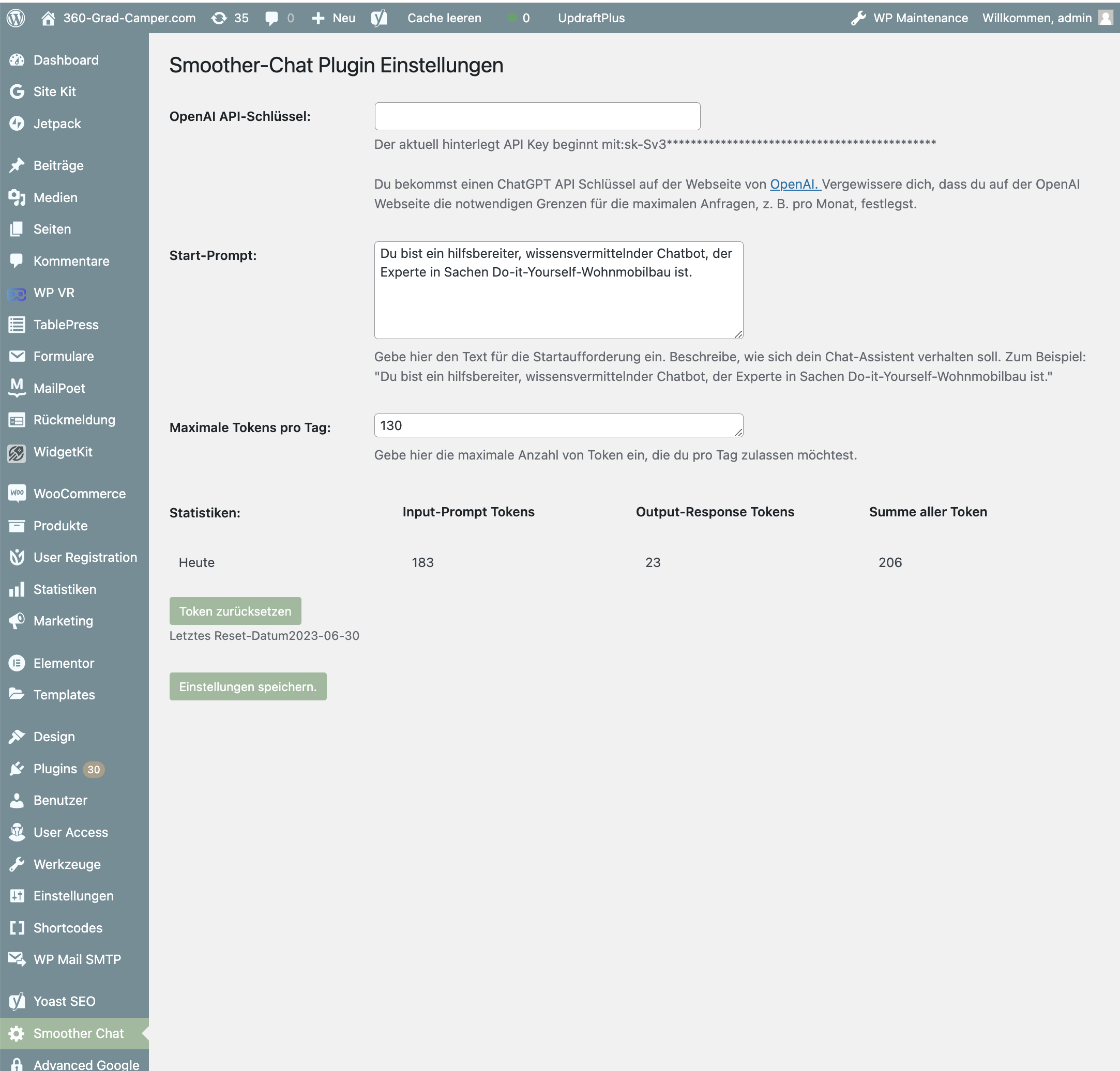
You just need to add your OpenAI API key in the Plugin-Settings and tell your ChatGPT based assistant how to behave

To include the chat window, simply paste the shortcode into your page
Changelog
1.0
This version allows to set a basic prompt in the plugin settings