

SmugBuy
A plugin to automatically insert SmugMug "buy" links into wordpress posts and pages using a shortcode.
Plugin info
Maintenance & Compatibility
Maintenance score
Possibly abandoned • Last updated 5195 days ago • 1 reviews
Is SmugBuy abandoned?
Possibly abandoned (last update 5195 days ago).
Compatibility
Similar & Alternatives
Explore plugins with similar tags, and compare key metrics like downloads, ratings, updates, support, and WP/PHP compatibility.
Description
In January 2011 SmugMug introduced a new feature that enabled users to add a photo directly to the SmugMug shopping
cart from external websites. This plugin parses the standard SmugMug photo page and automatically creates a custom
tailored “buy” link to add to your WordPress posts and pages via a shortcode.
Visit the SmugBuy homepage for more information on how to incorporate the plugin into your blog.
For more information on SmugMug head to www.smugmug.com.
Donations
To support this plugin and it’s development, please consider purchasing a fine art print from me. Prints start at $10 USD and will look great
displayed on your wall or desk.
Installation
- Make sure you have printing enabled in your gallery settings on SmugMug.
- Upload
smugbuy.phpto the/wp-content/plugins/directory. - Activate the plugin through the Plugins menu in WordPress.
- Edit the SmugBuy options through the Settings menu in WordPress.
- Place
[smugbuy photo="<smugmug photo url>"]or[smugbuy gallery="<smugmug gallery url>"]in the post or page where you’d like your “buy” link to show up.
Example (Photo w/o display):
[smugbuy photo="http://prints.chrismartino.com/Galleries/ForYourWall/12948111_cLRpFG#!i=919177302&k=auTM7"]
Example (Photo w/ display):
[smugbuy photo="http://prints.chrismartino.com/Galleries/ForYourWall/12948111_cLRpFG#!i=919177302&k=auTM7" display="yes"]
Example (Gallery):
[smugbuy gallery="http://prints.chrismartino.com/Galleries/ForYourWall/12948111_cLRpFG"]
Frequently Asked Questions
I recently upgraded my SmugBuy plugin, however some of the options are missing. What do I do?
Try deactivating and reactivating SmugBuy from the Plugins administration screen.
How do I customize the SmugBuy links using CSS?
First, you must enable the use of smugbuy.css in the SmugBuy settings screen. Once enabled edit smugbuy.css in the Plugins editor screen.
Why aren’t my SmugBuy links generating properly?
Sometimes using the visual editor can create problems with SmugBuy. If you’re using the visual editor make sure the SmugMug links don’t get linkified. If they do, click on the unlink icon on the toolbar, or press alt-shift-a.
Review feed
Screenshots
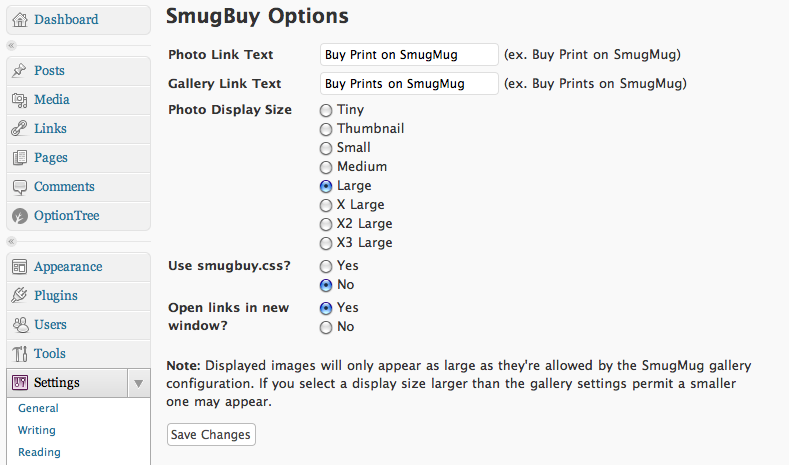
The administration panel.
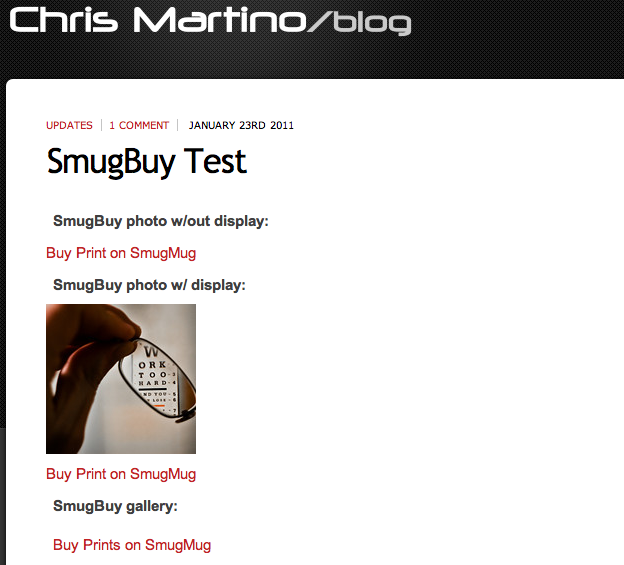
Example post.
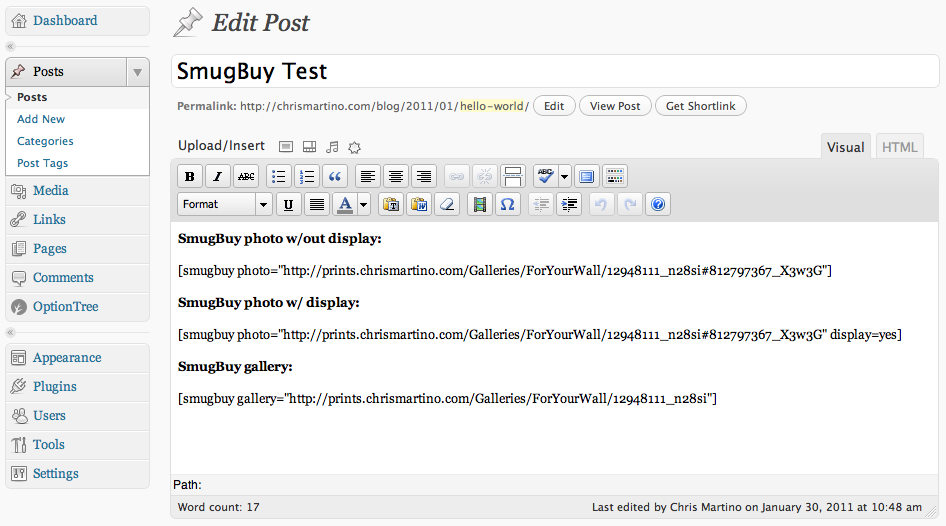
Post editor example.
Changelog
1.1.5
- 1.1.4 used a PHP function that was only available in PHP 5.3 and above. This version is compatible with PHP 5.0 and greater. An upgrade isn’t necessary if you’re running PHP 5.3 or higher.
- Code cleanup.
1.1.4
- SmugMug changed the URL structure to improve SEO. This version of SmugBuy is compatible with the new URLs. It is also backward compatible with the old style URLs.
1.1.3
- Added some support options in the admin screen.
- Verified compatibility with WordPress 3.3.1.
1.1.2
- Added option to open the “buy” link in a new window.
- Verified compatibility with WordPress 3.1.
1.1.1
- Added the ability to customize the links using a css file. The feature is disabled by default and can be enabled in the SmugBuy options panel.
1.1
- Added gallery support.
- Added the ability to display the image along with the “buy” link.
- Added “Settings” link on the plugin page.
1.0.1
- Changed method for obtaining the smugmug url, thus elimating the “smugbuy_url” option.
1.0
- Initial release.