

Snow Storm
Display falling snow flakes on the front of your WordPress website for a festive presentation.
Plugin info
Maintenance & Compatibility
Maintenance score
Possibly abandoned • Last updated 384 days ago • 46 reviews
Is Snow Storm abandoned?
Possibly abandoned (last update 384 days ago).
Compatibility
Similar & Alternatives
Explore plugins with similar tags, and compare key metrics like downloads, ratings, updates, support, and WP/PHP compatibility.
Description
Display falling snow flakes on the front of your WordPress website for a festive presentation.
Useful Links:
The Snow Storm plugin was developed by Tribulant Software so that WordPress website owners can display falling snow during the festive season eg. Christmas to decorate their website.
Installation
Installing this plugin is quick and easy:
Automatic Installation
- Go to ‘Plugins’ in your WordPress dashboard.
- Click on the ‘Add New’ button at the top to add a new plugin.
- Search for “snow storm” and you’ll see the Snow Storm plugin by Tribulant Software.
- Click the ‘Install Now’ link to install the plugin.
- After installation, click the ‘Activate Plugin’ link to activate it.
In case the automatic installation doesn’t work due to any reason, use the manual installation below:
Manual Installation
- Download the WordPress Snow Storm plugin.
- Extract the ZIP archive on your computer to get the
ezgzfolder. - Upload the
snow-stormfolder to yourwp-content/pluginsdirectory. - Activate the ‘Snow Storm’ plugin on your ‘Plugins’ page in the WordPress dashboard.
Frequently Asked Questions
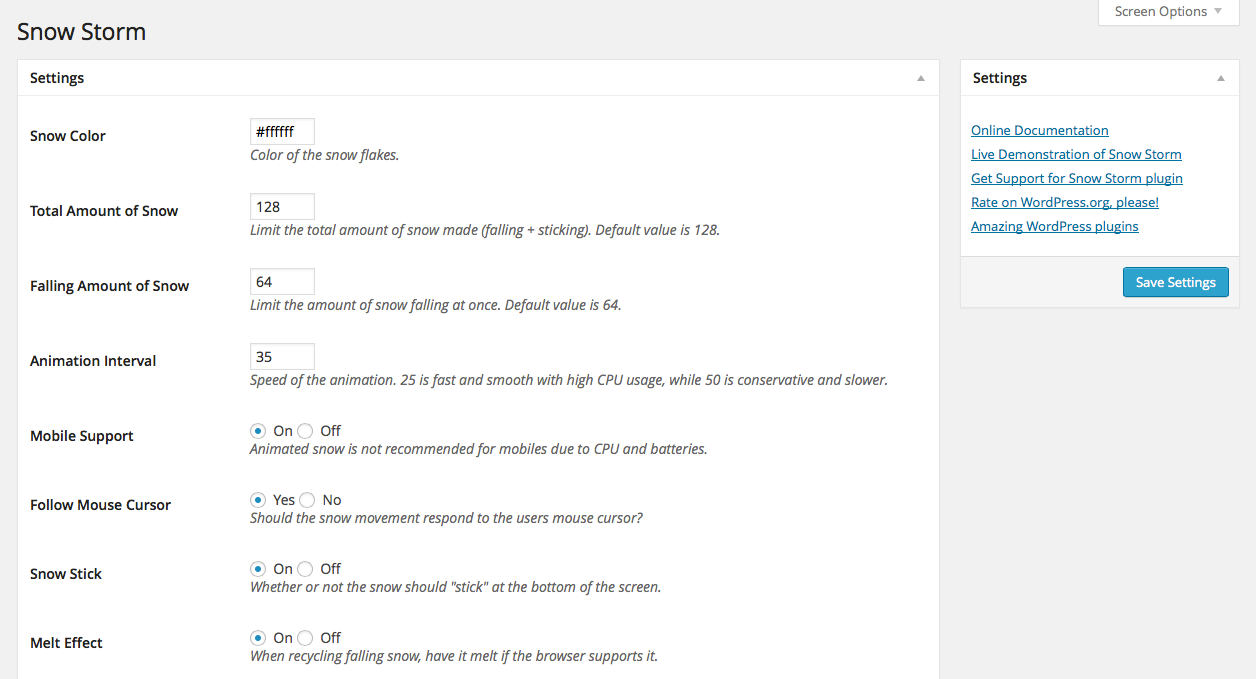
Go to Settings > Snow Storm in your WordPress dashboard where you will see configuration settings.
Review feed
Screenshots
Snow flakes on any WordPress website.

Change the configuration settings according to your needs.
Changelog
See all releases and full changelogs in our docs.
1.4.7
- FIX: XSS vulnerability in admin settings page.
1.4.6
- ADD: “Dismiss forever” button on the admin area rating notice to dismiss it forever.
- IMPROVE: WordPress 6.x compatibility.
- IMPROVE: PHP 8.3 compatibility.
1.4.5
- IMPROVE: Version bump.
1.4.4
- ADD: WordPress 5.0 compatibility.
- IMPROVE: Ask for a review/rating after some time.
- IMPROVE: Prevent files from being accessed directly.
- FIX: Snow behind certain elements on some WordPress themes.
1.4.3
- IMPROVE: Updated color picker.
- FIX: Colour picker in admin settings not working.
- FIX: Not able to specify a page/post.
1.4.2
- FIX: Snow behind some elements with some WordPress themes.
1.4.1
- FIX: Colour picker not working for snow colour in admin settings.
- FIX: Post/page selector/search not working in admin settings.
1.4
- ADD: Setting to show on specific posts/pages.
1.3
- ADD: WordPress 4.0 compatibility.
- ADD: Languages/translation support.
- IMPROVE: “Recommended Plugin” box under settings.
- IMPROVE: Updated, minified
snow-storm.jsscript. - IMPROVE: Better, metaboxes layout under Settings > Snow Storm.
1.2.1
- ADD: WordPress 3.9 compatibility.
1.2
- ADD: Links under Settings > Snow Storm.
- IMPROVE: Updated snow storm Javascript library.
1.1.1
- FIX: Compatibility with IE9.
1.1
- ADD: Configuration settings for the plugin.
- ADD: Banner image on the WordPress.org plugin page.
- ADD: Screenshots for the plugin.
1.0.1
- FIX: Removed snow from the WordPress dashboard.
1.0
- Initial release of the WordPress Snow Storm plugin.