

SiteOrigin CSS
Powerful, simple CSS editing for WordPress. Visual controls & real-time previews for effortless site customization.
Plugin info
Maintenance & Compatibility
Maintenance score
Stale • Last updated 312 days ago • 152 reviews
Is SiteOrigin CSS abandoned?
Likely maintained (last update 312 days ago).
Compatibility
Developers
Languages
Similar & Alternatives
Explore plugins with similar tags, and compare key metrics like downloads, ratings, updates, support, and WP/PHP compatibility.
Description
SiteOrigin CSS is the intuitive and powerful CSS editor designed to empower your WordPress site customization. Enjoy a seamless editing experience with real-time visual controls, making it easy to tweak your site’s look and feel instantly. Whether you’re a beginner or an advanced developer, SiteOrigin CSS has you covered.
For beginners, our user-friendly visual controls and live previews eliminate the guesswork from CSS editing. See your changes as you make them, ensuring your site looks exactly as you envision. For advanced users, we offer robust code autocompletion, speeding up your workflow and making CSS writing faster and more efficient than ever before. Take full control of your site’s design with SiteOrigin CSS and bring your creative vision to life.
Inspector
The hardest part of editing your site’s design using CSS is usually finding the correct selector to use. The powerful inspector that comes with SiteOrigin CSS makes this easy. While viewing a full preview of your site, just click on an element, and it’ll help you identify the best selector to use to target that element.
The inspector will help you even if you have no idea what a CSS selector is.
Visual Editor
Don’t like playing around with code? No problem. SiteOrigin CSS has a set of simple controls that make it easy to choose colors, styles, and measurements. Combined with the inspector, you’ll be able to make changes in just a few clicks.
CSS Editor
SiteOrigin CSS has a powerful CSS editor, the likes of which you’d usually only expect from high-end IDEs. It has autocompletion for both CSS selectors and attributes. It also features very useful CSS linting to help you identify issues in your code before you publish your changes.
It’s Free
We’re committed to keeping SiteOrigin CSS free. You can install it on as many sites as you like without ever worrying about licensing. All future updates and upgrades will be free, and we even offer free support over on our friendly support forums.
Works With Any Theme
There’s an ever-growing collection of awesome WordPress themes, and now with SiteOrigin CSS, you can edit every single one of them to your heart’s content. No matter what theme you’re using, SiteOrigin CSS will work perfectly.
Actively Developed
We’re actively developing SiteOrigin CSS. Keep track of what’s happening over on GitHub.
Documentation
Documentation is available on SiteOrigin.
Support
Free support is available on the SiteOrigin support forums.
SiteOrigin Premium
SiteOrigin Premium enhances SiteOrigin CSS with a Google Web Font Selector. Choose from hundreds of beautiful web fonts right in the visual editor.
SiteOrigin Premium includes access to our professional email support service, perfect for those times when you need fast and effective technical support. We’re standing by to assist you in any way we can.
Installation
- Upload and install SiteOrigin CSS in the same way you’d install any other plugin.
- Read the usage documentation on SiteOrigin.
Frequently Asked Questions
Review feed
Amazing stuff
Screenshots
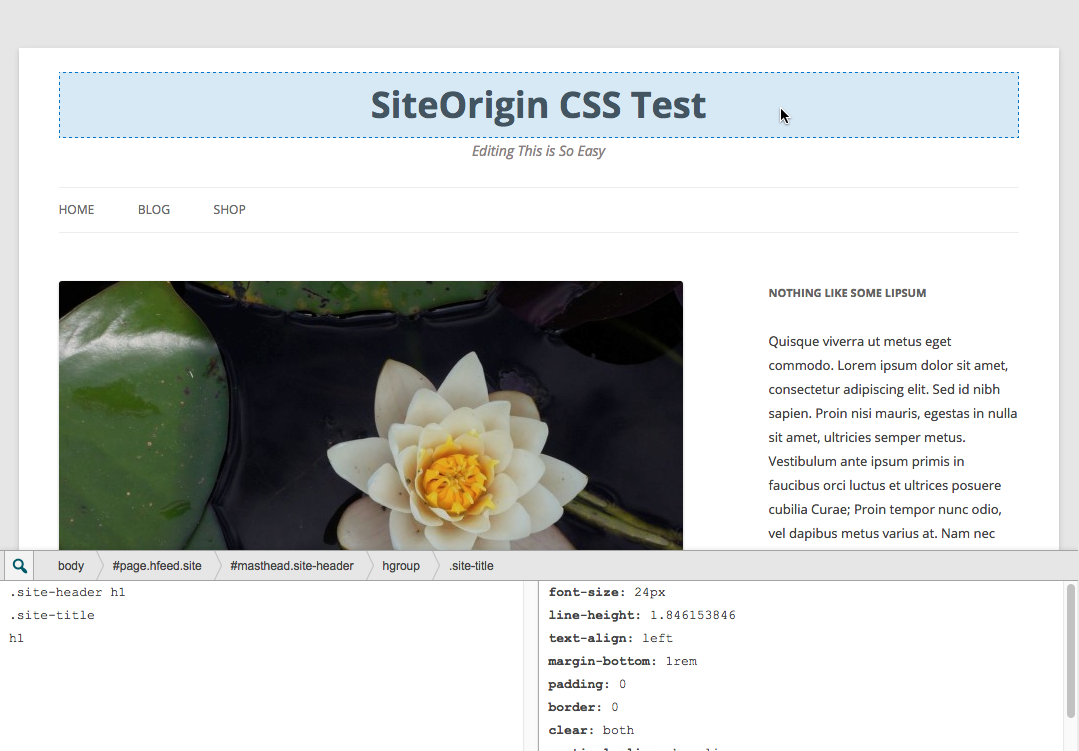
Inspector for finding elements on your site.

Simple visual controls, including a background image uploader.
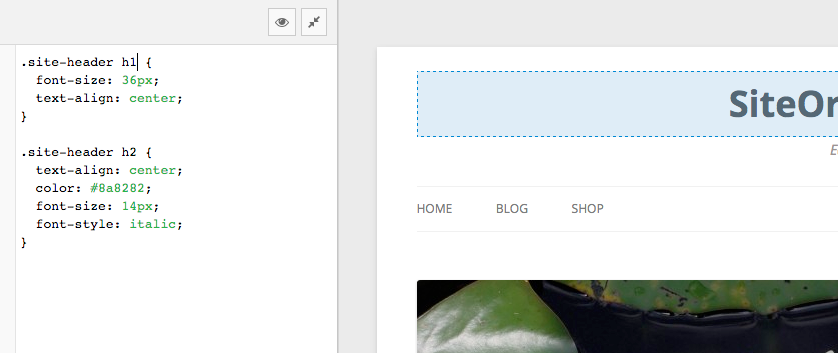
A full CSS editor that works in real-time with a preview of your site.
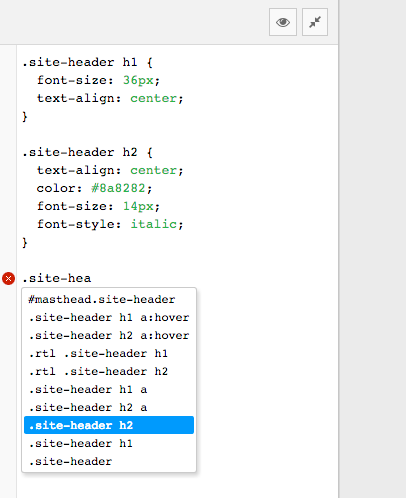
Code completion for all your theme's selectors.
Changelog
1.6.4 – 26 May 2025
- Installer: Updated submodule.
- Updated Tested up to tag.
1.6.3 – 15 January 2025
- Resolved Uninstall Notice: Updated
register_uninstall_hookcallback to use a static class method, addressing a WordPress notice introduced in version 3.1.0.
1.6.2 – 13 January 2025
- Fixed uninstall process to prevent PHP fatal error by updating the
register_uninstall_hookcallback to use a valid instance method.
1.6.1 – 25 November 2024
- CSS Output Location: Additional check to ensure the default is Dedicated File.
1.6.0 – 22 November 2024
- Added
Visual Editor: Decoration > Background Attachmentsetting. - Added CSS Ouput Location setting. Dedicated CSS File offers best performance, Internal CSS embeds styles in page HTML.
1.5.11 – 13 August 2024
- Added Divi theme compatibility.
- Accounted for for themes that don’t use menu item selectors by adding them automatically.
1.5.10 – 31 May 2024
- Updated SiteOrigin Installer.
- Updated Tested up to tag.
- Updated Required PHP version.