

Plugin info
Maintenance & Compatibility
Maintenance score
Possibly abandoned • Last updated 3047 days ago • 8 reviews
Is Social Media Icons Widget abandoned?
Possibly abandoned (last update 3047 days ago).
Compatibility
Similar & Alternatives
Explore plugins with similar tags, and compare key metrics like downloads, ratings, updates, support, and WP/PHP compatibility.
Description
Developed at NCI.
The Social Media Icons Widget is a basic sidebar widget that displays icon links for the user’s social media profile URLs.
The widget includes 28 different freeware icon sets with different combinations of icons. The default icon set features all the icon types found in the other icon sets.
Icons may be ordered using drag/drop in the widget panel
It is also possible to create custom icon sets by adding a folder with the icons you want to appear in your sidebar.
Included Icons
Note: Not every icon set designer creates the full range of icons.
- Google+
- Flickr
- YouTube
- Digg
- StumbleUpon
- Buzz
- Vimeo
- WordPress
- Yelp
- RSS
- Contact
- Delicious
- Website
- GitHub
- Goodreads
All included icons are 32px x 32px.
Custom icons of any size may be used.
Included Icon Sets
- 3D Statuette
- 3D Vector
- Breakthrough
- Circular
- Creatures
- Default
- Furry Cushion
- Grass Textured
- Ice Cubes
- Latte Art
- Moleskin
- Old Paper
- Painting
- Paper
- PC Monitor
- Picasso
- Puzzle Piece
- Scientific
- Simple Vector
- Sleek Blue
- Sleek Green
- Sleek Orange
- Sleek Purple
- Sleek Red
- Sleek Yellow
- Social Snow
- Vintage Postage Stamps
-
Yammy
-
Create your own icon sets by adding a folder to the “images/iconset” directory.
- Choose whether links open in a new window.
Arbitrary section
The icons in this plugin are distributed freely by a 3rd party and either licensed to be used in a personal or commercial capacity under several licenses including the Creative Commons, FastIcon and various other licenses.
Installation
Extract the zip file and just drop the contents in the wp-content/plugins/ directory of your WordPress installation and then activate the Plugin from Plugins page.
Frequently Asked Questions
Installation Instructions
Extract the zip file and just drop the contents in the wp-content/plugins/ directory of your WordPress installation and then activate the Plugin from Plugins page.
How do I use the widget?
In the Widgets admin page, drag the “Social Media Icons” to the sidebar. Expand the settings and choose a theme (Default is initially selected). Drag / Drop the icons for your desired order. Click each icon to enter the corresponding URL or setting. Check/uncheck the plural form / new window options. Once you have finished configuring the widget, save the widget settings.
How do I add my own icons to the widget?
Disable the plugin. Using an FTP client, navigate to the “iconset: folder under the wp-content/plugins/smc_widget/images in your wordpress installation. Create a new folder for your custom iconset, naming it accordingly. Add your icons (.png format, preferably 32px x 32px size). Reactivate the plugin. The new iconset will appear in the themes selection in the widget settings.
Can the icon order be changed?
Yes. In the widget settings, drag the icons into the desired order and save. They will appear in that order on your blog.
Does this plugin support localization?
Yes. Version 1.2.1 supports localization with the textdomain ‘SMCWidget’. Currently supported languages are Spanish (es_ES), Italian (it_IT), French (fr_FR) and German (de_DE). Support for WPML was also added in version 1.2.1.
Please backup custom icons / folders before updating as they will be overridden!
Review feed
Screenshots
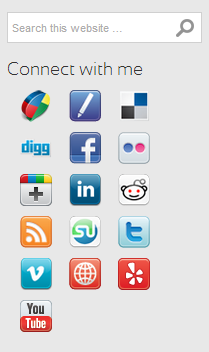
Widget Front End
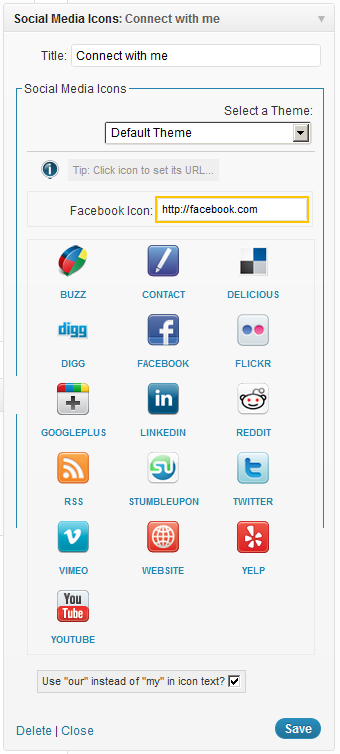
Widget Back End
Changelog
Version 1.0
– Plugin added to WordPress.org.
Version 1.1
– Default Twitter button updated.
– Pinterest button added.
Version 1.2
– Added Localization via SMCWidget text domain
– Added French, Spanish, Italian and German .po files
Version 1.2.1
– Added WPML support for language subdirectories
– Bug fix for subdirectory installations
– Added email address detection
– GitHub, Goodreads buttons added
Version 1.2.2
– Added drag / drop ordering of icons
– Added multi-size handling of custom icons
– Added auto-save and reload when changing the icon theme
Version 1.2.3
– Bug Fix for parse error when rendering widget
Version 1.2.4
– Bug Fix for icon sorting when adding widget
Version 1.2.5
– Widget form now switches field to icon being dragged
Version 1.2.6
– Fix (css) to Google Plus Icon width
Version 1.2.7
– Resubmitted version 1.2.6 (as plugin does not auto-update)