

Social Media Icons WP – Add Custom Social Icons & Links with Shortcode
Add social media icons using Font Awesome or custom images. Easily sort, style, and display icons anywhere via shortcode.
Plugin info
Maintenance & Compatibility
Maintenance score
Stale • Last updated 270 days ago
Is Social Media Icons WP – Add Custom Social Icons & Links with Shortcode abandoned?
Likely maintained (last update 270 days ago).
Compatibility
Similar & Alternatives
Explore plugins with similar tags, and compare key metrics like downloads, ratings, updates, support, and WP/PHP compatibility.
Description
Social Media Icons WP lets you easily display your social profiles using a shortcode. Choose from 150+ Font Awesome icons or upload your own SVG or image icons. You can customize the icon style, color, spacing, and layout, and sort them with drag and drop. Ideal for bloggers, businesses, or developers who want full control over their social links.
- Upload your own icons or choose from Font Awesome
- Drag-and-drop sorting of icons
- Live preview while customizing
- Shortcode support for use in headers, footers, posts, or sidebars
- Available 150 + font awesome icons
- SVG support for icons
- Vertical and horizontal layouts
- Fully customizable:
- Icons color
- Hover icon color
- Size of the icons
- Border
- Alignment option
- Horizontal / Vertical spacing between icons
- Hover transition duration option
- Hover Effect
- Icon shape style
- Separate styles for different shortcode placements
- Open links in new tab, set rel attributes, enable tooltips
Demos
Installation
To install this plugin:
- In WordPress dashboard, choose Plugins and click on Add new.
- Search for a plugin with the search bar in the top right corner. A number of results will appear.
- After finding the plugin in the results, click Install Now. You can also click the plugin name to view more details about it.
- To use the plugin, need to activate it. When the installation is finished, click Activate.
Frequently Asked Questions
Review feed
Screenshots

Settings page

Admin icon list page

Image icon setting page
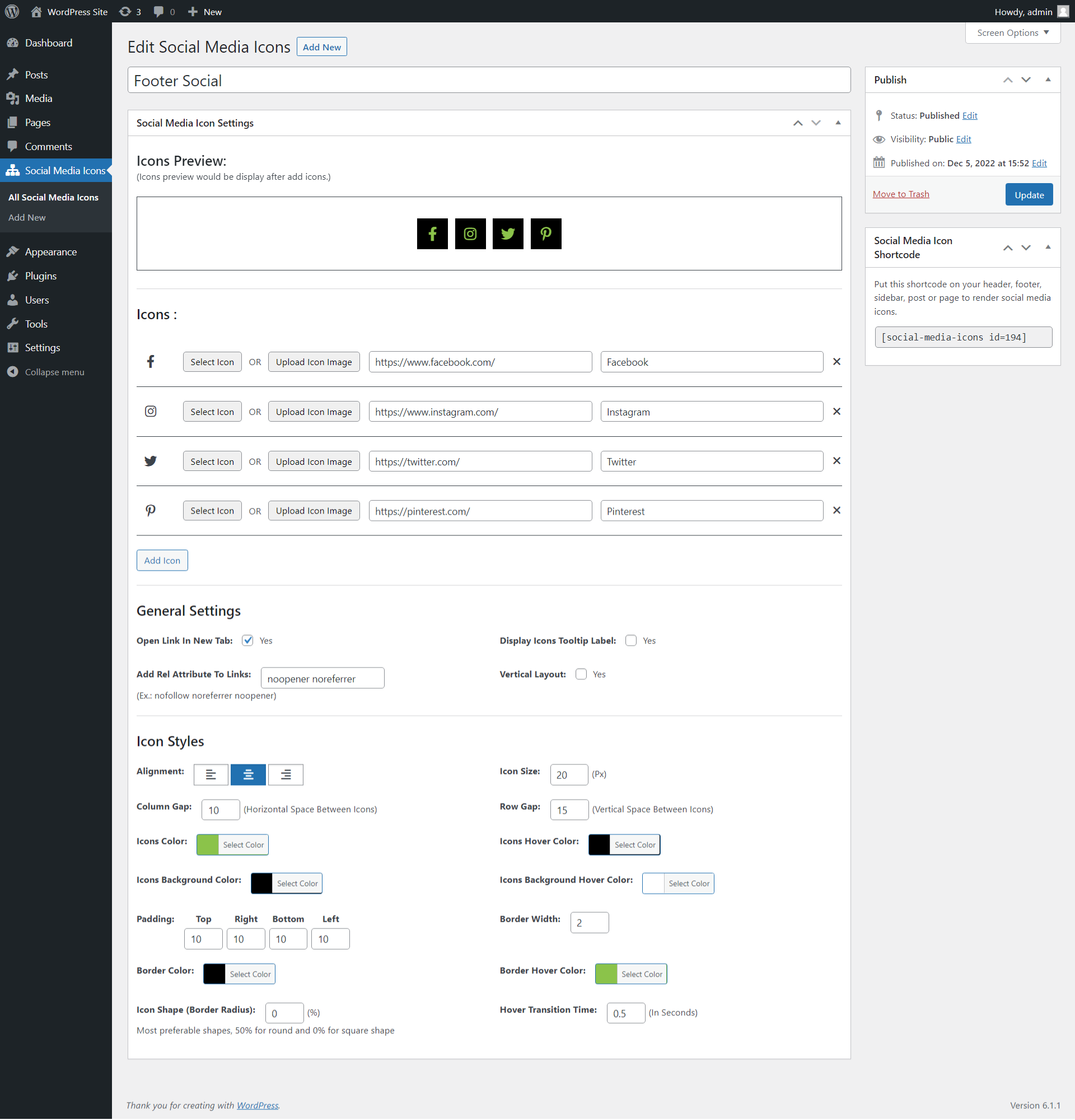
Font awesome icon setting page

Shortcode preview in admin

Icon sorting
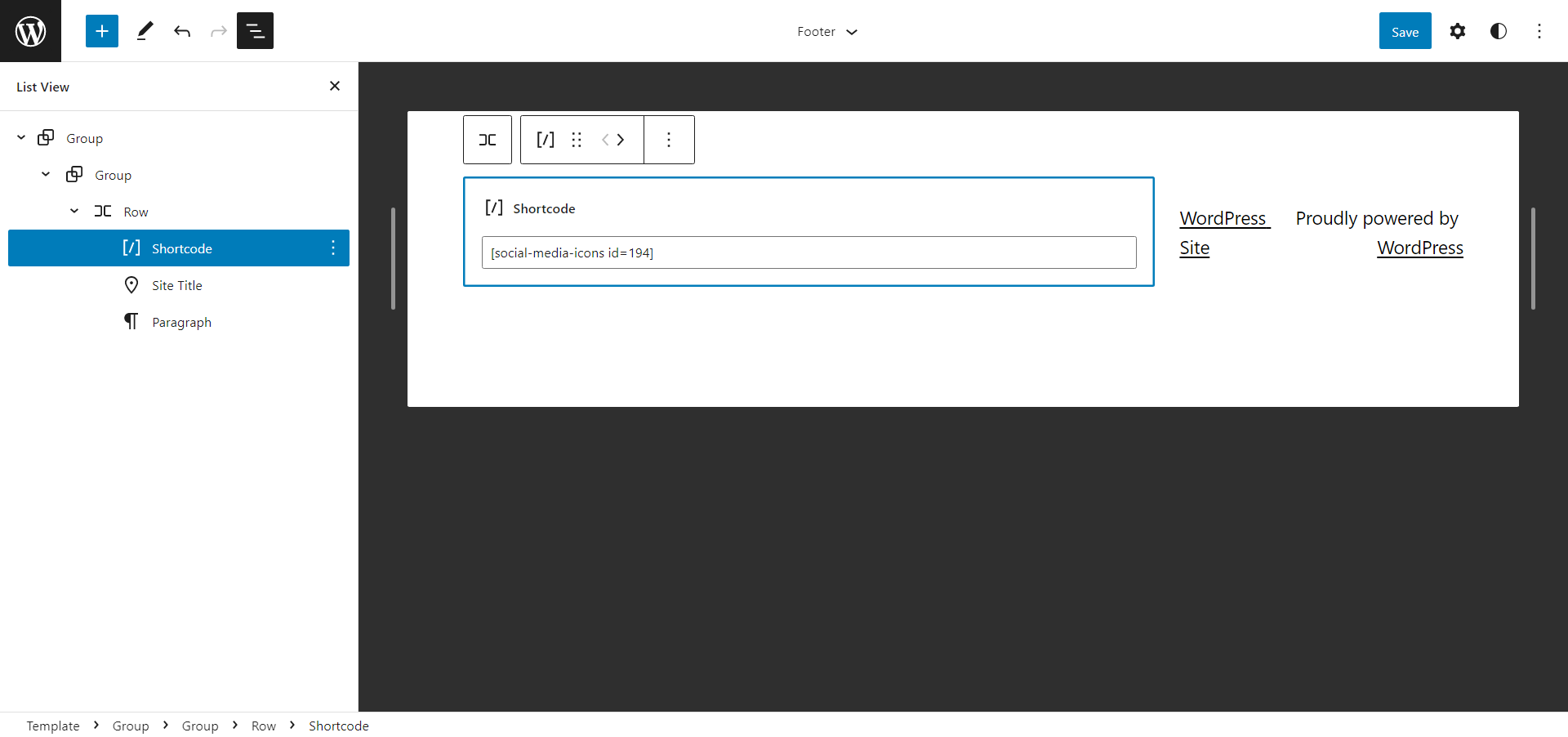
Add shortcode for render

Render icons at front side
Changelog
0.1.0
- Initial release of Social Media Icons WP plugin.