

Social Media Widget
Easily create beautiful social media link with the install of this plugin.This widget takes a simple, extendable approach for displaying your social m …
Plugin info
Maintenance & Compatibility
Maintenance score
Possibly abandoned • Last updated 3847 days ago • 5 reviews
Is Social Media Widget abandoned?
Possibly abandoned (last update 3847 days ago).
Compatibility
Similar & Alternatives
Explore plugins with similar tags, and compare key metrics like downloads, ratings, updates, support, and WP/PHP compatibility.
Description
Easily create beautiful social media link with the install of this plugin.This widget takes a simple, extendable approach for displaying your social media profiles on wordpress website.
Social Media Widget
*Social media widget which let’s you add icons for Facebook, Twitter, Google+, Pinterest.
This plugin helps you add social Profiles to your wordpress Website .
Installation
Installing the plugin
- In your WordPress admin panel, go to Plugins > New Plugin, search for Social Media Widget and click “Install now“
- Alternatively, download the plugin and upload the contents of
social-media-widget.zipto your plugins directory, which usually is `/wp-content/plugins/. - Activate the plugin.
- Set social Link Url to the widget.
Configuring Social Media Widget
- Go to *Social media widget Widget In Apperance->widget -> Sidebar/Footer Widget Section
2.Change the Widget Name For displaying in the website.
Frequently Asked Questions
Where can I find social Media Widget?
Go to Appearance > Widgets and use the Social Media Widget** widget that comes with the plugin.
How to display a form in widget areas like the sidebar or footer?
1.Go to Appearance > Widgets and use the Social Media Widget** widget that comes with the plugin.
2. Go to *Social media widget Widget In Apperance->widget -> Sidebar/Footer Widget Section
Review feed
Screenshots
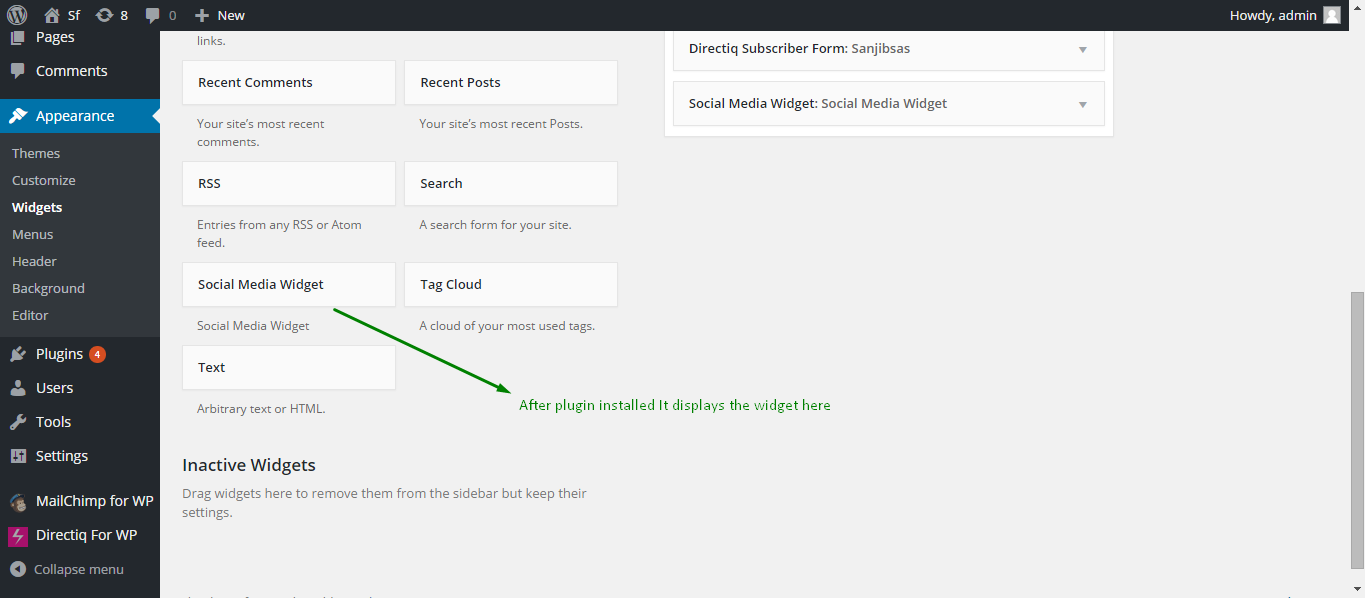
Social Media Widget Display

Social Media Widget setup