

Social Photo Blocks
Plugin provides basic photo grid and photo slider functionality implemented in widgets, short codes and Guttenberg blocks.
Plugin info
Maintenance & Compatibility
Maintenance score
Possibly abandoned • Last updated 1315 days ago
Is Social Photo Blocks abandoned?
Possibly abandoned (last update 1315 days ago).
Compatibility
Similar & Alternatives
Explore plugins with similar tags, and compare key metrics like downloads, ratings, updates, support, and WP/PHP compatibility.
Description
Plugin provides basic photo grid and photo slider functionality implemented in widgets, short codes and Guttenberg blocks. Photo media is taken from your public Instagram account via API provided by Instagram/Facebook.
Key features
- Plugin uses new Facebook API for Instagram.
- Basic photo grid from social network.
- Basic photo slider from social networks.
- Confugurable number of columns and rows, grid container width and alignmer for each instance.
- Memcache or file cache API calls to improve website speed and reduce number of API calls.
- Plugin does not use any thirdparty service to handle your data.
Supported social platform APIs:
- Instagram (Instagram is a registered trademark and company owned by Facebook)
Short code example:
[sp_grid cols=’3′ rows=’3′ width=’100%’ align=’center’]
[sp_slider width=’100%’ align=’center’]
Demo page:
https://erlycoder.com/social-photo-grid-and-slider-demo/
Installation
- Upload the plugin files to the
/wp-content/plugins/social-photo-blocksdirectory, or install the plugin through the WordPress plugins screen directly. - Activate the plugin through the ‘Plugins’ screen in WordPress
- Configure Instagram API keys on plugin settings page. Read detailed setup instructions here: https://erlycoder.com/knowledgebase/social-photo-blocks-configuration/.
- Put Social Photo Grid or Social Photo Slider block, short code or widget to the pages where you want to see them.
Frequently Asked Questions
You can find answers and solutions in our Knowledge base.
Yes, you can submit your request on our Contact page.
Review feed
Screenshots

Social Photo Grid Example
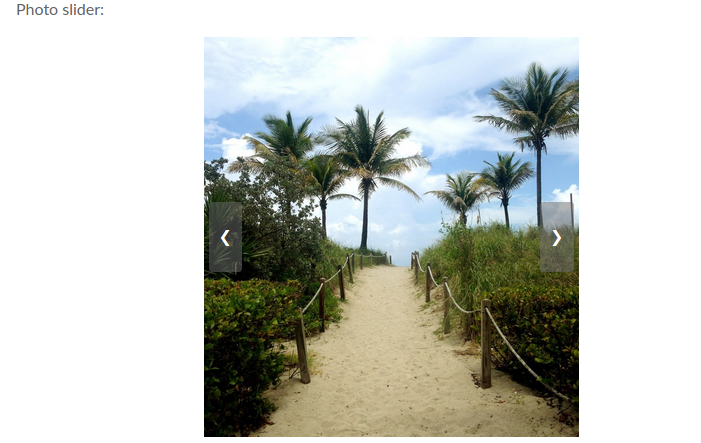
Social Photo Slider Example

Icons of the Guttenberg blocks

Social Photo Grid Gutternberg block settings

Social Photo Slider Guttenberg block settings

Plugin configuration step #1

Plugin configureation step #2

Plugin configuration completed
Changelog
1.2
- Sheduled token update bug fix.
- New wordpress version tested.
1.1
- Facebook Instagram API implementation.
- Social photo slider added.
1.0
- Release.