

Plugin info
Maintenance & Compatibility
Maintenance score
Stale • Last updated 297 days ago • 18 reviews
Is Social Sharing Block abandoned?
Likely maintained (last update 297 days ago).
Compatibility
Developers
Similar & Alternatives
Explore plugins with similar tags, and compare key metrics like downloads, ratings, updates, support, and WP/PHP compatibility.
Description
A simple little WordPress block that allows you to add social share icons to your website. Choose from 15+ of the most popular social channels.
Share options include:
- Bluesky
- LINE
- Skype
- SMS
- Telegram
- Threads
- Tumblr
- Viber
- X
Key features
- Heavily inspired by the Social Icons block in WordPress core
- Includes some handy controls (show/hide labels, size, colors, etc.)
- No block library required 🎉
- Built almost entirely with native WordPress components
- The plugin is intentionally lightweight and adds no frontend JavaScript files.
Stay connected
Installation
- You have a couple options:
- Go to Plugins → Add New and search for “Social Sharing Block”. Once found, click “Install”.
- Download the Social Sharing Block plugin from wordpress.org and make sure the folder is zipped. Then upload via Plugins → Add New → Upload.
- Open the block inserter within the Block Editor (Gutenberg) and search for “icon”. The plugin should appear and allow you to install it directly. Skip steps 2 and 3.
- Activate the plugin through the ‘Plugins’ screen in WordPress.
- Search for the block within the Block Editor (Gutenberg) and begin using the block.
Frequently Asked Questions
Review feed
Perfect social sharing blocks for FSE
Lovely and lightweight
Super light, just the best social sharing tool
Screenshots
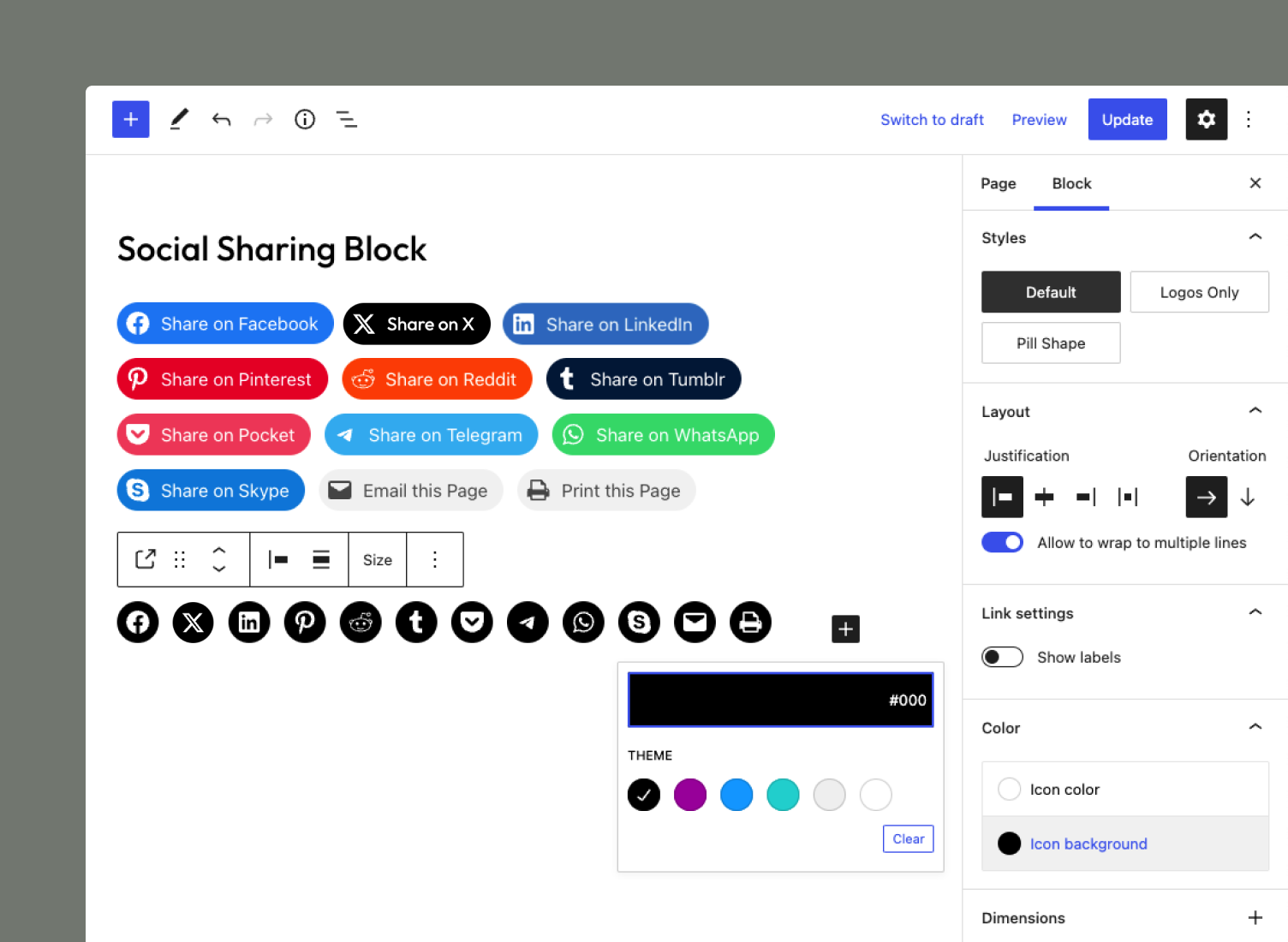
Social icons default to their appropriate brand colors. Easily choose your own icon and background colors using the block controls.
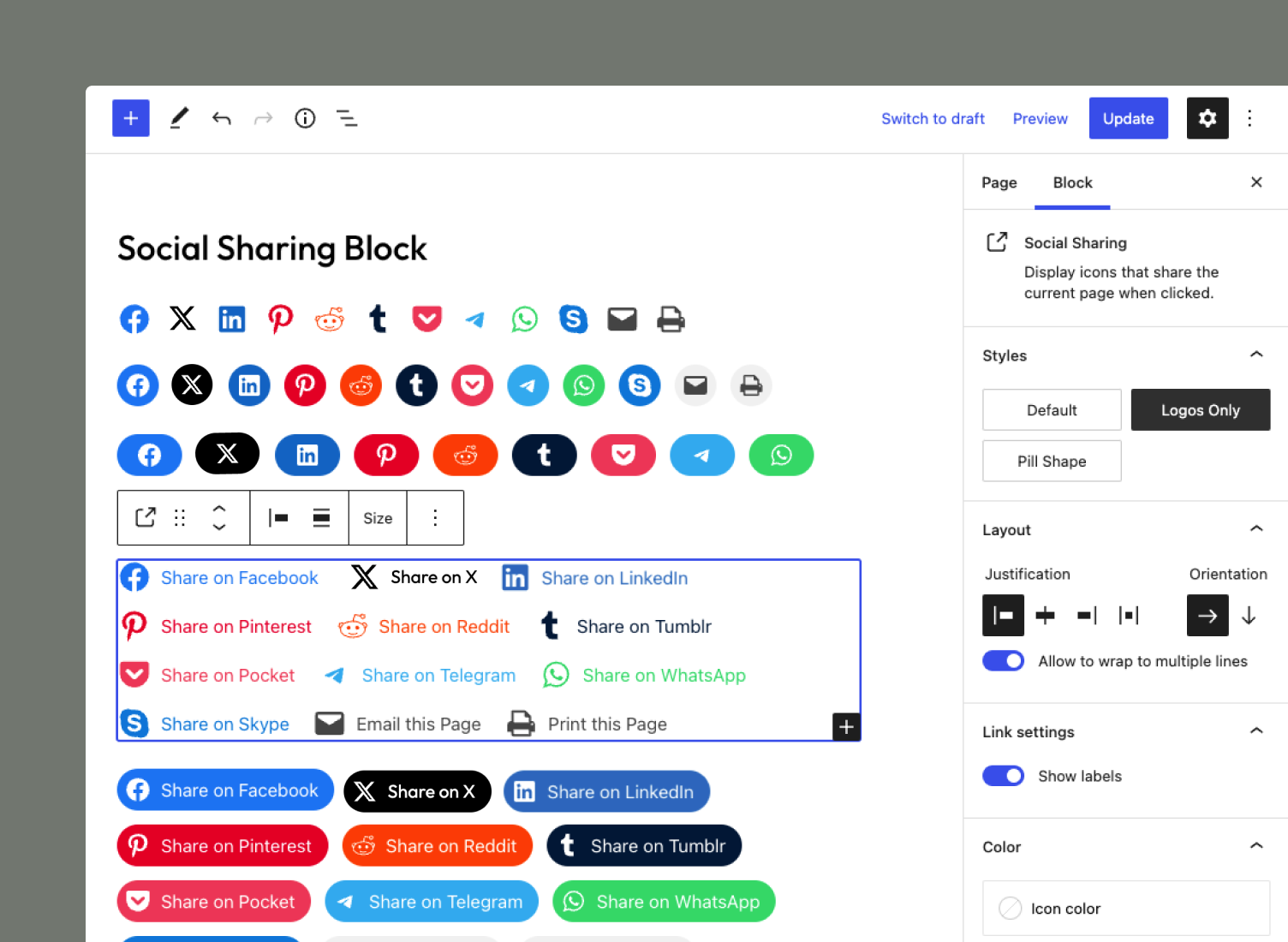
The Social Sharing Block includes three different styles and the ability to show/hide labels.
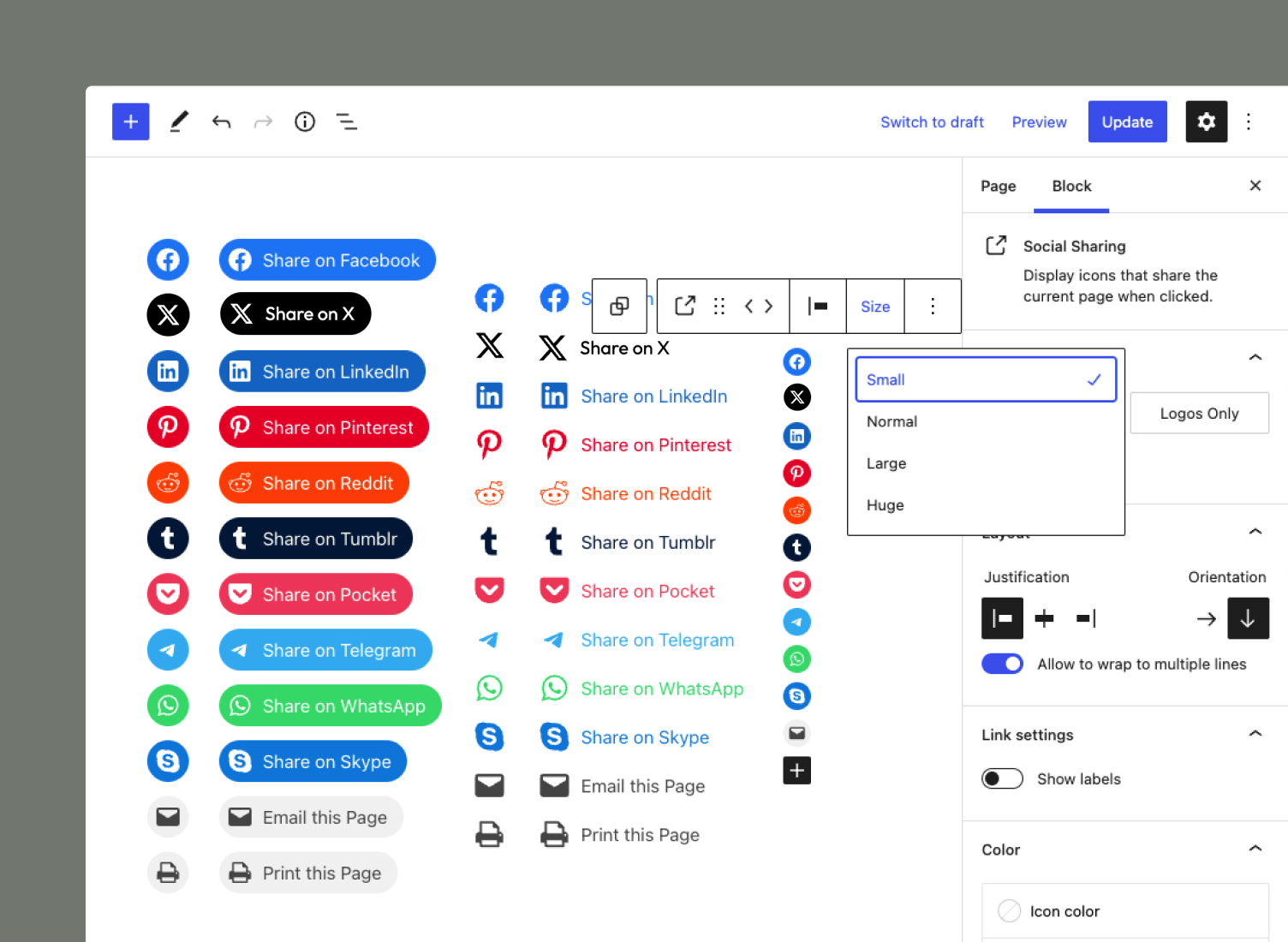
Easily configure social icons with extensive layout, orientation, and size controls to suit your needs.
Changelog
1.3.0 – 2024-11-04
Added
- Added support for Bluesky sharing. (props @Fyrins)
- Added support for content-only editing.
Changed
- Updated “Tested up to” to WordPress 6.7.
- Updated “Requires at least” to WordPress 6.5.
- Updated “Minimum PHP version” to 7.4 to match WordPress core.
1.2.0 – 2024-06-22
Added
- Add example content for each Social Link variation.
Changed
- Update “Tested up to” to WordPress 6.6.
- Update the Playground blueprint for the Live Preview.
1.1.0 – 2024-03-24
Added
- Add support for Threads sharing. (props @WatermarkBranding)
- Add dimension and border support to individual social sharing links. (props @TAjgriffin)
- Add support for en and em dashes, apostrophes, and ampersands in post titles. (props @GeoSn0w)
- Add Playground blueprint for live preview in the Plugin Directory.
Changed
- Update “Tested up to” to WordPress 6.5.
- Update “Requires at least” to WordPress 6.3.
1.0.0 – 2024-01-02
Fixed
- The correct icon and label are now displayed in the Editor when registering a custom block variation for a new social service. Thanks @gaambo for helping resolve this issue.
- Custom labels are now displayed in the Editor when set.
- The default label will now be shown on the front end when a custom label is empty.
0.9.0 – 2023-08-13
Changed
- Changed Twitter to X.
Fixed
- Fixed deprecation warning. Thanks @kafleg for reporting the issue.
0.8.0 – 2023-07-29
Added
- Add border support.
- Add the
social_sharing_block_services_datafilter allowing you to modify service information on the frontend.
Changed
- Update the WhatsApp icon to match the Social Icons block in Core.
- Update to the new
layoutblock support for 6.3 compatibility. - Update block API version 3 for 6.3 compatibility.
0.7.0 – 2023-06-02
Added
- Add support for Viber sharing.
- Add ability to share a custom link.
- Add support for home/front pages. Icons will share the main site url and name if the block is not placed in a loop.
- Add support for archive pages. Icons will share the archive url and title if the block is not placed in a loop.
Changed
- Update minimum required WordPress version to 6.2. We want to be utilizing the latest functionality in WordPress.
- Change the color picker component to integrate better with Core.
Fixed
- Icon colors will now update automatically when the set colors are changed in Global Styles or in theme.json.
0.6.0 – 2022-08-21
Added
- Add support for transparency in both icon and background colors.
Changed
- Update Reddit icon to match brand guidelines.
- Simplify icon SVGs to reduce plugin size.
0.5.0 – 2022-08-05
Changed
- Update incorrect and/or outdated social icon brand colors.
- Update minimum required WordPress version to 5.9.
0.4.0 – 2022-02-12
Added
- Add support for Flipboard sharing.
- Add support for LINE sharing.
- Add support for SMS sharing.
Changed
- Update label markup to improve accessibility.
0.3.0 – 2022-01-22
Changed
- Improve support for Full Site Editing by unsetting background colors. Stops color bleed from Global Styles. GitHub reference: #37940
- Update setting labels.
Fixed
- Fix missing
editorScriptspecification in block.json files. - Fix missing ‘to’ in plugin description. 🤦♂️
- Fix typo in variable name.
0.2.0 – 2022-01-17
Added
- Add screenshots.
Changed
- Update plugin name and text-domain to
social-sharing-blockto comply with wordpress.org requirements.
0.1.0 – 2022-01-16
- Initial release 🎉