
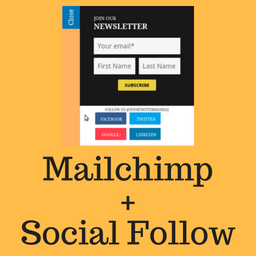
Social Subscribe Box
Simple Mailchimp newsletter subscription slide-out box with social profile links.
Plugin info
Maintenance & Compatibility
Maintenance score
Possibly abandoned • Last updated 1840 days ago
Is Social Subscribe Box abandoned?
Possibly abandoned (last update 1840 days ago).
Compatibility
Languages
Similar & Alternatives
Explore plugins with similar tags, and compare key metrics like downloads, ratings, updates, support, and WP/PHP compatibility.
Description
Social Subscribe Box helps you in acquiring new users for your Mailchimp newsletter.
It provides a nice looking slide out box which you can use to ask your visitors to subscribe for your newsletter.
Social Subscribe Box also helps you let your users follow you on Twitter, facebook, Linkedin.
The plugin will be suitable for you if you are looking for:-
- Lightweight mailchimp newsletter subscription plugin.
- Optionally, show the follow buttons for facebook, twitter, linkedin.
We created this plugin for our very own use. It is used live on BuddyDev.com.
credit
This project uses following opensource projects:-
- jQuery Tab Slideout
- Mailchimp API
- [jQuery Cookie] (https://https://github.com/carhartl/jquery-cookie)
- [Twemoji] (https://github.com/twitter/twemoji) – icons.
Share your feedback on our blog post
For support, Please use BuddyDev Forums.
Documentation: Configuring
Installation
- Download the plugin and unzip it
- Upload the plugin files to the directory ‘social-subscribe-box’ to `/wp-content/plugins/ directory, or install the plugin through the WordPress plugins screen directly.
- Activate the plugin through the ‘Plugins’ screen in WordPress
- Use the Settings->Social Subscribe Box to configure the plugin
- Use Appearance->Customize->Social Subscribe Box to customize the appearance.
Frequently Asked Questions
Review feed
Screenshots

Slide subscription box screenshot-1.png

social subscribe box settings for newsletter screenshot-2.png

social subscribe box settings for social links screenshot-3.png

social subscribe box settings for social appearance screenshot-4.png

Customize option screenshot-5.png
Changelog
1.0.0
- Initial release.