

Softech Wp Clock
Softech wp clock display a Time zone clock on your page/post set to your city's timezone. Choice of clocks, colors and sizes.
Plugin info
Maintenance & Compatibility
Maintenance score
Stale • Last updated 297 days ago
Is Softech Wp Clock abandoned?
Likely maintained (last update 297 days ago).
Compatibility
Developers
Similar & Alternatives
Explore plugins with similar tags, and compare key metrics like downloads, ratings, updates, support, and WP/PHP compatibility.
Description
Softech wp clock display a Time zone clock on your page/post by inserting a shortcode. just create a time zone by clicking on Addn New and select your city’s timezone. you can set Font Colors, Font sizes, Padding and Text Align for your Time Zone.
- Fully settings page configurable Manually
- Easy to integrate (paste shortcode on any post/page)
- Easy addition of multiple clocks on page/post
- Choice of Font Size, Colors of text, Padding and Alignment of Text
Installation
This section describes how to install the plugin and get it working.
- Download the zip file and extract the contents,
- Upload the plugin folder to the
/wp-content/plugins/directory, or install the plugin through the WordPress plugins screen directly. - Go to your WordPress admin panel, and then to Plugins. Click on “Add New” and then upload the zip file of the plugin using the “Upload Plugin” button you can find on top of the screen.
- Activate the plugin through the ‘Plugins’ screen in WordPress
- Select the Time zone, clock style, padding, font size, and colors from the add new panel
- If you have any problem then email us , at [email protected]. We appreciate your help in improving the plugin.
- If you are happy with the plugin, we would appreciate if you take the time to give us a positive rating. Thanks.
Frequently Asked Questions
Yes
Further support is available at softechure.com/support
Review feed
Screenshots
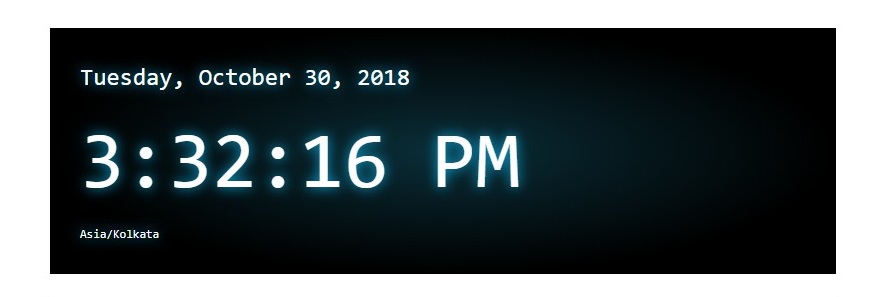
Default clock

Analog clock

Flip clock

All Time zone list

Add new Time zone

Inserting shortcode on a page
Changelog
1.0.3
- add analog style clock
- add widget that can be used in builder like Elementor
- added date format functionality
1.0.2
- new style of clock added
1.0.1
- “Header already sent” error solved
- Now can select Clock styles
1.0.0
- Initial release.