
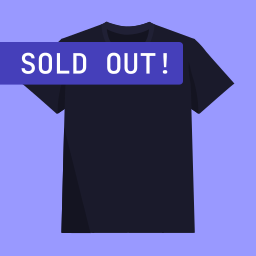
Sold Out Badge for WooCommerce
Display a "Sold Out!" badge on out-of-stock products. Show the text and colors you want. Perfect for artists, artisans, real estate professionals...
Plugin info
Maintenance & Compatibility
Maintenance score
Possibly abandoned • Last updated 1038 days ago • 25 reviews
Is Sold Out Badge for WooCommerce abandoned?
Possibly abandoned (last update 1038 days ago).
Compatibility
Developers
Similar & Alternatives
Explore plugins with similar tags, and compare key metrics like downloads, ratings, updates, support, and WP/PHP compatibility.
Description
Display a “Sold Out!” badge on out-of-stock products.
When a WooCommerce product becomes out of stock, this plugin will show a badge on thumbnail with the text you will have defined.
This plugin was initially created to help people and companies selling unique products or services, like artists, artisans, real estate professionals, etc. It is often beneficial for them to keep showing sold out (out of stock) products on their websites, while displaying a message indicating that the product can’t be sold anymore.
However, this plugin can be used by anyone wanting to display any text in a badge when a product is out of stock.
It is also possible to display a badge on backorder products.
Usage & Documentation
You can customize options in Settings > Sold Out Badge for WooCommerce
What can I customize in this plugin ?
- Badge text (you can replace “Sold Out” with any text you want, like “Out of stock” or “Coming Soon“)
- Badge background color
- Badge text color
- Badge font size
- Badge width
- Badge height
- …
- An option to hide “Sale” badge if you get an overlap (checked by default)
Resources
Installation
- Install this plugin either via the WordPress.org plugin directory, or by uploading the files to your server.
- Activate the plugin.
- That’s it. You’re ready to go! Please, refer to the Usage & Documentation section for examples and how-to information.
Frequently Asked Questions
Yes.
Sure, go ahead! It is completely open source.
Yes. Go to Settings > Sold Out Badge for WooCommerce, you’ll find the setting you want.
You could uninstall this plugin and try to get the badge manually. There are two ways you could do it:
1. Pure CSS
If you’re lucky enough, you’ll have a specific CSS class for out-of-stock products.
You could add a SOLD OUT badge like this:
.product.outofstock:before {
     content: 'SOLD OUT';
     color: #ffffff;
     background: #FE2121;
     font-size: 16px;
     padding: 4px;
     font-weight: bold;
     width: auto;
     height: auto;
     border-radius: 0;
     z-index: 9999;
     text-align: center;
     position: absolute;
     top: 6px;
     right: auto;
     bottom: auto;
     left: 6px;
}
2. PHP + CSS
Otherwise, you could use WP hooks to add a badge. Put this code in your child theme’s functions.php:
add_action( 'woocommerce_before_shop_loop_item_title', 'my_custom_soldout_badge_display', 10 );
add_action( 'woocommerce_before_single_product_summary', 'my_custom_soldout_badge_display', 30 );

function my_custom_soldout_badge_display() {
    global $post, $product;

    if ( ! $product->is_in_stock() ) {
        echo '<span class="wcsob_soldout">SOLD OUT</span>';
    }
}
Use the following CSS code to style the badge:
.wcsob_soldout {
     content: 'SOLD OUT';
     color: #ffffff;
     background: #FE2121;
     font-size: 16px;
     padding: 4px;
     font-weight: bold;
     width: auto;
     height: auto;
     border-radius: 0;
     z-index: 9999;
     text-align: center;
     position: absolute;
     top: 6px;
     right: auto;
     bottom: auto;
     left: 6px;
}
Review feed
Nicely done
Screenshots
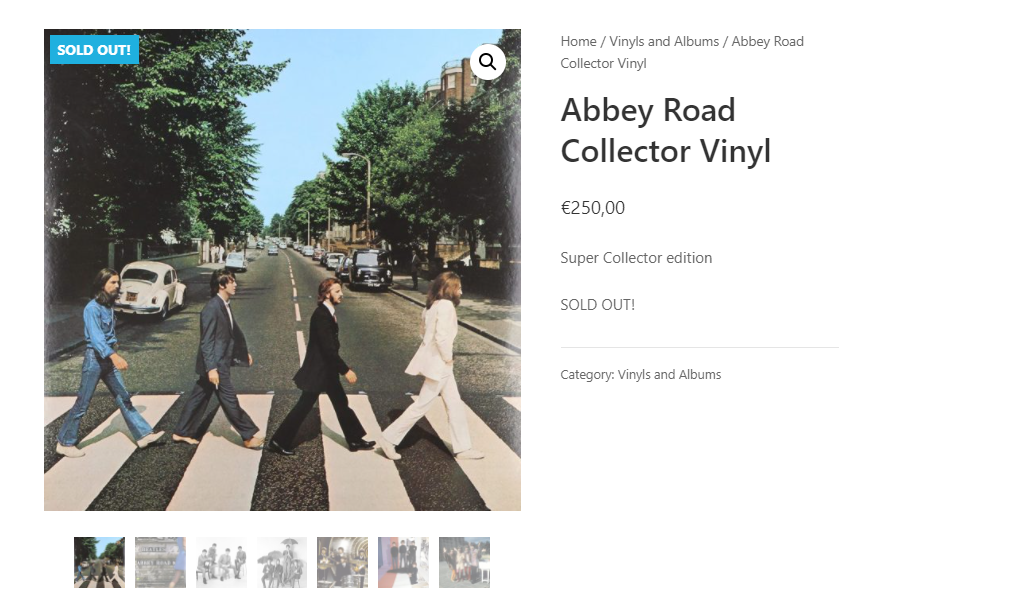
Single product page

Store and categories pages

Admin settings
Changelog
4.4.0
- Support PHP 8.2
- Bump Carbon Fields version to 3.6.0
- Improve docs
4.3.6
- Fix compatibility issues with kadence blocks and woocommerce HPOS thanks to @ataypamart
4.3.5
- Fix missing hook in Elementor page builder
4.3.4
- Fix related and upsells products in some themes like Divi
4.3.1
- Adds compat with Elementor Archive posts widget
4.3.0
- Allows displaying badge on backorder products instead of/in addition to out of stock products
4.2.0
- Adds WPML compatibility
4.1.0
- Fixes Text Domain Path
- Fixes single product position settings being ignored
4.0.0
- Major code refactor (nothing is supposed to change unless you made custom dev using this plugin hooks or classes )
- Added compatibility with Lay Theme
3.2.2
- Minor fixes
3.2.1
- Fixes and improves alternative method
- Improves compatibility with Divi Builder on single product pages
3.2.0
- Adds an alternative method (pure CSS). Useful for some themes like Divi.
3.1.0
- Adds badge in search results
- Ability to turn off the badge on a per-product basis
3.0.1
- Fix missing “position: absolute” CSS rule
3.0.0
- Potential breaking change (in other words, do a backup before upgrading) : Adds settings options to control appearance (width, height, border-radius, etc.)
2.2.0
- Move to Singleton pattern to let other developpers unhook actions and filters.
If you want to unhook something, use it like this, for example:remove_filter( 'woocommerce_get_stock_html', [ WCSOB::get_instance(), 'replace_out_of_stock_text' ], 10, 2 );