

Sort Options Label Editor for WooCommerce
Customize the display text and visibility of WooCommerce product sorting options with an easy-to-use admin interface.
Plugin info
Maintenance & Compatibility
Maintenance score
Maintained • Last updated 164 days ago
Is Sort Options Label Editor for WooCommerce abandoned?
Likely maintained (last update 164 days ago).
Compatibility
Similar & Alternatives
Explore plugins with similar tags, and compare key metrics like downloads, ratings, updates, support, and WP/PHP compatibility.
Description
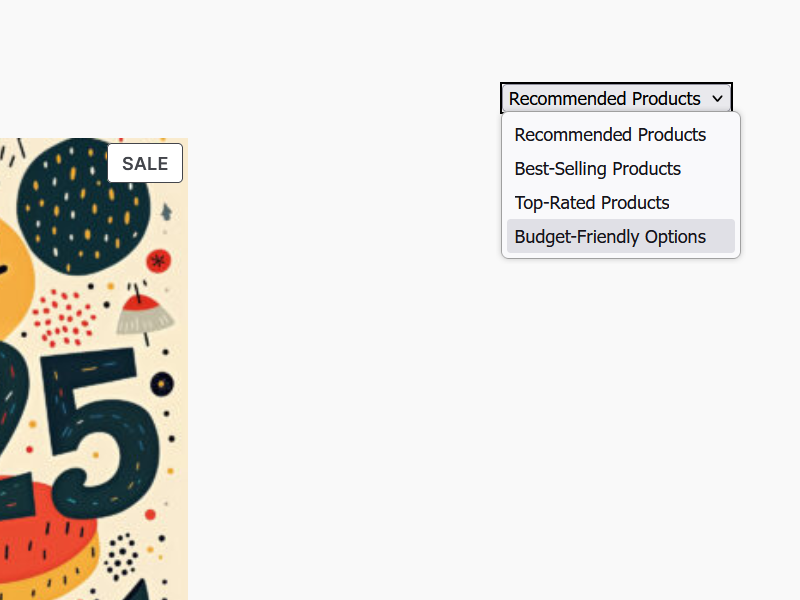
This plugin allows you to easily customize the display text and visibility of product sorting options in your WooCommerce store. You can change the labels for any sorting option and choose to hide specific sorting options from your customers.
Features
- Customize labels for all WooCommerce sorting options
- Hide specific sorting options from the frontend
- Simple and intuitive admin interface
- Preserves WooCommerce’s default functionality
Upgrade to Pro
Take full control of your WooCommerce sorting options with the Pro version — Sort Options Label Editor Pro for WooCommerce.
The Pro version adds powerful features:
* Rename, reorder, and hide sorting options via drag-and-drop
* Set a custom default sorting option for your shop
* Enhanced admin interface with real-time updates
* 100% compatible with any WooCommerce theme
👉 Learn more and get the Pro version here:
Click here to learn more about the Pro version!
Explore the Pro Version
If you’d like to rename, reorder, and manage default sorting behavior, try the Pro version:
🔗 Sort Options Label Editor Pro for WooCommerce
Installation
- Upload the plugin files to the
/wp-content/plugins/sort-options-label-editor-for-woocommercedirectory, or install the plugin through the WordPress plugins screen directly. - Activate the plugin through the ‘Plugins’ screen in WordPress.
- Navigate to Settings > Product Sorting Labels to configure your sorting options.
Frequently Asked Questions
Yes! Each sorting option on the settings page has a checkbox to hide it from the frontend display.
If you leave a custom text field blank for a sorting option, the plugin will automatically revert to using WooCommerce’s default label for that specific sorting option.
Review feed
Screenshots

Admin settings page showing all sorting options with text fields and hide checkboxes. (screenshot-1.png)
Changelog
1.0.3
- **Introduce Pro Version
1.0.2
- FIXED: Sorting options not updating correctly on the frontend.
- FIXED: Text domain and internationalization issues.
- IMPROVED: Code standards compliance for better maintainability.
- UPDATED: Plugin naming to “Sort Options Label Editor for WooCommerce” to comply with trademark guidelines.
1.0.1
- Initial release with basic functionality to edit sorting labels and hide options.