

Plugin info
Maintenance & Compatibility
Maintenance score
Maintained • Last updated 174 days ago • 1 reviews
Is Soundmento abandoned?
Likely maintained (last update 174 days ago).
Compatibility
Similar & Alternatives
Explore plugins with similar tags, and compare key metrics like downloads, ratings, updates, support, and WP/PHP compatibility.
Description
Soundmento is a custom Elementor widget plugin designed for musicians, podcasters, and content creators to elegantly showcase and play audio tracks. With a responsive, modern UI and dynamic playlist control, it enhances audio presentation with artist names, album art, and play durations.
Features include:
– Elementor widget with drag-and-drop controls.
– Repeater fields to add multiple audio tracks.
– Custom audio player with play/pause, next, and back buttons.
– Artwork, track title, and artist display.
– Dynamic track duration fetched using getID3.
– Beautiful responsive design with custom styling.
– Playlist view toggle and track switching.
Credits
This plugin uses the getID3 library to extract audio file metadata.
License
Soundmento is licensed under the GPLv2 or later.
Installation
- Upload the plugin folder
soundmentoto the/wp-content/plugins/directory. - Activate the plugin through the ‘Plugins’ menu in WordPress.
- Make sure Elementor is installed and activated.
- Edit any page with Elementor, and search for Soundmento widget.
- Drag the widget into your page and configure audio items via the repeater.
Frequently Asked Questions
No. Elementor must be installed and activated for Soundmento to function.
Yes. Use the repeater control in the widget settings to add multiple tracks.
The plugin uses the getID3 library to analyze uploaded audio files and extract their playtime.
Any audio file supported by modern browsers (e.g., MP3, OGG, WAV) and uploaded via the WordPress media library.
Review feed
Screenshots
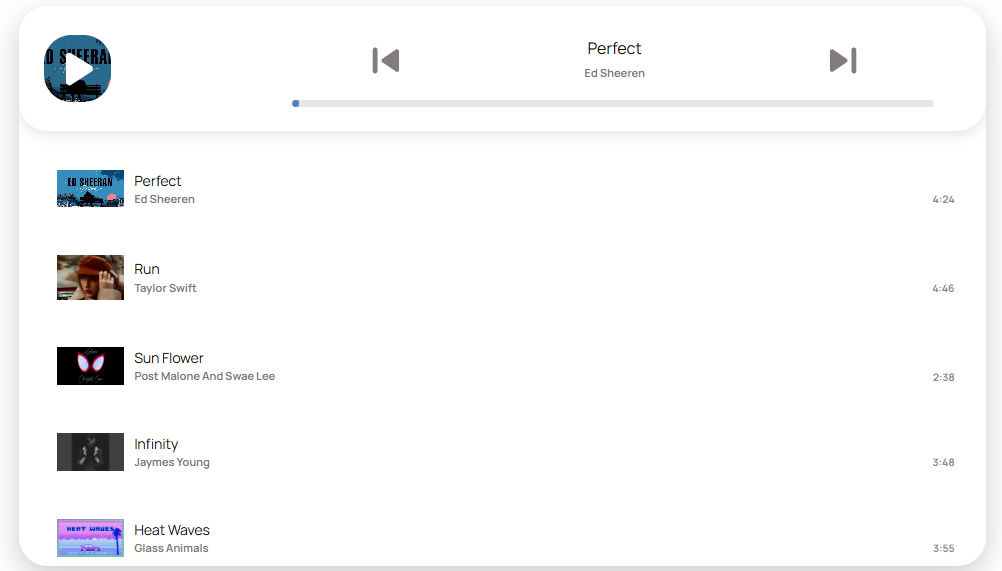
Frontend view of the Soundmento audio player with playlist, artwork, and playback controls.

Beautiful open header layout with an audio cover image.
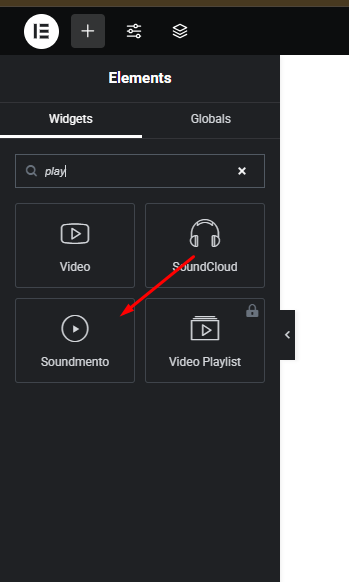
Search for "Soundmento," "playlist," or a related keyword to add the Soundmento widget in the Elementor Page Builder.
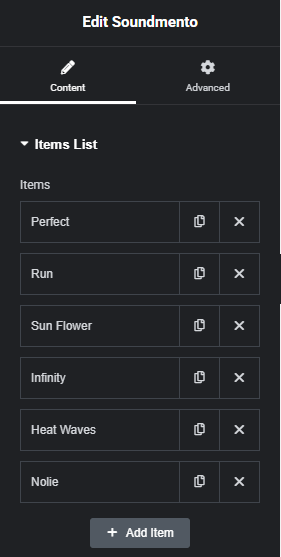
Soundmento widget in Elementor editor with audio tracks added via repeater.
Changelog
1.0.0
- Initial release of Soundmento.
- Added Elementor widget with repeater control.
- Integrated custom audio player with play/pause and playlist UI.
- Included support for artwork, artist name, and dynamic audio durations using getID3.