

SpamAssassin Preferences
Set your SpamAssassin preferences from your WordPress user profile.
Maintenance 20/100851d since update
Active installs
10
Downloads
1,478
Reviews
0
Age
11.7y
Tagsspamassassin
Plugin info
Total downloads: 1,478
Active installs: 10
Total reviews: 0
Average rating: 0
Support threads opened: 0
Support threads resolved: 0 (0%)
Available in: 1 language(s)
Contributors: 2
Last updated: 12/3/2023 (851 days ago)
Added to WordPress: 7/10/2014 (11 years old)
Minimum WordPress version: 3.5.0
Tested up to WordPress version: 6.4.7
Minimum PHP version: f
Maintenance & Compatibility
Maintenance score
Possibly abandoned • Last updated 851 days ago
20/100
Is SpamAssassin Preferences abandoned?
Possibly abandoned (last update 851 days ago).
Compatibility
Requires WordPress: 3.5.0
Tested up to: 6.4.7
Requires PHP: f
Similar & Alternatives
Explore plugins with similar tags, and compare key metrics like downloads, ratings, updates, support, and WP/PHP compatibility.
CM E-Mail Blacklist – Simple email filtering for safer registration
Rating 4.5/5 (8 reviews) • Active installs 900
Add Plain-Text Email
Rating 5.0/5 (4 reviews) • Active installs 100
Description
Set your SpamAssassin preferences from your WordPress user profile.
This code is released under the GPL v2, see license.txt for details.
Installation
- Configure SpamAssassin to use SQL (see https://wiki.apache.org/spamassassin/UsingSQL)
- Extract the archive file into your plugins directory in the sa-prefs folder.
- Activate the plugin in the Plugin options.
- Configure the plugin options under settings.
- Login to WordPress and go to your profile page, update the options at the bottom.
Frequently Asked Questions
Make sure you have configured your sa_prefs table correctly and set your user field preference as well.
Yes, use the database.table notation in the settings page.
No.
Review feed
No reviews available
Screenshots
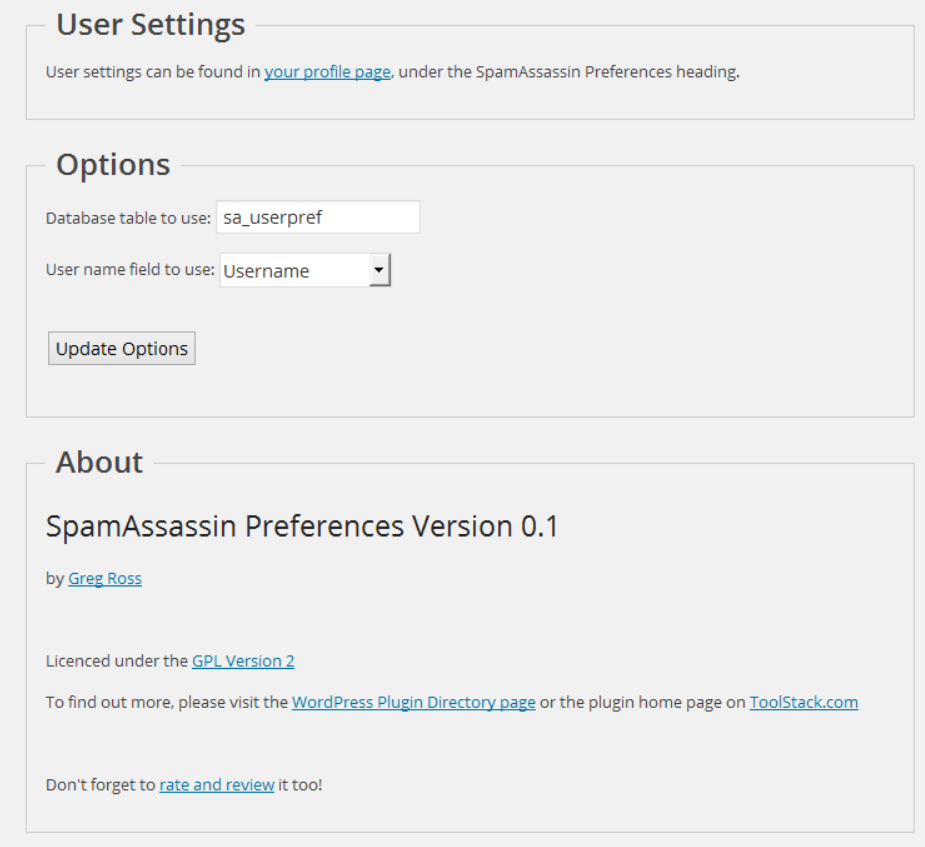
Admin seetings screen.
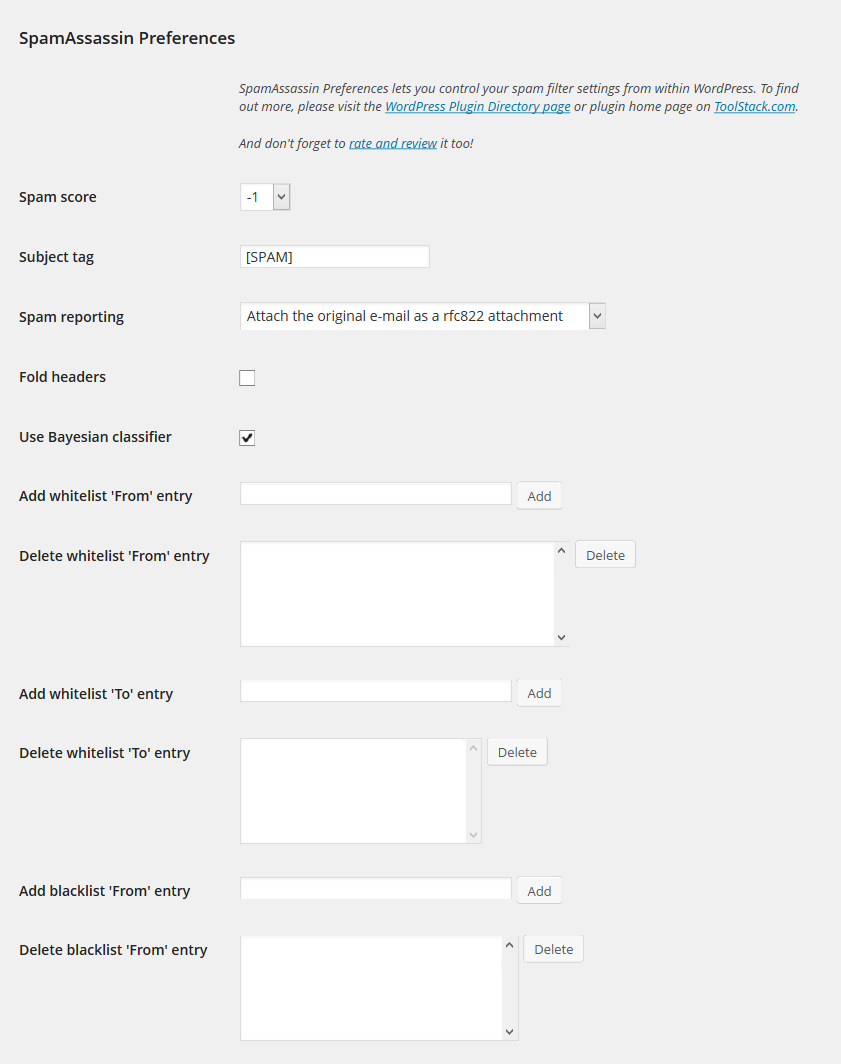
User preferences screen.
Changelog
1.0
- Release date: October 3, 2014
- No changes other than an offical 1.0 release.
0.1
- Release date: July 10, 2014
- Initial release.