

SPAREVIDEOS
This plugin connects the basic functionality of the API of SpareVideos.com Video CDN.
Plugin info
Maintenance & Compatibility
Maintenance score
Possibly abandoned • Last updated 2967 days ago
Is SPAREVIDEOS abandoned?
Possibly abandoned (last update 2967 days ago).
Compatibility
Similar & Alternatives
Explore plugins with similar tags, and compare key metrics like downloads, ratings, updates, support, and WP/PHP compatibility.
Description
This plugin connects the basic functionality of the API of SpareVideos.com Video CDN.
About
The following functionality of the API is included:
- Upload from URL or Local file
- Initialize Convertion
- Receive Webhook when conversion completes
- Thumbnails and update
- Embeded code method of streaming
Not included
- Upload from Dropbox which we normally support in SpareVideos UI
- Custom player setup fetching signed streamable URLs from the API
How to
-
Install and activate the plugin after you open an account with SpareVideos.com Copy and fill in the settings page of the plugin with the API credentials
-
Start uploading and embedding videos from your Media Manager and give access to specific roles to also use the plugin
-
Instead of embedding in posts and pages you can also use the “Make Video Page” button to set the video in the meta tags of the page/post.
-
Then use the following PHP code anywhere in the template to show the player with the video you selected to Make Video Page:
echo do_shortcode(‘[sparevideos]’);
About “Make Video Page”
By selecting a video (uploaded in THAT specific post/page) you have an extra option/button, that of “Make Video Page”, which puts the selected video in the meta tags of the post/page. The filter which converts shortcodes in text into javascript code (embedding video player in other words) doesn’t work for the video saved in meta tags. What embeds the video player into the selected position in the template instead, is the php code here above mentioned. That code fetched the video sved in metas and converts it to embedded player in that position.
Installation
Frequently Asked Questions
Is a subscription needed at SpareVideos.com
You have 1 month free of risk. We charge the basic subscription price of 70€ at some point of the month. If you are charged but you want to cancel we will refund you.
What is SpareVideos.com
An all-in-one solution for video management. SpareVideos provides the technology to host, convert and stream videos on demand. We offer UIs to upload and manage videos from inside our website, an API for those who want to build their websites or apps on top of our software and the WP plugin that actually uses the API to let WP admins and users do the same things effortlessly through their familiar WordPress control panel, through the Component’s left menu and through the “Add Media” button above the text editor.
Review feed
Screenshots

Settings page. Admins can use this page to set API keys, control default values for the component's behaviour, specify who can use the plugin.

Add Media overlay. Users with permissions to use the plugin can upload videos from here.
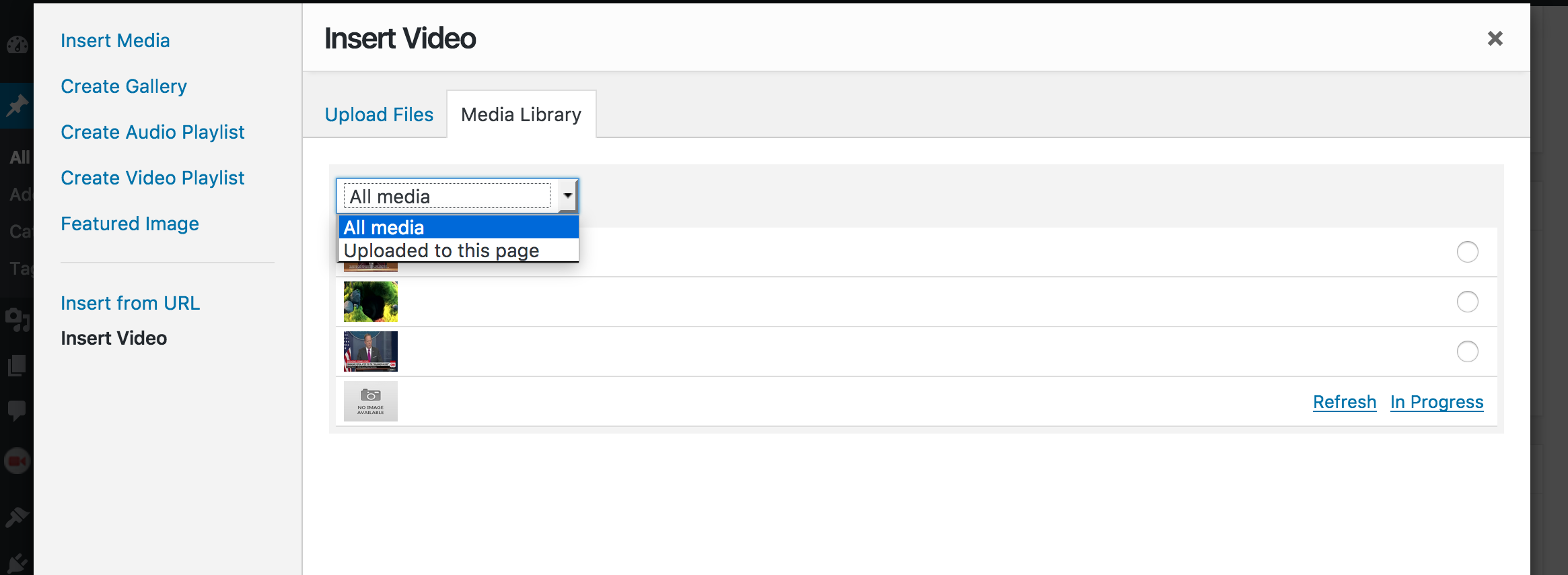
Manage Media overlay. Users with permissions to use the plugin can see their videos here. Uploaded in that post or in any post. Only videos uploaded by them are visible and editable. Admins can see and edit settings of any video from any user here.

Edit preselected/default values for specific video, for easier embedding. Admins can edit any user’s preselected values. Users can only change their videos’ values.

Manage videos. In this page the Plugin allows users to manage their videos. Edit the default thumbnail displayed in the browser or select and delete videos.
Changelog
0.1
First version. Tested and working with WP 4+