

SpreadSimple Integration
Easily embed and manage SpreadSimple widgets in WordPress. Use Google Sheets to power dynamic websites with SpreadSimple.
Plugin info
Maintenance & Compatibility
Maintenance score
Stale • Last updated 331 days ago • 1 reviews
Is SpreadSimple Integration abandoned?
Likely maintained (last update 331 days ago).
Compatibility
Similar & Alternatives
Explore plugins with similar tags, and compare key metrics like downloads, ratings, updates, support, and WP/PHP compatibility.
Description
SpreadSimple is a no-code website builder that lets users create and manage websites using Google Sheets. Want to add a product catalog or property listings to your site? SpreadSimple makes it easy, allowing you to do so without writing a single line of code. Simply use Google Sheets as your content management system (CMS), and manage or update your content as easily as editing a spreadsheet.
Add a Google Sheets-powered catalog to your website
This integration lets you easily embed websites created with SpreadSimple as responsible widgets onto your website. Add a storefront with the shopping cart and order form, a list of destinations with an interactive map, a catalog of affiliate products, a restaurant menu, a list of vacancies, the latest news block, and more.
With just a shortcode, or using Elementor and Gutenberg blocks, you can seamlessly add dynamic widget to your website.
Enhance your website with interactive widgets and easily update the content via Google Sheets – all without writing a single line of code.
What can you create with SpreadSimple?
With SpreadSimple, a powerful no-code platform, you can create a variety of interactive widgets using just a Google Sheet. These include:
- Maps with pins and listings: Build travel guides, business directories, or store locators.
- Location directories: Display categorized listings for real estate, local businesses, or services.
- Online menus: Keep your menu always up-to-date via Google Sheets, even on mobile devices.
- E-commerce stores: Showcase your goods with filters and search functionality.
- Affiliate product lists: Easily manage and display affiliate products alongside the referral links.
- Job boards: Create and manage job listings with details such as job descriptions, company names, salaries, etc.
- FAQs & Product Updates: Build dynamic FAQ sections or track and display product updates in an organized, easy-to-navigate format.
- Digital Downloads: Create a neat platform to sell your digital content: art, e-books, music, checklists, and more.
Why choose SpreadSimple?
- No-code, hassle-free creation: You can easily create a website without any coding experience.
- Google Sheets as a CMS: Easily update content just by editing your spreadsheet.
- Effortless updates: Content updates made in the Google Sheets file automatically reflect on the website.
- AI Website Builder: Create a website in seconds with AI assistance.
- Customizable templates: Select a template for a quick start and easily adapt it to fit your needs.
- Multiple add-ons: Enhance your widgets with maps, payment methods, and more.
Privacy Policy
This plugin does not store or process personal data. However, it interacts with SpreadSimple’s services to embed widgets. For more details about SpreadSimple’s privacy practices, refer to their Privacy Policy.
Installation
Frequently Asked Questions
SpreadSimple is a platform that allows you to build websites using data from Google Sheets. It provides powerful customization options, integrations, and the ability to embed widgets on various platforms.
Yes, this plugin requires you to have an active SpreadSimple account and a configured website. You can learn more about SpreadSimple and sign up at https://spreadsimple.com/.
You can embed a widget by:
1. Using a shortcode: [spreadsimple_widget id="your-widget-id"]
2. Adding a Gutenberg block provided by the plugin.
3. Using the Elementor widget provided by the plugin.
The plugin communicates with SpreadSimple’s server to render the widget on your website. No sensitive user data is collected or shared by this plugin.
For detailed documentation on embedding SpreadSimple widgets, visit this article.
Whether you’re a small business owner, a content creator, or anyone needing a simple website management solution, SpreadSimple makes it easy to manage and update your site with zero coding experience.
Review feed
Screenshots
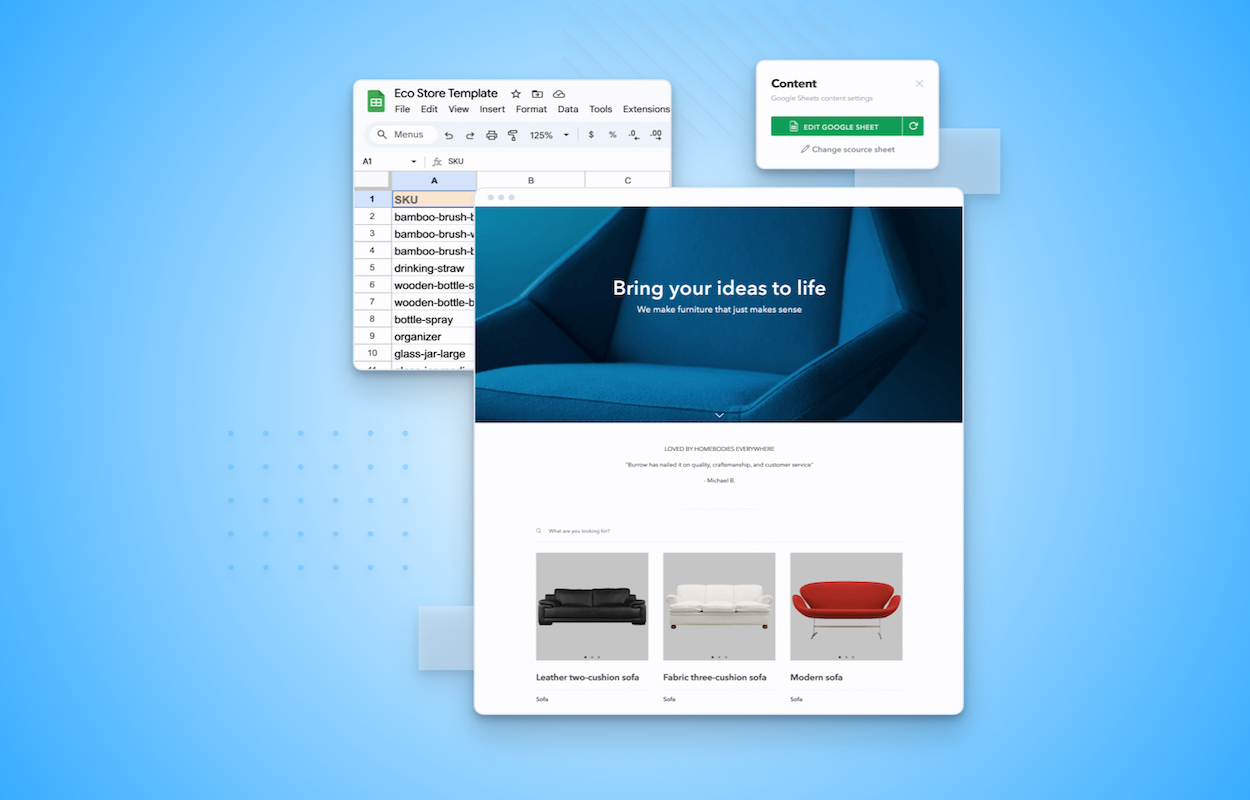
Create and manage websites using Google Sheets

Choose from a variety of templates for a quick start

Or generate a website using SpreadSimple AI website builder

Enable all the necessary features without a single line of code

Power up your website with add-ons: payment methods, maps, WhatsApp, etc
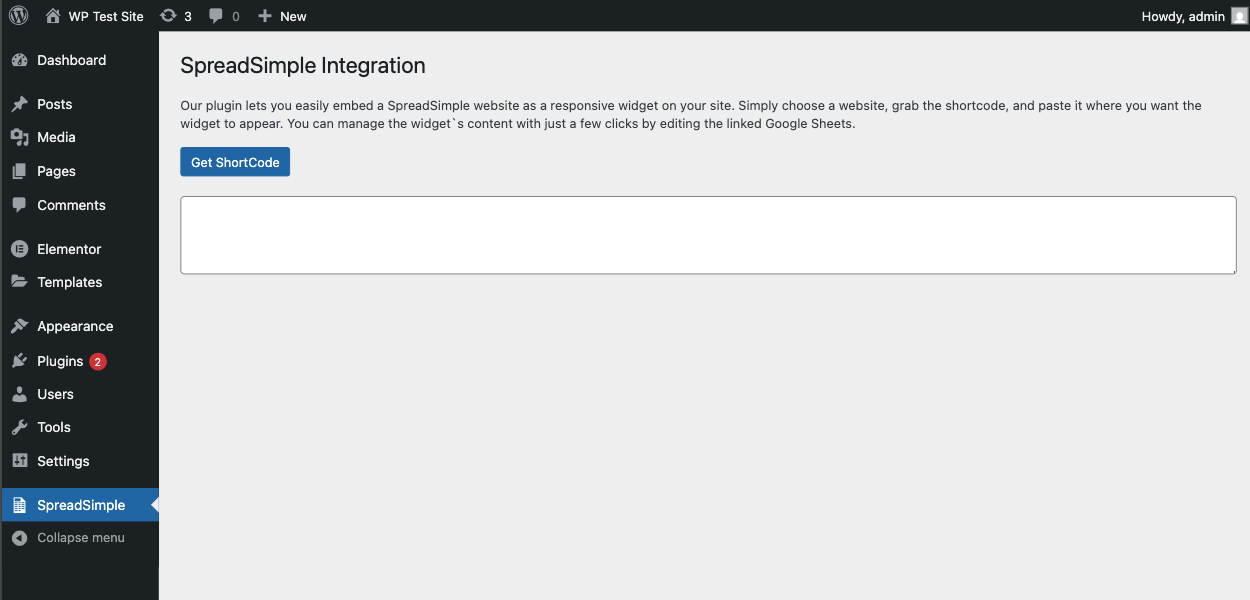
Get your shortcode from the plugin settings page.
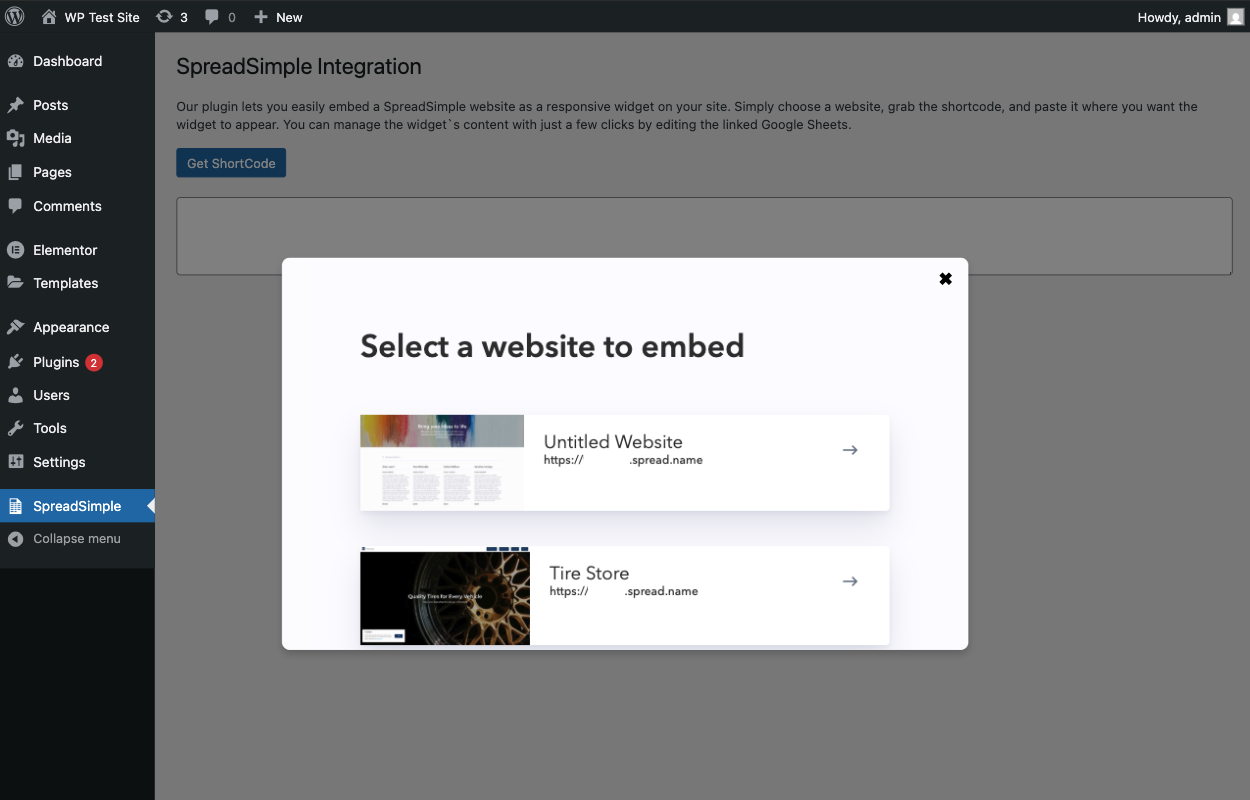
Choose a website from the list and copy the shortcode.
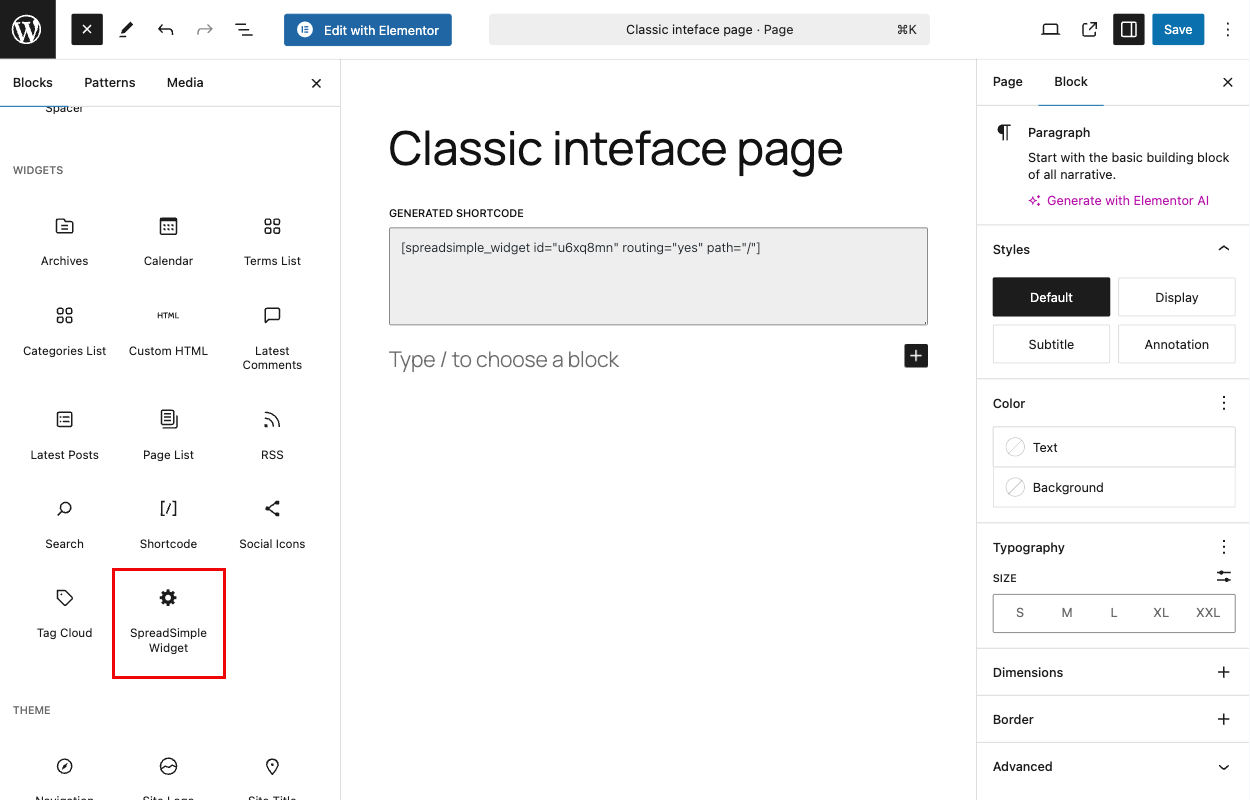
You also can get your shortcode directly from the post editor.
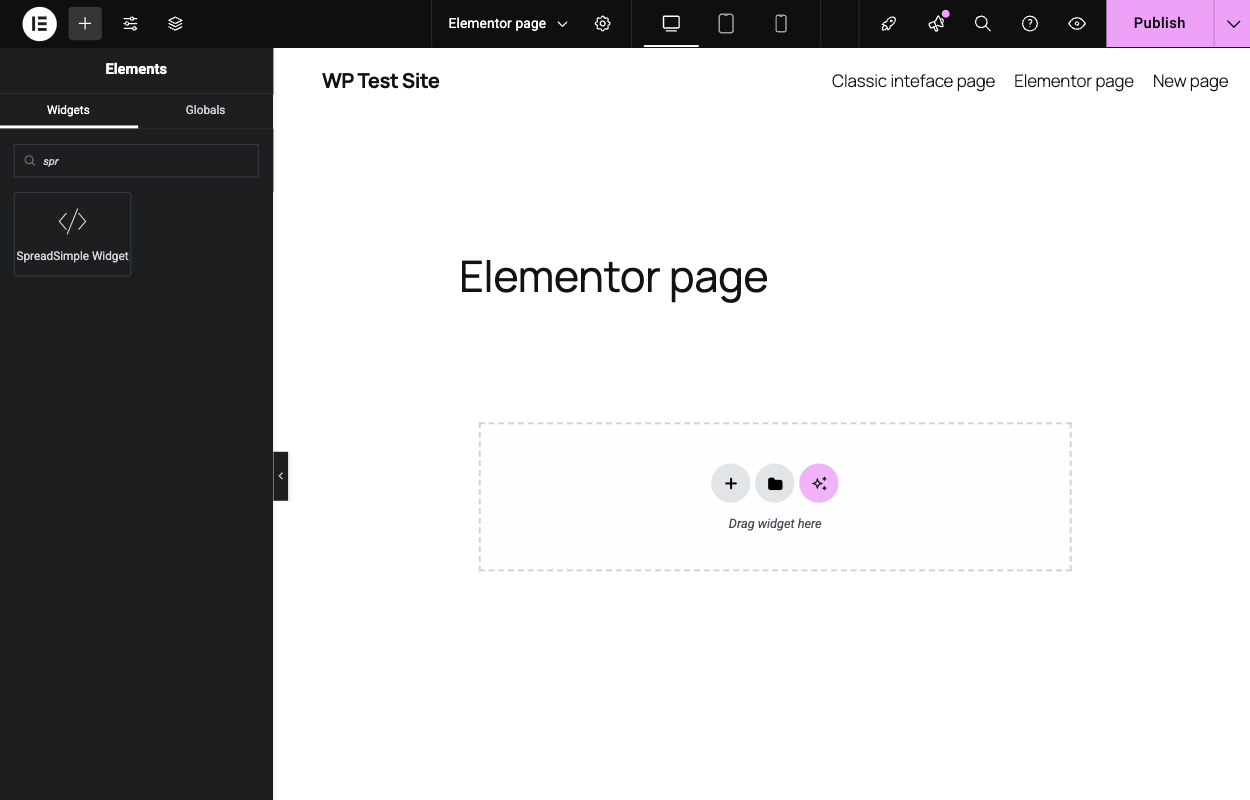
Integration with Elementor is available.

Select a website to embed.
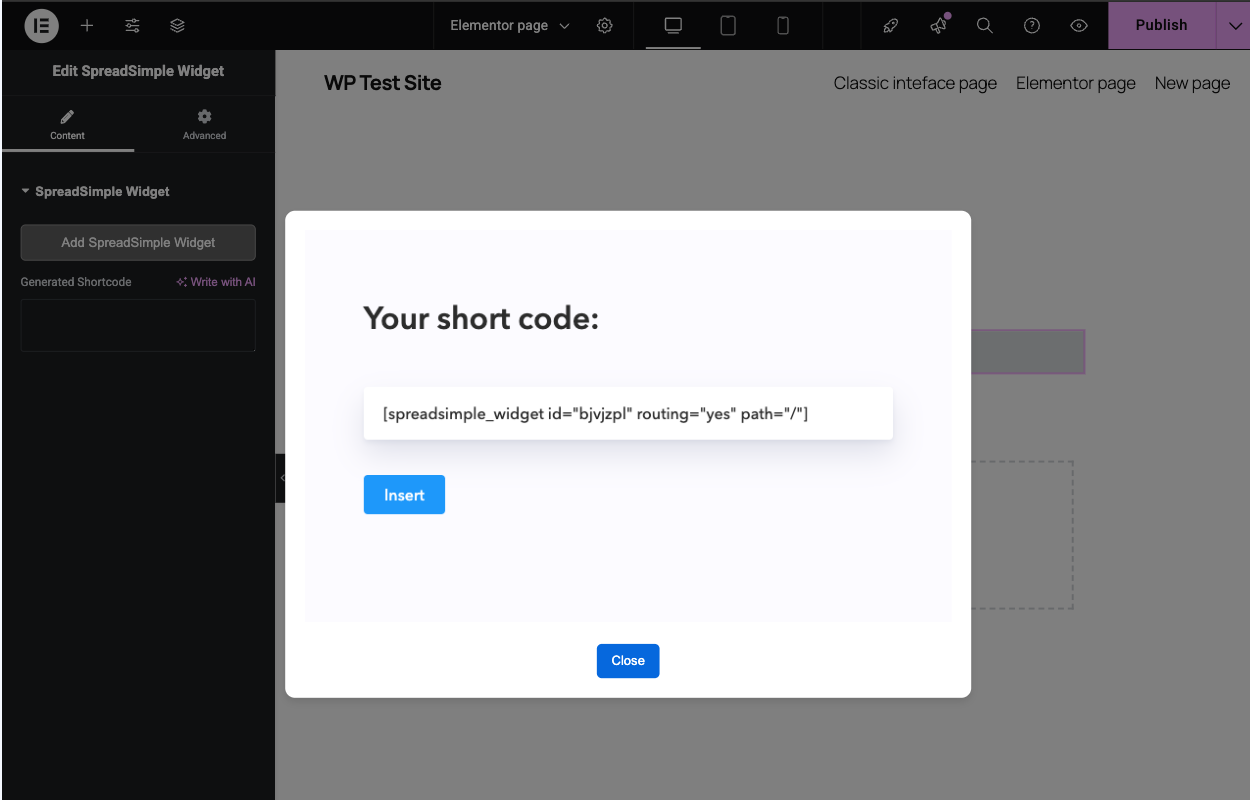
Click Insert to add the widget to your page.
Changelog
1.0.3 March 07, 2025
- Initial release
1.0.5 March 14, 2025
- Updated plugin description
1.0.5 March 25, 2025
- Updated plugin description