

SQL Buddy – Database Management Made Easy
Your one-stop solution for easy WordPress database management
Plugin info
Maintenance & Compatibility
Maintenance score
Stale • Last updated 290 days ago • 14 reviews
Is SQL Buddy – Database Management Made Easy abandoned?
Likely maintained (last update 290 days ago).
Compatibility
Languages
Similar & Alternatives
Explore plugins with similar tags, and compare key metrics like downloads, ratings, updates, support, and WP/PHP compatibility.
Description
⚠️ WARNING
SQL Buddy is no longer actively maintained.
This software is still free to use under the license provided, but users should be aware that it is not currently maintained. No additional releases, including security releases, will be made available.
Your one-stop solution for WordPress database management. Edit your table data with a clean and straightforward user interface.
SQL Buddy is a WordPress plugin that makes it easy to manage your database table contents right from your WordPress dashboard.
The Dashboard screen gives you a detailed overview of all your WordPress tables, along with useful data like the number of records, and the size of the table.
The Tables screen allows you to search for a specific table, or view the table rows. Clicking on a row presents options to edit and save the column values, or delete the row. You are also able to control which table columns to display, as well as options to filter the table data.
Each screen has pagination controls for navigating through a large number of tables or rows.
Features
- View a list of all your database tables, including details like number of records, data usage, and index usage per table.
- Navigate through table records quickly, or search for specific tables by name.
- Filter table records using custom query conditions
- Choose which table columns to display on a per-table basis
- View the full contents of a single table record with one click.
- Easily edit the record contents or delete a table record
Why Use a Database Management Plugin?
While not common, there are often situations where you might need to make changes to your WordPress database. Perhaps you’ve moved from a staging environment to live, and you need to update your site URL, or you need to clean up some data left behind by a deleted plugin. Whatever the reason, a solid solution for browsing and editing your WordPress database is a vital tool in any site owner’s belt.
You could use the database management tool your web host provides, which is typically based on PHPMyAdmin, but the user interface is clumsy and not all that intuitive. You could try an application like Navicat, SQLyog, or TablePlus, but these require you to know your database access credentials.
SQL Buddy is the WordPress plugin that gives you the ability to manage your database directly from your WordPress dashboard, without needing to worry about database credentials, installing third-party applications, or navigating a confusing user interface.
Built by WordPress Database Experts
We’re Delicious Brains, the team behind WP Migrate DB and WP Migrate DB Pro. For the last 15 years, we’ve helped WordPress developers migrate their database, site files and themes, and plugins between multiple different environments. We pride ourselves on being WordPress database experts, so you don’t have to be.
SQL Buddy is everything we require from a WordPress database management plugin. A beautiful, intuitive interface, coupled with straightforward yet powerful features.
Installation
From your WordPress dashboard
- Visit Plugins > Add New
- Search for “SQL Buddy”
- Install and Activate SQL Buddy from your Plugins page
- Click on SQL Buddy in the “Tools” menu item, to manage your database
Frequently Asked Questions
Limited free support is provided through the WordPress.org support forums
Review feed
Easy to use plugin by a trusted developer
Easy, fast, reliable
Very nice!
Awesome!
Simple and powerful
Screenshots
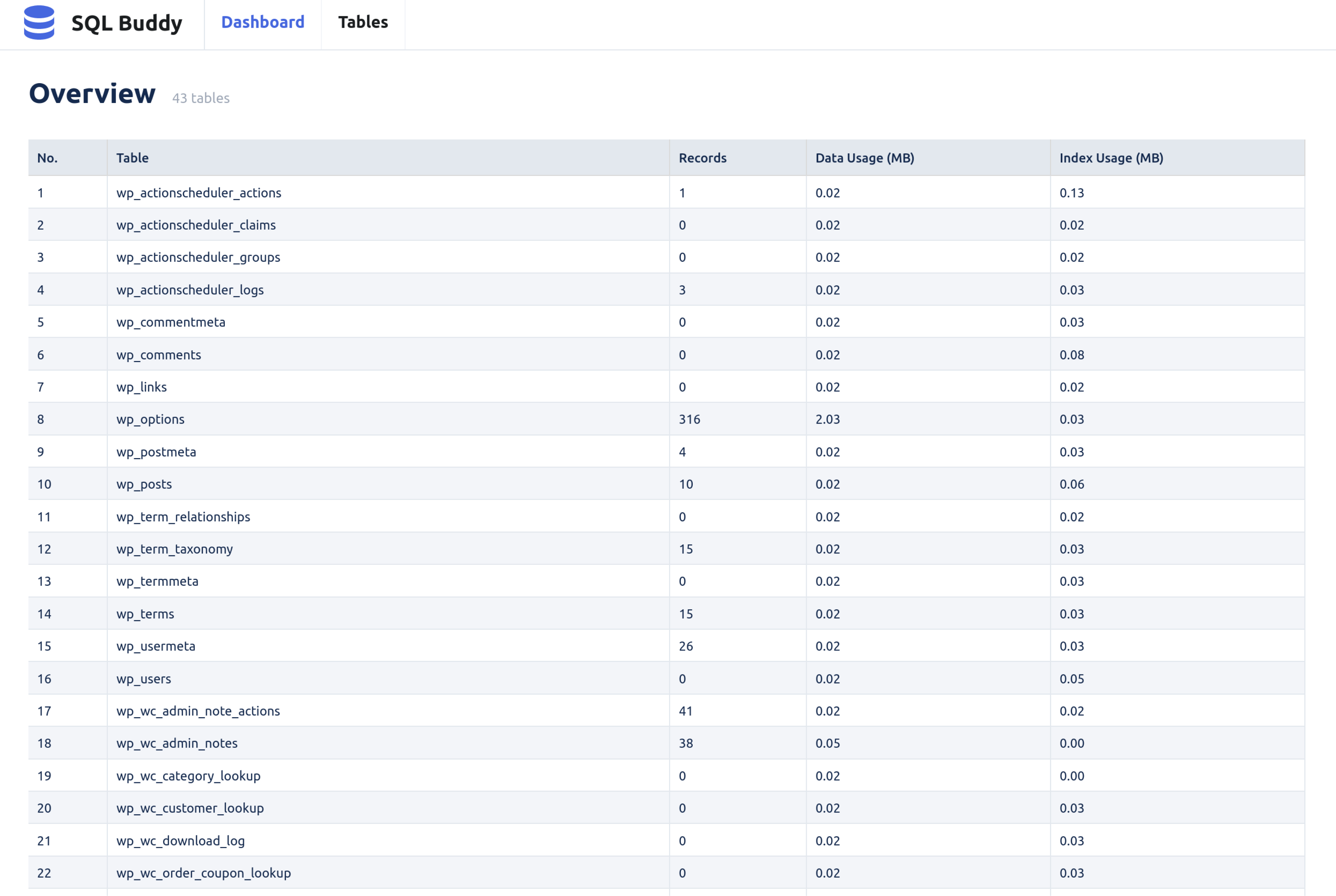
Dashboard screen
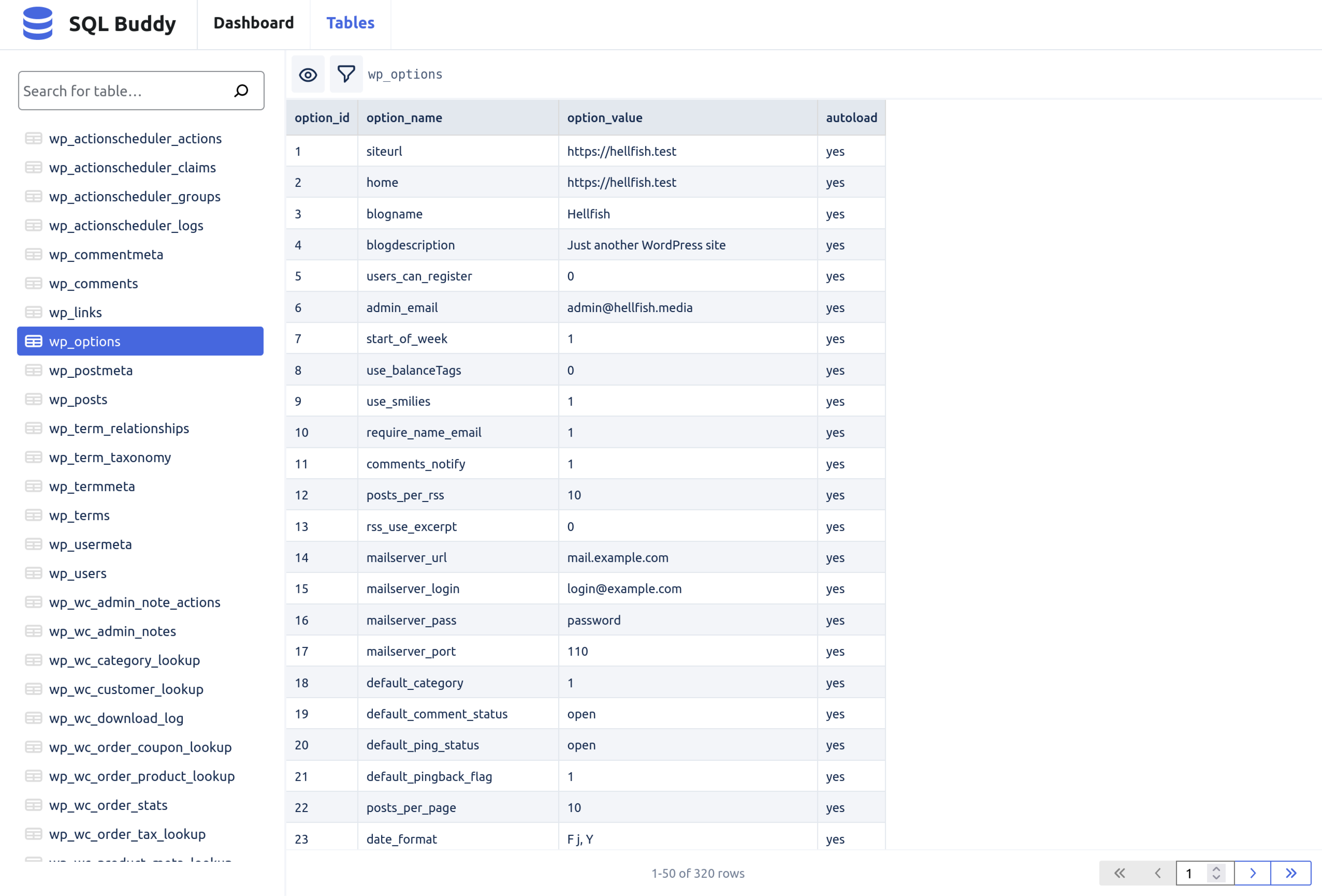
Tables screen
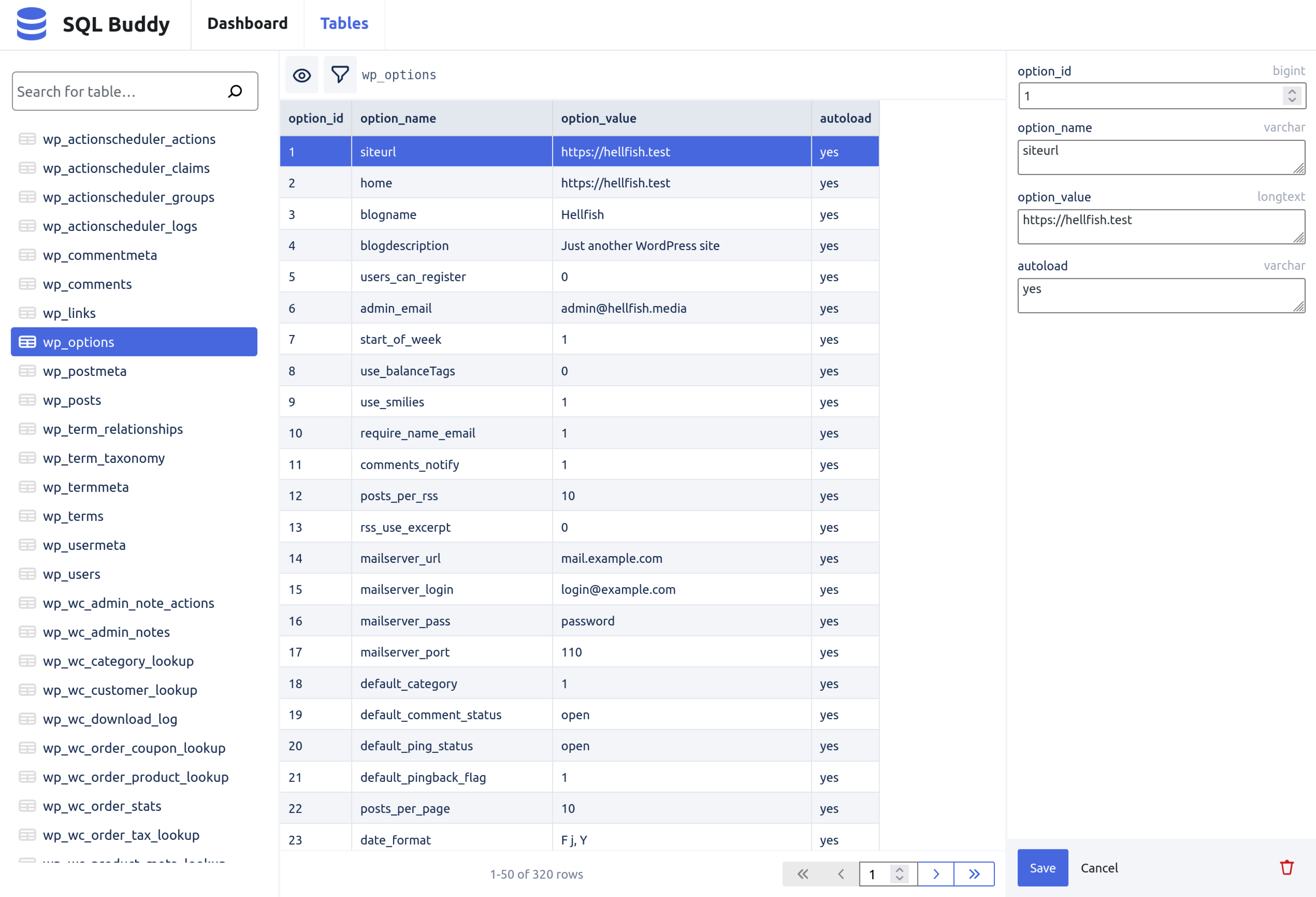
Edit table row screen
Changelog
1.0.0
Initial release