

Square Sync for WooCommerce | Comprehensive Data Sync Between Square and WooCommerce
Sync WooCommerce and Square in real-time. Easy payments, inventory sync, orders, customer details, and loyalty rewards with SquareSync for Woo.
Plugin info
Maintenance & Compatibility
Maintenance score
Maintained • Last updated 170 days ago • Support resolved 0% • 10 reviews
Is Square Sync for WooCommerce | Comprehensive Data Sync Between Square and WooCommerce abandoned?
Likely maintained (last update 170 days ago).
Compatibility
Similar & Alternatives
Explore plugins with similar tags, and compare key metrics like downloads, ratings, updates, support, and WP/PHP compatibility.
Description
SquareSync for WooCommerce makes your WooCommerce Square integration effortless. Connect WooCommerce directly with Square to automatically sync products, inventory, orders, and customer data. No more manual updates or inventory mismatches. Offer versatile payment options like Google Pay, Apple Pay, Afterpay, and standard credit cards, and keep your store running smoothly with real-time syncing available in the Pro version.
Why Choose SquareSync for Your WooCommerce Square Integration?
- More Ways to Pay: Easily accept Google Pay, Apple Pay, Afterpay, and credit cards at checkout.
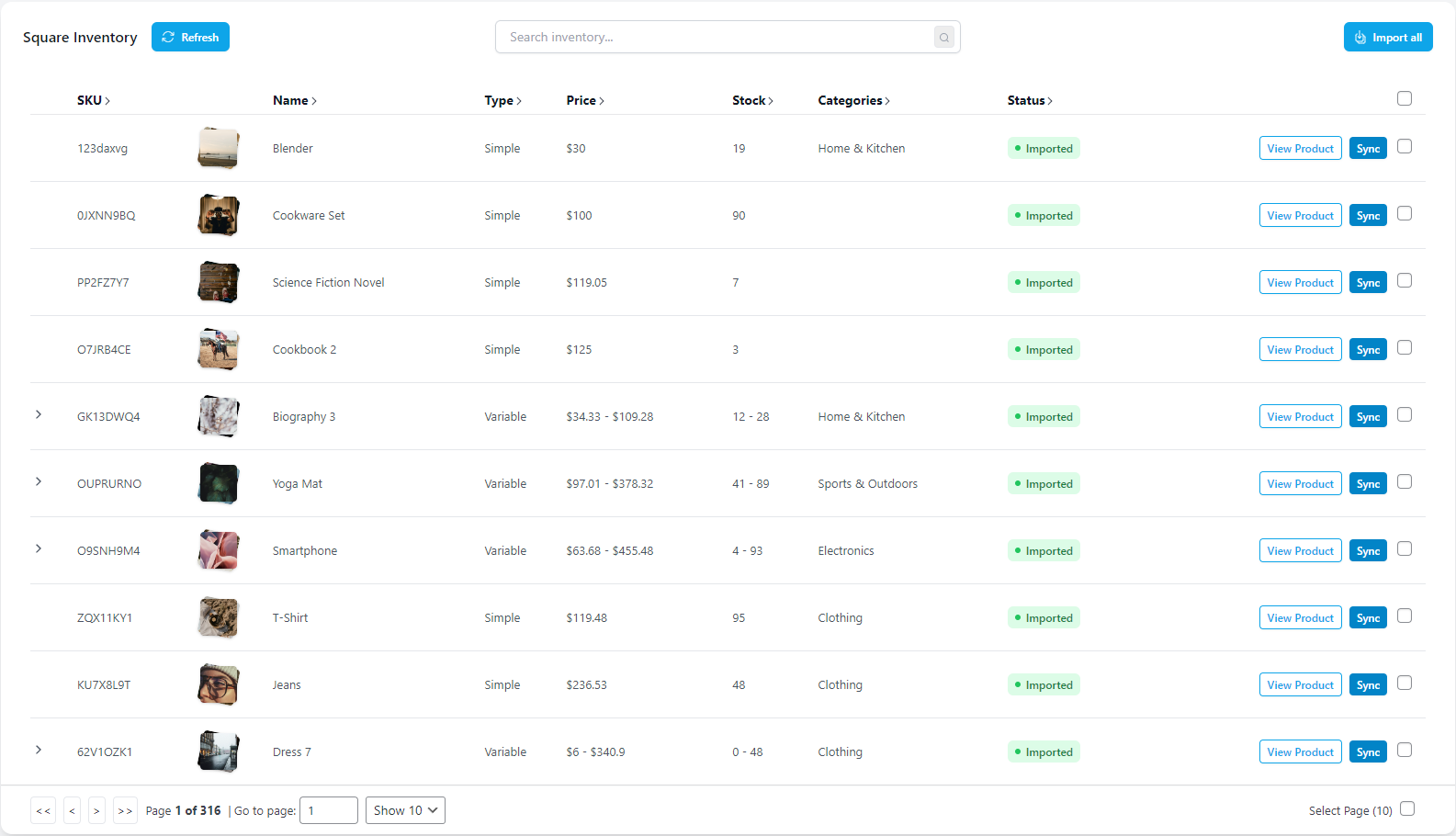
- Smooth Product Management: Import and sync products directly from Square to WooCommerce.
- Seamless Order & Inventory Updates: Keep inventory accurate and orders in sync—real-time.
- Personalized Shopping Experience: Sync customer groups and map roles for special discounts, memberships, and loyalty rewards.
Free Features:
- Flexible Payment Methods: Add Google Pay, Apple Pay, Afterpay / Clearpay and credit cards.
- WooCommerce Subscriptions Support: Process re-occuring payments with WooCommerce Subscriptions
- WooCommerce Block Checkout Support: Fully compatible with the latest WooCommerce checkout blocks.
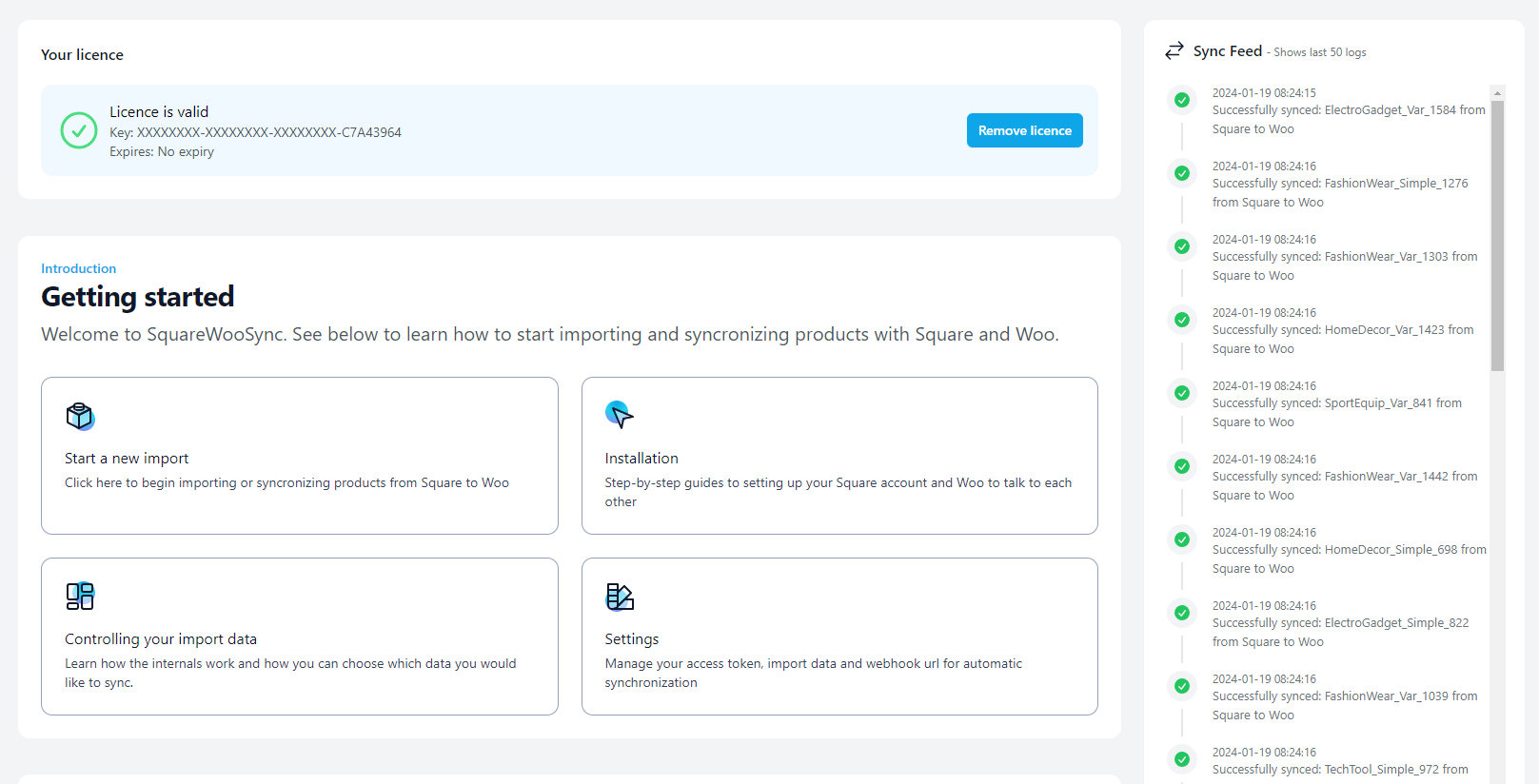
- Smart Product Import: Bring Square products into WooCommerce without manual work.
- One-Click Sync: Update inventory, orders, and transactions in seconds.
- WooCommerce to Square Sync: Keep your catalog and order data aligned.
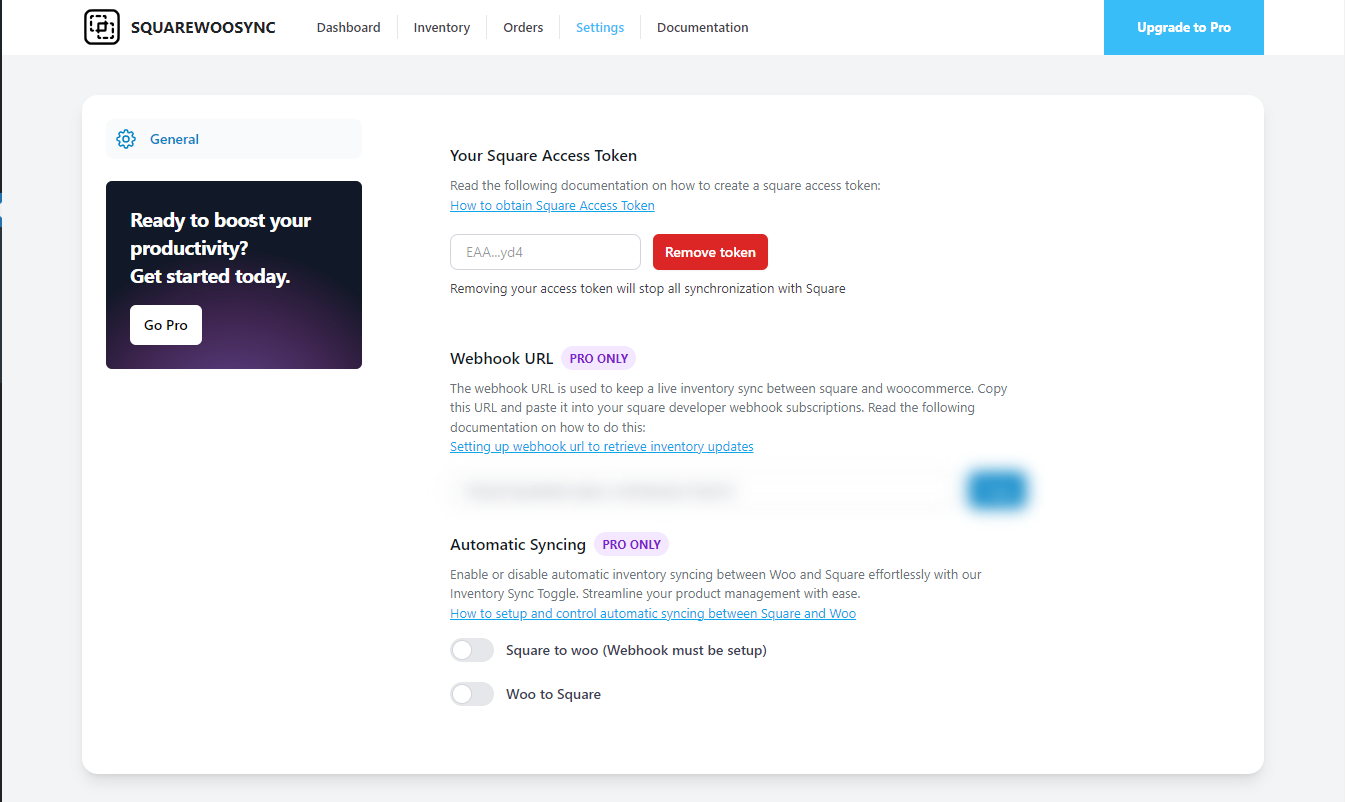
- Customizable Sync Settings: Adjust prices, stock, and descriptions to fit your needs.
- Simple Interface: No tech expertise required—just straightforward controls.
- Orders: Keep financial records current and accurate.
PRO Features:
- Real-Time Sync: Get instant updates for orders, inventory, pricing, customers and all product data.
- Auto Order import/Export Automatically import your Square orders into WooCommerce and vise-versa
- Order status syncing Automatically sync your Square order statuses to WooCommerce and vise-versa
- Local Pickup Mapping Map your Square local pickup fullfillment method with WooCommerce
- Square Modifiers Map your Square product modifiers to WooCommerce orders
- Automated Scheduling: Set automatic sync intervals—no manual intervention needed.
- Product Matching: Easily connect existing WooCommerce products with Square items.
- Auto Product Creation: Add products in WooCommerce and have them instantly created in Square, and vice versa.
- Auto Product Deletion: Automatically delete your Square or WooCommerce products when deleted in one platform
- Variations Support: Manage all product variations, including images, without duplicates.
- Advanced Image Import: Keep product images organized and clean.
- Bulk Export to Square: Move your entire WooCommerce catalog into Square easily.
- Hierarchical Category Import: Mirror your category structure for easy navigation.
- Customer Sync & Role Mapping: Sync Square customer groups to WordPress roles and offer tailored experiences.
- Auto customer creation: Automatically create Square or WooCommerce customers.
- Square Loyalty Integration: Let customers earn and redeem loyalty points seamlessly.
Learn more at squaresyncforwoo.com
Product Syncing Demo:
Customers and Role mapping demo:
Square Loyalty program with WooCommerce:
Documentation:
For more information on installation and setup visit our Documentation.
3rd Party Services
Our plugin seamlessly integrates with Square, a comprehensive payment processing and inventory management platform. This plugin utilizes the Square API to bridge the gap between WooCommerce and Square Inventory, specifically through the endpoint: Square API. This integration is essential for the plugin to work.
- Square’s Terms of Service: View Terms
- Square’s Privacy Policy: View Policy
Installation
- Download the SquareSync for Woocommerce plugin from the WordPress repository.
- Upload the plugin to your WordPress site under /wp-content/plugins/ directory.
- Navigate to the ‘Plugins’ menu in WordPress to activate SquareSync for Woocommerce.
- Access the SquareSync for Woocommerce settings from your admin dashboard to configure the plugin according to your needs.
Frequently Asked Questions
Yes, our Dynamic Data Import feature allows you to select exactly which data points you want to synchronize, such as pricing, stock levels, and product descriptions.
Only our SquareSync for Woocommerce PRO plugin supports real-time syncing. Real-time syncing in our PRO version ensures that inventory, orders, and transaction changes in Square are immediately reflected in WooCommerce and vice versa.
Yes! You can manually sync data between Square and WooCommerce and vice versa. Choose from all data fields or select a few; it’s up to you!
Our pro version of the plugin supports various product variations, so you can manage complex inventories with ease.
Only our SquareSync for Woocommerce PRO plugin includes a smart image import feature that ensures no duplicate images are imported, streamlining your visual management. Additionally, it supports the import of categories, maintaining hierarchical structures for efficient organization and navigation.
We provide dedicated customer support for any questions or issues you may encounter. Our team is committed to helping you make the most out of our plugin.
Review feed
Outstanding Plugin and Exceptional Support!
Screenshots

Changelog
6.0.5
- Bug fix: manual order syncing to Square sale price issue
6.0.4
- Added Pro feature previews for Modifiers, Metafield Mapping, and Discounts
- Enhanced settings UI with expandable Products menu
- Improved navigation structure for Pro features
6.0.3
- Update 0auth url
6.0.2
- Fix product descriptions being uneditable
6.0.1
- Fix payment form render
6.0.0
- Switching to Square 0Auth Integration
5.2.0
- Added afterpay / clearpay support
- legacy checkout reliability improvements
5.1.1
- Fix auto order sync for non Square-Sync gateways
5.1.0
- Add woocommerce subscriptions support
5.0.7
- Set Default card type
5.0.6
- Legacy checkout fix
5.0.3
- Order rounding adjustments
5.0.2
- Redirect Payment Settings to WooCommerce
5.0.1
- Google pay hotfix
5.0.0
- Integrate Square Payments
4.0.0
- Improvements in retreiving Square products
- Customers Dashboard Implementation
- Toggle switch to only show products from set location
3.0.3
- Tested up to WordPress version 6.6
3.0.2
- Fix issue with syncing when variation has no unique sku
3.0.1
- Support for multiple inventory states
- Fix location id bug
3.0.0
- Dashboard design overhaul
- Use cron to fetch inventory
- Settings page overhaul
- Improved product import and export
2.0.16
- Orders – Fix guest customer syncing
2.0.15
- Update plugin dependancies
2.0.14
- Payments API – fixing locations data
2.0.13
- Tested updated 6.5.2
- Update readme for new Pro Features
2.0.12
- HOTFIX: Orders sync – incorrect location id
2.0.11
- HOTFIX: woo to square sync
2.0.10
- Update website urls
2.0.9
- Add blueprint.json
- Update readme for new plugin name
2.0.8
- Update author
2.0.7
- Changed plugin ownership
2.0.6
- Remove phone numbers from Order sync due to Square limitation on international phone numbers
2.0.4
- Orders hot fix – remove null values
2.0.3
- Increased orders collected per page
- Update orders table ui to update state without reloading
- Enhanced error logging
- Square Customer creation hot fix
2.0.2
- Woocommerce get orders, customer id null case
2.0.1
- Orders hotfix
2.0.0
- New Major Release: Sync Orders, Transactions and Customers with Square
1.5.1
- CSS hotfix
1.5.0
- Added Square Location Selector for inventory counts
1.4.2
- Initial release on wordpress repository