

Star Rating Field For Gravity Form
Star Rating Field For Gravity Form is free plugin. Star Rating Fields are added to Gravity Form by this plugin. Select a Rating style from 12 availabl …
Plugin info
Maintenance & Compatibility
Maintenance score
Stale • Last updated 280 days ago • 2 reviews
Is Star Rating Field For Gravity Form abandoned?
Likely maintained (last update 280 days ago).
Compatibility
Similar & Alternatives
Explore plugins with similar tags, and compare key metrics like downloads, ratings, updates, support, and WP/PHP compatibility.
Description
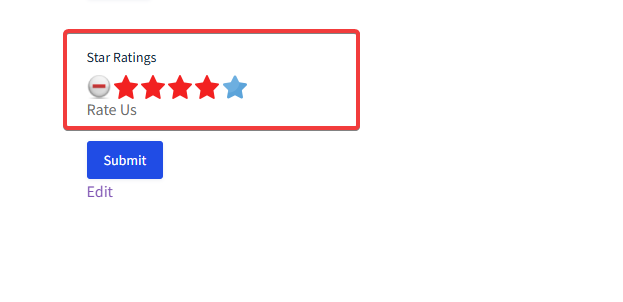
Star Rating Field For Gravity Form is free plugin. Star Rating Fields are added to Gravity Form by this plugin. Select a Rating style from 12 available options and set a few more parameters for your Rating Field. Downloading the Gravity Form with the Star Rating Field is free here. Gravity Form Star Rating Field in use all fields and are really simple to use.
Rating Field For Gravity Form is also very common to find businesses asking people to rating gravity form their services or products. This is due to the fact that consumers are more likely to purchase a product if they read honest evaluations from others who have really tried it.
Features Star Rating Field For Gravity Form:
- Easy use
- Clear or Cancel Button
- Mobile Friedly
- Unlimited rating fields in one form
- Default rating
- Single star selection
- Enable/ disable cancel button place
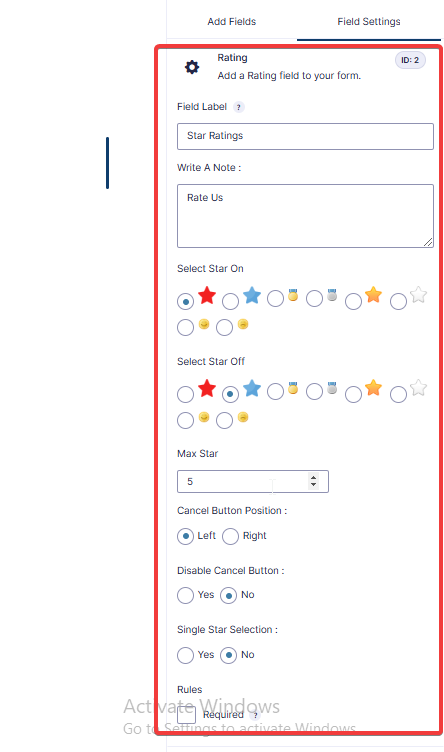
- Rating Title, Notice
- Make Rating Required
Features Star Rating Field For Gravity Form Premium:
- Select different type of star on and off
- max value of rating (optional, 5 by default)
- Cancel Button Left Right Position
Installation
- Make sure you have Gravity Form installed.
- Download the file to install and activate.
- Done! Just remember to keep the plugins up to date!
Frequently Asked Questions
Review feed
Screenshots
Changelog
1.0
- Release