

Sticky Ads Lightweight
Display Sticky Ad in the Top/Bottom of your screen easily
Plugin info
Maintenance & Compatibility
Maintenance score
Possibly abandoned • Last updated 384 days ago • 3 reviews
Is Sticky Ads Lightweight abandoned?
Possibly abandoned (last update 384 days ago).
Compatibility
Similar & Alternatives
Explore plugins with similar tags, and compare key metrics like downloads, ratings, updates, support, and WP/PHP compatibility.
Description
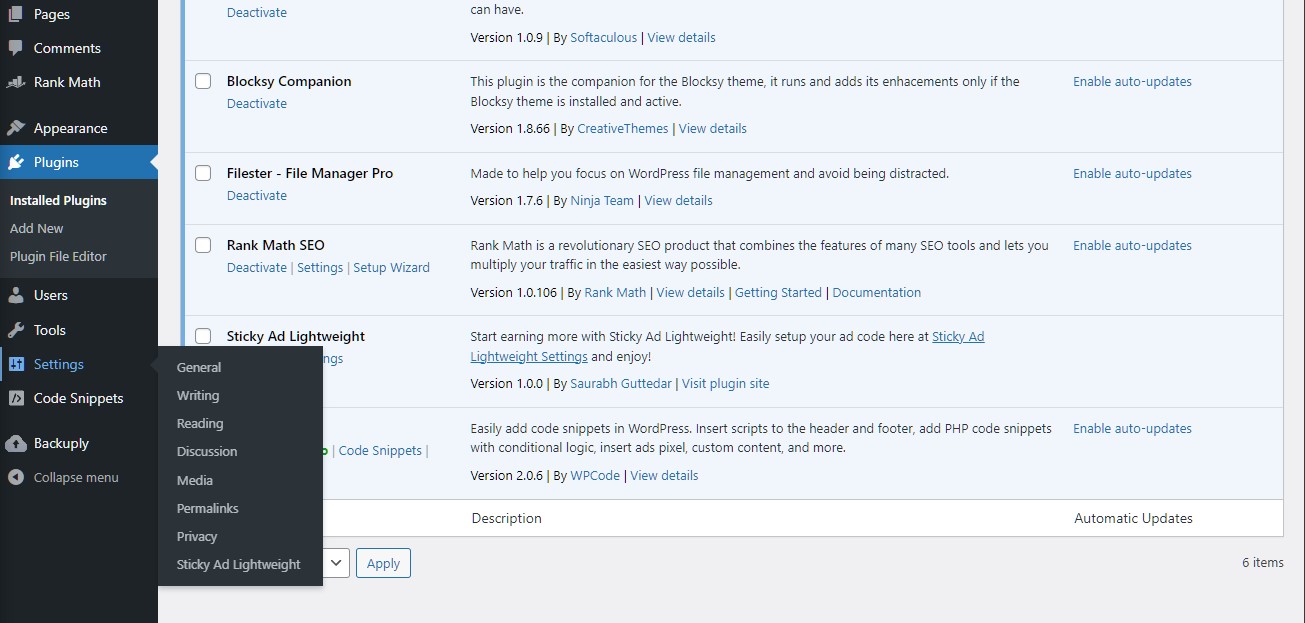
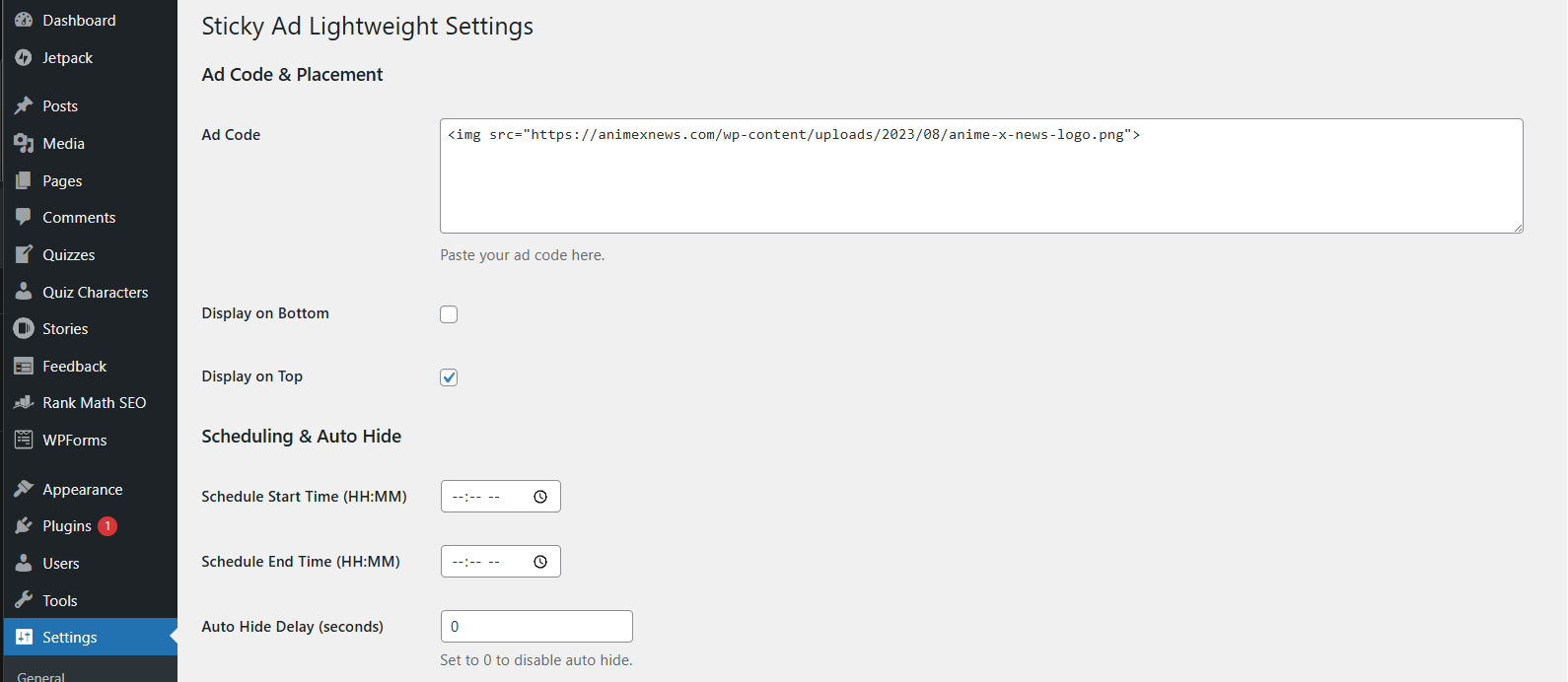
Start earning more with Sticky Ads using our lightweight, highly configurable WordPress plugin. Sticky Ad Lightweight lets you easily input your AD Code and customize the display of your sticky ads. Once installed, simply go to Settings > Sticky Ads Lightweight and input your AD Code.
Features:
-
Global Output Control:
Display your sticky ad automatically on every page at the top or bottom (or both) of your site. Simply enable “Display on Top” and/or “Display on Bottom” in the settings. -
Shortcode Support:
If you prefer to display your ad only on specific pages or posts, disable both global output options. Then, use the [sticky_ad_lightweight] shortcode anywhere in your content to display the ad. -
Device Targetting:
Easily toggle on Desktop/Mobile to render your sticky ads -
Scheduling & Auto-Hide:
Set a start and end time for your ad to display. Optionally, set an auto-hide delay for a smooth fade-out transition, similar to Google anchor ads. -
Customizable Close Button:
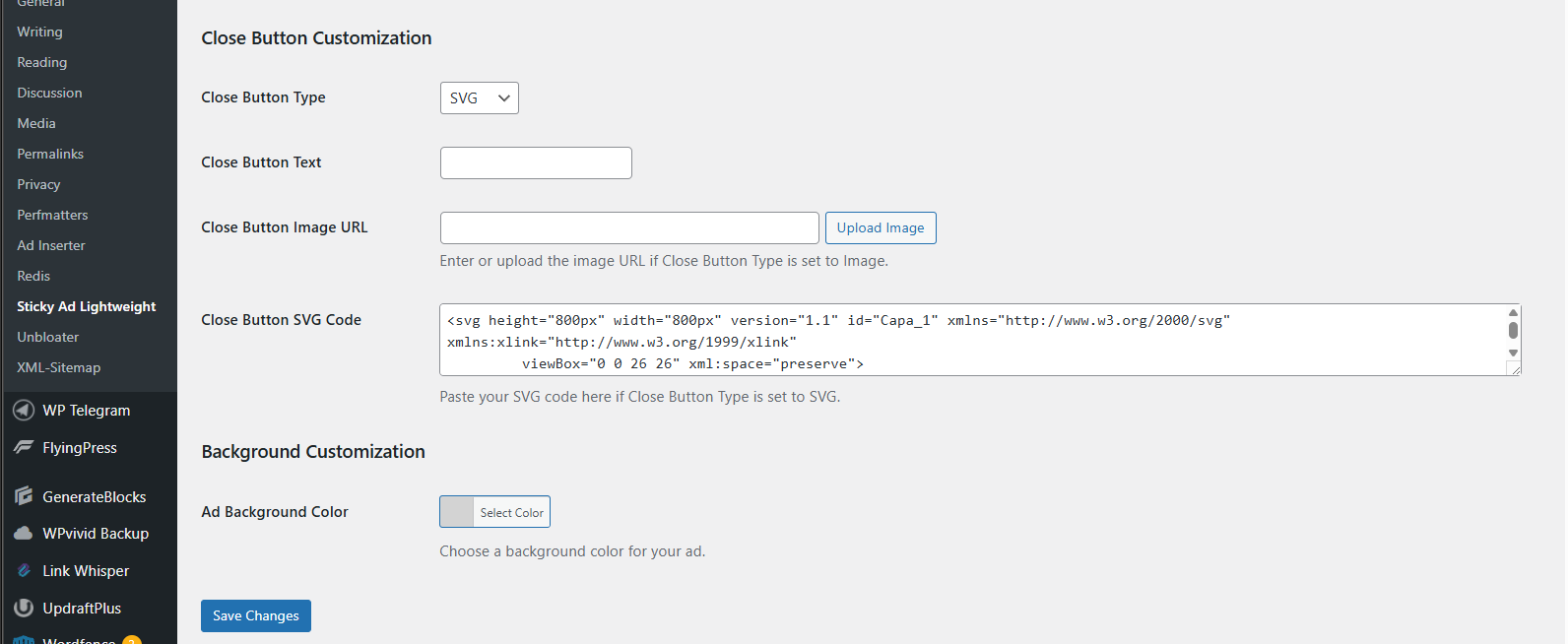
Choose from three close button types: -
Text: Simple text that can be customized.
- Image: Upload or enter an image URL.
-
SVG: Paste your SVG code directly.
This allows you to match the close button to your site’s design. -
Background Color Adjustment:
Control the ad container’s background color directly from the settings. The inline background style will override the default CSS, ensuring your chosen color is applied. -
Flexible Ad Code Input:
The plugin supports a wide range of HTML tags—including , ,
<
div>, —as well as shortcodes. This gives you the flexibility to integrate AdSense code or any other ad network’s script without issues.
Installation
- Upload
sticky-ads-lightweightfolder to the/wp-content/plugins/directory - Activate the plugin through the ‘Plugins’ menu in WordPress
- Go to Settings > Sticky Ads LightWeight to configure.
Frequently Asked Questions
Review feed
Screenshots
Changelog
1.0.0
- First Release
2.0.0
- Fixed Adsense loading issues
- Added new controls for individual placements
- Added toggle switch to provide more control for Top and Bottom Placements
3.0.0
- Added New Features
- Added Display Top/Bottom control
- Added Scheduling Start and End option
- Added Auto Hide option
- Added Close button customization (Text | Image | SVG Code)
- Added Background Customization
- Added Shortcode function (Disable display toggle and use shortcode to display sticky Ad on specific post/page)
3.1.0
- Improved Settings UI
3.2.0
- Added support for Desktop and Mobile rendering