

Stock Images by Indietech
Integrate stock photos directly into your WordPress Media Library. Search and import high-quality images from multiple sources.
Plugin info
Maintenance & Compatibility
Maintenance score
Stale • Last updated 241 days ago
Is Stock Images by Indietech abandoned?
Likely maintained (last update 241 days ago).
Compatibility
Similar & Alternatives
Explore plugins with similar tags, and compare key metrics like downloads, ratings, updates, support, and WP/PHP compatibility.
Description
Stock Images by Indietech is a powerful WordPress plugin that seamlessly integrates stock photography services directly into your WordPress Media Library. Search and import high-quality images from Unsplash, Pexels, and Pixabay with just a few clicks.
Key Features
- Multi-Source Search: Search through millions of high-quality photos from Unsplash, Pexels, and Pixabay
- One-Click Import: Import images directly into your WordPress Media Library
- Automatic Attribution: Proper attribution is automatically added to imported images
- Statistics Dashboard: Track your imports and usage statistics
- Modern UI: Clean, responsive interface that integrates seamlessly with WordPress
- Mobile Friendly: Works great on all devices
- Secure: Proper nonce verification and sanitization
- Internationalization Ready: Supports multiple languages
- Smart Source Selection: Only shows configured API sources in the dropdown menu
How It Works
- Configure your API keys for the stock photo services you want to use
- Go to Media > Stock Images in your WordPress admin
- Search for images using keywords
- Select your preferred image size and import directly to your Media Library
- Use the imported images just like any other media file in WordPress
Supported Services
- Unsplash: High-quality, free stock photos
- Pexels: Curated free stock photos and videos
- Pixabay: Free images, videos, and music
API Configuration
The plugin requires API keys from the stock photo services you want to use. Get your free API keys from:
Usage Guidelines
- All imported images include proper attribution to photographers
- Images are free for commercial and noncommercial use
- You can modify images to fit your needs
- Attribution requirements are automatically handled by the plugin
For complete usage guidelines, visit the respective service websites.
Installation
- Upload the
stock-imagesfolder to your/wp-content/plugins/directory - Activate the plugin through the ‘Plugins’ menu in WordPress
- Go to ‘Settings > Stock Images’ to configure your API keys
- Start searching and importing images from Media > Stock Images
Frequently Asked Questions
Yes, you need API keys from the stock photo services you want to use. The plugin will work with whichever services you have configured.
Yes, all images from Unsplash, Pexels, and Pixabay are free for commercial and noncommercial use.
Yes, but the plugin automatically handles attribution for you. When you import an image, the photographer’s information and links are automatically added to the media file.
Yes, you can modify stock images to fit your needs, but you cannot sell them as stock photos.
- Unsplash: 50 requests/hour (demo) or 5,000 requests/hour (production)
- Pexels: 200 requests/hour (free tier)
- Pixabay: 5,000 requests/hour (free tier)
Yes, the plugin includes proper nonce verification, input sanitization, and follows WordPress security best practices.
Review feed
Screenshots
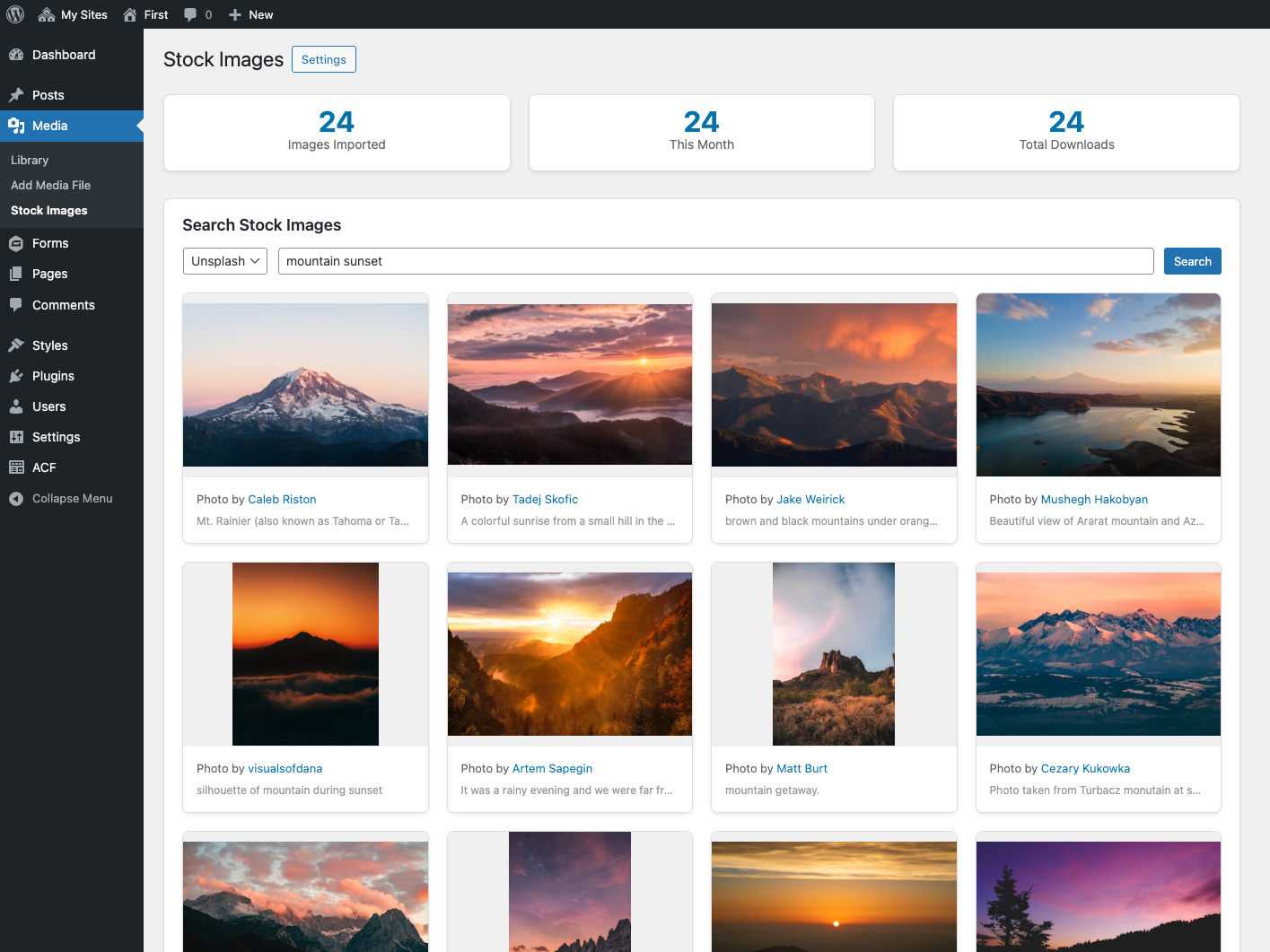
Stock Images search interface

Settings page for API configuration
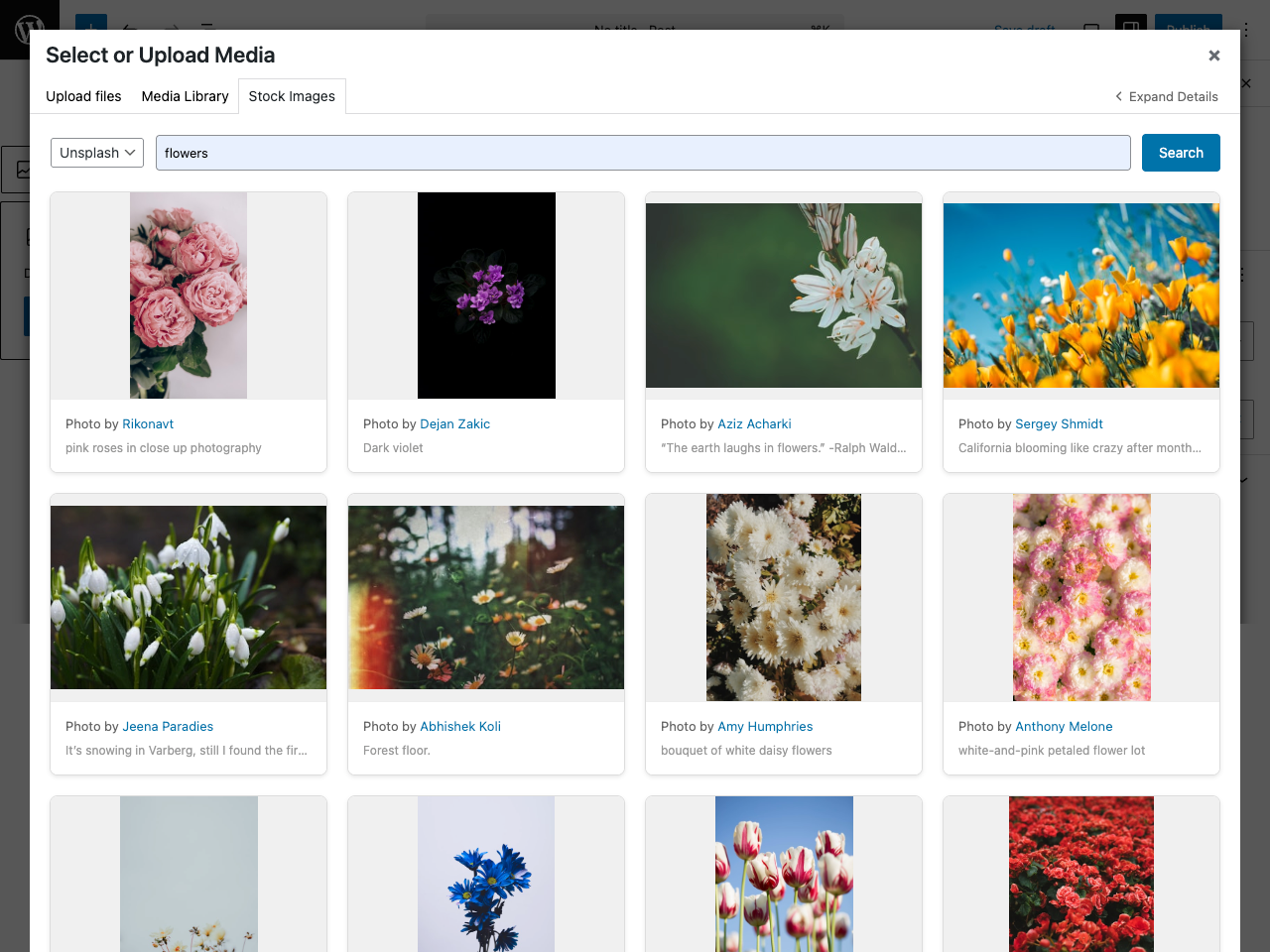
Media Library integration
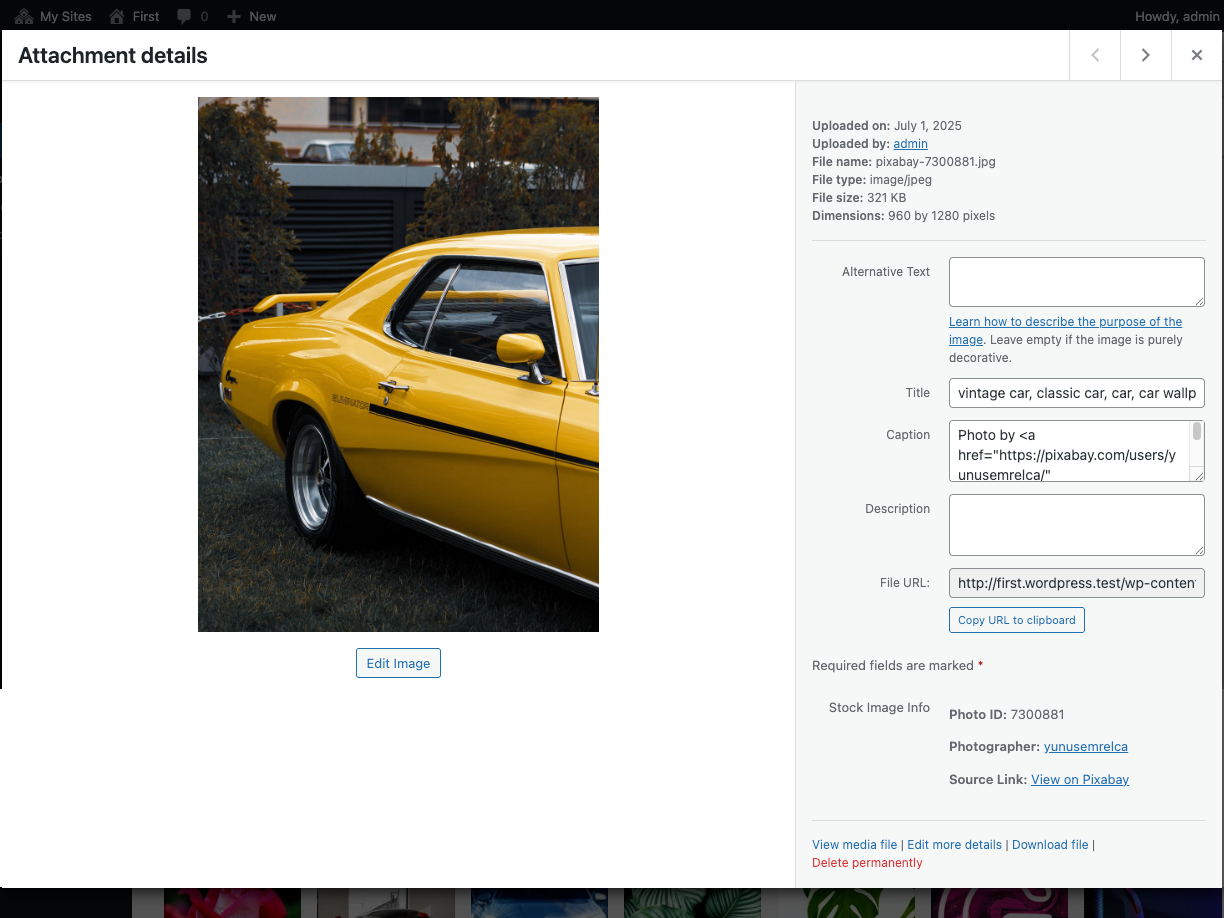
Attribution information display