

StoreLink for Minecraft by MrDino
Connect your WooCommerce store with a Minecraft server. Deliver in-game items when an order is completed, using a secure and customizable REST API.
Plugin info
Maintenance & Compatibility
Maintenance score
Maintained • Last updated 126 days ago
Is StoreLink for Minecraft by MrDino abandoned?
Likely maintained (last update 126 days ago).
Compatibility
Similar & Alternatives
Explore plugins with similar tags, and compare key metrics like downloads, ratings, updates, support, and WP/PHP compatibility.
Description
StoreLink for Minecraft allows you to automatically deliver Minecraft items or execute commands after a WooCommerce purchase is completed.
Perfect for store owners who sell in-game items or ranks. This plugin connects your website to your Minecraft server securely, reliably, and easily.
Main Features:
- 🔗 Sync WooCommerce products with Minecraft items or commands.
- 🚀 Auto-delivery on order completion.
- 🔒 API token authentication for secure access.
- 📦 Delivery queue management with a pending/delivered system.
- 🛠 Admin tools for rebuilding database, viewing table structure, and debugging.
- 🔧 Supports LiteSpeed / WP Rocket / caching plugins safely.
- 🌍 Full REST API support.
Debugging & Tools
The Settings page provides:
- 🧪 View current DB table structure.
- ♻️ Rebuild the
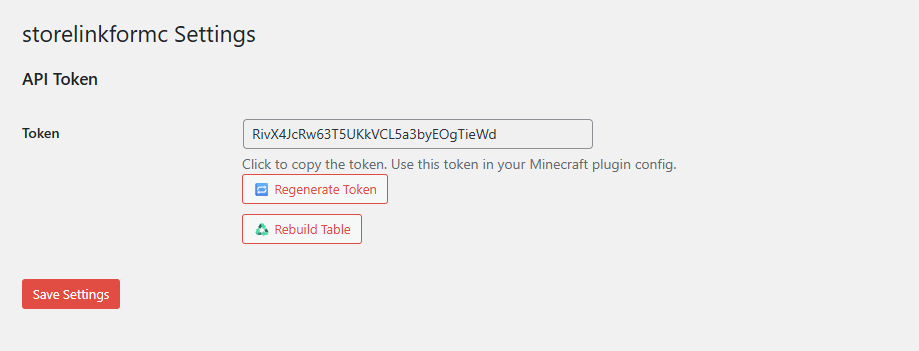
pending_deliveriestable. - 🔑 Regenerate API token.
- 🧹 Flush WordPress object cache.
- 🛠 Access recommendation for WP phpMyAdmin or Adminer for deeper inspection.
License
This plugin is open-source software licensed under the GPL v2 or later.
Installation
- Upload the plugin folder to
/wp-content/plugins/or install directly from the plugin repository. - Activate the plugin via the ‘Plugins’ screen in WordPress.
- Visit StoreLink for MC > Settings to generate your API token.
- Configure your Minecraft plugin to use that token and domain.
- Optional: Configure delivery products and commands in the
productssection of your Minecraft plugin config. - Done! Orders from WooCommerce will now sync with Minecraft.
Frequently Asked Questions
No. It exposes a secure REST API endpoint that your Minecraft server connects to for fetching pending deliveries.
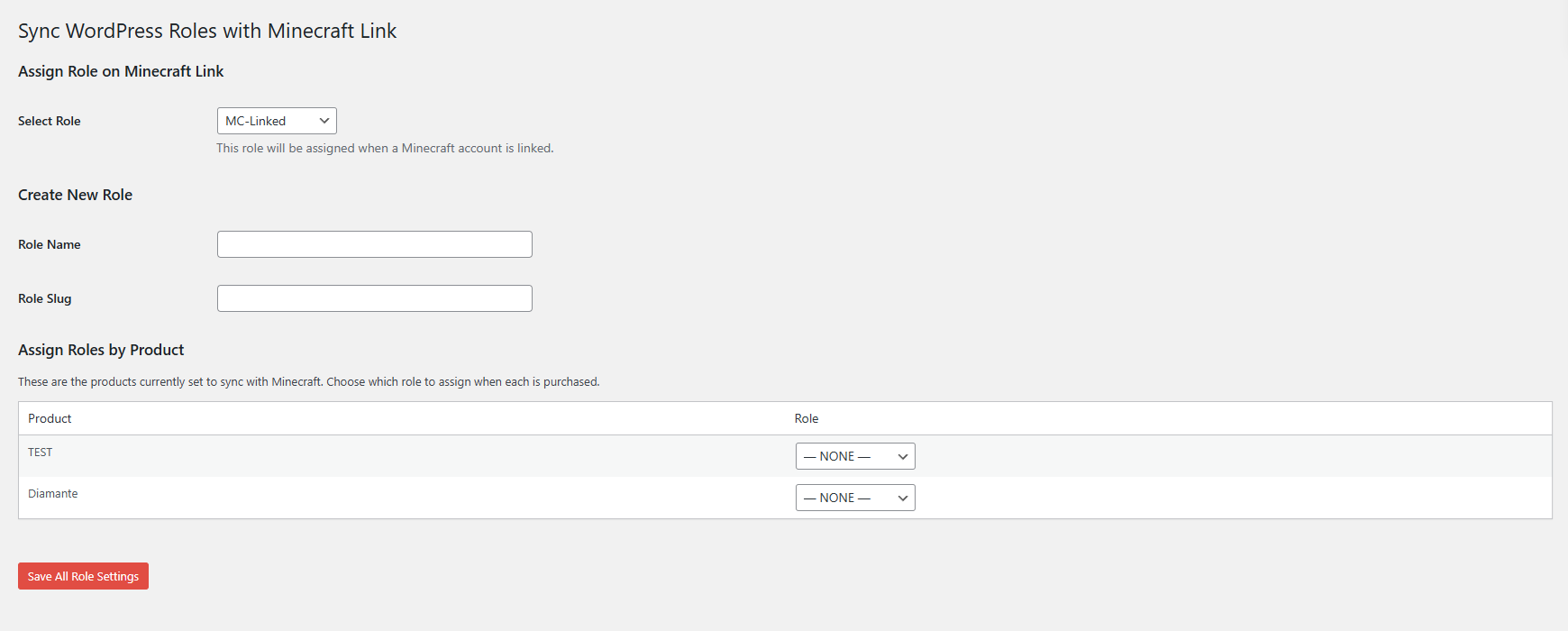
Yes. The free version supports up to 3 product mappings. The Pro version offers unlimited mappings and additional integrations.
Yes. You should exclude the API routes /wp-json/storelinkformc/v1/* from caching. This ensures fresh data is always returned.
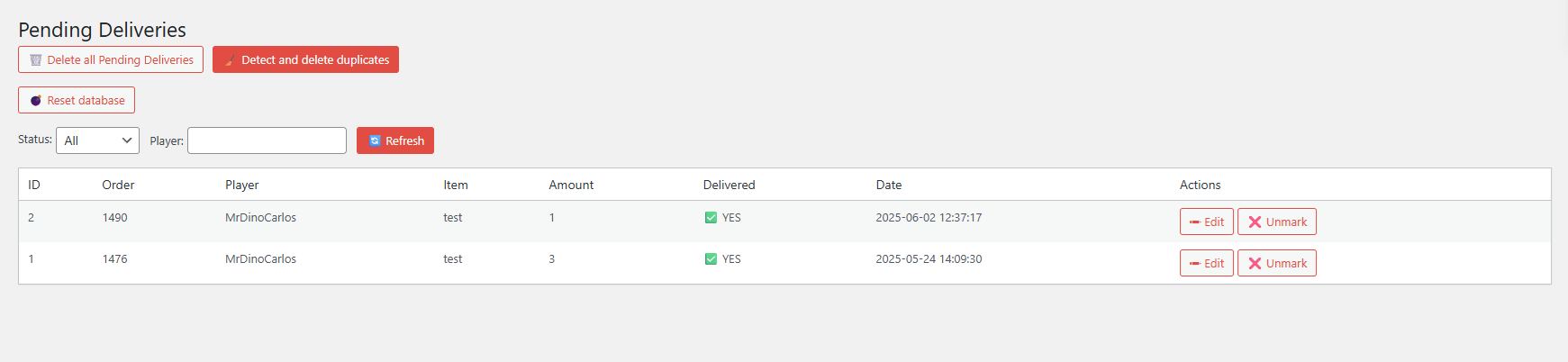
Yes. Use the Deliveries admin page to edit, delete or reassign items per player.
Review feed
Screenshots

Changelog
Version 1.0.31
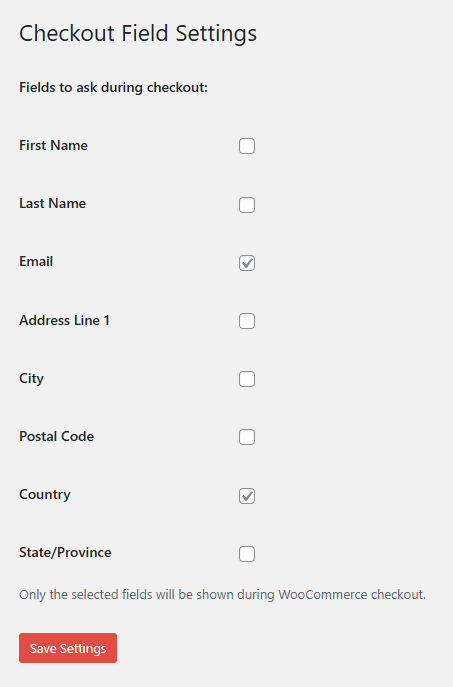
Added conditional Minecraft checkout: Minecraft Username + Gift fields now appear only when the cart contains synced products; all other orders use the normal WooCommerce checkout.
Added full sanitization and escaping workflow across all admin pages to comply with WordPress Plugin Review requirements.
Added safety checks and sanitization for Cloudflare CDN & Cache settings, including improved API error handling.
Added improved handling of REST API parameters in the account-linking and delivery-sync endpoints.
Added more consistent admin UI elements and styling improvements.
Fixed all text-domain mismatches across the plugin for full localization compatibility.
Fixed missing translator comments for strings with placeholders.
Fixed unescaped output warnings in admin notices, Cloudflare settings, and Deliveries pages.
Fixed multiple nonce verification warnings for admin pages and REST/API handlers.
Fixed unsafe direct database queries by adding $wpdb->prepare(), sanitization, and escaping where required.
Fixed Deliveries manager logic: sanitized inputs, improved update/mark/unmark actions, and corrected order-completion automation.
Fixed SMTP warning notice to sanitize all GET parameters and avoid false positives in Plugin Check.
Fixed several slow or unsafe meta queries by improving parameter handling.
Fixed inconsistent checkout field behavior when gifting is enabled but the player is not logged in.
Removed unsafe fallback cache-bypass constants and replaced them with prefixed, compliant versions.
Removed outdated or redundant sanitization patterns that caused Plugin Check warnings.
Removed unused admin code blocks left over from earlier versions.